


Por qué Instagram te deja publicar: causas habituales y cómo solucionarlas

Instagram 101 | 24 de febrero de 2026

Respuesta rápida
Si Instagram no te permite publicar, suele deberse a un bloqueo temporal, un fallo de la aplicación, una conexión a Internet débil o a que el contenido activa los filtros de Instagram(como hashtags que parecen spam o problemas de derechos de autor). La mayoría de los problemas son temporales y se pueden solucionar. Prueba a comprobar el estado de tu cuenta, actualizar o reinstalar la aplicación, cambiar de conexión a Internet o editar tu pie de foto y tus hashtags.
Haga clic aquí para
Aumenta tus Instagram
Instagram En ocasiones se producen restricciones técnicas o algorítmicas que impiden que se publiquen las entradas. Ayer publicaste fotos, vídeos o historias sin ningún problema. Pero hoy has pulsado el botón «Publicar»… y no pasa nada. Ni un error, ni una explicación, ni siquiera una pista de qué ha fallado. Esto le puede pasar a un usuario ocasional, a una marca o a un creador con una gran audiencia. Y, sí, es muy frustrante.
En ese momento, la mayoría de la gente empieza a buscar en Google: «¿Por qué Instagram no me deja publicar?». La buena noticia es que, en la mayoría de los casos, basta con una sencilla solución para resolver el problema. A continuación, analizamos las causas reales y te mostramos formas sencillas de volver a publicar con normalidad.
Motivos habituales por los que Instagram no me Instagram publicar
Así pues, cuando Instagram no te permite publicar, el problema puede estar en la plataforma o en ti. Los algoritmos, los fallos técnicos, una conexión a Internet deficiente o incluso el propio contenido: cualquiera de estos factores puede afectar a tu publicación.
Repasemos los casos más habituales.
Instagram temporales o restricciones de Instagram
La razón más habitual son las restricciones temporales debidas a la actividad. Instagram la rapidez y la frecuencia con la que realizas ciertas acciones y reacciona automáticamente si algo le parece sospechoso.
Estos límites suelen aparecer después de:
- Dar «Me gusta» a muchas publicaciones en poco tiempo
- Dejar comentarios masivos en diferentes publicaciones
- Seguir o dejar de seguir muchas cuentas rápidamente
- Un repentino estallido de actividad tras un descanso
Instagram No comprueba si eres una persona real, un gestor de redes sociales o un bot. Solo tiene en cuenta las cifras. Por eso, en algún momento, tu actividad puede activar una alerta y la plataforma, básicamente, «suspende» tu cuenta. Estos límites suelen durar desde unas pocas horas hasta 24-48 horas y desaparecen por sí solos si dejas descansar un poco tu cuenta.
Instagram No publica límites oficiales, pero muchos usuarios señalan que publicar más de 3 a 5 veces por hora o realizar un número excesivo de acciones de interacción puede provocar restricciones temporales.
Problemas técnicos y errores de la aplicación
A veces el problema no está en tu cuenta. « Instagram » es solo una aplicación, y puede dar problemas, bloquearse o fallar.
Motivos habituales:
- Versión anterior de la aplicación
- Errores tras una actualización
- Caché completa
- Problemas temporales con el servidor
Es posible que aparezcan mensajes como «Error al subir», «Acción bloqueada» o que tu publicación se quede atascada en «Publicando». Normalmente, puedes solucionarlo actualizando, reiniciando o reinstalando la aplicación.
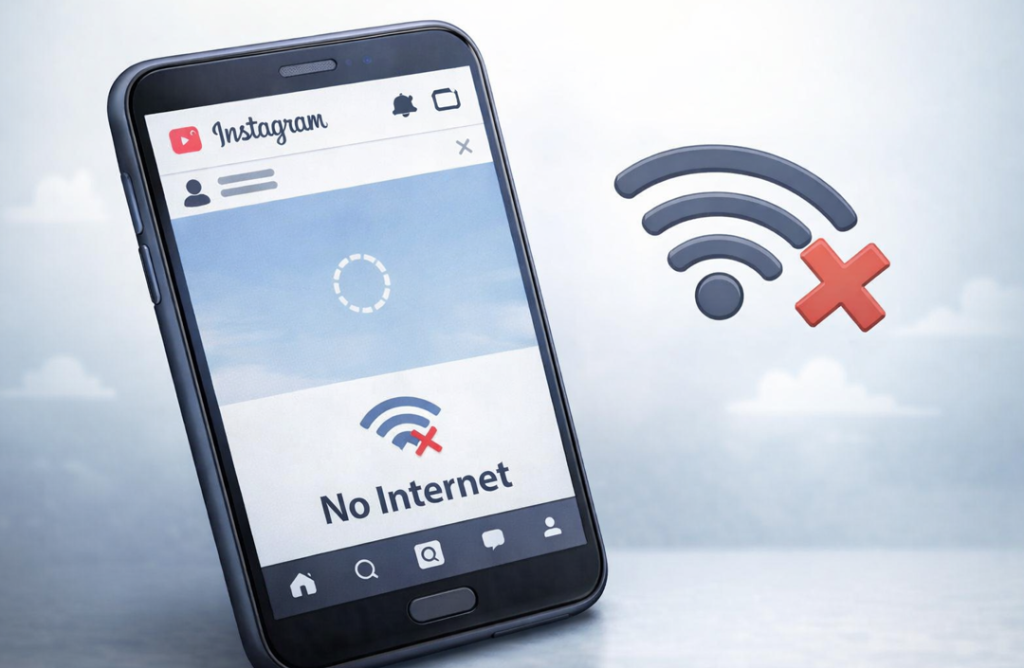
Problemas de conexión a Internet
A menudo se pasa esto por alto. Aunque tu conexión a Internet parezca funcionar bien, puede resultar inestable cuando intentas publicar algo. Los problemas surgen cuando:
- La señal wifi es débil o se desconecta constantemente
- La conexión de datos móviles es inestable
- Vas a publicar un vídeo, un Reel o un carrusel
Instagram Puede que tu publicación se quede bloqueada sin que aparezca ningún mensaje. Prueba a cambiar de conexión: si estás conectado a una red Wi-Fi, utiliza los datos móviles. Si estás conectado a la red móvil, cambia a Wi-Fi. A veces, desplazarte a un lugar con mejor señal o reiniciar el móvil o el router ayuda a que tu publicación se publique de inmediato.
El contenido incumple Instagram
A veces, Instagram simplemente no publica tu entrada, aunque tu cuenta esté en regla. El motivo son los filtros automáticos que revisan todo lo que subes. Al algoritmo no le importa si la entrada es buena o no. Solo busca posibles problemas.
¿Por qué no puedo publicar en Instagram? Estas son algunas de las razones por las que ocurre esto:
- Hashtags que Instagram considera spam o que están prohibidos. Por ejemplo, etiquetas muy populares que la gente utiliza con fines dudosos.
- Leyendas repetidas. Si copias el mismo texto en varias publicaciones, el sistema puede interpretarlo como una acción automatizada.
- Cuestiones relacionadas con los derechos de autor. Utilizar fotos, vídeos o música de otras personas sin permiso puede provocar que se bloquee tu publicación.
- Contenido que el algoritmo considera arriesgado o que parece spam. Por ejemplo, un número excesivo de enlaces o de texto en el que se puede hacer clic.
En la mayoría de los casos, puedes solucionar esto cambiando el pie de foto, eliminando los hashtags problemáticos o probando con otra foto o vídeo. La publicación suele aparecer de inmediato.
Problemas con tu Instagram
Las cuentas o perfiles nuevos que cambian repentinamente su actividad suelen ser objeto de controles adicionales. Si llevas mucho tiempo sin publicar nada y, de repente, compartes varias publicaciones en un mismo día, Instagram podría limitar algunas funciones. Lo mismo ocurre si sigues o dejas de seguir a muchas personas a la vez, o si empiezas a dar «Me gusta» y a comentar mucho tras un periodo de inactividad.
También se aplican restricciones si inicias sesión desde otro país o utilizas servicios de terceros. Es molesto, pero normalmente las restricciones desaparecen en cuanto tu cuenta vuelve a la normalidad.
Cómo solucionar problemas al publicar en Instagram
Así que sigues sin poder publicar tu entrada. Ya hemos explicado por qué ocurre esto. La buena noticia es que la mayoría de los problemas se pueden solucionar fácilmente por tu cuenta, sin necesidad de contactar con el servicio de asistencia. Veamos qué es lo que realmente ayuda.
Comprueba si hay Instagram
El primer paso es comprobar si Instagram ha aplicado alguna restricción temporal a tu cuenta. Si has estado muy activo, esta podría ser la razón. Así que ve a Instagram , en «Configuración» → «Seguridad» → «Límites de actividad». Si ves alguna restricción, deja que tu cuenta descanse entre 24 y 48 horas. Después, intenta publicar de nuevo. No es algo permanente, así que, por lo general, todo vuelve a funcionar con normalidad al cabo de unas horas.
Actualiza o reinstala la Instagram
Si el problema no está en tu cuenta, comprueba la aplicación. Las versiones antiguas pueden dar problemas, y los errores tras las actualizaciones no siempre se detectan de inmediato.
- Busca actualizaciones en la App Store o en Google Play.
- Si hay una nueva versión disponible, instálala; esto suele solucionar el problema.
- Si tu publicación sigue sin publicarse, elimina la aplicación y vuelve a instalarla.
Hacer esto suele resolver la mayoría de los problemas técnicos. Mantén tus aplicaciones actualizadas con regularidad para evitar problemas, no solo con Instagram.
Comprueba tu conexión a Internet
Una conexión a Internet lenta o inestable es una causa habitual, aunque fácil de pasar por alto, por la que tu publicación no se publica. Lo primero que debes hacer es comprobar si realmente tienes conexión. También puedes cambiar de Wi-Fi a datos móviles, o al revés. Si eso no funciona, intenta publicar a otra hora del día, cuando la red no esté tan saturada.
Esto suele solucionar el problema al instante y sin ningún tipo de restricción.
Revisa tu contenido antes de publicarlo
Ahora viene la parte más complicada: cuando Instagram una publicación por su contenido. Es complicado porque es difícil adivinar exactamente qué es lo que no le gusta al sistema.
Presta atención a aspectos como los hashtags bloqueados o repetidos, los pies de foto repetidos en varias publicaciones y las fotos o vídeos que incumplan las normas de derechos de autor o incluyan contenido prohibido.
Intenta cambiar el pie de foto o eliminar los hashtags que dan problemas. Si la publicación se publica después de eso, sabrás que el problema estaba en el contenido.
¿Cuánto tiempo dura un bloqueo Instagram ?
Si Instagram te impide publicar temporalmente, la restricción suele durar entre unas horas y 48 horas. La duración depende del motivo y del historial de tu cuenta.
Esto es lo habitual:
Límite de actividad menor: de unas pocas horas a 24 horas.
Comportamiento sospechoso reiterado: 24-48 horas.
Varias infracciones en un breve periodo de tiempo: hasta 7 días en casos excepcionales.
Instagram No siempre muestra un temporizador exacto. Si ves «Acción bloqueada» o tu publicación se queda atascada en la fase de subida, deja de intentar volver a publicarla una y otra vez. Si sigues intentándolo, podrías alargar la restricción.
La mayoría de los usuarios recuperan el acceso para publicar en un plazo de uno o dos días si interrumpen su actividad.
Cuándo ponerse en contacto con el servicio de asistencia Instagram
Si tus publicaciones no se publican durante varios días seguidos, o si tu cuenta se comporta de forma «extraña», es hora de ponerte en contacto con el servicio de atención al cliente.
Explica el problema con claridad y, si puedes, adjunta una captura de pantalla. Prepárate para esperar un poco: las respuestas suelen llegar en un plazo de entre 24 y 72 horas. El servicio de asistencia suele ayudar con problemas técnicos o bloqueos de cuentas, pero no corrige las publicaciones que incumplan las normas de Instagram.
Preguntas frecuentes
¿Por qué no se publica mi Instagram ? ¿Significa eso que mi cuenta ha sido bloqueada?
Hay muchas razones posibles. Por lo general, se trata simplemente de restricciones temporales, ya sea por un fallo técnico o por un problema con tu contenido.
¿Cuánto tiempo tengo que esperar si mi publicación no se publica?
Por lo general, tarda entre unas horas y dos días.
¿Debería ponerme en contacto con el servicio de asistencia de inmediato?
Prueba primero con unos pasos sencillos. Comprueba el estado de tu cuenta y la conexión a Internet, y actualiza la aplicación tú mismo.
¿Afectará esto a mi alcance futuro?
A corto plazo, puede que algunas personas no vean tus próximas publicaciones de inmediato. Pero, con el tiempo, todo vuelve a la normalidad si tu cuenta funciona correctamente.
¿Qué debo hacer si tengo problemas para publicar con frecuencia?
Si el problema persiste o dura varios días, ponte en contacto con el servicio de asistencia con una descripción clara y una captura de pantalla.
Conclusión
Instagram No te deja publicar. Son cosas que pasan. No te asustes. La mayoría de las veces, el motivo es un límite temporal, un pequeño problema con la aplicación, una conexión a Internet débil o algo relacionado con tu contenido. Normalmente puedes solucionarlo por tu cuenta o con la ayuda del servicio de atención al cliente.
Una vez que vuelvas a publicar contenido, podrás centrarte en hacer crecer tu cuenta. Servicios como PathSocial te ayudan a conseguir seguidores reales y una mayor interacción sin correr el riesgo de que te bloqueen. Menos estrés y más publicaciones que realmente se ven.





¿Buscas Instagram reales y auténticos en Instagram ?
Deje que nuestro crecimiento orgánico dirigido por IA trabaje para usted.
Consigue seguidores de Instagram ahora