


Pourquoi Instagram vous laisse Instagram publier : causes courantes et solutions

Instagram | 24 février 2026

Réponse rapide
Si Instagram vous permet Instagram publier, cela est généralement dû à un blocage temporaire, à un bug de l'application, à une connexion Internet faible ou à un contenu qui déclenche les filtres Instagram(comme des hashtags indésirables ou des problèmes de droits d'auteur). La plupart des problèmes sont temporaires et peuvent être résolus. Essayez de vérifier l'état de votre compte, de mettre à jour ou de réinstaller l'application, de changer de connexion Internet ou de modifier votre légende et vos hashtags.
Cliquez ici pour
Augmenter le nombre Instagram
Instagram est Instagram soumis à des restrictions techniques ou algorithmiques qui empêchent la publication de contenus. Hier encore, vous publiiez sans problème des photos, des vidéos ou des stories. Mais aujourd’hui, vous cliquez sur le bouton « Publier »… et rien ne se passe. Aucune erreur, aucune explication, pas même un indice sur ce qui a pu se passer. Cela peut arriver aussi bien à un utilisateur lambda qu’à une marque ou à un créateur disposant d’une large audience. Et, oui, c’est extrêmement frustrant.
À ce moment-là, la plupart des gens se précipitent sur Google pour chercher : « Pourquoi Instagram ne me Instagram pas publier ? » La bonne nouvelle, c’est que dans la plupart des cas, une solution simple suffit à résoudre le problème. Ci-dessous, nous passons en revue les véritables causes et vous proposons des méthodes simples pour que vos publications soient à nouveau visibles.
Raisons courantes pour lesquelles Instagram ne me Instagram pas de publier
Ainsi, lorsque Instagram vous permet Instagram publier, le problème peut provenir de la plateforme ou de votre côté. Les algorithmes, les dysfonctionnements techniques, une connexion Internet instable, voire le contenu lui-même : n’importe lequel de ces éléments peut perturber la publication de votre post.
Passons en revue les cas les plus courants.
Instagram temporaires ou restrictions d'accès Instagram
La raison la plus courante est la mise en place de restrictions temporaires liées à votre activité. Instagram la rapidité et la fréquence de vos actions et réagit automatiquement si quelque chose semble suspect.
Ces limites apparaissent généralement après :
- Mettre beaucoup de « J'aime » sur des publications en peu de temps
- Publier des commentaires en masse sous différents articles
- S'abonner ou se désabonner rapidement à de nombreux comptes
- Un regain d'activité soudain après une pause
Instagram vérifie Instagram si vous êtes une personne réelle, un responsable de réseaux sociaux ou un bot. La plateforme se base uniquement sur les chiffres. Ainsi, à un moment donné, votre activité peut déclencher un avertissement, et la plateforme « suspend » alors votre compte. Ces restrictions durent généralement de quelques heures à 24-48 heures et disparaissent d'elles-mêmes si vous laissez votre compte au repos pendant un certain temps.
Instagram communique Instagram de limites officielles, mais de nombreux utilisateurs signalent que publier plus de 3 à 5 fois par heure ou effectuer un nombre excessif d'actions d'interaction peut entraîner des restrictions temporaires.
Problèmes techniques et bugs de l'application
Parfois, le problème ne vient pas de votre compte. Instagram qu'une application, et il peut arriver qu'elle présente des dysfonctionnements, se fige ou plante.
Raisons courantes :
- Ancienne version de l'application
- Problèmes après une mise à jour
- Cache complet
- Problèmes temporaires liés au serveur
Il se peut que vous voyiez s'afficher des messages tels que « Échec du téléchargement », « Action bloquée », ou que votre publication reste bloquée sur « Publication en cours ». En général, vous pouvez résoudre ce problème en mettant à jour, en redémarrant ou en réinstallant l'application.
Problèmes de connexion Internet
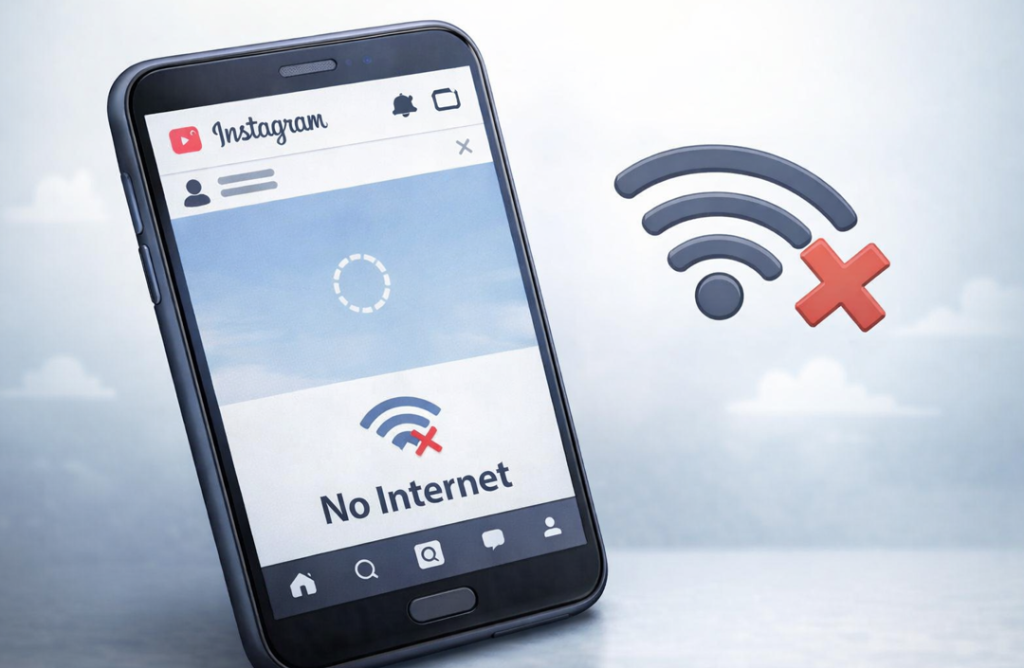
On a souvent tendance à négliger cet aspect. Même si votre connexion Internet semble fonctionner correctement, elle peut s'avérer instable lorsque vous essayez de publier un message. Des problèmes peuvent survenir dans les cas suivants :
- Le signal Wi-Fi est faible ou se déconnecte sans cesse
- La connexion mobile est instable
- Vous publiez une vidéo, un Reel ou un carrousel
Instagram parfois bloquer votre publication sans avertissement. Essayez de changer de connexion : si vous êtes connecté au Wi-Fi, passez aux données mobiles. Si vous utilisez les données mobiles, passez au Wi-Fi. Parfois, le fait de vous déplacer vers un endroit où le signal est meilleur ou de redémarrer votre téléphone ou votre routeur permet à votre publication d'être publiée immédiatement.
Le contenu enfreint Instagram
Il arrive parfois Instagram refuse Instagram de publier votre publication, même si votre compte ne présente aucun problème. Cela s’explique par les filtres automatiques qui vérifient tout ce que vous publiez. L’algorithme ne se soucie pas de savoir si la publication est de bonne qualité ou non. Il se contente de rechercher d’éventuels problèmes.
Pourquoi je n'arrive pas à publier sur Instagram? Voici quelques raisons qui peuvent expliquer ce problème :
- Les hashtags Instagram comme du spam ou qui sont interdits. Par exemple, des hashtags très populaires que certains utilisent à des fins douteuses.
- Légendes répétées. Si vous copiez le même texte dans plusieurs publications, le système peut considérer qu'il s'agit d'une publication automatisée.
- Problèmes liés aux droits d'auteur. L'utilisation sans autorisation de photos, de vidéos ou de morceaux de musique appartenant à autrui peut entraîner le blocage de votre publication.
- Contenu que l'algorithme considère comme risqué ou comme du spam. Par exemple, un nombre excessif de liens ou de texte cliquable.
La plupart du temps, vous pouvez résoudre ce problème en modifiant la légende, en supprimant les hashtags à risque ou en essayant une autre photo ou vidéo. La publication s'affiche généralement immédiatement.
Problèmes liés à votre Instagram
Les nouveaux comptes ou profils dont l'activité change brusquement font souvent l'objet de vérifications supplémentaires. Si vous n'avez rien publié depuis longtemps et que vous partagez ensuite plusieurs publications en une seule journée, Instagram limiter certaines fonctionnalités. Il en va de même si vous suivez ou ne suivez plus de nombreuses personnes d'un seul coup, ou si vous commencez à « aimer » et à commenter beaucoup après une période d'inactivité.
Des restrictions peuvent également s'appliquer si vous vous connectez depuis un autre pays ou si vous utilisez des services tiers. C'est agaçant, mais en général, ces restrictions disparaissent dès que votre compte revient à la normale.
Comment résoudre les problèmes de publication sur Instagram
Vous n'arrivez donc toujours pas à publier votre message. Nous avons déjà expliqué pourquoi cela se produit. La bonne nouvelle, c'est que la plupart des problèmes peuvent être résolus facilement par vous-même, sans avoir à contacter le service d'assistance. Voyons ensemble ce qui peut réellement vous aider.
Vérifier Instagram
La première chose à faire est de vérifier si Instagram des restrictions temporaires à votre compte. Si vous étiez très actif, cela pourrait en être la cause. Rendez-vous donc dans Instagram → Sécurité → Limites d’activité. Si vous constatez des restrictions, laissez votre compte au repos pendant 24 à 48 heures. Ensuite, essayez de publier à nouveau. Ces restrictions ne sont pas permanentes ; en général, tout revient à la normale au bout de quelques heures.
Mettre à jour ou réinstaller Instagram
Si le problème ne vient pas de votre compte, vérifiez l'application. Les anciennes versions peuvent présenter des dysfonctionnements, et les bugs apparus après une mise à jour ne se manifestent pas toujours immédiatement.
- Consultez l'App Store ou Google Play pour voir s'il y a des mises à jour.
- Si une nouvelle version est disponible, installez-la : cela permet souvent de résoudre le problème.
- Si votre publication ne s'affiche toujours pas, supprimez l'application et réinstallez-la.
Cette opération permet généralement de résoudre la plupart des problèmes techniques. Veillez à mettre régulièrement à jour vos applications pour éviter tout problème, et pas seulement sur Instagram.
Vérifiez votre connexion Internet
Une connexion Internet lente ou instable est une cause fréquente, mais souvent négligée, qui peut empêcher la publication de votre message. La première chose à faire est de vérifier si vous êtes bien connecté. Vous pouvez également passer du Wi-Fi aux données mobiles, ou inversement. Si cela ne fonctionne pas, essayez de publier à un autre moment de la journée, lorsque le réseau est moins encombré.
Cela permet généralement de résoudre le problème immédiatement, sans aucune restriction.
Vérifiez votre contenu avant de le publier
Passons maintenant à la partie la plus délicate : quand Instagram une publication à cause de son contenu. C'est délicat, car il est difficile de deviner exactement ce qui déplaît au système.
Faites attention aux éléments tels que les hashtags bloqués ou répétés, les légendes identiques sur plusieurs publications, ainsi que les photos ou vidéos qui enfreignent les règles relatives aux droits d'auteur ou qui contiennent du contenu interdit.
Essayez de modifier la légende ou de supprimer les hashtags qui posent problème. Si la publication s'affiche ensuite, c'est que le problème venait bien du contenu.
Combien de temps dure un blocage Instagram ?
Si Instagram vous empêche Instagram de publier du contenu, cette restriction dure généralement entre quelques heures et 48 heures. La durée dépend de la raison invoquée et de l'historique de votre compte.
Voici ce qui est habituel :
Limite d'activité mineure : de quelques heures à 24 heures.
Comportement suspect répété : 24 à 48 heures.
Plusieurs infractions commises en peu de temps : jusqu'à 7 jours dans de rares cas.
Instagram toujours un compte à rebours précis. Si le message « Action bloquée » s'affiche ou si la publication reste bloquée en cours de publication, cessez d'essayer de la republier à plusieurs reprises. Continuer pourrait prolonger la restriction.
La plupart des utilisateurs retrouvent leur droit de publication dans un délai d'un à deux jours s'ils suspendent leur activité.
Quand contacter l'assistance Instagram
Si vos publications ne s'affichent pas pendant plusieurs jours d'affilée, ou si votre compte se comporte de manière « bizarre », il est temps de contacter le service client.
Expliquez clairement le problème et joignez une capture d'écran si possible. Préparez-vous à patienter un peu : les réponses sont généralement envoyées dans un délai de 24 à 72 heures. Le service d'assistance intervient principalement pour les problèmes techniques ou les blocages de compte, mais il n'intervient pas sur les publications qui enfreignent les règles Instagram.
Foire aux questions
Pourquoi ma Instagram ne s'affiche-t-elle pas ? Est-ce que cela signifie que mon compte a été suspendu ?
Il peut y avoir de nombreuses raisons à cela. En général, il s'agit simplement de restrictions temporaires, qu'il s'agisse d'un problème technique ou d'un problème lié à votre contenu.
Combien de temps dois-je attendre si ma publication ne s'affiche pas ?
En général, cela prend entre quelques heures et deux jours.
Dois-je contacter immédiatement le service d'assistance ?
Commencez par suivre ces étapes simples. Vérifiez l'état de votre compte, votre connexion Internet et mettez à jour l'application vous-même.
Cela aura-t-il une incidence sur ma portée future ?
Un petit inconvénient à court terme : certaines personnes risquent de ne pas voir vos prochaines publications tout de suite. Mais avec le temps, tout revient à la normale si votre compte fonctionne correctement.
Que dois-je faire si je rencontre souvent des problèmes lors de la publication ?
Si le problème persiste ou dure plusieurs jours, contactez le service d'assistance en fournissant une description claire et une capture d'écran.
Conclusion
Instagram vous permet Instagram publier. Ça arrive. Pas de panique. La plupart du temps, cela est dû à une limite temporaire, à un petit problème avec l'application, à une connexion Internet faible ou à un élément de votre contenu. Vous pouvez généralement résoudre le problème vous-même ou avec l'aide du service client.
Une fois que vous aurez recommencé à publier des contenus, vous pourrez vous concentrer sur le développement de votre compte. Des services tels que PathSocial vous aident à gagner de vrais abonnés et à améliorer l'engagement sans risquer d'être bloqué. Moins de stress, plus de publications qui s'affichent réellement.





Vous recherchez de vrais Instagram , sans artifices ?
Laissez notre croissance organique ciblée par l'IA travailler pour vous.
Obtenir des followers Instagram maintenant