


Bloqué sur Instagram? Il est temps de faire des recherches

Avant d'aborder le sujet du blocage sur Instagram, il convient de préciser un point. Chez Path Social, nous respectons le choix des utilisateurs de s'associer à qui bon leur semble.
Il est essentiel de garder à l'esprit qu'un utilisateur peut bloquer d'autres utilisateurs sur Instagram sa guise. Les utilisateurs ont le droit de définir leur niveau de confidentialité et de choisir les personnes avec lesquelles ils souhaitent interagir sur le réseau. Il vaut mieux accepter leur décision. Essayez de vous concentrer sur les amitiés qui vous restent, même si cela n'est pas toujours facile. Chacun peut personnaliser son expérience en ligne à sa guise, et ce choix doit être respecté.
Cela dit, vous voulez savoir comment savoir si quelqu’un vous a bloqué sur Instagram? Nous avons ce qu’il vous faut. Qui ne voudrait pas savoir qui l’a bloqué sur Instagram? Poursuivez votre lecture pour découvrir nos meilleurs conseils.
Puis-je payer pour voir qui m'a bloqué sur Instagram?
Le fait d'être bloqué sur Instagram un sujet qui fait débat depuis longtemps. Les utilisateurs Instagram parfois sur des publicités pour un nouvel outil. Celui-ci prétend vous permettre de voir Instagram utilisateurs Instagram ont bloqué. C'est tentant, n'est-ce pas ?
Il n'y a toutefois aucune déclaration officielle publiée par Instagram que cela soit même possible. Il semble qu'il ne s'agisse que d'une rumeur qui s'est répandue comme une traînée de poudre sur Internet. Vous pouvez consulter la liste des personnes que vous avez bloquées sur Instagram. Mais c'est l'inverse qui intéresse les utilisateurs.
Au premier abord, il peut sembler difficile de savoir comment voir qui vous avez bloqué sur Instagram qui vous a bloqué sur Instagram. D’un autre côté, si vous souhaitez gérer votre Instagram , il est essentiel de toujours garder à l’esprit certains éléments. Heureusement, nous avons détaillé certains des facteurs les plus importants que vous devez connaître pour déterminer si quelqu’un vous a bloqué ou non sur Instagram. Nous espérons que la lecture de nos conseils vous permettra de mieux comprendre comment utiliser votre compte.
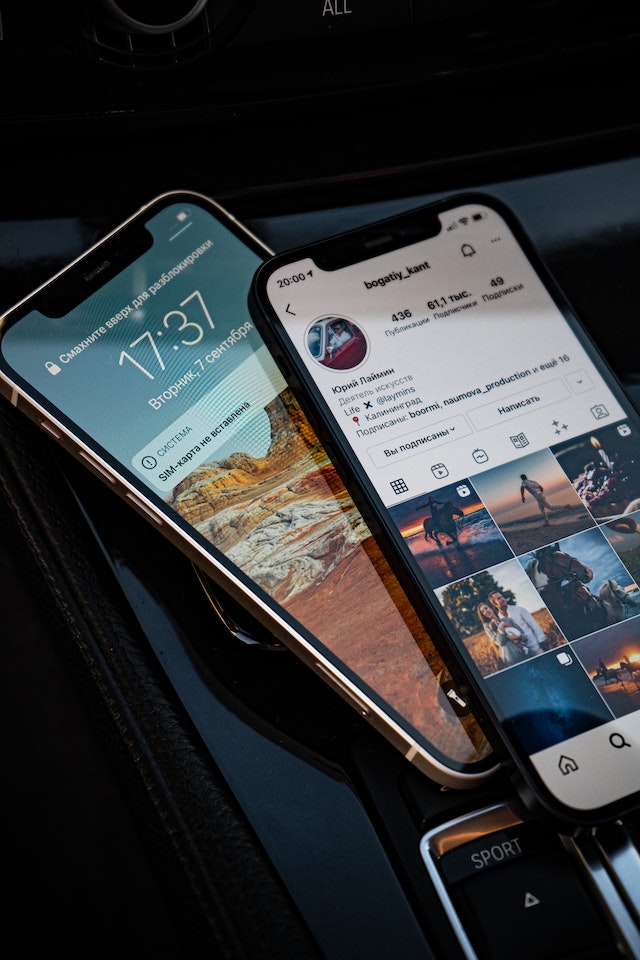
Du blocage sur Instagram au déblocage : L'arc de rédemption
Lorsqu’une personne est bloquée sur Instagram, elle est supprimée de votre liste d’abonnés. Elle ne peut plus consulter vos publications ni interagir avec vous de quelque manière que ce soit. Mais que se passe-t-il si vous changez d’avis ? Peut-être s’agissait-il d’un malentendu que vous avez pu clarifier en personne. Existe-t-il un moyen de retirer quelqu’un de votre liste de personnes bloquées sur Instagram?
Pour débloquer un utilisateur sur Instagram, rendez-vous dans les paramètres de votre compte et recherchez la section « Utilisateurs bloqués » pour y accéder. Vous pouvez désormais débloquer toute personne que vous aviez bloquée auparavant. N’oubliez pas que si vous débloquez quelqu’un, cette personne pourra à nouveau voir vos publications et échanger avec vous. Il est donc dans votre intérêt de la laisser bloquée si vous n’êtes pas encore prêt à pardonner et à oublier le passé.
Mais si vous êtes sûr de votre choix, voici comment débloquer un utilisateur :
- La première chose à faire est d'ouvrir l'application Instagram sur votre appareil mobile.
- Dans le coin inférieur droit, cliquez sur votre photo de profil.
- Pour accéder au menu des paramètres, sélectionnez l'icône représentant trois lignes horizontales.
- Sélectionnez Comptes bloqués dans le menu Confidentialité après avoir appuyé sur le bouton Menu.
- Dans l'onglet « Comptes bloqués », la quatrième étape consiste à cliquer sur le bouton bleu « Débloquer » situé à côté du nom de la personne dont vous souhaitez débloquer le compte.
Et voilà. Ils ne sont plus bloqués. Ils ne vous suivent toutefois pas automatiquement à nouveau. Même s’ils trouveront votre profil en le recherchant, ils ne verront pas régulièrement vos publications dans leur fil d’actualité.
Il est important de savoir comment voir qui vous a bloqué sur Instagram . Mais la raison pour laquelle ils agissent ainsi l'est tout autant.
Se faire bloquer sur Instagram, ce n’est pas drôle. Cela peut vous prendre par surprise un jour. Avez-vous des amis en commun avec la personne qui vous a bloqué ? Vous pourrez peut-être continuer à voir ses publications et ses stories en vous rendant sur les comptes de vos amis communs. Vous ne pourrez toutefois pas interagir directement avec cette personne ni accéder à son profil dans ce mode.
Si cela vous donne envie de savoir comment découvrir qui vous a bloqué sur Instagram, voici quelques raisons possibles.
- Vos actions
Les comportements inappropriés sur Instagram l'envoi de commentaires injurieux, le partage de contenus explicites, le harcèlement ou les brimades envers autrui, ou encore la publication de contenus à caractère sexuel. Ce sont là les raisons les plus courantes pour lesquelles un utilisateur peut se voir bloquer son compte sur Instagram.
- Comportement louche
Si vous adoptez un comportement douteux, vous risquez de voir votre accès à certains utilisateurs bloqué. Cela inclut l'envoi de messages privés publicitaires non sollicités, la publication d'informations frauduleuses ou trompeuses, ou toute tentative d'escroquerie. Réfléchissez-y à deux fois avant de les taguer sans cesse dans des concours ou de faire la promotion de vos activités de trading sur le Forex.
- Conflit en personne
Le fait de se disputer, d'avoir des désaccords ou d'avoir régulièrement des contacts conflictuels avec d'autres personnes en face à face peut également entraîner un blocage.
- Harcèlement
Imaginons que vous portiez atteinte à la vie privée d'une personne d'une manière ou d'une autre. Cela inclut notamment la divulgation de ses informations personnelles à son insu, le fait de la suivre ou de lui envoyer des SMS de manière excessive, ou encore d'envahir son espace en ligne. Dans ce cas, un utilisateur peut vous bloquer en raison de ce comportement.
Respectez le choix des personnes qui décident de vous bloquer ou de ne plus vous suivre. Si quelqu’un décide de vous bloquer, il est impératif que vous respectiez son choix. N’essayez pas de contourner cette décision ni de vous livrer à des activités en ligne pouvant s’apparenter à du harcèlement.
Comment savoir si quelqu'un vous a bloqué sur Instagram avec un peu de travail de détective
Avez-vous des raisons de croire que quelqu'un vous a bloqué sur Instagram? Instagram ne vous permet pas de voir une liste des utilisateurs qui vous ont banni de leurs comptes. Instagram ne vous informe même pas si quelqu'un vous a bloqué sur Instagram.
D'un autre côté, il existe quelques astuces pour savoir si quelqu'un vous a bloqué sur Instagram. Jetez-y un œil :
- Cherchez leur nom d'utilisateur.
Si quelqu'un vous a bloqué sur Instagram, vous ne pourrez pas accéder à son profil. Et ce, même si vous effectuez une recherche rapide de son nom d'utilisateur ou de Instagram dans la barre de recherche Instagram. Si vous n'avez pas été bloqué, vous pouvez accéder au profil de cette personne et à toutes ses publications.
- Utilisez le lien spécifique à votre profil Instagram .
Vous devriez pouvoir accéder au compte de la personne qui, selon vous, vous a bloqué. Pour cela, remplacez le nom d'utilisateur figurant dans le lien vers le profil par le nom d'utilisateur de cette personne. Si vous ouvrez Instagram votre navigateur et que vous recherchez son profil à l'aide d'un lien direct, vous aurez alors deux possibilités :
- Consultez leur profil, ou
- Vous verrez s'afficher le message d'erreur « Désolé, cette page n'est pas disponible. »
3. Utiliser le compte Instagram de quelqu'un d'autre
Vous pouvez vérifier si le Instagram qui, selon vous, vous a bloqué existe bel et bien en le recherchant depuis un autre compte. S'il n'apparaît pas, cela signifie que la personne a changé de nom d'utilisateur ou désactivé son compte. En revanche, s'il apparaît avec le même nom d'utilisateur, cela signifie que vous avez été bloqué sur Instagram.
Comment bloquer quelqu'un sur Instagram si vous en avez assez
Le blocage d'un compte est la mesure la plus radicale à prendre si vous souhaitez empêcher quelqu'un d'accéder à votre contenu. Toutefois, si vous estimez que cette solution est excessive compte tenu des circonstances, d'autres options s'offrent à vous. Avant d'aborder ces options, voici comment bloquer quelqu'un sur Instagram.
Si vous utilisez votre téléphone et que vous souhaitez bloquer l'un de vos abonnés sur Instagram, voici la marche à suivre :
- Lancez l'application Instagram sur votre appareil.
- Vous pouvez utiliser l'option « Recherche » ou parcourir votre liste d'abonnés pour trouver le compte que vous souhaitez bloquer, puis bloquer ce compte.
- Sélectionnez les trois points horizontaux dans le coin supérieur droit de l'écran pour accéder au menu.
- Pour bloquer, cliquez sur « Bloquer ».
- Pour valider votre choix, appuyez une nouvelle fois sur « Block ».
C'est ainsi que vous pouvez empêcher les personnes qui vous suivent sur Instagram de voir vos messages ou de vous contacter. Il n'est pas nécessaire qu'un compte Instagram vous suive pour que vous puissiez le bloquer. Les étapes requises pour bloquer un compte qui ne vous suit pas sont identiques à celles requises pour bloquer un compte qui vous suit. Les instructions ci-dessus sur la manière de bloquer quelqu'un sur Instagram sont idéales.
Il est normal que vous soyez curieux de savoir si quelqu'un peut savoir s'il est bloqué sur Instagram. Le fait de bloquer quelqu'un sur Instagram peut parfois conduire à des situations embarrassantes en personne. Il est normal que vous souhaitiez savoir si quelqu'un peut savoir s'il a été bloqué. Poursuivez votre lecture pour en savoir plus sur le blocage d'une personne sur Instagram.
Que se passe-t-il lorsque vous bloquez quelqu'un sur Instagram? Saura-t-il qu'il figure sur ma liste ?
Personne n'apprécie les harceleurs en ligne. Il semble qu'ils soient de tous âges. Lorsque vous bloquez un autre utilisateur sur Instagram, vous mettez en place des barrières pour préserver votre tranquillité. En revanche, il arrive parfois que la personne que vous bloquez ne soit pas un parfait inconnu, mais quelqu'un que vous connaissez déjà dans la vie réelle et que vous pourriez croiser à l'épicerie.
Vous est-il déjà arrivé de bloquer quelqu’un sur Instagram de vous demander ensuite si cette personne savait qu’elle était bloquée ? Que se passe-t-il lorsque vous bloquez quelqu’un sur Instagram? Nous allons vous l’expliquer. Instagram vous Instagram également ce qui se passe lorsque vous bloquez quelqu’un sur Instagram.
Il est tout à fait normal de se demander si une personne peut savoir qu’elle a été bloquée sur Instagram. Bloquer quelqu’un sur Instagram parfois donner lieu à des situations gênantes en face à face ; il est donc tout à fait normal de vouloir savoir si cette personne peut se rendre compte que vous l’avez bloquée. Voici ce qui se passe lorsqu’une personne est bloquée sur Instagram:
- Lorsque vous bloquez un utilisateur sur Instagram, ses « J'aime » et ses commentaires n'apparaîtront plus sur vos publications. Il s'agit d'une mesure définitive. Ces « J'aime » et ces commentaires resteront visibles même après que vous aurez débloqué l'utilisateur.
- Lorsque vous bloquez quelqu'un sur Instagram, le compte bloqué ne pourra plus trouver votre profil dans les résultats de recherche. C'est l'un des avantages du blocage sur Instagram.
D'un autre côté, cette situation pourrait indiquer qu'ils ont été bloqués sur Instagram. Il est possible qu'ils cherchent d'autres moyens de vérifier la véracité de leurs soupçons.
Autres solutions pour bloquer quelqu'un sur Instagram
Bloquer quelqu’un peut sembler trop radical pour certaines personnes. Si c’est votre cas, vos sentiments sont tout à fait légitimes. Vous pouvez réserver le blocage sur Instagram dernier recours. Heureusement, nous avons quelques conseils efficaces à vous proposer.
- Mise en œuvre des restrictions d'action
Vous pouvez limiter la possibilité pour une personne de commenter vos Instagram ou d'interagir avec votre compte. C'est une option à envisager si vous ne souhaitez pas bloquer cette personne, mais que vous souhaitez tout de même limiter sa capacité à commenter vos publications ou à interagir avec votre compte.
- Le supprimer en tant que suiveur
Lorsque vous bloquez un autre utilisateur sur Instagram, l'application le supprime immédiatement de la liste des abonnés de votre compte. Cela signifie qu'il ne vous inclura plus dans la liste des personnes qu'il suit. Si vous suiviez cet utilisateur avant de le bloquer, Instagram vous Instagram également de sa liste d'abonnés. Notre conseil : supprimez-le de vos abonnés plutôt que de le bloquer sur Instagram. Il ne verra plus vos publications dans son fil d'actualité. Peut-être que le dicton « loin des yeux, loin du cœur » s'appliquera dans ce cas.
- Déclarer le compte
Vous pouvez signaler le profil d'un utilisateur sur Instagram avant de décider de le bannir si vous craignez que ses messages sur Instagram violent les directives de la communauté. N'oubliez pas que Instagram prend ces plaintes au sérieux car il souhaite que la plateforme reste un lieu de soutien. Vous pouvez combiner cette option avec l'une ou l'autre des deux options ci-dessus.
- Filtrer les commentaires
Si vous souhaitez passer un moment agréable en naviguant sur Internet, vous pourriez envisager de filtrer les commentaires négatifs sur les réseaux sociaux. Les propos toxiques peuvent causer une détresse émotionnelle et mentale. Vos commentaires peuvent constituer un espace sûr.
Être bloqué sur Instagram n'est pas une fin en soi
Ne vous découragez pas si vous découvrez que votre compte a été bloqué sur Instagram. Vous pouvez toujours développer votre page de manière organique. C’est une promesse que nous vous faisons. Au cours de la dernière décennie, la talentueuse équipe chargée des réseaux sociaux chez Path Social sans relâche de longues heures de travail à la mise au point d’une plateforme interne destinée Instagram et d’un algorithme unique de ciblage basé sur l’intelligence artificielle. Les commentaires et suggestions de nos clients parlent d’eux-mêmes.
Grâce à cette stratégie, nous pouvons attirer des consommateurs organiques motivés, enthousiastes et engagés. En suivant nos conseils, vous pourrez développer une Instagram solide. À notre connaissance, personne d’autre n’a réussi à reproduire nos résultats. Vous devriez vous mettre immédiatement au travail pour augmenter le nombre de personnes qui vous suivent sur Instagram. Commencez Instagram possible à développer votre audience sur Instagram et à accumuler des abonnés.





Vous voulez augmenter le nombre de vos followers Instagram ?
Utilisez notre boîte à outils basée sur l'IA pour attirer de véritables abonnés engagés et booster votre portée.
Augmenter le nombre de followers Instagram




