Comment obtenir l'IA sur Instagram: L'apprentissage automatique de l'IG

Instagram Outils | 29 novembre 2024
L'une des actualités les plus marquantes de l'année dans le secteur du numérique est que Meta mise encore plus fortement sur l'IA. Des assistants virtuels aux outils de création de chatbots personnalisés, Meta fait passer l'expérience « Instagram » à un niveau supérieur grâce à l'intégration de l'IA.
Vous vous demandez comment intégrer l'IA sur Instagram pour découvrir par vous-même toute la puissance de l'apprentissage automatique ? Dans cet article, nous verrons s'il est possible d'accélérer le déploiement de ces fonctionnalités d'IA sur votre page. Poursuivez votre lecture pour découvrir les réponses !

Quelles sont les différentes intégrations de l'IA sur Instagram?
Instagram investit aujourd'hui massivement dans les fonctionnalités basées sur l'IA. Certaines sont disponibles sur la plateforme depuis un certain temps déjà, tandis que d'autres sont encore en cours de déploiement, lentement mais sûrement. Voici quelques-unes des fonctionnalités d'Instagramqui exploitent la puissance de l'IA et rendent votre expérience en ligne plus fluide.
Recommandations de contenu sur le fil d'actualité
Oui, vous avez bien entendu. Instagram utilise l'IA pour personnaliser les recommandations de contenu qu'il pense que vous aimerez sur la plateforme.
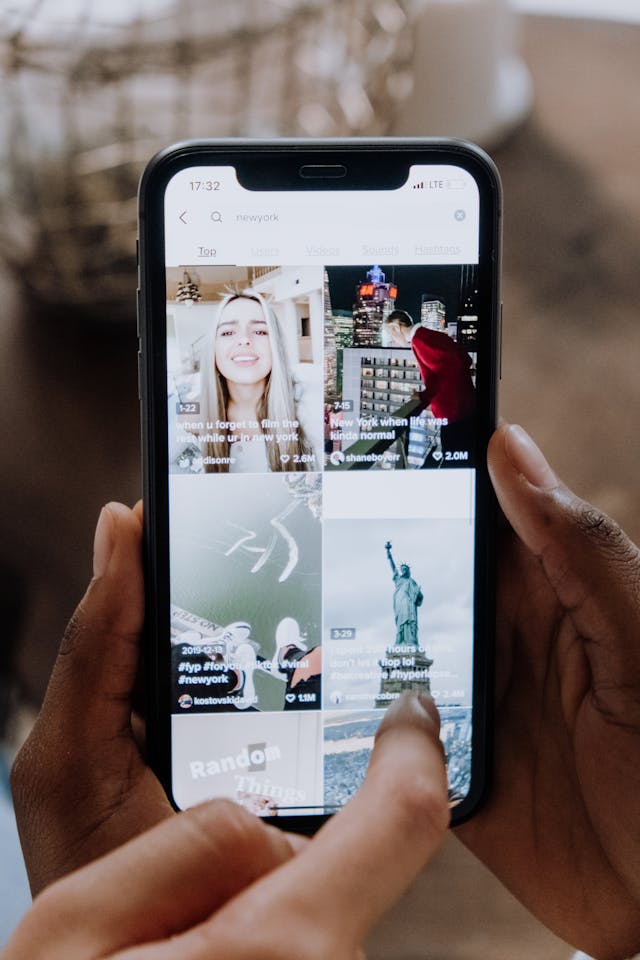
Prenons l'exemple de l'algorithme de Reels d'Instagram . Vous êtes-vous déjà demandé comment l'application savait exactement quelles vidéos vous passionnaient ou vous faisaient rire aux éclats ? Tout cela est rendu possible grâce à l'apprentissage automatique. La plateforme identifie le type de contenu auquel vous prêtez le plus attention et avec lequel vous interagissez le plus. Elle vous propose ensuite du contenu similaire la prochaine fois que vous ouvrez l'onglet Reels.
Des filtres cool alimentés par l'IA
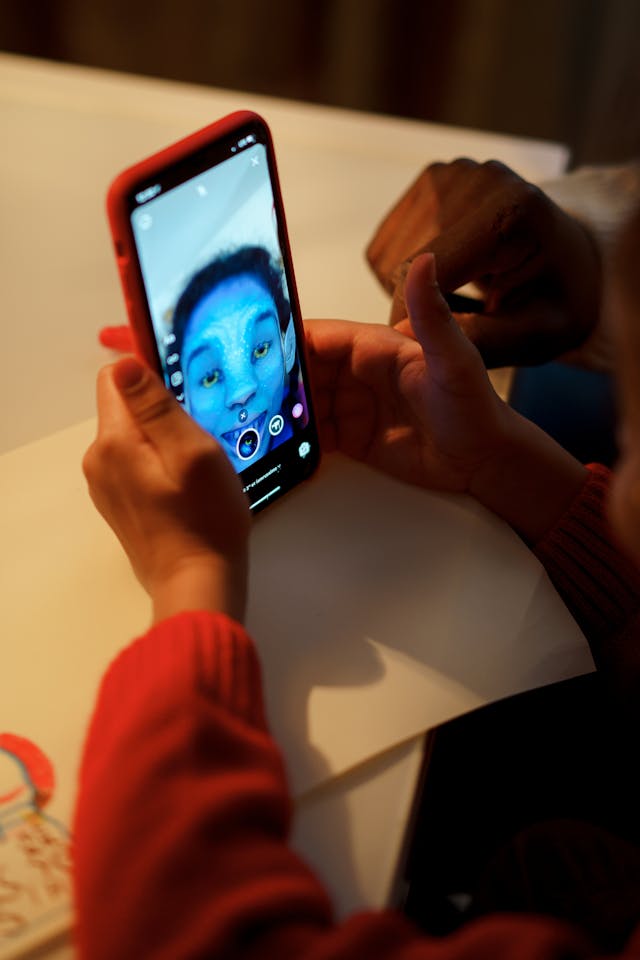
Quand on réfléchit à la manière dont l'IA est utilisée sur Instagram, on pense sans doute surtout à la génération d'images et à la rédaction de légendes. Mais chaque fois que vous utilisez des filtres pour retoucher votre visage de manière loufoque, effrayante ou époustouflante, vous utilisez aussi l'IA !
Oui, de nombreux filtres AR sur Instagram utilisent l'IA pour la reconnaissance faciale et le suivi des mouvements. Cela permet d'obtenir l'effet le plus réaliste lorsque les filtres sont superposés à votre visage.
L'assistant de chat Meta AI
Meta AI est le fleuron d’ Instagram , qui s’est donné pour mission d’intégrer l’IA à sa plateforme. Cet assistant de chat s’appuie sur LLaMA, un modèle linguistique avancé capable de répondre à des questions et même de créer des images générées par l’IA. Il s’agit en somme de la réponse d’ Instagramà ChatGPT.
Vous pouvez demander pratiquement n'importe quoi à cet assistant, que ce soit quel film regarder ou quoi préparer pour le petit-déjeuner. Mais il peut également aider les créateurs à dynamiser leur contenu grâce à des légendes originales, des images uniques et bien plus encore. C'est le partenaire en ligne idéal lorsque vous avez besoin d'un coup de pouce pour stimuler votre créativité !
L'IA en toile de fond sur Instagram Stories
Vous en avez assez de publier des photos ennuyeuses et vieillottes dans vos Stories Instagram ? Donnez un coup de fouet à vos Stories grâce à la fonctionnalité « Fond IA ». Celle-ci vous permet de créer un nouvel arrière-plan plus captivant pour vos photos à partir d'une consigne que vous fournissez. Voici comment procéder :
- Créer un nouveau billet d'histoire.
- Prenez une photo ou importez-en une de votre galerie.
- Sélectionnez l'icône Arrière-plan en haut de l'écran de l'éditeur. Instagram utilise alors l'IA pour identifier le sujet et l'arrière-plan de votre photo.
- Appuyez sur les zones de la photo que vous souhaitez conserver. Le reste de la photo sera remplacé par un nouvel arrière-plan. Appuyez ensuite sur « Suivant ».
- Saisissez une invite pour votre arrière-plan et cliquez sur Suivant.
- Choisissez l'une des deux options d'arrière-plan.
- Partagez votre message avec votre histoire.
AI Studio pour les Chatbots personnalisés
En juillet 2024, Meta a annoncé le lancement d’AI Studio, une plateforme permettant aux utilisateurs de créer des chatbots IA personnalisés. Ces chatbots constitueront en quelque sorte une extension de vous-même en tant que créateur. Vous pouvez les configurer pour qu’ils aient la même personnalité et s’expriment sur le même ton que vous. Cela leur permet d’écrire des messages personnalisés en votre nom lorsque vos fans vous contactent. Vous pouvez également les utiliser pour envoyer des réponses automatiques.
Bien sûr, vous pouvez également l'utiliser pour d'autres projets créatifs. Si vous êtes influenceur culinaire, vous pouvez créer un chatbot pour aider vos abonnés à élaborer des recettes. Pour les créateurs de mode, votre chatbot pourrait jouer le rôle d'un styliste et aider les autres à composer la tenue parfaite. Avec AI Studio, les possibilités sont infinies !
Comment obtenir l'IA sur Instagram: Cette fonctionnalité est-elle disponible dans votre pays ?
Certaines intégrations d'IA d'Instagrams sont déjà accessibles à tous les utilisateurs de l'application. Des filtres de visage basés sur l'IA et des algorithmes de recommandation de contenu ont déjà été intégrés à la plateforme. Si vous utilisez ces fonctionnalités lors de votre navigation quotidienne sur Instagram , vous ne vous en rendez peut-être pas compte, mais vous avez déjà eu recours à l'IA.
Vous souhaitez découvrir par vous-même la puissance des tout derniers outils basés sur l'IA d'Instagram, tels que Meta AI ou AI Studio ? Malheureusement, ces intégrations d'IA ne sont pas forcément à votre portée.
Il ne suffit pas de les demander à l’adresse Instagram pour qu’elles apparaissent dans votre application. Instagram déploie généralement ces nouvelles fonctionnalités pays par pays. Si elles ne sont pas encore disponibles là où vous habitez, soyez patient. L’équipe d’ Instagram travaille sans relâche pour déployer ses intégrations d’IA partout dans le monde. Vous en bénéficierez plus tôt que vous ne le pensez !
Comment utiliser Meta AI sur Instagram étape par étape
Vous disposez enfin de Meta AI, le tout nouvel assistant de chat d'Instagram, dans votre application. Comment l'utiliser et tirer parti de ses capacités pour obtenir les réponses dont vous avez besoin afin d'atteindre vos objectifs en matière de contenu ? Voici comment utiliser l'assistant de chat IA d'Instagram , étape par étape :
- Ouvrez l'application Instagram et accédez à vos messages directs.
- Appuyez sur le champ de recherche situé en haut de l'écran, sur lequel devrait figurer la mention « Demander à Meta AI ou Rechercher ».
- Saisissez votre consigne ou votre question, puis cliquez sur « Envoyer ». Pour générer des images, tapez « Imagine » suivi de votre consigne. Vous pouvez également sélectionner l'une des suggestions proposées sous la barre de recherche.
- Une fenêtre de conversation avec Meta AI devrait s'ouvrir. Attendez quelques secondes que le chatbot trouve une réponse à votre question.
Demandez à Meta AI de vous aider pour tout ce que vous voulez, qu'il s'agisse d'idées de légendes ou d'un calendrier complet de contenu créatif. C'est un excellent moyen de stimuler votre réflexion et de trouver l'inspiration lorsque vous êtes en panne d'inspiration.
Adoptez encore plus l'IA en laissant Path Social alimenter la croissance de votre IG
InstagramLes outils avancés de cette plateforme, basés sur l'IA, sont formidables pour vous donner l'avantage concurrentiel dont vous avez besoin pour vous démarquer dans la masse des contenus en ligne. Ils vous aident à trouver des idées de contenu originales, à générer des images et vous permettent de créer des chatbots pour dialoguer avec vos fans. L'IA devient peu à peu incontournable si vous souhaitez développer efficacement votre présence en ligne. Alors, ne passez pas à côté !
Une autre façon de tirer parti de la puissance de l’IA pour développer votre page consiste à faire appel à Path Social. Nous utilisons des algorithmes basés sur l’IA pour cibler votre public de niche et lui proposer votre contenu. En attirant davantage l’attention sur vos publications, vous obtenez un engagement accru et gagnez plus d’abonnés. Nous l’avons déjà fait pour des marques telles que Modern Fit, qui a vu son chiffre d’affaires augmenter de 239 % après que nous avons doublé le nombre de ses abonnés. Et nous le ferons pour votre page aussi !
Grâce à notre aide, vous n’aurez plus à vous demander comment obtenir de l’IA sur Instagram . Il ne vous restera plus qu’à vous détendre et à nous laisser faire le plus gros du travail pendant que vous attendez de nouveaux abonnés. Gagnez dès aujourd’hui des fans plus fidèles, actifs et engagés grâce à Path Social !
Questions fréquemment posées
Comment activer l'IA sur Instagram?
Vous n'avez pas vraiment besoin d'« activer » l'IA sur Instagram. Les fonctionnalités de la plateforme seront déployées naturellement. Des éléments tels que les recommandations basées sur des algorithmes et les filtres font automatiquement partie de l'application. En revanche, vous devrez attendre que le déploiement des nouvelles fonctionnalités d'IA vous parvienne.
Comment obtenir le personnage AI sur Instagram?
InstagramLe personnage IA de […] est un assistant appelé Meta AI. Cette fonctionnalité est progressivement déployée partout. Pour en bénéficier, il suffit de patienter jusqu’à ce qu’elle apparaisse dans votre boîte de réception de messages privés.
Pouvez-vous publier du contenu sur l'IA sur Instagram?
Oui, le contenu généré par l'IA est autorisé sur Instagram. N'oubliez pas d'ajouter la mention "Made with AI" afin de faire preuve de transparence vis-à-vis de vos followers.





Vous cherchez la meilleure façon d'obtenir des followers Instagram ?
Gagnez des abonnés réels et engagés grâce à notre système de croissance organique basé sur l'IA.
Obtenir des followers Instagram maintenant