


Comment créer un Reel sur Instagram: à vos marques, prêts, enregistrez !

Instagram Les Reels fleurissent un peu partout, où que l’on regarde. De vos amis proches à vos commerces locaux préférés, cette fonctionnalité s’est rapidement imposée dans les publications quotidiennes. L’application dispose désormais d’une page « Explorer » entièrement dédiée aux Reels. Il n’a jamais été aussi facile de trouver l’inspiration sur les réseaux sociaux. Les utilisateurs partagent tout : leurs aventures quotidiennes, mais aussi les nouvelles entreprises en plein essor. Avez-vous déjà sauté le pas et enregistré votre propre Reel ? Si ce n’est pas le cas, vous vous demandez peut-être comment créer un Reel sur Instagram. C’est là que nous intervenons avec nos conseils sur Instagram .
Instagram ajoute sans cesse de nouvelles fonctionnalités et de nouveaux outils marketing, ce qui vous permet d’essayer de nouvelles choses. Les Reels d’ Instagram s constituent un excellent moyen de vous mettre en avant, vous ou votre marque, et d’attirer l’attention des internautes. En effet, les Reels bénéficient souvent d’une plus grande portée que les autres formats de publication sur la plateforme. Mais ces nouvelles façons de partager du contenu peuvent parfois être source de confusion. Nous sommes là pour vous aider à y voir plus clair. Vous souhaitez en savoir plus ? Poursuivez votre lecture : nous vous expliquons ici les bases de l’utilisation des Reels d’ Instagram . Nous mettrons également en avant certains des excellents outils de montage et de création disponibles.
Que sont les rouleaux Instagram ? Découvrez la dernière fonctionnalité de Instagram
Vous vous demandez ce que sont exactement les « Reels » d’ Instagram ? Il s’agit de courtes vidéos composées de plusieurs clips, d’une durée de 15 à 90 secondes, auxquelles vous pouvez ajouter du son et d’autres effets. Les Reels peuvent être créés à partir d’une série de clips distincts ou d’un flux vidéo continu. Axés principalement sur la création de contenu, ils permettent aux utilisateurs de publier des vidéos captivantes et ludiques à partager avec un large public.
Après avoir appris à créer un Reel sur Instagram, vous pouvez le publier et le partager avec vos amis et vos abonnés. Votre profil Instagram comporte un onglet dédié à vos Reels, ce qui permet à vos abonnés de les trouver facilement.
Si votre compte Instagram est public, votre Reel peut être vu par un public plus large s’ il est mis en avant sur la page « Explorer ». Lorsque vous créez des Reels, ceux-ci apparaissent également dans le fil d’actualité de Instagram , sous l’onglet « Reels ». Cela signifie que vous pouvez toucher de nouveaux spectateurs au-delà de vos abonnés directs.
Vous préférez que votre compte Instagram reste privé ? Pas de problème. Une fois que vous partagez un Reel sur votre compte privé, seuls vos abonnés approuvés peuvent le voir. Tout Reel que vous publiez restera disponible sur Instagram jusqu’à ce que vous le supprimiez manuellement. C’est ce qui le distingue des Stories d’ Instagram , qui disparaissent au bout de 24 heures. À l’instar d’une publication classique, les Reels offrent à votre création un espace permanent dans le monde virtuel.

Les principes de base de la réalisation d'une bobine de film sur l'Internet Instagram
Créer, publier et partager des Reels sur Instagram est simple, rapide et amusant. Tout le monde peut apprendre à publier un Reel, des experts chevronnés des réseaux sociaux aux débutants sur Instagram . Prêt à vous lancer ? Découvrons ensemble les étapes de base pour créer un Reel sur Instagram. Nous verrons comment enregistrer en temps réel et comment utiliser des photos, des clips vidéo et des moments forts de Instagram pour créer des Reels sur Instagram . Suivez les étapes ci-dessous et vous publierez du contenu créatif en un clin d’œil.
Comment faire une bobine sur Instagram: 5 façons de commencer
Ouvrez votre application Instagram , vous êtes désormais prêt à découvrir comment créer des Reels sur Instagram. À partir de là, il existe cinq méthodes principales pour créer des Reels :
- Cliquez sur le signe plus en bas au centre de l'écran. Sélectionnez la bobine dans la rangée inférieure d'options.
- Vous pouvez également accéder à l'éditeur de bobines en balayant vers la droite pour ouvrir la caméra Instagram à partir de votre écran d'accueil. Sélectionnez l'option de l'onglet bobines en bas de l'écran.
- Vous pouvez également cliquer sur l'icône des bobines en bas de l'écran, immédiatement à gauche de l'icône de votre profil. Cliquez sur l'icône de la caméra en haut à droite de l'écran pour accéder à Instagram reels creator.
- Une autre option de l'écran Profil. Cliquez sur le bouton plus en haut à droite pour ouvrir la fenêtre Créer. Sélectionnez Reel en haut de la liste.
- Si vous souhaitez créer un Reel à ajouter immédiatement à vos stories « Instagram », commencez par cliquer sur le bouton «Votre histoire» situé en haut à gauche de l'écran d'accueil. Cliquez ensuite sur l'option «Appareil photo des stories « Instagram »», puis sur l'onglet «Reels» en bas de l'écran.

Créer le contenu de Instagram Reels
Ensuite, appuyez sur le bouton d'enregistrement et maintenez-le enfoncé pour capturer votre vidéo en temps réel. Vous avez déjà enregistré quelque chose sur votre téléphone que vous souhaitez utiliser à la place ? Pas de problème. Vous pouvez également télécharger facilement des séquences existantes à partir de votre rouleau d'appareils photo. Nous vous guiderons à travers ces étapes un peu plus bas.
Une fois votre premier extrait enregistré, vous pouvez continuer ou ajouter du contenu supplémentaire. Pour inclure plusieurs extraits dans un même Reel, appuyez sur le bouton d'enregistrement pour recommencer à filmer. Sélectionnez « Suivant » pour prévisualiser votre Reel terminé. Vous êtes satisfait du résultat ? Parfait. Appuyez à nouveau sur « Suivant » pour ajouter une légende et un lieu, taguer d'autres utilisateurs et choisir où partager votre Reel.
Vous voyez ? On vous avait bien dit qu’il était facile de créer un Reel sur Instagram . Une fois votre vidéo enregistrée ou mise en ligne, vous pouvez utiliser les outils de montage de Instagram. De l’ajout de musique au réglage de la vitesse, vous pouvez personnaliser votre contenu à votre guise. Nous reviendrons plus en détail sur tous ces aspects un peu plus loin.

Comment faire une bobine avec des photos
Vous vous demandez peut-être comment faire une bobine avec des photos déjà présentes sur votre téléphone. Ne vous inquiétez pas. C'est tout à fait possible. Vous créez un diaporama avec des photos enregistrées dans votre rouleau d'appareils photo. Nous allons vous expliquer les étapes à suivre pour combiner vos photos préférées en un seul clip. Vous reconnaîtrez déjà quelques étapes !
- Commencez par ouvrir l'application Instagram et rendez-vous sur votre page de profil. Cliquez sur le bouton « + » situé en haut à droite de l'écran. Sélectionnez « Reels » dans la rangée d'options du bas. Vous pouvez également accéder à l'éditeur de Reels en balayant vers la gauche depuis votre écran d'accueil pour ouvrir l'Instagram . À partir de là, sélectionnez l'onglet « Reels » en bas de l'écran.
- Cliquez sur l'icône du rouleau d'appareils photo en bas à gauche de l'écran. Vous pouvez également balayer vers le haut à partir de l'affichage de la caméra en direct pour un accès rapide.
- Tapez sur la photo que vous souhaitez ajouter à votre bobine.
- Ensuite, vous pouvez ajuster la durée pendant laquelle vous souhaitez que cette photo apparaisse dans votre bobine. Faites glisser le curseur pour choisir la durée qui vous convient le mieux, en dessous de la durée maximale par défaut de 5 secondes.
- Cliquez sur ajouter. Vous reviendrez ainsi à la vue de la caméra en direct de votre créateur de bobines.
- Vous souhaitez ajouter d'autres images à la même bobine ? Vous pouvez le faire. Il vous suffit de glisser à nouveau vers le haut et de répéter les étapes 3 à 5.
Vous avez classé toutes vos photos et réglé leur durée comme vous le souhaitez ? Félicitations, il est temps de passer à l'étape du montage pour apprendre à créer un reel sur Instagram. C'est là que vous pourrez laisser libre cours à votre créativité grâce aux outils et aux effets. Nous les aborderons plus en détail ci-dessous, alors continuez à lire.
Comment faire une bobine sur Instagram avec des vidéos
Avant de nous plonger dans le montage, parlons rapidement des publications vidéo. Ce format est en train de devenir rapidement le moyen incontournable de partager du contenu sur Instagram. Pourquoi ? Les vidéos divertissantes donnent à votre contenu une touche plus conviviale et personnelle, permettant souvent à vos spectateurs d’avoir un aperçu des coulisses. Vous devrez vous assurer que votre vidéo est captivante afin de retenir l’attention de vos spectateurs tout au long de celle-ci. Plusieurs options s’offrent à vous pour apprendre à créer un Reel sur Instagram à partir de vidéos.
Tout d’abord, vous pouvez utiliser des vidéos déjà enregistrées sur votre téléphone. Pour ce faire, suivez les étapes décrites ci-dessus dans notre section consacrée à la création de Reels sur Instagram à partir de photos. Cependant, vous sélectionnerez la vidéo de votre choix dans votre pellicule plutôt qu’une photo. De cette manière, vous pouvez utiliser des applications de montage vidéo pour modifier les séquences, ajuster le son d’origine et créer des transitions fluides. Et, bien sûr, vous pouvez ajouter plusieurs vidéos déjà enregistrées dans un même Reel, tout comme avec des photos. Vous pouvez ensuite continuer à ajuster la durée et à tester les outils de montage. Si vous êtes plutôt du genre à vivre l’instant présent, vous pouvez filmer des vidéos en direct directement via l’outil de création de Reels.

Comment transformer un fait marquant en bobine en 6 étapes
Vous connaissez sans doute déjà la fonctionnalité « Highlights » (Moments forts) des stories d’ Instagram , disponible sur Instagram. C’est un excellent moyen de sauvegarder vos contenus préférés et de pouvoir les revoir facilement et rapidement. Si vous avez déjà des vidéos dans vos « Highlights » d’Instagram, vous vous demandez peut-être comment transformer un « Highlight » en « Reel ». La bonne nouvelle ? C’est très simple depuis le lancement de cette option début 2022. C’est le moyen idéal pour tirer le meilleur parti de vos contenus « Instagram ». Découvrons ensemble les six étapes simples à suivre pour y parvenir.
- Allez sur votre profil Instagram et cliquez sur le point fort de l'histoire que vous souhaitez transformer en bobine.
- Appuyez sur l'icône des trois points et sélectionnez Convertir en bobine.
- Modifiez votre bobine en réorganisant le contenu ou en ajoutant de nouveaux clips.
- Une fois que tout est prêt, cliquez sur « Terminé ».
- Ajoutez vos effets de retouche préférés, tels que des GIF, des outils de dessin ou du texte.
- Ajoutez une légende et une photo de couverture à votre reel, puis cliquez sur « Publier ».

Ajouter de la magie aux médias sociaux avec des outils d'édition
L'un des aspects les plus fascinants de l'utilisation des Reels d'Instagram pour partager votre contenu ? La multitude d'outils de montage uniques mis à votre disposition. De la vaste bibliothèque audio au contrôle de la vitesse, vous pouvez tout faire au sein d'un même Reel. Bien sûr, vous pouvez également accéder aux fonctionnalités de montage classiques d'Instagram, telles que les filtres, les autocollants, les griffonnages et le texte.
N’oubliez pas d’ajouter de nombreux hashtags pour améliorer la visibilité de votre Reel auprès des internautes. Une fois vos photos ou vidéos sélectionnées, vous pouvez modifier le contenu avant la validation finale. Regardez à droite de l’écran : vous verrez une rangée d’icônes. Vous ne savez pas par laquelle commencer ? Passons en revue quelques-unes des plus populaires. Continuez à faire défiler pour découvrir comment créer un Reel sur Instagram en utilisant toutes ces fonctionnalités supplémentaires.
Comment faire des bobines sur Instagram avec de la musique
Ajouter de la musique à votre reel sur Instagram est sans doute le moyen le plus populaire de donner vie à votre clip. Pour ce faire, il vous suffit d’appuyer sur l’icône audio afin d’accéder à la bibliothèque musicale d Instagram. Recherchez et sélectionnez rapidement le morceau ou l’artiste de votre choix. À partir de là, vous pouvez découper et choisir la partie du morceau que vous souhaitez utiliser. Une fois que vous êtes satisfait de votre sélection, appuyez sur « Terminé » pour revenir à l’écran d’édition principal. Vous pouvez prévisualiser votre Reel avec la musique superposée avant de le publier.
Vous avez changé d'avis et souhaitez modifier l'extrait que vous avez sélectionné ? Il vous suffit de cliquer sur la flèche "retour" en haut à gauche de l'écran pour effectuer des modifications. Vous avez deviné ? Vous avez réussi à créer des bobines sur Instagram avec de la musique provenant de la bibliothèque musicale de Instagram .
Comment faire du ralenti sur les bobines Instagram
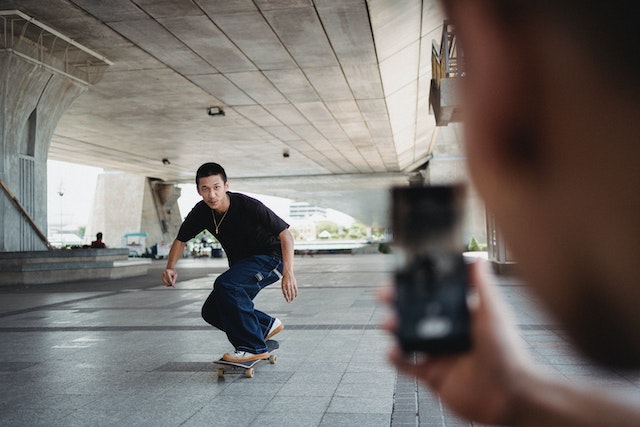
Le contrôle de la vitesse est un autre excellent moyen de personnaliser vos Reels sur Instagram . Que vous souhaitiez accélérer ou ralentir le rythme, n’hésitez pas à essayer cet outil. Vous voulez savoir comment créer un effet de ralenti sur vos Reels Instagram ? C’est très simple. Dans l'écran d'édition de votre Reel, repérez l'icône représentant un « 1x ». En cliquant dessus, vous aurez le choix entre six options de vitesse, allant de 0,3x à 4x. N'oubliez pas que la vitesse que vous sélectionnez affectera à la fois la vidéo et l'audio de votre Reel. Les Reels viraux comportent souvent des chansons entraînantes, alors n'hésitez pas à ajouter de la musique plutôt que d'utiliser votre propre audio d'origine si le son est trop déformé en ralenti.

Comment réaliser des bobines sur Instagram pour développer votre marque
Si vous êtes une entreprise ou un influenceur, les Reels d’ Instagram peuvent faire des merveilles pour développer votre marque. En effet, les Reels constituent un excellent moyen de transformer votre compte Instagram en un modèle économique rentable et générateur de revenus. Il s’agit avant tout d’apprendre à créer des Reels tendance sur Instagram. Vous aurez tout intérêt à suivre quelques conseils et astuces pour vous assurer que votre contenu bénéficie de la visibilité qu’il mérite. Après tout, plus vous touchez de personnes, plus votre taux d’engagement augmentera.

Tout d’abord, pour votre marketing sur Instagram , restez à l’affût des dernières tendances sur Reels. Il peut s’agir de n’importe quoi, d’une chanson populaire qui fait le tour du web à la danse tendance de la semaine. Inspirez-vous-en et apportez-y votre touche personnelle pour vous démarquer de la masse. Publier régulièrement est une autre astuce à garder à l’esprit. Cela garantit que votre nom ou votre marque restera toujours présent à l’esprit de votre public.
Bien sûr, on ne peut pas vous donner des conseils pour développer v Instagram s sans parler des #hashtags. Les hashtags sont un excellent moyen d’augmenter le nombre de « j’aime » et d’abonnés, que ce soit sur vos publications classiques ou sur vos Reels. N’oubliez pas de satisfaire votre public en n’utilisant que des hashtags directement liés au contenu de vos Reels sur Instagram .
Téléchargez les Reels que vous avez créés sur Instagram dans votre pellicule afin de partager vos créations sur vos autres réseaux sociaux. Maintenant que vous savez comment créer des Reels sur Instagram, êtes-vous prêt à mettre ces conseils en pratique ? Prenez votre téléphone et commencez à filmer.
Chez Path Social, nous avons développé au cours des dix dernières années une plateforme interne regroupant des influenceurs d’ Instagram , ainsi qu’un algorithme de ciblage basé sur l’IA exclusif. C’est ainsi que nous touchons des utilisateurs organiques qui resteront intéressés et engagés. Et c’est pourquoi personne ne peut reproduire nos résultats : vous pourrez ainsi bâtir une communauté d’ Instagram qui durera dans le temps ! Commencez dès aujourd’hui à développer votre audience et à gagner des abonnés sur Instagram .





Vous voulez une promotion puissante sur Instagram ?
Amplifiez votre portée grâce à des stratégies ciblées qui attirent un engagement réel et des adeptes.
Commencez dès maintenant votre promotion sur Instagram




