


Comment réagir aux DM de Instagram et faire en sorte que cela compte !

Les emojis sont de plus en plus populaires et tendance. Des emojis tels que les « mains en prière » ou le « câlin » peuvent être utilisés pour exprimer de la sympathie. L’emoji représentant un pouce levé transmet un sentiment de familiarité à vos abonnés. Savoir comment réagir aux Instagram Instagram est indispensable Instagram 2023.
La fonctionnalité de réaction va changer votre façon de communiquer. Instagram et les réponses Instagram sont désormais encore plus ludiques. Quand quelqu’un vous raconte une blague dans vos messages privés (DM), vous pouvez désormais « en rire ». Désormais, vos abonnés remarqueront que vous lisez leurs messages, et pas seulement pour le simple fait de les lire. Ils savent que vous les lisez aussi pour le contenu des messages eux-mêmes. Vous pouvez même répondre aux messages avec des emojis personnalisés.
Les experts en médias sociaux vous expliquent comment répondre aux messages directs (DM) avec l'emoji parfait. C'est un exemple de la manière dont vous pouvez différencier votre marque de produits similaires. Voyons maintenant comment réagir aux DM de Instagram !

Apprenez à réagir aux DM Instagram comme la génération Z
Au sein même de l'application, les utilisateurs peuvent désormais entrer en contact et communiquer entre eux, ce qui constitue l'une des avancées les plus significatives de cette plateforme. La messagerie directe sur Instagram vous permet de communiquer instantanément avec vos abonnés et vos clients à l'étranger. Rencontrer cet influenceur de renom à Los Angeles ne semble plus être une mission impossible.
Pensez à apprendre à répondre aux Instagram . Vous pourrez ainsi mieux vous exprimer auprès de vos amis, de votre famille et de vos collègues. Vous pourrez renforcer l'engagement de vos abonnés en leur envoyant des messages privés et en leur faisant part de vos sentiments. La communication se fait en temps réel. Vos abonnés auront l'impression de vous envoyer un message comme s'ils s'adressaient à un ami proche.
Instagram les utilisateurs peuvent répondre aux messages et aux posts de manière personnelle et expressive. Pour que l'ambiance reste légère et que la discussion se poursuive rapidement, vous pouvez répondre aux textes par des émoticônes. Vous devez vous informer sur la manière de répondre aux messages qui vous sont envoyés via Instagram.
Prêt à apprendre comment réagir aux DM sur Instagram? Vous pouvez utiliser les emojis de votre choix pour répondre à des messages spécifiques sur Instagram en suivant les instructions simples de cet article de blog. Vous pouvez même laisser des commentaires sur les histoires des autres sur Instagram !

Comment réagir aux DM de Instagram avec la réponse que vous attendez
Apprendre à réagir aux Instagram est une chose. S'assurer d'envoyer la bonne réponse en est une autre. Lorsque vous ne voulez pas faire attendre vos abonnés, la possibilité de répondre aux Instagram s'avère très pratique. Avez-vous réagi un peu trop vite ? D'un autre côté, la précipitation peut conduire à des erreurs fatales. Ces situations désagréables illustrent bien les conséquences que peut avoir cette communication rapide :
- Vous répondez à une suggestion inappropriée ou insultante par un emoji cœur.
- Vous exprimez votre volonté de ne pas répondre à une demande explicite en envoyant un emoji pouce levé.
- Vous envoyez le mauvais emoji de drapeau à un moment inopportun.
Les emojis doivent souvent être expliqués. Laisser planer un risque de malentendu peut nuire considérablement à votre réputation, à votre marque et à votre activité.
Pendant que les réponses s’affichent rapidement sur le téléphone du destinataire, nous pouvons vous donner nos meilleurs conseils pour limiter les dégâts. Vous pouvez « annuler l’envoi » d’un emoji. Oui, vous avez bien lu. Vous pouvez le retirer au moment même où vous répondez. Votre réponse instantanée apparaîtra alors comme n’ayant jamais été envoyée. Lorsque vous supprimez une réaction sur Instagram, le destinataire n’en est pas informé.
Pour savoir comment répondre aux Instagram , les conseils ci-dessous devraient vous aider :
- Pour accéder à la discussion, appuyez longuement sur le message auquel vous avez répondu afin d'ouvrir la conversation.
- Vous devriez pouvoir choisir "annuler" dans une liste de suggestions.
- Appuyez sur « Annuler l'envoi ».
Même si le destinataire ne sera pas averti lorsque vous retirerez votre réponse, Instagram rapidement dès la réception d'un message. Ainsi, si vous n'agissez pas assez vite, il y a un risque qu'il la voie avant que vous n'ayez pu l'annuler.
Comment réagir aux DM de Instagram tout en montrant votre personnalité
Le fait de communiquer par message ne signifie pas pour autant que l’on ne puisse pas exprimer ses véritables sentiments. Quand quelqu’un vous annonce une excellente nouvelle, vous ne vous contentez pas de répondre « C’est génial ! ». Votre expression faciale trahit clairement votre réaction à ce qui vient d’être dit. Il y a une différence entre répondre à quelque chose et y réagir ! C’est pourquoi il est important d’apprendre à réagir aux Instagram .
Ils constituent depuis longtemps un moyen d'exprimer exactement ce que l'on ressent dans ses messages, que ce soit sur WhatsApp ou iMessage. Les emojis permettent de transmettre avec succès un message que l'on ne parvient pas à formuler avec des mots, notamment pour ceux qui ne sont pas aussi éloquents que nous.
Les messages directs que vous envoyez sur Instagram doivent contenir quelques emojis humoristiques. Il y a beaucoup trop d'options disponibles pour que vous ne le fassiez pas. Ces émojis sont un outil fantastique pour maintenir une atmosphère joyeuse tout au long de la conversation. Cela peut favoriser une amitié cordiale.
Parlez-vous d'autres langues que l'anglais ? Les emojis sont un outil formidable pour exprimer ses sentiments sans mots. Vous éviterez ainsi de commettre des erreurs coûteuses en sachant comment réagir aux Instagram . Dans toutes les langues, un sourire a la même signification. Peu importe d'où vient une personne, son rire a toujours la même connotation.
Vous pouvez désormais "rire" d'une blague qui vous est adressée par un ami sous la forme d'un message direct. Vos followers pourront ainsi voir que vous lisez leurs messages et que vous comprenez parfaitement ce qu'ils partagent avec vous. Vous leur montrerez ainsi que vous vous intéressez à ce qu'ils ont à vous dire.
Comment réagir avec des Emojis sur Instagram DMs : Mélangez-les !
Utilisez-vous trop souvent l'émoji en forme de cœur ? Même si vous savez comment répondre aux Instagram , il est tout à fait normal de vouloir susciter l'intérêt de vos abonnés. Ils se rendent compte quand vous répondez simplement pour la forme, et ils risquent de vous juger en conséquence.
Saviez-vous que vous pouvez personnaliser la façon dont vous répondez aux messages sur Instagram? Vous pouvez choisir vos emojis par défaut. Vous vous rendrez peut-être compte qu’il devient lassant, au bout d’un certain temps, de devoir sans cesse appuyer deux fois sur les messages pour ajouter le même emoji « cœur ». Vous pourriez alors avoir envie de changer la façon dont vous réagissez sur Instagram. Vous pouvez ajouter toute une gamme de réponses sous forme d’emojis à vos Instagram sans avoir à effectuer beaucoup d’autres modifications. Voici comment réagir avec des emojis dans Instagram :
- Vous pouvez accéder à l'onglet Messages de l'application Instagram en cliquant sur l'icône dans le coin supérieur droit de l'application.
- Lancez la conversation souhaitée.
- Trouvez le message auquel vous souhaitez répondre et concentrez-vous dessus.
- Au lieu d'appuyer deux fois sur un message, il suffit de le maintenir enfoncé pendant quelques secondes une fois qu'il s'est affiché.
- Une liste d'émojis s'affichera, comprenant entre quatre et cinq émojis au total. S'il figure dans la liste des émojis disponibles, vous pourrez sélectionner celui qui correspond le mieux à vos besoins.
- Si l'émoji que vous recherchez ne figure pas dans la liste, appuyez sur le bouton « + » situé à la fin de la liste, puis sélectionnez l'émoji souhaité parmi les options supplémentaires qui s'affichent après avoir appuyé sur ce bouton.
Envoyer des messages avec des emojis devrait être amusant ! Ne vous limitez pas à l'emoji cœur par défaut. Activez le mode personnalisation.
Nouvelle fonctionnalité : Comment réagir à un article sur Instagram sans DM
Les messages privés peuvent vite devenir encombrés. En plus des messages privés habituels, les utilisateurs peuvent à nouveau réagir à vos stories avec des emojis. Instagram une solution à ce problème. La manière dont les utilisateurs réagissent aux Instagram est en pleine évolution.
Les utilisateurs peuvent aimer les Stories Instagram sans avoir à envoyer un message direct. Ceci grâce à une nouvelle fonctionnalité appelée Private Story Likes qui a été ajoutée au réseau de partage de photos appartenant à Meta. Vous savez déjà comment réagir à une story Instagram sans DM. Instagram a simplement modifié la façon dont elle est répercutée dans les DM du destinataire.
Auparavant, un message privé était généré chaque fois qu'une personne réagissait à une Story. En revanche, depuis la dernière mise à jour, les cœurs s'affichent désormais à côté des pseudonymes des autres utilisateurs sur la page d'affichage des Stories.
De ce fait, les utilisateurs ne pourront plus voir combien de personnes ont réagi aux Stories qu’ils publient. Commencez à faire défiler les Stories d’un utilisateur. Vous verrez une icône en forme de cœur située entre le bouton « Envoyer un message » et l’icône représentant un petit avion en papier. Si vous appuyez dessus, vous enverrez un « J’aime » à l’auteur de la Story. Celui-ci apparaîtra dans la liste des personnes ayant consulté la Story, et non dans le fil de discussion des messages privés que vous avez avec cette personne.
Pour profiter de toutes les nouvelles fonctionnalités, utilisez la dernière version de l'application. Instagram mettre à jour ses fonctionnalités de messagerie pour vous aider à découvrir comment répondre aux messages privés sur Instagram.

Comment réagir à Instagram DM : Android Edition
Où sont tous ceux qui utilisent Android ? Ne laissez pas passer l'occasion d'utiliser cette fonction si vous voulez devenir un influenceur. Sortez l'application Instagram de votre appareil mobile. Savez-vous comment procéder ? Nous pouvons vous montrer comment faire. Les réponses Emoji aux messages directs Instagram sont désormais disponibles pour les utilisateurs d'Android. Voici comment les utiliser.
Comment réagir aux DM de Instagram : Android Edition
- Lancez l'application Instagram sur l'appareil Android que vous utilisez. (Vous devez vous assurer que vous travaillez avec la version la plus récente).
- Vous pouvez choisir un chat en allant dans les chats ou les messages directs et en choisir un.
- Il suffit d'appuyer sur l'icône d'un message pour y répondre.
- Vous verrez apparaître à l'écran différentes expressions d'émotions en emoji.
- Pour répondre au message, il vous suffit de cliquer sur l'emoji de votre choix. L'emoji que vous aurez sélectionné apparaîtra sous le message dès que celui-ci aura été envoyé.
C'est la bonne méthode pour réagir aux DM de Instagram . Simple et sans complications.

Comment réagir aux DM de Instagram : iPhone Edition
Veuillez vous référer aux directives ci-dessous pour savoir comment réagir aux DM sur Instagram en utilisant un iPhone avec des emojis.
- Assurez-vous que le programme que vous utilisez est mis à jour avec la version la plus récente.
- Lancez Instagram sur votre iPhone.
- Accédez à la section Chats ou Messages directs de l'application.
- Vous pouvez répondre en appuyant sur le message direct que vous souhaitez voir sur Instagram.
- Les options de réaction à l'emoji s'affichent alors à l'écran.
- Pour répondre au message, appuyez sur l'emoji qui correspond le mieux à la situation. L'emoji que vous choisirez s'affichera sous le message.
C'est tout ! C'est la réponse appropriée aux messages envoyés sur IG. Vous savez maintenant comment réagir aux DM Instagram sur un iPhone.
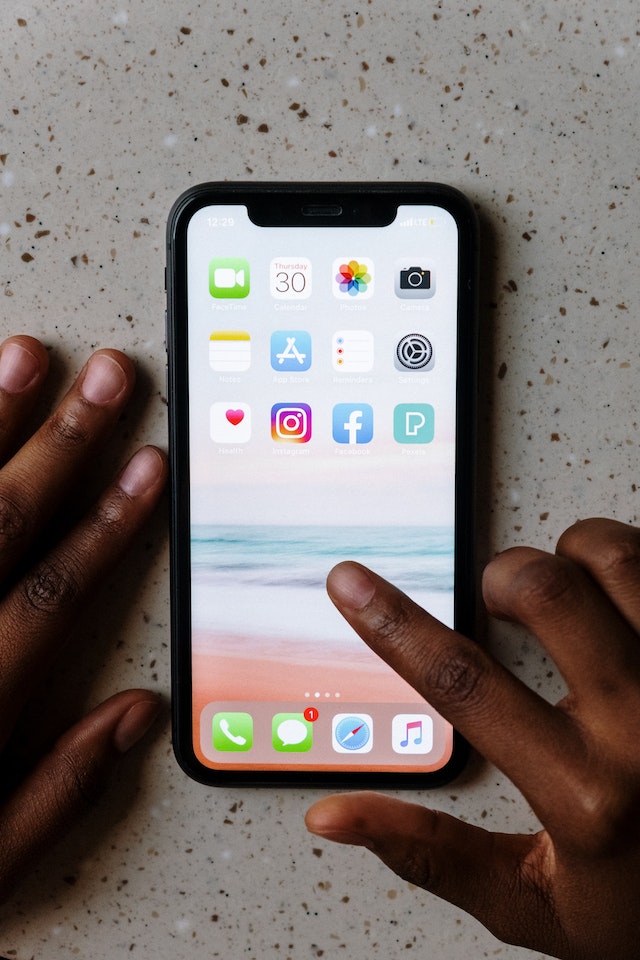
Maintenant que vous savez comment réagir aux DM de Instagram
Vous savez maintenant comment réagir aux DM de Instagram . Vous pouvez injecter une dose supplémentaire d'originalité dans votre public. C'est une excellente stratégie pour augmenter la participation à l'activité. Vous pouvez le faire dans le métro ou en attendant la livraison de votre repas. C'est ce qui rend la réaction aux DM Instagram beaucoup plus pratique que le message traditionnel. Vous pouvez faire beaucoup de choses lorsque vous avez accès à toutes ces fonctionnalités sur votre téléphone. Créez des liens significatifs avec les personnes qui vous suivent en réagissant aux emojis par DM.
Profitez de cette nouvelle fonctionnalité très pratique qui vous permet de répondre aux messages sur Instagram. Même si cela ne demande pas beaucoup d'efforts, cela pourrait avoir un impact considérable sur votre audience. Veillez à ce que les pratiques de communication de votre entreprise soient toujours à jour afin de s'adapter aux différentes nouvelles fonctionnalités Instagram par Instagram .
Nous vous garantissons qu’une fois que vous aurez maîtrisé la manière de répondre aux messages sur Instagram, vous vous rendrez compte à quel point cette expérience est agréable. L’équipe spécialisée dans les réseaux sociaux Path Socialtravaille d’arrache-pied depuis dix ans. Elle a développé un algorithme exclusif de ciblage basé sur l’intelligence artificielle ainsi qu’une plateforme interne regroupant Instagram . Les retours que nous avons reçus de nos clients parlent d’eux-mêmes.
Grâce à cette méthode, nous pouvons attirer des consommateurs « bio » ciblés, motivés et engagés. Si vous suivez nos conseils, vous pourrez développer une Instagram solide. Personne d’autre n’a encore réussi à reproduire efficacement nos résultats. Commencez dès maintenant à augmenter le nombre de vos abonnés sur Instagram. Commencez sans attendre à élargir votre Instagram et à gagner des abonnés.





Vous cherchez le meilleur service de promotion Instagram ?
Bénéficiez d'un engagement réel, d'une audience ciblée et d'une croissance durable grâce à notre stratégie élaborée par des experts !
Essayez notre service de promotion Instagram




