


Comment zoomer sur Instagram? - Un guide rapide

Instagram est un véritable vivier d’innovation qui ne manque jamais d’impressionner ses utilisateurs. Lorsqu’elle a intégré la fonctionnalité « Stories » de Snapchat, la plateforme y a apporté une touche originale. Aujourd’hui, grâce à ses « Reels » captivants et à d’autres fonctionnalités, elle continue de fasciner ses utilisateurs. C’est une plateforme qui évolue sans cesse au rythme des dernières tendances. Une tendance récente mettait en avant des photos accompagnées d'un défi consistant à « zoomer pour découvrir la magie ou les détails ». À l'époque, de nombreux utilisateurs avaient du mal à zoomer sur Instagram , car il s'agissait d'une nouvelle fonctionnalité. Aujourd'hui, beaucoup savent comment zoomer sur Instagram.
Si vous ne profitez pas encore de cette fonctionnalité, n’hésitez pas à l’essayer. Dans ce guide, vous apprendrez comment agrandir les photos de profil et les stories, et vous découvrirez d’autres informations utiles et pertinentes.
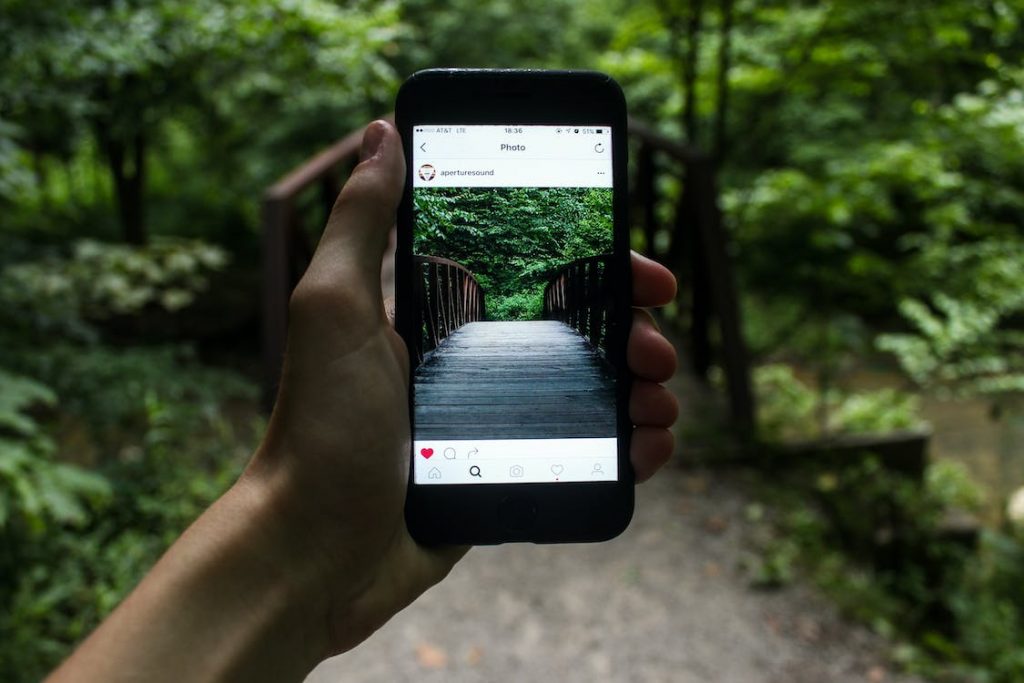
Comment zoomer sur les photos de profil de Instagram
Vous avez hâte de voir de plus près la photo de profil d'un utilisateur sur Instagram ? Vous avez peut-être déjà essayé le geste habituel consistant à pincer pour zoomer, mais vous vous êtes rendu compte que cela ne fonctionne pas sur Instagram.
Cela peut être frustrant, surtout quand on souhaite distinguer les détails d'une photo de profil. Mais ne vous inquiétez pas, nous avons deux astuces simples mais efficaces à vous proposer.
Voyons comment zoomer sur les photos de profil de Instagram .
Activer le zoom sur l'accessibilité
- Ouvrez les paramètres de votre téléphone.
- Sélectionnez Accessibilité.
- Tapez sur Zoom et activez-le.
- Désormais, dans l'application « Instagram », appuyez deux fois avec trois doigts pour agrandir une photo de profil.
Sur iPhone, vous pouvez procéder comme suit :
- Tapez deux fois avec deux doigts pour effectuer un zoom avant.
- Faites glisser vos doigts pour vous déplacer sur l'écran.
- Modifiez le niveau de zoom en tapant deux fois avec trois doigts et en faisant glisser.
- Utilisez la manette pour accéder à d'autres options, telles que le dézoom, la sélection d'une zone de zoom, le redimensionnement de l'objectif et le choix d'un filtre. Ces fonctionnalités améliorent votre expérience de visionnage des photos et des vidéos.
Pour désactiver la fonction « Zoom », rendez-vous dans Paramètres → Accessibilité → Zoom, puis désactivez-la.
Faire une capture d'écran
La deuxième option consiste à faire une capture d'écran, puis à zoomer sur l'image dans l'application Photos.
Grâce à ces astuces, vous ne manquerez plus jamais les détails d'une photo de profil sur Instagram !
Comment faire un zoom sur l'histoire de Instagram
Instagram regorge d'idées et d'options pour créer du contenu impressionnant. Il est conseillé d'étudier ces fonctionnalités en détail, car elles sont nombreuses, comme les zooms dans les stories d'Instagram . Savoir comment effectuer un zoom dans une story d'Instagram permet d'apporter une touche de drame et d'émotion à la vidéo.
Voyons comment utiliser la fonction de zoom dans différents modes sur Instagram.
Mode normal
En mode Normal, vous pouvez facilement zoomer ou dézoomer pendant l'enregistrement en appuyant sur le bouton d'enregistrement et en faisant glisser votre doigt. Cette fonction de zoom dynamique enrichit vos Stories sur l'Instagram , en leur apportant une touche professionnelle et visuellement attrayante. C'est une technique idéale pour apporter de la profondeur et susciter l'intérêt dans le contenu de vos Stories, rendant ainsi chaque vidéo plus captivante.
Mode de rembobinage
Passons maintenant au mode « Rewind », qui permet de visionner la séquence vidéo à l'envers, ce qui apporte une touche originale. Il suffit de lancer l'enregistrement et de faire glisser votre doigt vers le haut ou vers le bas pour zoomer. N'oubliez pas que le fait de lever le doigt met fin à l'enregistrement.
Utiliser la fonction « Zoom » en mode « Rewind » apporte une touche de créativité et d'humour à vos Stories, les rendant ainsi plus ludiques et originales. C'est un excellent moyen d'ajouter une note de fantaisie et de vous démarquer dans le fil d'actualité de vos abonnés.
Boomerang
En mode Boomerang, où les vidéos sont lues en boucle, le zoom ajoute une touche de dynamisme supplémentaire. Appuyez sur le bouton d'enregistrement et maintenez-le enfoncé, puis faites glisser votre doigt pour zoomer ou dézoomer.
Cette fonction d'enregistrement en continu (jusqu'à la durée maximale) rend vos Boomerang Stories plus vivantes et captivantes, en mettant en valeur leur côté ludique.
Mode mains libres
Le mode mains libres vous offre deux options de zoom. Vous pouvez d'abord pincer l'écran pour régler le niveau de zoom avant de commencer l'enregistrement, puis appuyer sur le bouton d'enregistrement pour lancer automatiquement la vidéo. Vous pouvez également commencer l'enregistrement, puis, au moment opportun, maintenir le bouton d'enregistrement enfoncé tout en faisant glisser votre doigt pour zoomer.
Cette approche apporte de la spontanéité et du dynamisme à vos Stories ; c'est l'idéal pour immortaliser des instants sans avoir à maintenir le bouton enfoncé.
Filtres à selfie
Enfin, lorsque vous utilisez des filtres pour selfies, comme les célèbres « oreilles de chien », le zoom est un jeu d'enfant, quel que soit le mode. Il suffit d'appuyer longuement sur le bouton d'enregistrement et de faire glisser votre doigt vers le haut ou vers le bas pour zoomer.
Cette technique simple apporte du cachet et suscite l'intérêt pour vos selfies retouchés, en ajoutant une touche ludique et personnelle à vos Stories d Instagram .

Comment faire face au "Zoom Bug" ?
Nous savons tous qu’ Instagram est une plateforme de partage de photos et de vidéos qui compte des millions d’utilisateurs. Cependant, elle n’est pas à l’abri de quelques dysfonctionnements, comme ce « bug de zoom » qui survient parfois dans les Stories d’ Instagram . Ce bug peut perturber votre expérience de narration de manière inattendue.
Le problème le plus fréquent qui survient lors de ce carlin est le zoom inarrêtable. Mais ne vous inquiétez pas ! Nous pouvons vous aider à résoudre ce problème.
Pourquoi Instagram fait-il un zoom sur mes photos ?
De nombreux utilisateurs se demandent : « Pourquoi Instagram agrandit-il mes photos ? » Pour y répondre, il est important de comprendre pourquoi cela se produit. Instagram agrandit automatiquement l'image pour remplir le cadre si votre photo ou votre vidéo ne correspond pas à son format d'image.
Pour éviter cela, redimensionnez votre contenu à l'aide d'une application ou d'un outil externe avant de le mettre en ligne sur Instagram.
Comment empêcher Instagram de zoomer sur les vidéos
En matière de vidéos, la fonctionnalité de zoom d'Instagram apporte une réelle valeur ajoutée au processus de création de contenu. Mais son utilisation peut s'avérer complexe. Découvrez ici comment empêcher Instagram d'effectuer un zoom sur vos vidéos :
- Comprendre le bug du zoom
Le bug du zoom se produit lorsque vous essayez de zoomer pendant l'enregistrement d'une story, mais que l'appareil photo effectue un zoom trop important. Il s'agit d'un problème imprévisible qui peut toucher n'importe quel utilisateur, même s'il est plus fréquent sur certains modèles d'iPhone.
- Corriger le bug du zoom
Pour y remédier, essayez le geste de zoom par pincement. Il suffit de placer deux doigts sur l'écran et de les écarter pour zoomer, ou de les rapprocher pour dézoomer. Cette méthode est généralement plus stable que le glissement.
Essayez d'utiliser le mode « Mains libres », car il permet d'enregistrer sans avoir à maintenir le bouton d'enregistrement enfoncé. Il est ainsi beaucoup plus facile d'utiliser la fonction de zoom avant.
- Une vue d'ensemble
Les bugs, comme celui du zoom, font partie intégrante de l'univers des réseaux sociaux. Même s'ils sont frustrants, savoir comment les contourner peut vous permettre de profiter pleinement de votre expérience sur Instagram .
Ces dysfonctionnements mettent également en évidence le caractère évolutif des applications. Les développeurs s'appuient sur les retours des utilisateurs pour apporter des améliorations ; le fait de signaler ces problèmes contribue donc à améliorer l'application pour tous les utilisateurs.
Cinq avantages de la fonction Zoom de Instagram
Vous connaissez désormais les fonctionnalités de zoom, ce que les utilisateurs en pensent et comment résoudre ce bug lié au zoom. Passons maintenant aux cinq avantages et voyons en quoi cette fonctionnalité a amélioré l'expérience utilisateur.
Partager en famille, c'est facile
Grâce à la fonction de zoom, il est désormais encore plus facile de montrer votre fil d'Instagram s ou vos produits préférés à vos parents. Plus besoin de plisser les yeux ou de chercher vos lunettes. Désormais, il vous suffit de zoomer sur vos derniers moments Instagram pour les voir plus clairement.
Cette fonctionnalité permet notamment de mettre en valeur des détails des photos que l'on pourrait négliger au premier abord. Elle enrichit l'expérience partagée, la rendant plus inclusive et plus agréable pour les membres de la famille qui ne sont peut-être pas aussi à l'aise avec la technologie.
De plus, c'est un excellent moyen de les faire participer à votre vie numérique, en partageant facilement des moments et des produits que vous aimez.
Accroître la notoriété du contenu de marque
InstagramLa fonctionnalité de zoom de [nom de l'application] change la donne pour le contenu des marques. Les utilisateurs peuvent désormais zoomer sur chaque détail, offrant ainsi aux marques une visibilité sans précédent. Cela s'avère particulièrement utile pour mettre en valeur des produits et des éléments de marque qui, sans cela, passeraient inaperçus.
Cela ouvre la voie à des possibilités créatives en matière de tagging et de placement de produits. Cela peut ainsi contribuer à renforcer l'engagement des spectateurs, à augmenter le nombre d'abonnés et à attirer de nouveaux clients.
Les marques doivent réfléchir de manière stratégique aux éléments visuels présents dans leurs images, car même les éléments en arrière-plan peuvent attirer l'attention. Cette fonctionnalité favorise une exploration plus interactive et plus approfondie du contenu, faisant d'Instagram une plateforme précieuse pour la promotion des marques.
En collaborant avec d'autres marques sur Instagram et en exploitant pleinement les fonctionnalités de zoom, les résultats marketing peuvent atteindre leur apogée.
Transformer la photographie de produits
La fonction de zoom sur Instagram révolutionne la photographie de produits. Elle permet aux utilisateurs de publier des images et d'inviter d'autres personnes à zoomer pour les regarder de plus près. Cela ajoute une couche d'interaction et permet de mettre en valeur des détails du produit qui n'apparaissent pas clairement dans une vue standard.
Par exemple, l'utilisation innovante de cette fonctionnalité par British Airways dans le cadre de sa campagne illustre bien son potentiel. La compagnie a encouragé les utilisateurs à zoomer pour obtenir plus d'informations, ajoutant ainsi une dimension de découverte et d'engagement. Cette approche peut s'avérer particulièrement efficace pour les produits dont les détails et la qualité constituent des arguments de vente clés.
Évaluer les activités des concurrents
La fonction zoom peut être un outil permettant d'observer ses rivaux ou ses « amis-ennemis » en ligne. Elle permet d'examiner les détails de près, par exemple pour vérifier si quelqu'un a utilisé une application pour prendre son selfie ou simplement pour satisfaire sa curiosité. Les utilisateurs doivent toutefois faire preuve de prudence, car il est facile de « liker » une photo par inadvertance en zoomant.
Cette caractéristique peut avoir deux conséquences :
a) Encourager les utilisateurs à se concentrer sur leur contenu et leur croissance.
b) Ce qui se traduit par un engagement accru envers les autres, pouvant déboucher sur une réconciliation ou un renforcement des relations.
Il ajoute une couche de stratégie à la façon dont les utilisateurs naviguent sur les médias sociaux.
Innover dans les stratégies de marketing
Intégrer la fonctionnalité de zoom dans les stratégies marketing offre un moyen original d'interagir avec le public. Les marques ne sont pas obligées de l'utiliser dans chaque publication, mais l'utiliser de temps en temps peut apporter de la variété à leur contenu.
Il est essentiel d'inclure un appel à l'action clair, tel que « Zoomez pour voir… », qui guide le public vers ce qu'il peut découvrir. Les marques devraient intégrer cette fonctionnalité afin qu'elle s'aligne parfaitement avec leur message. Utiliser les meilleurs outils d'Instagram s pour la gestion et le marketing tout en tirant parti des fonctionnalités de zoom est toujours une stratégie gagnante.
La fonction de zoom est également plus efficace lorsque vous ajoutez plusieurs photos à votre histoire Instagram . Vous pouvez également créer une bobine avec plusieurs photos et ajuster les effets de zoom pour donner au contenu un aspect dramatique.

Développez votre audience sur Instagram avec Path Social
InstagramLa fonctionnalité de zoom offre un outil polyvalent et dynamique tant aux utilisateurs qu’aux créateurs de contenu. Qu’il s’agisse d’améliorer le partage de photos de famille ou de révolutionner la photographie de produits et les stratégies marketing, cette fonctionnalité apporte une valeur ajoutée à l’expérience Instagram . Ainsi, apprendre à zoomer sur Instagram peut transformer votre expérience sur Instagram.
Vous voulez augmenter votre influence sur Instagram ? Inutile d'acheter des Instagram followers pour cela, car il existe de nombreuses façons organiques de le faire ! Tenez la main de Path Socialpour un voyage exceptionnel sur Instagram . Notre algorithme avancé de ciblage par l'IA vous permet de vous démarquer dans l'espace encombré des créateurs.
L'équipe de Path Social vous apporte directement sur votre page des abonnés réels et engagés. Et le plus intéressant, c'est que si votre objectif est de booster vos ventes sur Instagram , nos stratégies innovantes sont exactement ce qu'il vous faut.Alors, faites le grand saut et commencez dès aujourd’hui à développer votre audience et à gagner des abonnés sur Instagram !





Vous souhaitez développer naturellement votre Instagram ?
Découvrez une plateforme conçue pour aider les créateurs à toucher un public authentique et engagé, sans prendre de raccourcis.
Explorez la plateforme




