


Instagram Avantages du téléchargeur : Conservez les contenus sympas sur votre appareil

Vous est-il déjà arrivé de tomber sur une publication d’ Instagram qui vous a tellement plu que vous avez voulu en conserver une copie ? Vous avez peut-être fait une capture d’écran pour l’enregistrer dans votre pellicule ou l’avez ajoutée à une collection. Après tout, ce sont des moyens simples de garder à portée de main les contenus que vous appréciez. Mais saviez-vous que vous pouvez également utiliser un outil de téléchargement d’ Instagram pour obtenir ce contenu dans sa qualité d’origine ?
Les outils tiers de téléchargement depuis les réseaux sociaux vous permettent de conserver facilement des copies de vos contenus préférés sur votre téléphone portable. Comme vous les avez à portée de main, il est plus facile de partager ces contenus avec votre entourage en sortant simplement votre appareil. Mais que peut faire exactement un outil de téléchargement pour vous ? Poursuivez votre lecture pour découvrir tous les types de contenus que vous pouvez obtenir grâce à ces outils en ligne très pratiques.

Qu'est-ce qu'un téléchargeur Instagram ?
Un « Insta downloader » est exactement ce que son nom indique. Il s'agit d'un service qui permet aux utilisateurs de télécharger du contenu depuis l'application, qu'il s'agisse de photos ou de vidéos. Ces outils se présentent sous différentes formes, allant des applications aux extensions de navigateur. Cependant, le plus simple est de rechercher des sites web proposant ce type de service : il suffit d'effectuer une rapide recherche sur Google.
Ces applications de téléchargement tierces sont utiles, car Instagram ne propose pas de fonctionnalités intégrées permettant d'enregistrer du contenu directement sur votre téléphone. En téléchargeant ces contenus sur votre appareil, vous pouvez y accéder à tout moment et les consulter hors ligne.
Ce qui est génial avec ces outils de téléchargement, c'est qu'ils vous permettent de télécharger du contenu dans sa qualité et sa taille d'origine. C'est quelque chose que les captures d'écran et les enregistrements d'écran ne pourront jamais vous offrir, quelle que soit la qualité du contenu que vous enregistrez.
La plupart des outils de téléchargement fonctionnent de la même manière. Il vous suffit d'indiquer l'URL d'une page Instagram , qu'il s'agisse d'un profil ou d'une publication. L'outil récupère ensuite le contenu pour vous et génère un lien de téléchargement. Il ne vous reste plus qu'à cliquer sur le bouton de téléchargement et à attendre que la photo ou la vidéo soit directement transférée sur votre appareil.
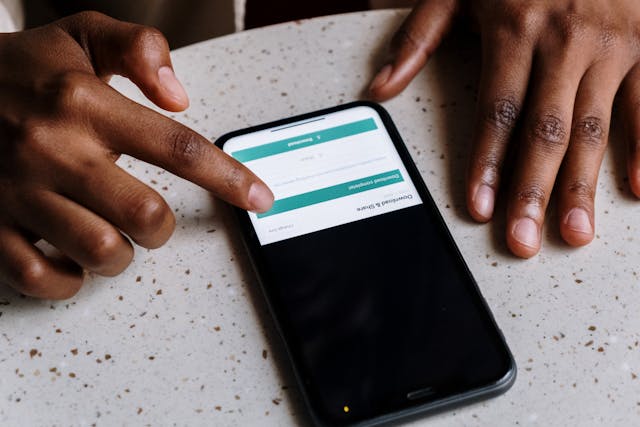
4 choses que vous pouvez faire avec un outil de téléchargement IG
Il existe une multitude de types de contenus que vous pouvez télécharger et conserver sur votre appareil grâce à un outil de téléchargement dédié aux réseaux sociaux. Que vous soyez amateur de photos esthétiques ou que vous adoriez regarder des vidéos drôles, il existe un moyen d'enregistrer vos contenus préférés à l'aide de ces outils. Voici quatre choses que vous pouvez faire avec un outil de téléchargement pratique comme Instagram .
1. Sauvegarder des images mémorables à l'aide d'un téléchargeur de photos Instagram
La première chose que vous pouvez faire, c’est de télécharger directement sur votre téléphone les photos qui vous plaisent. Il y a des millions de photos sur Instagram, mais seules quelques-unes vous toucheront vraiment. Ce sont ces photos-là qui méritent d’être téléchargées, et vous pouvez le faire grâce à un outil de téléchargement de photos fiable sur Instagram .
Il existe de nombreuses raisons pour lesquelles les utilisateurs souhaitent télécharger des photos depuis Instagram. Peut-être souhaitent-ils conserver des souvenirs avec leurs amis sur leur téléphone ou utiliser des images esthétiques comme source d'inspiration pour de futures publications. Quelle que soit votre raison, utilisez l 'outil de téléchargement de photos Path Social pour enregistrer des photos sur votre appareil.
Cet outil de téléchargement vous permet d'enregistrer des photos provenant de n'importe quelle image publique d'un article sur Instagram. Il vous suffit de copier l'URL de la photo et de la coller sur le site de téléchargement. Cliquez sur « Rechercher » et attendez que Path Social récupère l'image pour vous. Vous n'avez plus qu'à enregistrer la photo sur votre appareil. C'est un jeu d'enfant !
2. Télécharger la photo de profil d'une personne dans sa qualité et sa taille d'origine
Votre photo de profil est la première chose que les gens voient lorsqu'ils visitent votre page sur les réseaux sociaux. C'est l'un des éléments clés qui contribuent à forger l'impression qu'ils se font de vous. Il est donc tout à fait logique que les gens aiment examiner de près les photos de profil des autres.
Le problème, c'est que les photos de profil sur Instagram sont assez petites. Même en agrandissant la photo, vous ne verrez pas sa qualité ni sa taille d'origine. Il n'est pas non plus possible d'enregistrer la photo de profil d'un utilisateur depuis l'application Instagram .
Heureusement, un outil de téléchargement vous permet d'enregistrer la photo de profil d'une personne dans ses paramètres d'origine. Vous obtenez ainsi la version de la photo en très haute qualité en quelques secondes. La plupart des outils de téléchargement de photos de profil vous demanderont le nom d'utilisateur de la personne dont vous souhaitez la photo. Ensuite, ils génèrent la photo que vous pouvez enregistrer facilement.

3. Revoir les vidéos de longue durée hors ligne avec un téléchargeur vidéo fiable Instagram
Les photos ne sont pas le seul type de contenu d'Instagram que vous pouvez télécharger à l'aide d'outils tiers. Il existe également des logiciels de téléchargement de vidéos d'Instagram qui vous permettent d'enregistrer des vidéos d'un simple clic. Vous pouvez ainsi revoir ces vidéos hors ligne directement depuis votre pellicule.
Path Social Video Downloader est un outil gratuit qui vous permet de télécharger des vidéos du site Instagram sur votre appareil. Son fonctionnement est pratiquement identique à celui d’un outil de téléchargement de photos. Il vous suffit d’indiquer le lien vers la vidéo Instagram qui vous plaît, de le coller dans l’outil, puis de cliquer sur « Soumettre ». Une fois que Path Social a chargé la vidéo de votre choix, cliquez sur « Télécharger » pour l’enregistrer sur votre ordinateur ou votre téléphone portable.
Cet outil de téléchargement prend en charge la plupart des formats vidéo, qu'il s'agisse de vidéos classiques du fil d'actualité ou de Stories. Il fonctionnait même avec les vidéos IGTV à l'époque où celles-ci étaient encore d'actualité.

4. Revoir des clips amusants en petits morceaux avec un téléchargeur de bobines Instagram
Selon DemandSage, il y a aujourd’hui plus d’un milliard de Reels sur Instagram . Il est donc très difficile de retrouver un Reel que vous avez déjà vu et apprécié. En le téléchargeant et en conservant une copie permanente hors ligne sur votre appareil, vous êtes sûr de pouvoir revoir ces Reels quand vous le souhaitez.
Le téléchargeur de vidéos « Path Social » permet également de télécharger des Reels d’ Instagram . Si vous tombez sur un Reel qui vous plaît et que vous souhaitez le revoir plus tard, utilisez cet outil pour le télécharger.
Quel est le meilleur téléchargeur d'histoires Instagram ?
Il existe de nombreuses façons d'enregistrer des Stories en ligne, mais quel est le meilleur outil de téléchargement de Stories sur Instagram ?
Nous devons reconnaître que le téléchargeur de vidéos « Path Social » est, à l'heure où nous écrivons ces lignes, le meilleur. Il est génial car il est rapide, gratuit, ne nécessite aucune connexion et vous permet de télécharger les Stories dans leur qualité d'origine. Vous pouvez également utiliser ce même téléchargeur pour d'autres contenus vidéo (comme les Reels et les publications du fil d'actualité), ce qui le rend incroyablement polyvalent.
N'oubliez pas que le téléchargement des Stories est limité dans le temps, car elles disparaissent au bout de 24 heures. Si vous repérez une Story que vous souhaitez enregistrer sur votre appareil, lancez-vous immédiatement dans votre logiciel de téléchargement de vidéos. Une fois la Story disparue, vous aurez raté votre chance de la télécharger pour la regarder hors ligne.
Existe-t-il un moyen de télécharger le contenu d'une page privée Instagram ?
Malheureusement, même les outils de téléchargement les plus avancés et les plus réputés ne permettent pas d'accéder au contenu des profils privés. Les utilisateurs d'Instagram sont très attachés à la protection de leur vie privée. Il est donc logique que les vidéos et photos privées ne soient accessibles via aucun outil tiers.
La seule façon de consulter le contenu d'un compte privé est de suivre cette page. Même dans ce cas, le mieux que vous puissiez faire est de prendre des captures d'écran du contenu pour le « télécharger ».
Rappels éthiques lors du téléchargement de contenus d'autrui
Les logiciels de téléchargement tiers sont extrêmement pratiques pour tous ceux qui souhaitent conserver des copies des contenus d’ Instagram s qu’ils apprécient. Cependant, comme vous allez probablement télécharger des contenus créés par d’autres personnes, il est important d’adopter une attitude éthique à cet égard.
Il n'y a rien de mal à télécharger de temps en temps quelques contenus intéressants qui vous touchent. Mais il est important de toujours respecter le propriétaire original et ses droits. Voici quelques rappels sur la manière de respecter le contenu d'autrui si vous décidez de télécharger leur travail :
- N'utilisez le contenu téléchargé que pour votre usage personnel. Téléchargez autant que possible du contenu pour des raisons personnelles uniquement. Cela inclut le visionnage de vidéos divertissantes pour le plaisir ou la consultation de photos pour l'inspiration.
- N'utilisez pas ce contenu à des fins commerciales. Une autre personne a travaillé dur pour créer le contenu que vous avez téléchargé, et c'est elle qui en est la propriétaire légitime. Vous ne pouvez pas utiliser ce contenu à des fins professionnelles ou commerciales, par exemple dans des publicités ou des affiches d'entreprise. Cela serait considéré comme du vol.
- Si vous souhaitez republier ce contenu, demandez l'autorisation et citez son auteur. Contactez l'auteur du message d'origine à l'adresse Instagram et demandez-lui si vous pouvez partager son contenu. S'il vous autorise à le publier, veillez à le citer correctement. Vous pouvez le taguer et le mentionner dans votre légende ou ajouter un filigrane avec son nom. Il vous en sera très reconnaissant.
- Ne vous faites jamais passer pour quelqu'un d'autre lorsque vous téléchargez sa photo de profil. N'utilisez pas les photos des autres pour vous faire passer pour eux en ligne. L'hameçonnage et l'usurpation d'identité ne sont jamais acceptables !

Télécharger des publications, c'est sympa, mais ne négligez pas votre contenu !
Les outils de téléchargement sont parfaits pour conserver des copies des contenus que vous aimez. D’un simple clic, vous pouvez enregistrer définitivement les photos et les vidéos qui vous plaisent. Vous pouvez ainsi les revoir hors ligne et quand vous le souhaitez, sans avoir à les rechercher sur Instagram. Ces outils constituent un excellent moyen d’améliorer votre expérience de découverte de contenus en ligne.
Même si un outil de téléchargement de vidéos sur Instagram est à la fois ludique et pratique, vous ne pouvez pas passer tout votre temps à vous concentrer uniquement sur le contenu des autres. Vous devez également vous attacher à créer du contenu qui permettra à votre page de se développer. C'est précisément dans ce domaine que nous pouvons vous aider, chez Path Social .
Path Social utilise un algorithme basé sur l'IA pour vous aider à toucher le bon public. Nous exploitons le contenu de votre page Instagram et le mettons en avant grâce à de nombreuses stratégies efficaces afin que votre public cible puisse le voir. Vous gagnerez ainsi de nombreux nouveaux abonnés, tous issus de votre marché cible. Concentrez-vous sur votre page et développez dès aujourd'hui votre communauté Instagram avec notre aide !





Vous voulez suivre la croissance de votre compte Instagram ?
Analysez vos progrès et obtenez des informations précieuses grâce à notre outil de suivi gratuit !
Vérifiez la croissance de votre compte Instagram dès maintenant




