


Instagram Points forts : Faites de votre site Instagram un film à grand spectacle

Si vous utilisez Instagram, vous avez sûrement déjà vu les « Highlights ». Ils se trouvent tout en haut de la page. Instagram sont des collections de Instagram individuelles que les utilisateurs regroupent dans des sections semblables à des dossiers sur leur compte.
Vous savez peut-être que Instagram ne sont disponibles que pendant 24 heures. Cela peut être un avantage ou un inconvénient, selon le type de contenu que vous publiez. Néanmoins, Instagram souhaite permettre aux utilisateurs d'enregistrer certaines de ces stories et de les afficher sous forme d'épingle sur leur profil. Pour ce faire, la plateforme a mis en place un outil appelé « Highlights » sur Instagram.
Instagram permettent aux utilisateurs de faire tout cela. Grâce à cette nouvelle fonctionnalité, vous pouvez désormais conserver le contenu de vos Instagram sur votre fil d'actualité aussi longtemps que vous le souhaitez.
Une fonction aussi importante s'accompagne d'une grande responsabilité. Laissez les experts en médias sociaux vous guider dans le choix du meilleur contenu pour vos mises en avant.

Instagram Les points forts sont le meilleur moyen de se faire remarquer !
Vous avez sans doute déjà remarqué que Instagram apparaissent juste en dessous de votre biographie et au-dessus de vos publications. De ce fait, ils sont non seulement accessibles, mais aussi, et surtout, bien visibles.
Ainsi, si vous disposez d'une impressionnante collection de « Highlights », vous pourrez laisser une impression durable et favorable à vos invités.
De plus, vos clients actuels et potentiels n'auront pas besoin de parcourir votre site pour découvrir des informations intéressantes. Les rubriques telles que les promotions ou les jeux-concours s'afficheront automatiquement pour eux. Ils auront toutefois tout à portée de main.

Idées pour votre Instagram Highlights
Vos Instagram constituent un excellent espace pour partager des informations sur votre marque. Si vous ne savez pas quoi mettre dans vos « Highlights » sur Instagram, nous avons quelques suggestions à vous proposer.
- Mettez en avant différents aspects de votre marque ou de votre personnalité. Pensez à créer un « Highlight » pour chaque élément clé de votre entreprise. L'une des utilisations les plus efficaces des « Highlights » de vos Stories consiste à présenter les nombreux produits ou services que vous proposez. Si votre marque reflète votre style de vie, vos « Highlights » mettent en avant certains aspects du contenu que vous partagez. Ils peuvent s'inscrire dans la continuité des catégories que vous avez répertoriées dans votre biographie.
- Créez une rubrique dédiée aux avis et aux témoignages. C'est généralement une bonne idée de mettre en avant les consommateurs satisfaits chaque fois que vous en avez l'occasion. Des clients potentiels hésitent à travailler avec votre entreprise ou à l'acheter ? L'affichage de bons commentaires et témoignages peut les aider à conclure et à passer à l'action. Ces avis ne doivent pas se perdre dans votre fil d'actualité.
- Donnez accès à des ressources utiles. C'est une bonne idée de partager des liens vers vos autres réseaux sociaux. Votre blog et d'autres ressources, telles que des livres numériques, des podcasts, etc., sont autant d'éléments que vous devriez partager dans vos Stories sur Instagram .
- FAQ. Vous pourriez envisager de créer une story en vedette intitulée « FAQ » à partir de l'une des stories que vous avez publiées pour répondre aux questions des clients. Vous pouvez inviter les utilisateurs à poser des questions à l'aide de l'autocollant « Question », puis saisir votre réponse par-dessus une photo ou un fond blanc. Répondre à des questions telles que « Quelles sont vos heures d'ouverture ? » ou « Quels articles avez-vous en stock ? » peut devenir répétitif. Il pourrait être utile de mettre régulièrement à jour cette story en vedette.
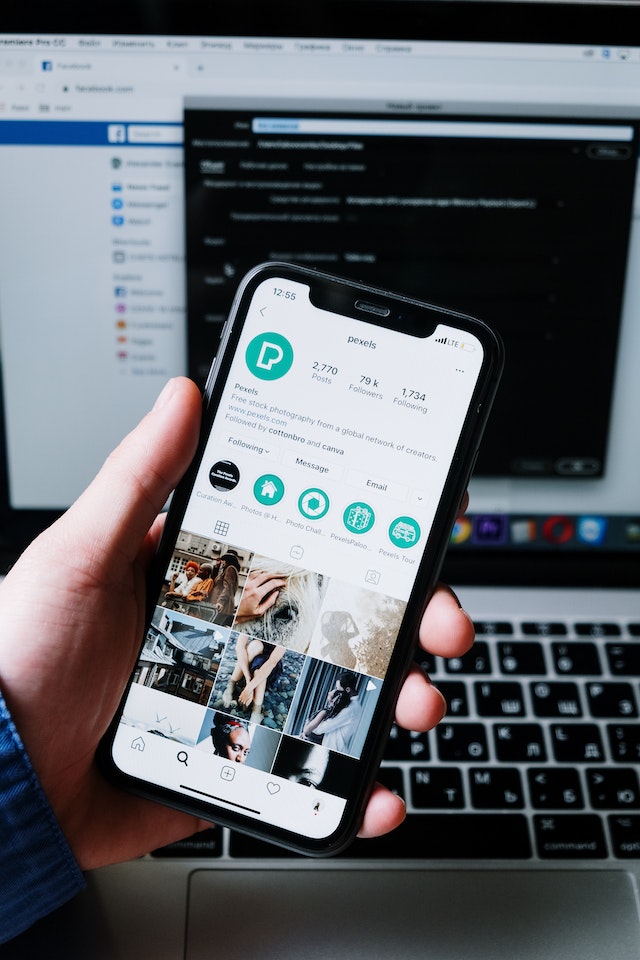
Comment ajouter des points forts sur Instagram: Créez le meilleur résumé de votre profil
Une fois que vous avez terminé de créer votre « Highlight », vous pouvez y ajouter des « Stories ». C'est là que ça devient sympa. Savoir comment ajouter des « Highlights » sur Instagram faire un petit voyage dans le temps. Vous pouvez ajouter du contenu provenant Instagram à Instagram existants en suivant ces étapes :
- Vous pouvez ajouter la photo ou la vidéo actuelle à votre mise en valeur en cliquant sur le bouton Mise en valeur et en choisissant l'une des catégories déjà disponibles.
- Accédez à votre profil, cliquez sur le moment fort d'un épisode que vous souhaitez modifier, puis cliquez sur le bouton « Modifier le moment fort ».
- Dans la catégorie « Sélectionnés », vous trouverez la liste de toutes les Stories que vous avez précédemment ajoutées à votre sélection. Vous pourrez consulter l'historique de vos Stories en accédant à la catégorie « Stories ».
- Vous pouvez rapidement sélectionner des histoires dans votre collection d'histoires et les ajouter à votre mise en évidence en suivant ces étapes simples.

Qu'est-ce que le Instagram Highlights et pourquoi devrais-je l'utiliser ?
Vous vous demandez peut-être : « Qu’est-ce que Instagram ? » Instagram sont l’arme secrète dont vous ne soupçonniez même pas avoir besoin. Votre page Instagram comportera une sélection de Highlights, c’est-à-dire une compilation des Stories que vous avez enregistrées. Si vous utilisez Instagram , vous remarquerez sans doute que Instagram apparaissent en haut de votre Instagram .
Instagram fonctionnent exactement comme les Stories classiques. Il y a toutefois une différence. Une fois les vingt-quatre heures écoulées, vous ne pourrez plus consulter vos « Highlights » pour voir qui a visionné votre Story. En revanche, vous pourrez consulter le nombre total de spectateurs pour chaque « Highlight » distinct.
Instagram a mis en place un excellent moyen de prolonger la durée de vie de vos stories. Vos « Highlights » Instagram resteront sur votre profil aussi longtemps que vous le souhaiterez, contrairement Instagram classiques, qui disparaissent au bout de vingt-quatre heures seulement.
Vous pouvez ajouter jusqu'à cent vidéos ou photos à chaque catégorie « Highlights ». Mais le plus intéressant, c'est que vous pouvez créer un nombre illimité de « Highlights ».
Lorsqu'un utilisateur consulte votre Instagram , les publications que vous avez ajoutées à Instagram seront les premières qu'il verra. Compte tenu de tout cela, il n'est pas surprenant que vous deviez veiller à sélectionner avec soin les meilleures stories à y épingler.
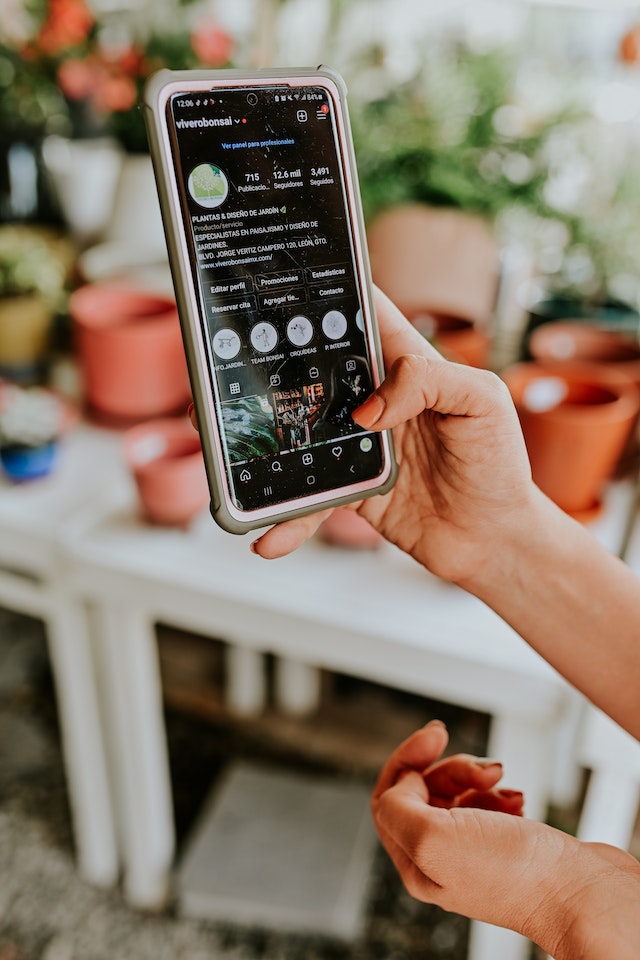
Apprenez à créer une story en vedette sur Instagram, mais restez dans les limites autorisées
Vous souhaitez savoir comment créer une mise en avant sur Instagram? Il vous suffit de vous rendre sur votre profil principal lorsque vous souhaitez ajouter un nouveau fait marquant. Vous devriez remarquer un signe plus à l'intérieur d'un cercle directement sous votre bio Instagram dans la section intitulée "Story Highlights". Si vous cliquez sur le signe +.
Il n'y a pas de limite au nombre de « Highlights » Instagram vous pouvez créer sur Instagram . Alors, lancez-vous et trouvez toutes sortes d'idées géniales pour vos « Highlights » ! Cependant, vous ne pouvez ajouter qu'une centaine de vidéos ou de photos au maximum dans chaque « Highlight ».
Lorsque vous atteignez les 100 stories en vedette, Instagram vous Instagram un message vous demandant si vous souhaitez supprimer une autre story. Cela permet de libérer de l'espace pour la story que vous essayez d'ajouter. Vous pouvez choisir de la supprimer et de continuer à ajouter des stories.
Ce que vous ne devez surtout pas négliger, c’est d’avoir une belle sélection de « Highlights ». Avoir une sélection de « Highlights » bien organisée, magnifique et homogène sur Instagram, ça rend vraiment bien, c’est vrai. C’est aussi une formidable occasion de mettre en avant votre image de marque, votre palette de couleurs et votre sens du style auprès de ceux qui vous suivent sur Instagram.
Mettez en avant des couvertures esthétiques pour inciter les visiteurs de votre profil à cliquer et à examiner les articles. Vos histoires contiendront sans aucun doute toutes les informations essentielles que vous avez épinglées en haut de votre page Instagram . Discutons des couvertures de vos Instagram Highlights.

Comment faire en sorte que Instagram mette en valeur les images de couverture pour qu'elles correspondent à votre fil d'actualité !
Lorsqu'un utilisateur consulte votre profil, l'icône principale des « Highlights » affichée dans le cercle correspond à la photo de couverture que vous avez choisie pour ce « Highlight ». La plupart des utilisateurs aiment créer des icônes et des photos de couverture pour leurs Instagram . Cela permet à cette section d'avoir un aspect plus soigné et plus esthétique. Si vous avez mis beaucoup d'efforts à élaborer un thèmeInstagram , vous souhaiterez peut-être Instagram vos « Highlights » Instagram harmonisent. Vous raisonnez désormais comme un expert Path Social !
Vous pouvez choisir une photo de couverture parmi l'une des Stories contenues dans votre « Highlight ». Vous pouvez également en télécharger une directement depuis la pellicule de votre appareil, sans avoir à l'inclure dans votre Story. Vous trouverez peut-être des idées créatives pour les couvertures de vos « Highlights » en parcourant votre fil d'actualité. Si vous disposez d'une belle Instagram liée à l'immobilier, vous pourriez l'utiliser ici. Vous pouvez même créer une couverture à partir de vos Instagram . Il vous suffit de la créer et de la télécharger.
Voici comment rendre Instagram Highlight Cover sans l'ajouter à votre histoire :
- Sélectionnez "Edit Highlight" dans le menu contextuel, puis cliquez avec le bouton droit de la souris sur le point que vous souhaitez modifier.
- Cliquez ensuite sur "Modifier la couverture" en haut de la page.
- Depuis cet écran, vous pouvez choisir une image à utiliser comme couverture, soit dans la galerie de votre appareil, soit parmi les Stories enregistrées dans vos moments forts.

Le site Instagram Highlights ne vous convient pas ? Essayez ces conseils.
Tout le monde ne tire pas pleinement parti des « Highlights ». Certaines personnes ne sont pas entièrement satisfaites de l'outil Instagram . De ce fait, elles ne parviennent pas à modifier, ni même à créer de « Highlights » sur Instagram.
Nous avons des solutions pour vous.
- Éteignez et rallumez votre téléphone. Vous pouvez redémarrer votre téléphone si vous n'arrivez pas à voir les actualités de Instagram . Cela suffit parfois à rétablir le fonctionnement normal des histoires et des actualités de Instagram .
- Vérifiez que vous disposez d'une connexion Internet. Il y a de fortes chances que le problème provienne de votre connexion Internet. Commencez par redémarrer votre modem. Ensuite, déconnectez-vous d'Internet, y compris de vos données mobiles et de vos connexions Wi-Fi. Réactivez-les ensuite. Lancez Instagram pour vérifier si la fonctionnalité « Highlights » fonctionne correctement.
- Mettez à jour Instagram. Vous indiquez que les modifications apportées à la configuration réseau mentionnées ci-dessus ne résolvent pas le problème. Dans ce cas, vous devrez vérifier Instagram . Avez-vous mis à jour Instagram ? Ou avez-vous reporté cette mise à jour ? Vous devez rechercher Instagram avoir ouvert le Play Store ou l'App Store. Vous verrez apparaître un bouton « Mettre à jour » dès qu'une mise à jour est disponible. Pour mettre à jour l'application, appuyez sur ce bouton.
Avez-vous rencontré le même problème ? Nous espérons que ces conseils vous auront aidé à résoudre le problème lié au non-chargement Instagram sur Android ou iOS. Les « Highlights » Instagram révolutionner la façon dont vous présentez votre contenu.
Comment supprimer les mèches de Instagram pour repartir du bon pied
Il existe de nombreuses façons de rendre votre profil plus captivant. Si vous prenez toujours autant de plaisir à peaufiner votre Instagram , essayez différentes nouvelles astuces pour pimenter un peu vos Instagram . Parfois, cela implique d’apporter quelques modifications.
Instagram avez peut-être changé d'avis concernant la mise en avant de certaines photos sur votre profil. Vous devriez faire le tri dans vos « Highlights », car il y en a trop. Quelle que soit votre raison, Instagram vous Instagram de supprimer très facilement un « Highlight ».
Lisez cet article pour savoir comment supprimer une story en vedette de votre Instagram . Si vous souhaitez modifier vos Instagram de cette manière, suivez les étapes suivantes :
- Maintenez la touche de surbrillance enfoncée sur l'élément que vous souhaitez supprimer.
- Sélectionnez « Supprimer la sélection » dans le menu, puis cliquez sur « Supprimer ».
Vous avez également la possibilité de ne supprimer que certaines histoires de votre site Instagram Highlight plutôt que de supprimer l'ensemble de la fonctionnalité.
- Lancez le Highlight et naviguez jusqu'à l'article que vous souhaitez supprimer du Highlight.
- Choisissez "Plus" dans le menu qui apparaît dans le coin inférieur droit.
Faites votre sélection en utilisant l'option "Remove from Highlight" dans le menu.
- Pour confirmer, appuyez sur le bouton « Supprimer ».
Instagram Les faits marquants vous aideront à accroître votre audience
Lorsque vous saurez créer Instagram efficaces Instagram , vous pourrez naturellement élargir l'audience de votre page. Les « Highlights » sur Instagram vos abonnés à rester plus longtemps sur votre page. Vous pouvez en être sûr.
Au cours des dix dernières années, l’équipe expérimentée de Path Social spécialisée dans les réseaux sociaux Path Social jamais ménagé ses efforts pour ses clients. Elle a développé une plateforme interne destinée Instagram ainsi qu’un algorithme de ciblage unique en son genre basé sur l’intelligence artificielle. Les retours et les recommandations que nous ont transmis nos clients parlent d’eux-mêmes.
Grâce à nos stratégies exclusives, nous sommes en mesure d’attirer des consommateurs organiques sérieux, passionnés et intéressés par nos produits. Vous pouvez développer une Instagram florissante en suivant et en mettant en œuvre nos conseils. Commencez dès aujourd’hui à élargir votre Instagram et à gagner des abonnés sur la plateforme.





Vous recherchez de vrais Instagram , sans artifices ?
Laissez nos stratégies de croissance organique ciblées par l'IA travailler pour vous.
Obtenir des followers Instagram maintenant




