


Instagram Location Tags : Renforcer votre présence en ligne

Il ne fait aucun doute Instagram un véritable paradis visuel regorgeant d’images captivantes, de courtes vidéos et de légendes captivantes. Parmi ses nombreuses fonctionnalités, celle qui se démarque particulièrement est la balise Instagram . Cette fonctionnalité vous permet d’entrer en contact avec davantage d’utilisateurs à travers le monde et d’élargir votre audience.
Il est intéressant de noter qu’une balise de localisation « Instagram » s’avère également utile pour les entreprises et les marques qui souhaitent toucher leur public dans des régions spécifiques. De plus, compte tenu de l’évolution de la manière dont l’algorithme d’ Instagram affiche le contenu aux utilisateurs, cette fonctionnalité permet de mettre en avant votre contenu dans les fils d’actualité de votre public cible.
Mais vous vous demandez peut-être comment utiliser efficacement cette fonctionnalité et comment en créer une pour vos Instagram . Eh bien, ne cherchez pas plus loin : ce guide vous dit tout ce qu’il faut savoir sur les balises de localisation Instagram !
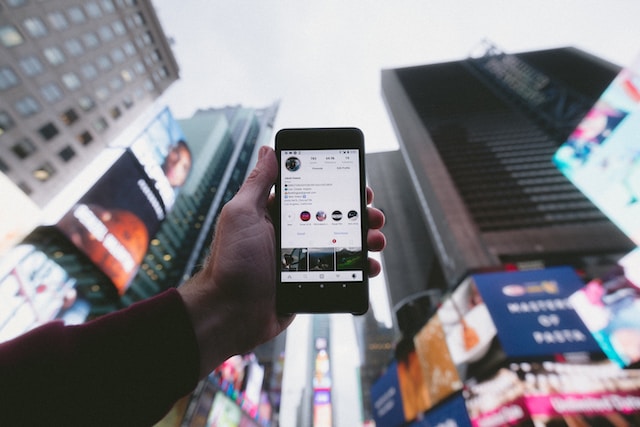
Qu'est-ce que Instagram Location Tag ?
Instagram de lien mondial, réunissant des utilisateurs des quatre coins du monde. Cela ouvre la voie aux entreprises qui souhaitent pénétrer le marché international. Dans le contexte actuel, les spécialistes du marketing exploitent Instagram pour cibler stratégiquement des clients potentiels. Une question se pose alors : qu’est-ce qu’un Instagram ?
Une balise de localisation sur Instagram une fonctionnalité qui vous permet d'associer votre position géographique à une photo ou à une vidéo. À partir des coordonnées de latitude et de longitude, cette balise lie votre Instagram à un lieu précis.
Grâce à cette fonctionnalité, « Instagram » vous permet de donner à votre audience un aperçu de l'endroit où vous vous trouvez actuellement. Pour les entreprises, ces balises peuvent les aider à proposer un produit ou un service spécifique à leurs abonnés ciblés.
Pour utiliser cette fonctionnalité lorsque vous publiez une photo ou une vidéo, appuyez sur le bouton « Ajouter un lieu ». Vous pouvez également effectuer des recherches de lieux en explorant les environs afin d’intégrer ces informations géographiques à votre Instagram . Lorsque vous publiez votre post, la mention de lieu apparaîtra en haut à gauche, sous votre nom d’utilisateur ou l’identité de votre marque. Une fois que vous aurez intégré votre mention de lieu, votre audience pourra consulter votre post et accéder à son emplacement précis.
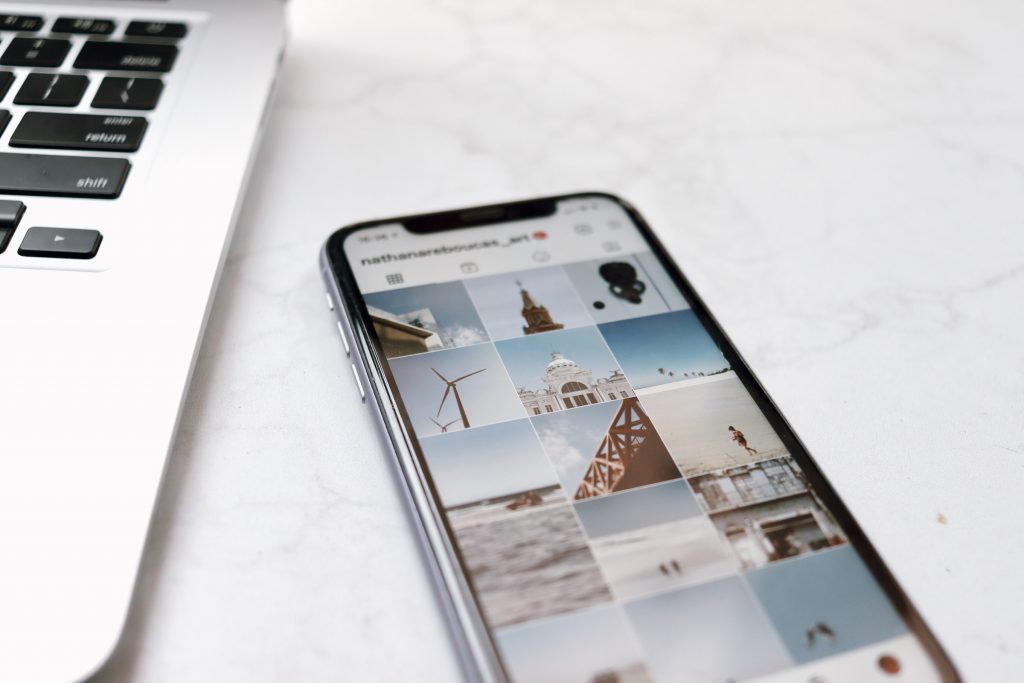
5 avantages de l'utilisation des balises de localisation IG pour votre entreprise
Avec Instagram plus de deux milliards d'utilisateurs, l'ajout de géolocalisations aux publications peut s'avérer un atout majeur. Les avantages de Instagram sont innombrables, tant pour les particuliers que pour les entreprises. Voici quelques raisons pour lesquelles il est important d'intégrer Instagram à votre stratégie commerciale :
1. Élargir la portée et la visibilité
Compte tenu du nombre impressionnant d'utilisateurs sur Instagram, le potentiel d'élargissement de votre audience est immense. Les utilisateurs explorent activement les publications Instagram , à la recherche de contenus intéressants et de comptes à suivre. Par conséquent, l'intégration de balises de localisation permet à vos clients potentiels de découvrir plus facilement votre entreprise.
Tout comme Instagram , les localisations améliorent la visibilité de votre contenu, ce qui vous permet d'élargir votre audience et votre visibilité sur la plateforme.
2. Les balises de localisation Insta améliorent l'engagement
Les balises Instagram vous permettent de créer du contenu personnalisé adapté à des lieux précis. Qu'il s'agisse de mettre en avant un produit ou de célébrer un événement marquant, elles apportent une touche d'exclusivité.
Selon Hubspot, l'engagement généré Instagram comportant une balise de localisation est supérieur de 79 % à celui des publications qui n'en comportent pas. Ces données soulignent le rôle essentiel des balises de localisation dans l'augmentation des interactions telles que les « j'aime », les partages et les commentaires.
3. Ils vous permettent d'entrer en contact avec Instagram Influencers
Les collaborations élargissent la portée de votre marque. Les balises de localisation facilitent les liens avec Instagram populaires, des entreprises et des organisations. Ces collaborations peuvent créer une dynamique qui trouve un écho auprès du public local. Imaginez une salle de sport qui mentionne un café axé sur la santé dans une publication. Ce partenariat mutuellement bénéfique met en avant les entreprises et favorise un sentiment de communauté, renforçant ainsi les liens avec les clients et les partenaires.
4. Ils offrent des informations et des analyses basées sur les données
Comprendre votre audience est essentiel pour prendre des décisions stratégiques. À ce titre, les balises de localisation sur Instagram savoir où votre audience est la plus active. Ces données orientent votre stratégie marketing et vous aident à adapter votre contenu aux préférences propres à chaque lieu. De plus, le suivi de l'engagement généré par les différentes publications géolocalisées fournit des informations précieuses sur ce qui trouve un écho auprès de publics variés. Cela vous permet d'affiner votre approche.
5. Présenter les travaux marquants réalisés dans des lieux spécifiques
Que vous lanciez votre agence de marketing sur les réseaux sociaux ou que vous créiez une petite entreprise, trouver des clients est une priorité. Une méthode efficace pour convaincre des clients potentiels consiste à mettre en avant le travail remarquable réalisé pour vos clients actuels. L'utilisation d'une balise de localisation permet aux nouveaux clients de découvrir les réalisations passées de votre marque dans des lieux spécifiques.
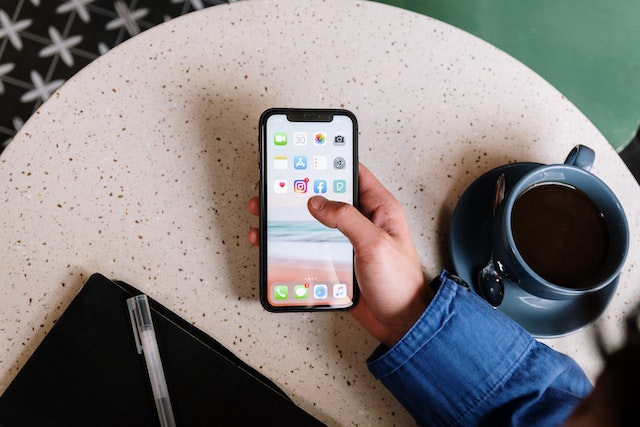
Comment créer une balise de localisation sur Instagram
Au vu des avantages mis en avant dans ce guide, vous êtes sans aucun doute prêt à tirer parti de la balise Instagram pour votre entreprise. Le seul bémol concernant la création d’une balise de localisation sur Instagram qu’il n’est pas possible de la créer ou de l’ajouter directement sur la plateforme. Heureusement, grâce à l’intégration Instagramà Facebook, vous pouvez ajouter et intégrer une localisation personnalisée. Celle-ci apparaîtra ensuite dans vos Instagram . Cela vous semble compliqué ? Non, pas du tout. Découvrons ensemble comment créer et utiliser à votre avantage une nouvelle balise Instagram .
- Utilisez l'application mobile Facebook : Commencez par vous connecter à l'application mobile Facebook. Cette étape est indispensable pour créer des géotags personnalisés pour les posts sur Instagram.
- Activer les services de localisation : l'application Facebook peut utiliser le GPS de votre appareil mobile pour obtenir des coordonnées précises. Pour ce faire, appuyez sur l'icône représentant trois lignes et accédez à « Paramètres et confidentialité ». Dans la section « Confidentialité », sélectionnez « Localisation ». Activez ensuite les services de localisation dans les paramètres de votre appareil.
- Lancez la procédure « Check-In »: ensuite, dans la zone de statut « Qu’est-ce qui vous passe par la tête ? », appuyez sur « Check-In » pour accéder à la fonctionnalité de géolocalisation.
- Définissez votre emplacement : lorsque vous lancez la procédure d'enregistrement, recherchez votre établissement ou l'emplacement souhaité. Si vous tombez sur des noms similaires, vous devrez peut-être faire preuve de créativité pour que votre étiquette de localisation soit unique et facile à retenir.
- Remplissez les informations essentielles : indiquez avec précision le nom du lieu, l'adresse et la ville. Assurez-vous que le repère sur la carte indique bien l'emplacement souhaité.
- Enregistrer le lieu personnalisé : après avoir renseigné les informations, appuyez sur « Enregistrer le lieu personnalisé ». Facebook ajoutera alors votre lieu personnalisé. Ce lieu sera finalement disponible sur Instagram, même si cela peut prendre un certain temps.
Comment accéder aux meilleures balises Instagram pour vos publications, vos stories et vos Reels
Ajouter une balise de localisation à vos publications et à vos vidéos permet d’améliorer efficacement la visibilité et l’engagement générés par votre contenu. L’utilisation des meilleures balises de localisation sur Instagram vous aide à toucher un public plus large. Découvrons ensemble comment intégrer facilement ces balises à vos publications, stories et Reels sur Instagram .
Comment ajouter des balises de localisation à vos messages sur Instagram
Pour ajouter une balise de localisation à votre Instagram , suivez ces étapes simples :
- Appuyez sur le bouton plus et sélectionnez "Poster".
- Choisissez votre photo ou vidéo et cliquez sur "Suivant".
- Appliquez le filtre souhaité et appuyez sur "Suivant".
- Rédigez votre légende captivante.
- Cliquez sur "Ajouter un lieu".
- Recherchez et sélectionnez le lieu de votre choix parmi les options proposées.
- Confirmez en appuyant sur "Partager".
L'ajout d'étiquettes de lieu permet aux utilisateurs d'explorer tous les messages liés à ce lieu. Ils peuvent ainsi créer une carte photographique qui favorise l'engagement et l'interaction avec la communauté.
Comment incorporer des balises de localisation dans les histoires et les bobines de Instagram
Instagram Les « Stories » et les « Reels » constituent des moyens dynamiques de mettre en avant votre établissement. Ces fonctionnalités peuvent considérablement élargir votre audience et vous permettre d’améliorer la visibilité de votre marque. Voyons ensemble les étapes à suivre pour ajouter une balise de localisation « Instagram » à vos « Stories » et « Reels ».
Pour Instagram Stories :
- Appuyez sur le bouton plus et choisissez "Histoire".
- Sélectionnez votre fichier multimédia, appliquez les effets souhaités, puis cliquez sur « Suivant ».
- Accédez aux autocollants et sélectionnez "Emplacement".
- Recherchez le lieu de votre choix et placez-le dans votre histoire. Vous pouvez modifier les polices et les couleurs de Instagram à votre convenance.
- Postes comme d'habitude.
Pour les moulinets Instagram :
- Appuyez sur le bouton plus et sélectionnez "Reel".
- Capturez ou téléchargez votre vidéo.
- Ajoutez de la musique, des effets ou des autocollants.
- Sur l'écran de légende, appuyez sur « Ajouter un lieu ».
- Recherchez et choisissez le lieu souhaité.
L'intégration de balises de localisation « Instagram » dans vos Stories et vos Reels élargit la portée de votre contenu, qui apparaîtra alors sur les pages dédiées à ces lieux. De plus, cela incitera votre public à mentionner votre emplacement dans ses propres publications. Vous créerez ainsi un réseau de contenu généré par les utilisateurs avec lequel vos abonnés pourront interagir.
5 étiquettes intelligentes Instagram Location Tags que vous pouvez utiliser sur Instagram Stories
Instagram seulement à mettre en avant des paysages pittoresques ou des délices culinaires ; c'est aussi un moyen de laisser libre cours à votre créativité. Les géolocalisations constituent l'un des moyens d'y parvenir. Au lieu de vous contenter d'indiquer où vous vous trouvez, pourquoi ne pas ajouter une touche d'humour et d'ingéniosité à vos publications ? Si vous souhaitez vous lancer, voici quelques Instagram astucieuses qui captiveront et raviront vos abonnés.
- Bikini Bottom : Transformez un endroit ordinaire en monde sous-marin de Bob l'éponge.
- Erreur 404, page introuvable : Prenez avec humour le fait que vous vous êtes aventuré en territoire inconnu.
- Lien dans la bio : Diriger les followers vers une autre plateforme sociale pour obtenir plus de votre contenu ou des liens d'achat.
- Zone 51 : Qui ne voudrait pas étiqueter l'endroit où il se trouve comme étant un point névralgique extraterrestre ultrasecret ?
- Tu me manques : Donnez à vos followers une raison de deviner et de trouver votre amoureux romantique anonyme.

Drôle de Instagram Tags de localisation pour exciter vos followers
En plus de faire preuve d'ingéniosité et d'intégrer des jeux de mots dans vos tags, vous pouvez montrer votre côté humoristique à votre public. En utilisant des tags qui apportent une touche d'originalité à vos clichés, vous pouvez rehausser vos publications avec une pointe d'humour. Découvrez quelques tags Instagram amusants qui feront rire vos abonnés à gorge déployée.
- Envoyer de l'aide : Criez à l'aide de façon ludique lorsque vous êtes confronté à une tâche ou à une charge de travail décourageante.
- America's Next Top Model: Prenez la pose comme un pro et marquez vos photos avec l'ambition d'être le prochain top model.
- J'ai besoin de café : Célébrez votre dépendance à la caféine avec une étiquette qui résonne avec tous les autres amateurs de café.
- Faire de la magie : présentez les coulisses enchanteresses de votre lieu de travail.
- Feed Me NOW : Immortalisez vos aventures culinaires alléchantes ou les escapades gastronomiques de votre animal de compagnie grâce à cette étiquette.
- Faim : Mettez en avant vos moments gourmands avec ce hashtag, idéal pour partager vos délicieuses découvertes.
- Euphoria : Que ce soit pour surfer sur la vague du bonheur ou pour faire un clin d'œil à la série à succès de HBO, le hashtag #Euphoria est un véritable remontant.
- Love Island : Laissez s'exprimer votre côté romantique avec le hashtag #LoveIsland, même si vous n'êtes pas dans une villa de luxe.
Grâce à ces balises de localisation amusantes, vos Instagram se démarqueront dans la multitude de contenus. En ajoutant une touche de fantaisie à vos publications et à vos Reels, vous divertirez vos abonnés lorsqu'ils parcourront votre fil d'actualité.
Utilisez les balises de localisation et gagnez des adeptes organiques grâce à Path Social
Les balises Instagram sont bien plus que de simples repères géographiques. Elles constituent autant de sources de créativité et d'interaction. Grâce à elles, vous pouvez ravir vos abonnés dans des lieux précis et tisser des liens au-delà des frontières. Qu'il s'agisse de références astucieuses ou d'une touche d'humour, les balises de localisation Instagram ont le pouvoir de transformer des publications ordinaires en expériences mémorables.
À mesure que le paysage social évolue, il est essentiel de tirer parti d'outils spécifiques pour renforcer votre présence de manière organique. C'est précisément là que Path Social en jeu. Path Social est une plateforme stratégique de gestion des réseaux sociaux qui peut renforcer votre présence grâce à des abonnés réels et actifs. Grâce à ses fonctionnalités basées sur l’IA, Path Social vous Path Social de créer un récit cohérent et captivant pour votre marque. En l’utilisant en combinaison avec des balises Instagram créatives Instagram , nous pouvons amplifier votre présence sur les réseaux sociaux et captiver votre public. Vous laisserez ainsi une impression durable dans l’esprit de vos abonnés. Lancez-vous Path Social avec Path Social et commencez à gagner des abonnés!





Vous recherchez de vrais Instagram , sans artifices ?
Laissez nos stratégies de croissance organique ciblées par l'IA travailler pour vous.
Obtenir des followers Instagram maintenant




