


Instagram Vues de profil 101 : Votre guide pour afficher les pages IG

Lorsque vous tombez sur du contenu divertissant et utile sur Instagram, il est naturel d’éprouver de la curiosité à l’égard de la personne qui l’a publié. Vous cliquez donc probablement chaque jour sur les noms d’au moins quelques utilisateurs pour consulter leur page. Mais une question vous taraude peut-être : voient-ils que vous avez consulté leur profil sur Instagram ?
Vous pouvez également vous demander si les autres utilisateurs savent que vous consultez leur page ou si vous pouvez voir quand les gens consultent votre profil.
Dans ce guide, nous répondons à ces questions et vous fournissons toutes les informations que vous souhaitez connaître sur les vues de profil Instagram. C'est parti !
Qu'est-ce que Instagram Profile Views ?
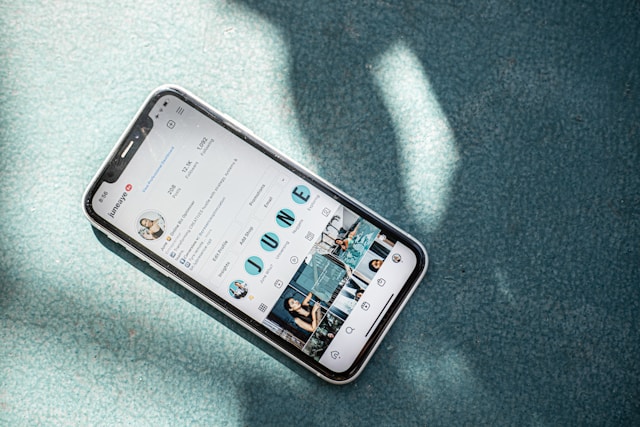
Les vues de profil correspondent au nombre de fois où un autre utilisateur de Instagram ouvre votre page pour la consulter. Toutes les marques et tous les créateurs souhaitent augmenter le nombre d'affichages de profil, car un plus grand nombre de visiteurs signifie un plus grand intérêt pour votre page.
Le fait que davantage de personnes visitent votre page signifie également qu'elles sont enthousiastes à l'idée de voir votre contenu. Cela suggère que vous faites quelque chose de bien avec vos plans de contenu actuels !
Le nombre total de consultations de votre profil semble être l'indicateur idéal pour évaluer l'intérêt que suscite votre page. Malheureusement, comme la plupart des réseaux sociaux, Instagram ne communique pas ce chiffre à ses utilisateurs. Cet indicateur est extrêmement difficile à évaluer, et il est très compliqué de savoir combien de personnes ont consulté votre page.
Comment consulter la page de quelqu'un sans compte à l'aide d'un visualiseur de profil Instagram
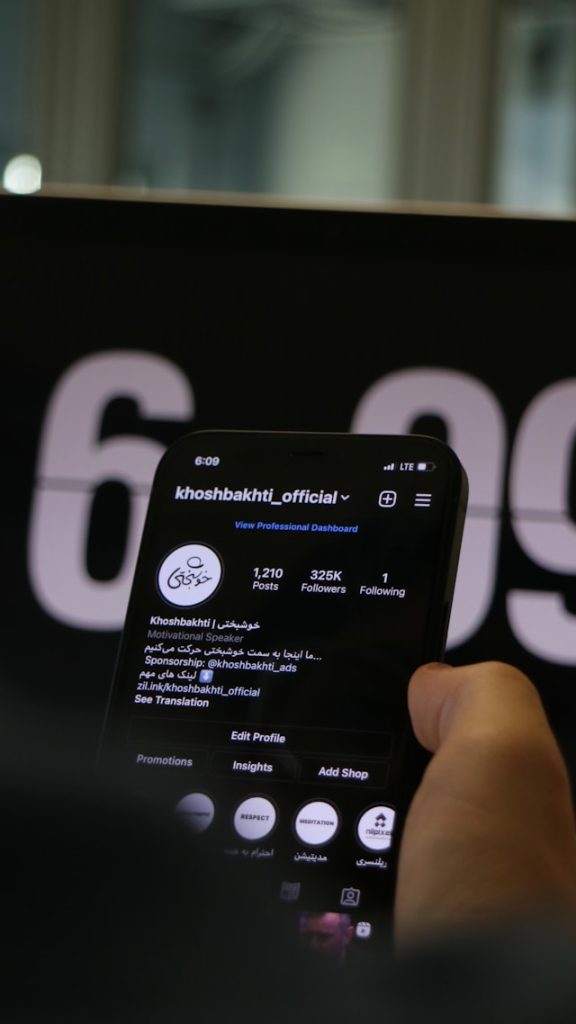
L'une des restrictions d'Instagramconcernant la consultation des profils est qu'il est impossible de le faire sans disposer de son propre compte. Cela signifie que seuls les utilisateurs officiels d'Instagram disposant d'un profil peuvent consulter les pages des autres. Certaines personnes créent des comptes temporaires juste pour « traîner » sur Instagram, mais c'est vraiment compliqué.
Vous n'avez pas de compte Instagram mais vous souhaitez consulter des profils intéressants sur la plateforme ? Vous pouvez toujours consulter un profil Instagram par l'intermédiaire d'applications et de sites web tiers réputés, appelés Instagram profile viewers (visionneurs de profils). Ces outils de visualisation de profil gratuits vous permettent de consulter le contenu d'une page Instagram sans vous connecter à votre compte.
L'un des meilleurs outils de visualisation de profils en ligne est Path Social Instagram Web Viewer. Ce site gratuit vous permet de consulter n'importe quel profil public sur le web. Cela signifie que vous n'avez pas besoin de créer ou de vous connecter à un compte Instagram pour visiter cette page.
Cet outil de consultation est extrêmement simple à utiliser. Il vous suffit de saisir le nom d'utilisateur du profil que vous souhaitez consulter, puis de cliquer sur « Rechercher ». En quelques secondes seulement, l'outil affiche le profil de cet utilisateur, que vous pouvez consulter en toute simplicité. Vous pouvez alors découvrir ses publications, ses Reels, ses Stories et bien plus encore !

Existe-t-il un Instagram Private Profile Viewer ?
Non, malheureusement, il n'existe aucun outil permettant de consulter les profils privés sur Instagram , même au sein d'applications tierces. Ces sites web, y compris l'outil Path Social , ne permettent de consulter que les profils publics.
Instagram est très stricte en matière de protection de la vie privée des utilisateurs. Il est donc pratiquement impossible de consulter des profils privés à l'aide d'un outil de consultation publique. La seule façon de consulter un profil privé est de le suivre et d'obtenir l'autorisation de son propriétaire. Ainsi, si vous tombez sur des sites tiers prétendant pouvoir le faire à votre place, il s'agit très probablement d'une fausse promesse.
Comment afficher les photos de profil de Instagram
Il y a de nombreuses raisons pour lesquelles vous souhaitez voir de près les photos de profilInstagram lorsque vous êtes sur la page de quelqu'un. Peut-être trouvez-vous la photo trop petite et souhaitez-vous l'agrandir pour mieux la voir. Ou peut-être ne reconnaissez-vous pas le visage sur la photo et souhaitez-vous zoomer pour confirmer l'identité de quelqu'un.
Heureusement, il est très facile de regarder la photo de profil de quelqu'un sur Instagram. Il vous suffit de vous rendre sur le profil d'un utilisateur et de cliquer sur sa photo de profil. Vous obtiendrez alors une version plus grande de la photo.
Toutefois, si cet utilisateur a actuellement une Story « Instagram » en ligne, cliquer sur sa photo de profil ouvrira ses Stories à la place. Dans ce cas, vous devrez appuyer longuement sur l'image pour en voir une version agrandie.
Lorsque vous ouvrez la photo de profil d'un utilisateur, celle-ci s'agrandit et prend une forme circulaire. Il n'existe aucune fonctionnalité dans l'application permettant d'enregistrer ou de télécharger une photo de profil dans sa taille et sa forme d'origine. Vous ne pouvez même pas appuyer longuement sur la photo pour l'enregistrer sur votre appareil.
Si vous souhaitez enregistrer la photo de profil d'un utilisateur d'Instagram , vous devrez utiliser des applications tierces telles qu'Inflact. Il vous suffit de leur fournir l'URL du profil Instagram de l'utilisateur dont vous souhaitez enregistrer la photo. Le site web générera alors la photo. Une fois cette opération effectuée, vous pourrez facilement enregistrer l'image sur votre appareil dans sa taille d'origine et en haute qualité.
Astuce de pro: le site fonctionne aussi pour les profils privés !
Pouvez-vous voir qui consulte votre profil Instagram ?
Passons maintenant à la question concernant les personnes qui consultent votre page. Pouvez-vousvoir qui consulte votre profil sur Instagram ?
La réponse est simple : non, il n'y a aucun moyen de savoir qui consulte votre profil. Instagram ne communique pas cette information à ses utilisateurs sur la plateforme. C'est dommage, mais c'est la réalité.
Vous ne pouvez pas non plus savoir qui a consulté votre profil via des applications tierces. Instagram (ainsi que Meta dans son ensemble) ne publie nulle part les données relatives aux visiteurs des profils. Il est donc impossible d'obtenir ces informations via l'application ou à l'aide d'outils payants.
Même Alex Heid, directeur de la recherche chez SecurityScorecard, explique au Reader’s Digest qu’il faut éviter les services qui promettent ce genre d’informations. Selon lui, ces sites cherchent probablement juste à collecter les données de ceux qui sont assez naïfs pour croire que cela fonctionne. Alors, tenez-vous à mille lieues des services qui prétendent pouvoir vous révéler qui a consulté votre profil !
Comment voir qui consulte votre profil Instagram : Conseils pour voir qui se cache sur votre page
Instagram n'a peut-être pas de fonction intégrée vous permettant de savoir exactement qui visite votre profil. Mais il existe quelques moyens de se faire une idée du nombre de personnes qui consultent votre contenu.
Voici comment découvrir, de trois façons différentes, qui consulte votre profil Instagram et interagit régulièrement avec votre contenu. Ces méthodes ne sont pas parfaites, mais elles constituent le moyen le plus efficace dont vous disposez pour obtenir des informations sur le nombre de consultations de votre profil.
1. Consultez vos listes de spectateurs sur votre article Instagram
La première chose à vérifier, ce sont les vues de vos Stories. Instagram Les Stories sont la seule section de l'application où vous pouvez voir qui consulte votre contenu. Ainsi, si vous souhaitez savoir qui traîne sur votre page, les Stories constituent un bon point de départ.
Bien sûr, il faut agir rapidement, car les Stories disparaissent au bout de 24 heures. Une fois vos Stories supprimées, vous ne pourrez plus consulter la liste complète des personnes qui les ont visionnées. Lorsque vous consulterez d'anciennes Stories dans les archives, vous ne verrez que les utilisateurs qui ont réagi à votre publication avec des cœurs et des emojis.
La liste des spectateurs de votre Story vous donne des informations précieuses sur les personnes qui consultent votre page. Elle peut vous aider à identifier les personnes les plus fidèles qui regardent toujours le contenu de votre story. Veillez à consulter régulièrement les vues de vos Stories pour savoir qui regarde systématiquement vos publications.

2. Prenez note des « J'aime », commentaires et partages réguliers sur vos publications
Un autre moyen facile de savoir qui a visité votre page est de noter les personnes qui interagissent régulièrement avec votre contenu. Ces interactions peuvent prendre la forme de likes, de commentaires ou de partages de vos publications. Les personnes qui interagissent fréquemment avec vos publications de cette manière sont susceptibles d'être celles qui s'intéressent à votre profil.
Bien sûr, cette méthode ne permet pas de savoir avec précision qui a consulté votre profil en temps réel. Elle vous donne toutefois une idée des personnes susceptibles d'être les plus intéressées par votre page.
C'est la belle aubaine si vous remarquez que quelqu'un « aime » ou commente vos anciennes publications. Les anciens contenus ont beaucoup moins de chances d'apparaître dans le fil d'actualité des utilisateurs. Ainsi, si quelqu'un interagit avec l'un de vos anciens contenus, cela peut signifier qu'il a consulté votre profil et parcouru vos publications.
3. Examinez vos comptes atteints et engagés sur Instagram Insights
Les comptes Créateur et les comptes professionnels ont accès à une fonctionnalité appelée « Insights d’ Instagram ». « Insights d’ Instagram » est la fonctionnalité d’analyse intégrée à l’application qui fournit aux comptes professionnels des indicateurs clés concernant leur portée et leur engagement. Les utilisateurs peuvent consulter une multitude de données sur leur page Insights, allant du nombre de lectures des Reels aux données démographiques de leurs abonnés.
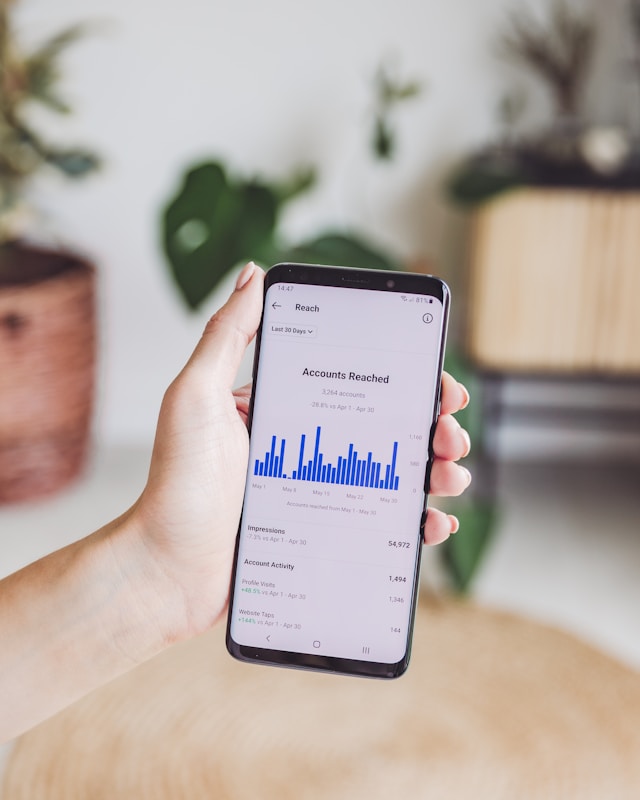
Parmi les données contenues dans ces rapports figurent les sections "comptes atteints" et "comptes engagés". Ces sections présentent des graphiques à barres indiquant le nombre de comptes que vous avez réussi à atteindre et avec lesquels vous avez interagi au cours d'une période donnée.
Ces indicateurs ne vous indiquent pas précisément qui a consulté votre page. Ils ne vous indiquent même pas le nombre de consultations de votre profil. Cependant, en analysant les tendances et les schémas qui se dégagent des graphiques, vous pouvez déduire le niveau d'engagement des utilisateurs vis-à-vis de votre page. Lorsque vous touchez et suscitez l'intérêt d'un plus grand nombre de personnes, on peut raisonnablement supposer qu'un plus grand nombre d'entre elles se précipitent pour consulter votre profil.
Est-ce que Instagram a des vues de profil sur IG Insights ?
En parlant d’ Instagram Insights, vous vous demandez peut-être : « Est-ce que Instagram affiche le nombre de consultations de profil sur le tableau de bord professionnel des comptes professionnels ? »
Malheureusement, non, la fonctionnalité d'analyse intégrée à l'application ne vous permet pas de savoir qui a consulté votre profil. Elle vous indique uniquement le nombre de personnes avec lesquelles vous avez interagi et que vous avez touchées sur la plateforme. Mais c'est à vous de faire le travail pour analyser ces données et en tirer des informations utiles.
En revanche, si votre entreprise possède une boutique Instagram , la donne change complètement. Vous pouvez consulter de nombreux rapports d'analyse concernant votre boutique en ligne via le Commerce Manager. L'un des indicateurs que vous trouverez dans ces rapports est celui des visites de profil. Il vous indique le nombre de fois où une personne ayant vu l'une de vos publications se rend ensuite sur votre profil.
À part cela, vous ne pourrez pas consulter le nombre de consultations de votre profil dans les outils d'analyse disponibles sur Instagram.
5 conseils pour obtenir plus de vues de votre compte Instagram sur votre propre page
Vous avez du mal à attirer davantage d'abonnés sur votre page ou à susciter plus d'« J'aime » pour vos publications ? Concentrez-vous sur l'augmentation du nombre de visites sur votre compte Instagram . En orientant stratégiquement les utilisateurs vers votre profil, vous pouvez potentiellement accroître votre audience et votre engagement. Voici quelques astuces pour y parvenir.
1. Optimisez votre profil
Assurez-vous que votre nom d'affichage et votre biographie contiennent des mots-clés qui vous permettent d'apparaître dans les résultats de recherche sur Instagram . Intégrez des mots liés à votre domaine d'activité qui pourraient décrire votre contenu, comme « mode » ou « fitness ». Cela vous aidera à apparaître plus souvent dans les résultats de recherche sur Instagram lorsque les utilisateurs recherchent ces termes, ce qui augmentera le nombre de consultations de votre profil.
2. Publier un contenu percutant susceptible de devenir viral
Beaucoup de gens découvrent de nouveaux profils à consulter lorsqu’ils tombent sur du contenu divertissant et instructif dans leur fil d’actualité. Proposez donc du contenu de grande qualité, pertinent et intéressant qui plaira à votre public cible. L’objectif est de susciter chez eux une telle curiosité à votre égard qu’ils aillent consulter votre page après avoir vu votre contenu quelque part.
3. Engagez-vous auprès de votre public
Répondez aux personnes qui laissent des commentaires sur vos posts ou qui laissent des DM dans votre boîte de réception. En interagissant de manière authentique avec les gens, vous augmentez les chances qu'ils aient envie de visiter votre page.
4. Utilisez des hashtags dans les légendes de vos publications
Les hashtags sont un excellent moyen d'améliorer la visibilité de votre contenu sur la plateforme Instagram . Ils permettent de diffuser votre contenu non seulement auprès des personnes qui suivent ces hashtags, mais aussi sur la page « Explorer ». Et lorsque davantage de personnes découvriront votre marque dans leur fil d'actualité, vous attirerez une multitude de nouveaux visiteurs sur votre profil.
5. Faites la promotion de votre page à l'aide de Instagram Ads
Investissez un peu plus pour promouvoir votre page afin d'atteindre un public ciblé. Lorsque les internautes voient des publicités pertinentes, cela peut éveiller leur curiosité à l'égard de la marque qui les diffuse. Cela peut ainsi générer davantage de clics vers votre profil.

Incitez plus de gens à consulter votre profil IG avec Path Social!
Les consultations de profil sont quelque peu mystérieuses sur Instagram. Il est extrêmement difficile de savoir qui a consulté votre profil. Instagram accorde une grande importance à la protection de la vie privée de ses utilisateurs, ce qui explique peut-être pourquoi ces données sensibles ne sont pas facilement accessibles.
Mais cela présente aussi l'avantage de pouvoir consulter la page de n'importe qui à son insu. Cela signifie que vous avez la liberté de consulter n'importe quel profil sur la plateforme de médias sociaux.
Vous souhaitez attirer davantage de visiteurs sur votre page ? Augmentez le nombre de consultations de votre profil Instagram auprès d'abonnés potentiels grâce à Path Social. Notre équipe utilise un algorithme de ciblage par IA exclusif et éprouvé pour identifier votre public de niche. Nous mettons ensuite votre page en avant auprès de ce public afin qu'il puisse la découvrir et l'explorer. Cela vous permet d'augmenter considérablement votre nombre d'abonnés, ce qui se traduit par davantage de fans et un engagement accru envers votre contenu.
Alors, qu'attendez-vous ? Gagnez plus de fans dans votre communauté Instagram dès aujourd'hui avec notre aide !





Vous voulez augmenter le nombre de followers Instagram de manière organique ?
Utilisez notre boîte à outils basée sur l'IA pour attirer de véritables abonnés engagés et booster votre portée.
Augmenter le nombre de followers Instagram




