


Instagram Reels Music : Choisir les meilleurs morceaux pour les vidéos IG

Instagram | 4 septembre 2025
Les réseaux sociaux ont véritablement révolutionné le monde de la musique. Les artistes utilisent assidûment Facebook et Instagram pour promouvoir leur art. Selon une étude menée par TikTok, cette plateforme augmente considérablement les chances pour les utilisateurs de découvrir de nouveaux morceaux en regardant des vidéos. Les internautes partagent des sons loufoques et des clips musicaux hilarants sur Instagram Reels qui deviennent viraux du jour au lendemain. Quel que soit l’angle sous lequel on aborde la question, les réseaux sociaux et les morceaux tendance vont tout simplement de pair.
Sur Instagram en particulier, les sons tendance utilisés dans les vidéos ne servent pas seulement à partager de la musique avec vos abonnés. Ils peuvent également mettre en valeur vos Reels et les rendre plus divertissants, captivants et attrayants.
Mais comment ajouter ces pistes audio aux bobines ? C'est ce que nous expliquons dans ce guide. Nous vous apprendrons à ajouter de la musique à vos bobines et à l'éditer pour qu'elle corresponde parfaitement à votre vidéo. Nous avons des tas de conseils sur le type de musique à utiliser pour votre contenu. Continuez à défiler pour découvrir tout cela et bien plus encore !
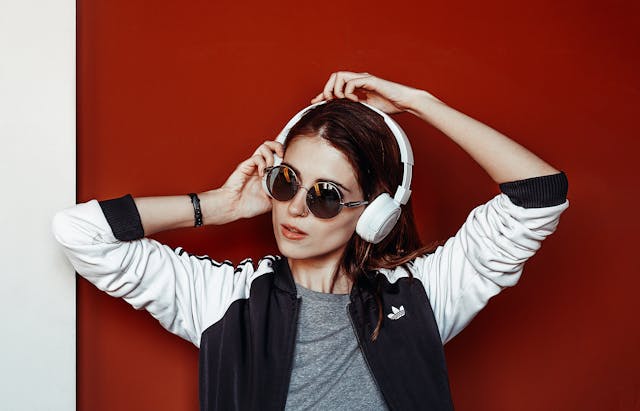
Comment ajouter de la musique aux bobines Instagram
Instagram La musique ne se contente pas de rendre vos vidéos plus divertissantes et plus pertinentes pour votre public. Elle vous aide également à personnaliser vos vidéos et à créer un lien émotionnel avec votre public. Elle permet en outre d’attirer l’attention des internautes, ce qui peut augmenter la durée de visionnage de vos vidéos. Selon la manière dont vous l’utilisez, vous pouvez également recourir à la musique pour renforcer la narration de vos vidéos.
Heureusement, Instagram dispose d'une vaste collection de musique. Vous pouvez donc choisir la chanson parfaite que vous avez en tête pour vos posts vidéo. L'expression créative par la musique est parfaite !
Il existe de nombreuses façons d'intégrer de la musique à votre contenu Instagram . Vous pouvez ajouter vos chansons préférées et les sons tendance à vos publications habituelles dans le fil d'actualité, et même à vos Stories. Mais aujourd'hui, nous allons vous expliquer comment ajouter de la musique à vos Reels Instagram . Voici exactement comment procéder, étape par étape :
1. Ouvrez votre application Instagram et cliquez sur le signe plus en bas de l'écran. Choisissez Reel en bas de l'écran pour en créer un nouveau.
2. Sélectionnez les vidéos et les photos que vous souhaitez inclure dans votre Reel. Vous pouvez également utiliser l'appareil photo pour enregistrer une vidéo à partir de zéro.
3. Pendant que vous modifiez votre Reel, cliquez sur l'icône en forme de note de musique en haut de l'écran.
4. Parcourez la collection de chansons et d'extraits audio de Instagram. Si vous recherchez une chanson en particulier, utilisez la barre de recherche pour trouver le morceau.
5. Lorsque vous voyez la chanson qui vous intéresse, cliquez dessus.
6. Faites glisser la barre de temps de gauche à droite pour sélectionner la partie du morceau que vous souhaitez ajouter. Cliquez ensuite sur « Terminé ».
7. Modifiez votre Reel comme bon vous semble. Lorsque vous êtes satisfait du résultat, cliquez sur la flèche bleue en haut à droite de l'écran. Ajoutez les informations nécessaires, puis cliquez sur « Partager » pour publier.

Utilisation de l'audio original : Comment ajouter votre propre musique aux bobines Instagram
Vous avez également la possibilité d'utiliser un son original sur votre Reel au lieu d'une chanson existante dans la bibliothèque. C'est génial pour les musiciens et les artistes qui font la promotion de leur musique. Ou peut-être souhaitez-vous simplement utiliser une chanson qui n'a pas encore trouvé sa place dans la bibliothèque musicale de Instagram .
Heureusement, il existe un moyen de le faire. Il suffit que l'audio que vous souhaitez utiliser soit enregistré sous forme de vidéo dans le rouleau d'appareils photo de votre téléphone. Voici comment ajouter votre musique à Instagram Reels grâce à cette technique :
1. Après avoir choisi une vidéo à ajouter à votre Reel, cliquez sur l'icône de musique en haut de l'écran. Vous pouvez également cliquer sur le bouton « Appuyez pour ajouter un fichier audio » dans l'écran d'édition.
2. Au lieu de choisir un morceau parmi les suggestions, cliquez sur « Importer ».
3. Choisissez une vidéo dans votre galerie. Le son de cette vidéo sera importé dans votre vidéo. Notez que la vidéo que vous choisissez doit durer au moins cinq secondes.
4. Faites glisser la barre en bas de l'écran pour choisir la section du clip audio que vous souhaitez.
Vous souhaitez utiliser une chanson qui ne figure pas dans la bibliothèque ? Nous vous conseillons de télécharger le clip vidéo de la chanson que vous souhaitez utiliser et de l'enregistrer dans votre galerie. Essayez de préparer ce contenu vidéo à l'avance sur votre appareil. Ainsi, vous pourrez facilement l'ajouter à votre Reel !
Instagram considère les voix off et les mixages sonores comme des fichiers audio originaux. Si vous publiez un Reel avec un fichier audio original, votre nom sera mentionné au générique en tant qu’auteur. Le fichier audio disposera de sa propre page dédiée. Sur cette page, vous et tous les autres utilisateurs de Instagram pourrez voir tous les Reels créés à partir de ce fichier audio.
Comment couper la musique sur les bobines Instagram
Le découpage de la musique est un élément essentiel pour ajouter des extraits sonores à vos Reels. En « découpant » un fichier audio, vous supprimez les parties de la chanson que vous ne souhaitez pas inclure dans votre Reel.
Ce montage vous permet de choisir les clips vidéo et les pistes audio spécifiques. Il est idéal pour jouer avec plusieurs sons ou si vous voulez que la chanson se termine à un certain moment.
Le découpage de votre musique vous permet également de vous assurer que la durée de la vidéo et celle de l'audio correspondent. Ainsi, votre Reel n'aura pas de début ou de fin maladroit, où la musique serait diffusée sans qu'aucune vidéo ni image ne soit visible.
Le montage musical peut paraître très intimidant. Heureusement, c’est très simple à réaliser sur la plateforme. Tout le monde, même les débutants en montage vidéo et ceux qui s’y essaient pour la première fois, peut facilement comprendre comment découper un morceau de musique sur les Reels d’ Instagram . En effet, Instagram a rendu cette fonctionnalité très simple et intuitive.
Vous verrez l'extrait audio de votre vidéo dans la section « Audio » de l'écran d'édition des Reels. Lorsque vous sélectionnez cet extrait, le système le met en surbrillance en jaune. Deux poignées apparaissent également à chaque extrémité de l'extrait. Il vous suffit de toucher l'une des poignées (au début ou à la fin) et de la faire glisser. Cela permettra de découper l'extrait à la longueur souhaitée. Un jeu d'enfant !
Comment régler le volume de la musique sur les bobines Instagram
Une autre fonctionnalité d'édition qui pourrait vous intéresser est le réglage du volume sonore. Il arrive parfois que le morceau que vous ajoutez soit un peu trop fort, ce qui le rend peu adapté à une voix off. Mais ne vous inquiétez pas. Tout comme pour le découpage de votre extrait musical, le réglage de son volume est également très simple.
Voici comment régler le volume de la musique sur les Reels d'Instagram . Sur l'écran de l'éditeur de Reels, sélectionnez votre extrait audio en appuyant dessus. En bas de l'écran, cliquez sur le bouton « Volume ». Il ne vous reste plus qu'à faire glisser le curseur de volume jusqu'au niveau souhaité. Et voilà, c'est terminé !
Comment télécharger Instagram Reels avec de la musique : est-ce possible ?
Ça nous est tous arrivé au moins une fois. Vous parcourez l'onglet « Reels », en vous arrêtant pour regarder des vidéos qui vous intéressent. Et puis vous entendez… un Reel avec un extrait musical que vous n’avez jamais entendu auparavant. Il s’agit peut-être d’un artiste qui partage son nouveau titre ou de quelqu’un qui interprète une reprise des plus séduisantes de votre chanson préférée.
Ou peut-être tombez-vous sur une vidéo que vous trouvez tellement drôle, émouvante ou captivante. Elle est tellement intéressante que vous souhaitez en avoir une copie sur votre téléphone pour pouvoir la regarder quand vous le souhaitez.
Ce genre de situation peut être extrêmement frustrant. Même si Reels est un excellent moyen de découvrir de nouveaux morceaux et des vidéos amusantes, il n'y a aucun moyen de les télécharger.
Oui, pour l'instant, Instagram ne propose pas de fonctionnalité permettant de télécharger des Reels. Mais cela ne veut pas dire que vous ne pouvez pas enregistrer un Reel sur votre téléphone. Nous avons quelques astuces en réserve pour vous aider à y parvenir malgré tout !
Tout d’abord, vous pouvez toujours utiliser un site web tiers pour télécharger ce Reel sous forme de fichier audio. Voici comment télécharger un Reel d’ Instagram avec sa musique à partir d’un site tiers, du moins en règle générale. Rendez-vous sur le Reel que vous souhaitez télécharger et repérez son lien unique Instagram . Collez-le sur le site de téléchargement et laissez-le générer un lien de téléchargement pour vous. Téléchargez la vidéo à partir de là, et le tour est joué ! Vous disposez désormais d’une copie de ce Reel avec sa musique.
Une autre astuce consiste à enregistrer l'écran de votre téléphone. Cependant, cette méthode enregistrera non seulement le Reel, mais aussi la légende, l'auteur d'origine et d'autres éléments de l'interface Reel. Ce n'est pas la solution idéale, mais c'est un moyen pratique de sauvegarder un Reel sans avoir à le télécharger depuis un site tiers.
Conseil de pro : gardez la musique de bobine intéressante de Instagram pour un autre jour
Vous est-il déjà arrivé de voir une bobine et d'entendre un son que vous souhaitez utiliser plus tard dans vos vidéos ? Il s'agit peut-être d'une chanson pour un défi de danse ou d'un extrait amusant d'un mème viral. Ne prenez pas le risque de ne plus jamais retrouver ce clip audio ! "Mettez-le en signet en l' enregistrant.
C'est très facile. Voici comment procéder en quelques étapes simples :
1. Accédez à la bobine contenant l'audio que vous souhaitez enregistrer pour plus tard.
2. Cliquez sur le nom de la piste audio situé sous la poignée de l'affiche du Reel. Parfois, il apparaît également au bas du Reel. Vous serez alors redirigé vers la page d'accueil de la piste audio, où vous pourrez voir tous les Reels qui ont utilisé cette piste.
3. Il suffit ensuite de cliquer sur l'icône en forme de signet située dans le coin supérieur droit de l'écran.
Et voilà ! Vous retrouverez désormais facilement cet extrait audio dans votre dossier « Enregistrés », prêt à être utilisé ultérieurement.

Quel type de musique de bobines Instagram devriez-vous utiliser ?
Vous pouvez laisser libre cours à votre créativité quant au choix de la musique que vous intégrez à vos Reels. Vous pouvez utiliser aussi bien un morceau entraînant et festif qu'un titre plus calme, ou encore un extrait sonore hilarant. L'essentiel est de veiller à ce que la musique soit en harmonie avec le contenu de votre vidéo et qu'elle s'accorde avec son ambiance.
Vous ne savez pas quel type de musique choisir pour l'accompagnement de votre Reel ? Voici quelques suggestions à prendre en compte. Choisissez celle qui s'intégrera le mieux à votre vidéo, et lancez-vous dans le montage !
Trending Instagram Chansons qui correspondent à l'ambiance de votre vidéo
Attirez l'attention en utilisant dans votre Reel une chanson que tout le monde écoute en ce moment à fond dans ses écouteurs. Utiliser des chansons populaires et tendance Instagram ne se contente pas d'améliorer la pertinence de votre Reel. Cela pourrait également booster votre portée et votre engagement, puisque tout le monde est probablement en train de regarder des vidéos utilisant cette chanson. Voici quelques morceaux entraînants que vous pourriez envisager d'utiliser pour votre Reel :
- "Dance the Night Away" par Dua Lipa
- "Eau" par Tyla
- "Lil' Boo Thang" par Paul Russell
- "Paint the Town Red" par Doja Cat
- "yes, and ?" par Ariana Grande

Instagram Reels Musique libre de droits d'auteur
Vous craignez d'enfreindre les droits d'auteur en utilisant de la musique, en particulier des enregistrements audio originaux, dans vos vidéos ? Vous devriez peut-être envisager d'utiliser les Reels d'Instagram , qui proposent de la musique libre de droits. Vous pouvez télécharger ces extraits audio à partir de n'importe quelle bibliothèque de musique libre de droits en ligne. Ils sont parfaits pour les vlogs de voyage, les vidéos pratiques, les tutoriels, les montages vidéo et bien plus encore.

Des chansons qui collent à la saison, comme les meilleures chansons pour les Reels d'été
Vous pouvez également choisir des chansons adaptées à la saison. Par exemple, pendant les fêtes de fin d'année, optez pour des chansons de Noël. Pour votre anniversaire, choisissez votre version préférée du classique « Happy Birthday ». Et si vous publiez des posts sur des fêtes à la piscine ou des vacances à la plage, utilisez des morceaux emblématiques de l'été.
Avec l'été qui approche à grands pas, il est indispensable de connaître les morceaux les plus marquants à utiliser pour vos contenus estivaux. Voici quelques-unes des meilleures chansons pour vos Reels d'été :
- "Island in the Sun" par Weezer
- "California Gurls" par Katy Perry feat. Snoop Dogg
- "Walkin' on Sunshine" par Katrina and the Waves
- "Summer of '69" par Bryan Adams
- "Cruel Summer" de Taylor Swift

Clips audio de mèmes drôles
Enfin, vous pouvez profiter des mèmes vidéo ridicules sur Instagram et utiliser des clips audio hilarants pour vos bobines. Il peut s'agir de clips musicaux que les gens utilisent pour les mèmes ou de dialogues amusants que vous pouvez doubler pour un sketch.
Non seulement les extraits audio drôles rendent votre Reel plus divertissant, mais ils favorisent également le partage et créent un sentiment d’identification. Votre vidéo a ainsi plus de chances de devenir virale ! Qui n’a pas envie de partager un bon moment de rigolade avec un ami par message privé, n’est-ce pas ?
Le choix de la chanson pour votre Reel sur Instagram peut faire toute la différence : choisissez-la donc avec soin !
Ajouter de la musique à vos Reels peut faire toute la différence entre une vidéo terne, ennuyeuse et que l'on a envie de passer, et un contenu super captivant. Ce qui rend la chose amusante, c'est qu'Instagram dispose d'une vaste collection audio que vous pouvez utiliser pour enrichir votre publication. Assurez-vous que la piste audio que vous choisissez corresponde à l'ambiance de votre Reel, que vous optiez pour des chansons tendance ou des extraits sonores drôles.
Vous voulez que plus de gens voient et apprécient votre vidéo et la musique de Instagram Reels qui l'accompagne ? Travaillez avec Path Social pour vous assurer que vos Reels atteignent les bonnes personnes.
Grâce à notre algorithme de ciblage exclusif et à la puissance de l'IA, nous diffusons votre contenu auprès d'un public de niche bien précis. Cela signifie que votre contenu attire davantage l'attention et que davantage d'utilisateurs en phase avec votre marque découvrent votre page. Avant même de vous en rendre compte, vous disposerez d'une communauté solide et engagée qui adore votre contenu et interagit avec lui à chaque fois. Développez dès aujourd'hui votre communauté sur Instagram avec de vrais abonnés authentiques !





Vous voulez une promotion puissante sur Instagram ?
Amplifiez votre portée grâce à des stratégies ciblées qui attirent un engagement réel et des adeptes.
Commencez dès maintenant votre promotion sur Instagram




