


Gérer les publicités sur Instagram pour atteindre les objectifs : L'ultime mode d'emploi

Instagram | 4 septembre 2025
Créer du contenu pour promouvoir vos produits est un excellent moyen de mettre en valeur ce que votre entreprise peut offrir. Mais c'est une chose de créer du contenu mignon et des bobines Instagram pour votre entreprise. C'est la partie la plus amusante. Vous devez également gérer vos posts lorsque vous les stimulez et les transformez en publicités. Mais savez-vous comment gérer correctement les annonces sur Instagram ?
Aujourd’hui, Instagram n’est plus seulement un espace où publier de jolies photos de voyage et des tenues du jour. C’est aussi un moyen de cibler les consommateurs en suscitant leur intérêt par le visuel. La publicité sur cette plateforme est incontournable pour votre entreprise, surtout si vous visez un public jeune.
Voyons comment gérer correctement les publicités d'Instagram , depuis l'association de votre compte au Gestionnaire de publicités jusqu'à la définition du budget de votre campagne publicitaire.

Pourquoi créer et gérer des publicités sur Instagram ?
Avant de vous expliquer comment gérer les publicités « Instagram », voyons d’abord en quoi elles sont bénéfiques pour votre entreprise.
La publicité sur Instagram est incontournable pour les entreprises qui souhaitent toucher le plus grand nombre possible de personnes au sein de leur public cible. Bien qu'il ne s'agisse pas d'un média de masse comme la télévision ou la radio, cette plateforme bénéficie d'une portée considérable à l'échelle mondiale.
Selon Statista, chaque mois, le site Instagram compte 2 milliards d'utilisateurs actifs par mois. Cela représente environ un quart de la population mondiale ! Les publicités Instagram offrent un fort potentiel pour élargir votre audience sur la plateforme. Ces publicités payantes pourraient même vous permettre d'augmenter le nombre de vos abonnés.
Instagram est un outil de marketing très puissant parce qu'il est connu pour être une plateforme "visuelle". Instagram est une plateforme de photos esthétiques. Vous pouvez en tirer parti et publier un contenu visuellement attrayant qui rendra vos produits incontournables !
Cela signifie que les entreprises proposant des produits visuels, tels que des vêtements, des voyages, des produits alimentaires et du maquillage, auront tout à gagner à être présentes sur cette plateforme. Les publicités shopping, ainsi que les Stories et les Reels « boostés » sur Instagram , accompagnés d’images alléchantes et séduisantes, attireront votre public cible. Si vous êtes une marque de e-commerce active dans ces secteurs, pensez à diffuser des publicités Instagram pour booster vos ventes.

Gérer les publicités Instagram 101 : Découvrir le gestionnaire de publicités
Il est très facile de mettre en avant les publications d’ Instagram s que vous avez déjà publiées sur la page de votre entreprise. Si vous disposez d’un compte professionnel, vous pouvez cliquer sur « Mettre en avant la publication » sous votre publication et la diffuser sous forme de publicité payante. Vous pouvez également mettre en avant des Reels ou des Stories d’ Instagram .

Mais parfois, il faut adopter une approche plus structurée dans la gestion de vos publicités. C'est notamment le cas si vous avez un projet de campagne d'envergure comprenant de nombreux ensembles de publicités dont vous devez assurer le suivi. C'est là qu'intervient Ads Manager : le meilleur moyen de faire de la publicité sur Instagram de manière structurée et efficace.
Le Gestionnaire d'annonces sera votre partenaire pour la création et la gestion des annonces sur Instagram à partir de zéro. Voici le 411 sur ce qu'il est et comment le configurer.
L'essentiel : Qu'est-ce que le gestionnaire de publicités sur Instagram?
Vous vous demandez peut-être ce qu’est l’Ads Manager sur Instagram? Pour faire simple, l’Ads Manager est votre espace de travail qui vous permet de créer et d’organiser toutes les publicités Instagram que vous diffusez pour votre entreprise.
C'est en quelque sorte votre point de départ si vous avez une idée de campagne marketing que vous souhaitez mettre en œuvre sur Instagram. C'est là que vous configurerez votre campagne publicitaire, du format créatif au budget quotidien en passant par les emplacements publicitaires. C'est également là que vous pourrez consulter tous les rapports sur les performances de votre campagne.
Notez toutefois qu’Ads Manager n’est pas uniquement un produit d’ Instagram . Il s’agit d’une fonctionnalité de Meta, ce qui signifie qu’il regroupe vos publicités destinées à la fois à Facebook et à Instagram. Cela peut sembler intimidant, mais croyez-nous : cela facilite la configuration de vos campagnes, car vous pouvez visualiser tous vos ensembles de publicités en un seul et même endroit.
Où se trouve le gestionnaire de publicités sur Instagram? Existe-t-il au moins ?
Si vous sortez votre téléphone tout de suite et que vous essayez de trouver le Gestionnaire de publicités dans votre application « Instagram », vous risquez d’être déçu. Où se trouve le Gestionnaire de publicités sur « Instagram » ? Pourquoi n’y a-t-il aucun accès facile à cette fonctionnalité dans l’application ?
S'il est facile de consulter les statistiques d'Instagram s pour les publications classiques du fil d'actualité sur l'application, les rapports disponibles dans Ads Manager sont quant à eux plus complets. C'est pourquoi il est préférable d'utiliser Meta Ads Manager sur un ordinateur de bureau. Il est en effet plus aisé d'y afficher et d'analyser de grandes quantités de données concernant vos publicités Instagram . Cela dit, des applications Ads Manager sont également disponibles sur iOS et Android.
Voici comment accéder au gestionnaire d'annonces afin de pouvoir gérer immédiatement les annonces sur Instagram .
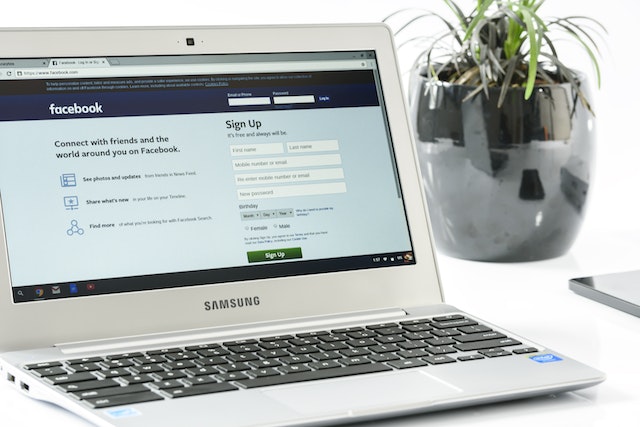
1. Rendez-vous sur la page « Meta Ads Manager ». Si vous disposez déjà d'une page professionnelle Facebook, celle-ci sera automatiquement associée à votre Ads Manager.
2. Cliquez sur le menu hamburger dans le coin supérieur droit de l'écran et sélectionnez "Paramètres commerciaux".
3. Cliquez sur "Comptes" puis sur "Instagram Comptes".
4. Suivez les étapes pour connecter votre compte Instagram au Gestionnaire de publicités.
5. Confirmez que vous souhaitez associer votre compte Instagram , et le tour est joué ! Vous pouvez désormais gérer votre campagne publicitaire Instagram directement depuis Ads Manager.
Comment gérer les publicités sur Instagram : Préparer le succès de votre campagne publicitaire
Maintenant que vous êtes bien installé dans Ads Manager, il est enfin temps d'entrer dans le vif du sujet : comment gérer les publicités « Instagram ». Bien qu'Ads Manager soit intuitif et facile à utiliser, il vous permet également de gérer chaque détail de votre campagne publicitaire. Il est important de bien comprendre tous les aspects de vos ensembles de publicités lors de leur configuration afin qu'ils soient performants.
Voici nos cinq meilleurs conseils pour diffuser des publicités sur Instagram . Qu'il s'agisse d'une simple publicité ou d'une campagne publicitaire à grande échelle, ces conseils vous permettront de mettre toutes les chances de votre côté.
1. Choisir le bon format créatif
Commençons par le contenu créatif. Ads Manager ne sert pas uniquement à gérer vos publicités. C’est également là que vous créez ou importez les images et les vidéos qui feront le succès ou l’échec de votre campagne.
Veillez à ce que votre contenu soit visuellement attrayant et trouve un écho auprès de votre public cible. Plutôt que d’utiliser des photos professionnelles, privilégiez des photos de style de vie, comme des « flat-lays » et de jolies tenues du jour. Ainsi, votre contenu s’intégrera naturellement à la façon dont les utilisateurs se servent habituellement de la plateforme. Vos textes et vos voix off, le cas échéant, doivent également être captivants et percutants.

Mais au-delà de l'aspect visuel de votre contenu, vous devez également réfléchir au format le plus adapté. Heureusement, la plupart (sinon la totalité) des formats publicitaires proposés par Instagramsont non intrusifs. Ils ne sont jamais gênants et s'intègrent parfaitement à l'expérience utilisateur habituelle sur Instagram.
Voici quelques-uns des formats que vous pouvez choisir lorsque vous gérez des annonces sur Instagram :
- Annonces d'images et de vidéos: Ces publicités apparaissent sur le flux Instagram . Il peut s'agir d'une seule photo ou vidéo ou d'une annonce carrousel contenant plusieurs photos et vidéos.
- Instagram Stories: Ces vidéos verticales sont présentées à votre public cible pendant qu'il parcourt Instagram Stories. Il est préférable de faire deux ou trois Stories qui racontent une histoire.
· Instagram Reels: Créez des publicités Reels courtes, percutantes, qui vont droit au but, captivantes et drôles. Il est essentiel de marquer les esprits dès les premières secondes !
· Annonces Shopping: si vous avez déjà associé votre catalogue de produits à votre compte Instagram , ces annonces peuvent les mettre en avant. Lorsque les internautes cliquent sur l'annonce, Instagram les redirige vers la fiche descriptive de votre produit.
Gardez toujours à l'esprit votre public cible lorsque vous choisissez vos formats publicitaires. Par exemple, si vous visez un public jeune, diffusez vos publicités sur les Reels et les Stories d'Instagram .
2. Gérer les annonces Instagram en sélectionnant votre objectif commercial
Lorsque vous gérez des publicités sur Instagram , vous devez également définir un objectif clair pour chacune d'entre elles. L'outil de gestion des publicités vous permet de sélectionner les objectifs de chaque campagne publicitaire. Il optimise ensuite la diffusion de vos publicités auprès de votre public cible afin de vous aider à atteindre ces objectifs.
Il existe de nombreux objectifs parmi lesquels vous pouvez choisir lorsque vous diffusez des publicités sur Instagram . Il s'agit notamment de la notoriété, du trafic, de l'engagement, des prospects, de la promotion d'applications et des ventes. Chacun d'entre eux indique à Instagram une approche spécifique pour diffuser vos publicités auprès des utilisateurs.
L'objectif commercial que vous choisissez pour vos publicités « Instagram » doit correspondre aux objectifs marketing de votre entreprise. Si vous disposez d'une nouvelle marque que vous souhaitez faire connaître à un plus grand nombre de personnes, optez pour la notoriété de marque. Si vous cherchez à établir une relation avec vos clients, optez pour l'engagement, et ainsi de suite.

3. Réduire votre public cible
Lorsque vous gérez des publicités sur Instagram , vous pouvez choisir de cibler un public spécifique qui verra vos publicités.
Ce qui est formidable avec le Gestionnaire de publicités d’ Instagram, c’est qu’il vous permet d’affiner votre audience cible en fonction de critères démographiques précis. Et nous ne parlons pas seulement de l’âge et du sexe. Vous pouvez également sélectionner leurs centres d’intérêt, leurs comportements, leur localisation et même la langue qu’ils parlent.
Le « hypertargeting » garantit que vos publicités seront vues par les personnes auxquelles elles sont destinées. Vous en avez ainsi pour votre argent lorsque vous payez pour diffuser ces publicités sur Instagram .
En fonction de l'audience cible que vous choisissez, Ads Manager vous indiquera également votre portée estimée et les résultats prévisionnels. Cela vous donnera une idée des performances que pourrait atteindre votre campagne publicitaire. Si les résultats potentiels ne vous satisfont pas, il vous suffit d'ajuster les paramètres relatifs à votre audience.
Vous pouvez également sélectionner des audiences personnalisées pour vos publicités « Instagram ». Il s’agit notamment de groupes de personnes très ciblés, tels que celles qui ont déjà effectué un achat auprès de votre entreprise ou consulté votre profil par le passé. Vous pouvez même demander à Meta d’inclure des « audiences similaires ». Ces personnes présentent les mêmes traits de personnalité et caractéristiques démographiques que celles qui ont déjà interagi avec votre entreprise.
4. Définir le budget le plus efficace pour gérer les publicités sur Instagram
Instagram Les publicités ne sont pas gratuites. Il s'agit d'une fonctionnalité pour laquelle vous devez payer pour jouer. Ce qui est génial dans le fait de payer pour gérer les publicités sur Instagram , c'est que votre budget peut être aussi flexible que vous le souhaitez. Vous pouvez choisir le montant que vous êtes prêt à payer chaque jour pour que votre campagne publicitaire soit diffusée.
Vous pouvez définir le budget de votre campagne publicitaire de deux manières. La première consiste à définir un budget quotidien, c'est-à-dire le montant que vous êtes prêt à dépenser chaque jour pendant la durée de diffusion des publicités. Vous pouvez également définir un budget global, qui correspond au budget total alloué pour toute la durée de la campagne publicitaire.
Quelle que soit la méthode de budgétisation que vous choisissez, le montant que vous allouez dépend entièrement de vous. Vous pouvez même fixer votre budget quotidien à seulement 5 $ par jour ! Notez toutefois que pour les objectifs à faible fréquence, comme les promotions d'applications, le budget quotidien minimum peut être plus élevé.
5. Suivre les performances de votre campagne
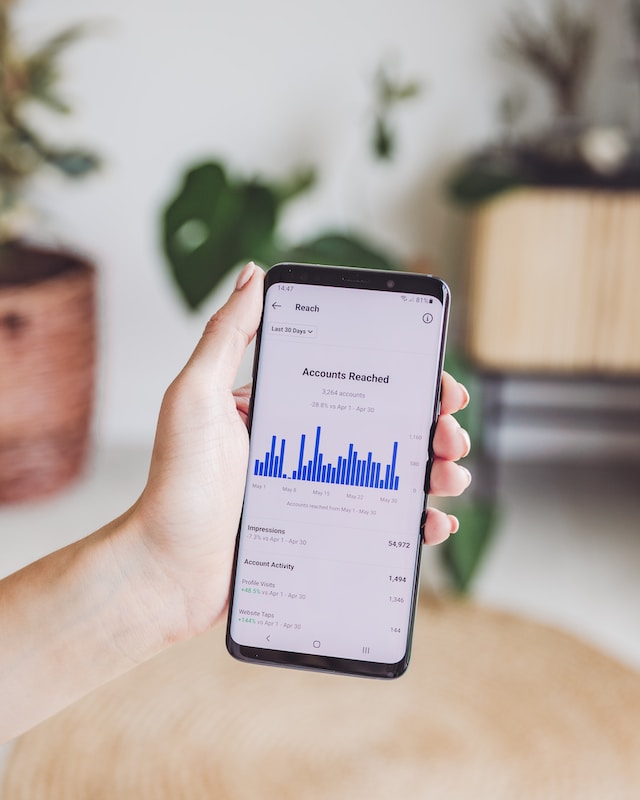
Le dernier conseil que nous avons à vous donner lorsque vous gérez des publicités sur Instagram est de suivre en permanence les performances de votre campagne. Le Gestionnaire de publicités vous donne des tonnes d'informations sur les résultats de votre campagne publicitaire. Consultez ces rapports d'analyse au fur et à mesure de l'exécution de votre campagne pour voir comment vous vous en sortez.
De nombreux indicateurs sont à votre disposition dans Ads Manager. Parmi ceux-ci figurent notamment la portée totale de vos publicités « Instagram », les interactions, les installations d’applications, les vues, les conversions de ventes, etc.
Les données qu'il fournit peuvent vous en apprendre beaucoup sur votre public cible et sur le type de contenu auquel il réagit. Vous pouvez utiliser ces informations pour ajuster et améliorer votre campagne afin de l'optimiser. Vous pouvez également utiliser ces enseignements pour une future idée de campagne pour votre entreprise.
Voici comment vérifier les paramètres de vos annonces sur Instagram :
1. Ouvrez l'application ou le site Web du Gestionnaire de publicités.
2. Cliquez sur la campagne publicitaire que vous souhaitez consulter.
3. Sélectionnez "Afficher les graphiques" pour voir les mesures de performance actuelles des publicités Instagram dans cette campagne.
4. Vérifiez ces paramètres au fur et à mesure que la campagne se déroule. N'hésitez pas à modifier votre message et votre ciblage si vous pensez que cela peut améliorer les performances de votre campagne.
Gérez les annonces Instagram pour développer votre activité dès aujourd'hui !
Ads Manager est un outil puissant pour mettre en place vos campagnes publicitaires. C’est votre guichet unique où vous pouvez définir votre budget quotidien, choisir le public cible approprié et suivre les performances de vos campagnes. C’est sans conteste le meilleur moyen de gérer vos publicités sur Instagram . Et lorsqu’il est utilisé à bon escient, les résultats sont stupéfiants : votre entreprise se développera, tout comme votre communauté d’ Instagram . Vous cherchez d’autres moyens de développer votre communauté d’abonnés sur Instagram? Nous avons ce qu’il vous faut. Path Social utilise un outil de ciblage basé sur l’IA exclusif pour vous aider à diffuser votre contenu auprès des personnes susceptibles de s’y intéresser. Cela peut contribuer à dynamiser votre activité, non seulement en termes d’engagement, mais aussi en termes d’abonnés. Commencez dès aujourd’hui à développer votre communauté avec Path Social!





Vous voulez une promotion puissante sur Instagram ?
Amplifiez votre portée grâce à des stratégies ciblées qui attirent un engagement réel et des adeptes.
Commencez dès maintenant votre promotion sur Instagram




