


Bobines sauvegardées 101 : Manuel du blogueur

Instagram | 22 mai 2024
TikTok n'est plus la seule plateforme de vidéos courtes. Depuis leur lancement en 2020, Instagram ont suscité un engouement et une interaction considérables de la part Instagram . Les marques et les artistes ont ainsi davantage de chances de toucher un public plus large grâce aux Reels. Cela s'explique par le fait que l'algorithme de la plateforme privilégie les contenus vidéo par rapport aux photos.
Vous souhaitez enregistrer Instagram pour trouver l'inspiration, les consulter plus tard ou les partager sur d'autres plateformes ? Cet article vous explique comment retrouver et télécharger les Reels que vous avez enregistrés sur votre appareil.
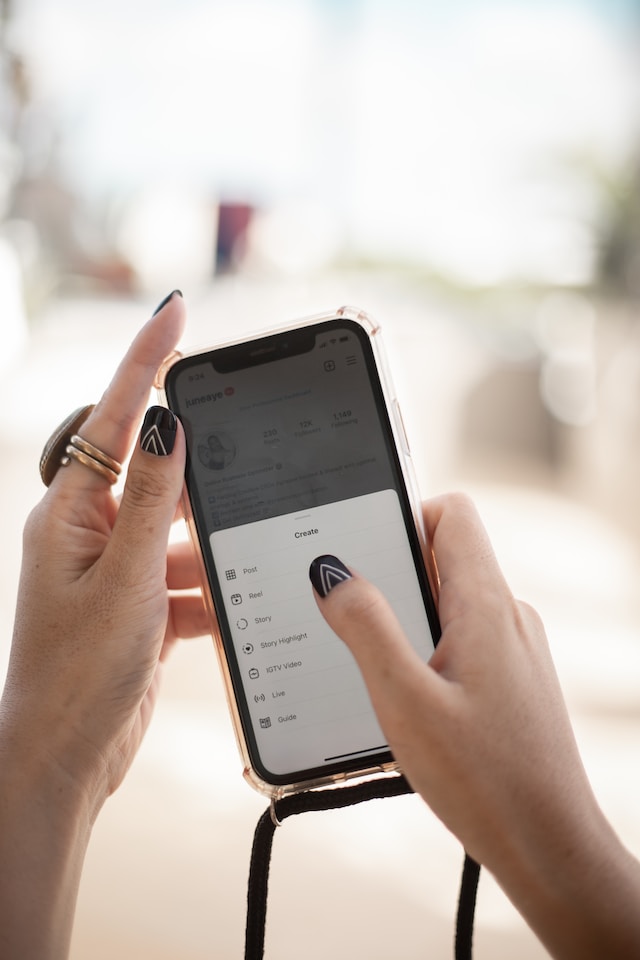
Comment trouver des bobines sauvegardées sur Instagram
Les « Reels » Instagram une nouvelle fonctionnalité passionnante Instagram , qui permet aux utilisateurs de créer et de partager de courtes vidéos captivantes. Les nano-influenceurs peuvent désormais réaliser des vidéos de 90 secondes accompagnées de musique et les partager dans leurs Instagram ou sur leur fil d’ Instagram . De plus, une publication bien optimisée a plus de chances d’apparaître dans le fil « Explorer », ce qui lui permet de gagner en visibilité auprès de nouveaux abonnés.
Instagram à ses utilisateurs une procédure simple, accessible directement depuis l'application, pour retrouver leurs Reels. Les utilisateurs peuvent enregistrer Instagram lorsqu'ils tombent sur un contenu qui suscite leur intérêt. Ils peuvent ainsi facilement revenir sur ce contenu plus tard.
Voici comment trouver des bobines économisées sur Instagram.
- Connectez-vous à votre application Instagram sur votre téléphone ou votre ordinateur.
- Trouvez votre symbole de profil dans le coin inférieur droit de l'écran d'accueil.
- Cliquez maintenant sur le menu « hamburger » situé dans le coin supérieur droit ; un menu s'affichera.
- Recherchez l'icône de signet intitulée « Enregistrés » pour retrouver tous vos contenus enregistrés, y compris les publications et les Reels. Les utilisateurs peuvent accéder à leurs Reels enregistrés en cliquant simplement sur le bouton de signet.
- En haut de la page, vous verrez des onglets tels que « Tout », « IGTV » et « Reels », présentés sous forme de grille.
- Choisissez l'option "Bobines" pour visualiser toutes vos bobines en un seul endroit facile à naviguer.
En outre, Instagram propose un champ de recherche en haut de page pour ceux qui enregistrent de nombreuses bobines. Vous pouvez trouver rapidement une bobine donnée en indiquant des étiquettes ou des mots-clés pertinents en rapport avec le contenu.
Le design de la plateforme facilite la recherche des bobines sauvegardées sur Instagram et crée une expérience utilisateur fluide et agréable.
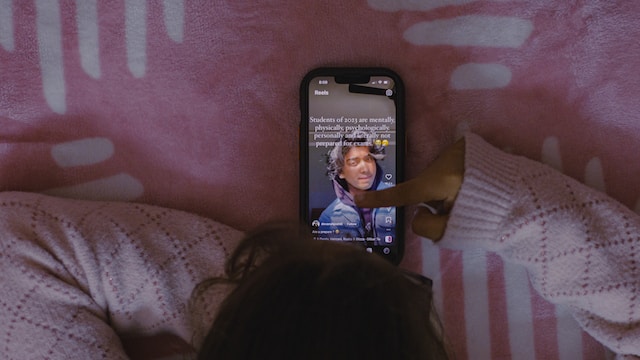
Comment sauver les bobines Instagram
InstagramLa fonction "Reels" du site offre une plateforme dynamique pour la création et le partage de courtes vidéos attrayantes. L'enregistrement de Instagram Reels est un moyen pratique de sauvegarder des contenus inspirants ou vos créations. Voici comment sauvegarder Instagram Reels.
- Lorsque vous voyez un Reel que vous souhaitez enregistrer, appuyez sur les trois points (…) situés dans le coin supérieur droit du Reel pour afficher un menu.
- Dans ce menu, appuyez sur l'option « Enregistrer » située dans le coin supérieur gauche.
- Après avoir appuyé sur « Enregistrer », vous verrez apparaître l'option permettant de créer une « Nouvelle collection » si vous souhaitez classer vos éléments dans un dossier.
Comment enregistrer une bobine dans Camera Roll
Vous vous demandez comment enregistrer une bobine sur votre rouleau d'appareil photo en toute simplicité ? Voici quelques étapes simples et rapides qui vous aideront à télécharger une bobine sur votre rouleau d'appareils photo sans effort :
- Lancez l'application Instagram sur votre appareil mobile et accédez à la bobine que vous souhaitez enregistrer. Les bobines se trouvent généralement dans Explore ou sur le profil de l'utilisateur qui les a créées.
- Une fois que vous avez trouvé la bobine, cliquez sur l'icône représentant un plan en papier située dans le coin inférieur droit de l'écran.
- Un menu s'affichera ensuite. Parmi les options proposées, vous trouverez l'option « Télécharger ». Sélectionnez-la, et Instagram le Reel et le fichier audio dans la galerie de votre appareil.
- Une fois le téléchargement terminé, l'application affichera un message de confirmation, et vous pourrez retrouver l'application dans la galerie de votre appareil.
En outre, envisagez d'utiliser un outil Instagram Reel Saver pour une approche plus rationnelle et plus efficace de l'enregistrement de plusieurs bobines. Ces outils sont des applications tierces conçues pour simplifier le téléchargement et l'organisation de vos bobines préférées.
- Choisissez une application Reel Saver: Recherchez les applications Reel Saver disponibles dans la boutique d'applications de votre appareil. Consultez les témoignages et les évaluations des utilisateurs pour vous assurer de la fiabilité de l'application.
- Installation et authentification: téléchargez et installez l'application Reel Saver de votre choix. Suivez la procédure d'authentification, qui peut nécessiter de vous connecter avec vos Instagram .
- Enregistrez des Reels en toute simplicité: une fois connecté, copiez l'URL du Reel que vous souhaitez télécharger. Ouvrez ensuite l'application et collez le lien ; le téléchargement du Reel démarrera automatiquement.
Comment organiser vos bobines enregistrées
Une organisation efficace de vos Reels enregistrés peut améliorer votre expérience globale sur la plateforme et vous permettre de retrouver facilement vos contenus. Instagram aux utilisateurs un moyen simple de classer et de gérer leurs favoris, offrant ainsi une expérience de navigation fluide. Voici comment vous pouvez rester organisé.
- Obtenir l'accès à votre contenu sauvegardé
Commencez par ouvrir Instagram et accédez à votre profil. Repérez l'icône « Enregistrés », qui vous mènera à une page où vous pourrez accéder aux contenus que vous avez enregistrés, y compris les Reels.
- Utiliser les collections
Instagram aux utilisateurs de créer des collections afin d'organiser au mieux leurs publications enregistrées. Pour ce faire, cliquez sur le symbole « + » et donnez un titre à votre collection, par exemple « Tableaux d'inspiration » ou « Vidéos divertissantes ».
- Ajouter des bobines aux collections
Une fois votre collection créée, vous pouvez sélectionner certains Reels pour les ajouter à votre nouvelle collection. Il vous suffit d'appuyer sur le bouton « Favoris » pour ajouter cette vidéo à cette collection spécifique.
- Personnalisez vos collections
Instagram vous permet de personnaliser davantage vos collections. Vous pouvez réorganiser les bobines au sein d'une collection pour vous assurer que votre contenu préféré est facilement accessible. Vous pouvez également ajouter ou supprimer des bobines d'une collection à tout moment.
L'organisation de vos bobines préférées crée un sentiment de communauté et aide les autres à découvrir et à apprécier le contenu que vous trouvez intéressant. Encouragez l' engagement des personnes qui vous suivent en partageant leurs bobines préférées afin de créer un flux dynamique d'informations intéressantes.
Méthodes pour augmenter la portée de vos bobines
L'évolution constante des réseaux sociaux a fait Instagram Facebook Reels des outils puissants permettant aux créateurs de contenu d'interagir avec leur public. Pour accroître la portée et l'impact de vos Reels, voici quelques méthodes efficaces à intégrer à votre stratégie de contenu.
Tirer parti des hashtags en vogue
Recherchez et identifiez les hashtags pertinents et tendance dans votre domaine. L'intégration de ces hashtags populaires dans les légendes de vos Reels peut considérablement accroître la visibilité de votre contenu. Les utilisateurs explorent et suivent souvent des hashtags spécifiques, ce qui permet à vos Reels d'atteindre un public plus large intéressé par des contenus similaires.
Créer un contenu engageant et partageable
Créez des Reels qui captivent l'attention de votre public dès les premières secondes. Les utilisateurs sont plus enclins à partager des contenus captivants, qu'ils soient humoristiques, informatifs ou visuellement percutants, ce qui augmente leur portée. Encouragez les spectateurs à partager vos Reels en ajoutant un appel à l'action ou en posant une question qui suscite la discussion.
Collaborer avec d'autres
Tirez parti de la nature collaborative des médias sociaux en vous associant à d'autres créateurs de contenu ou influenceurs. Les bobines collaboratives présentent votre contenu à un nouveau public et favorisent le sentiment d'appartenance à une communauté. Le fait d'étiqueter les collaborateurs dans vos bobines peut accroître leur visibilité auprès des personnes qui les suivent.
Optimisez vos légendes
Rédigez des légendes captivantes et concises qui mettent en valeur vos Reels. Utilisez des mots-clés pertinents pour améliorer la visibilité de vos contenus, et pensez à ajouter une brève description ou un contexte pour renforcer l'engagement. Des légendes bien optimisées peuvent attirer les utilisateurs qui recherchent des sujets ou des thèmes spécifiques.
Postez régulièrement et stratégiquement
La cohérence est essentielle pour maintenir et développer votre audience. Élaborez un calendrier de publication qui corresponde aux périodes d'activité maximale de votre public. Cette approche stratégique garantit que vos Reels apparaissent dans les fils d'actualité des utilisateurs lorsqu'ils sont le plus susceptibles de s'engager.
Utiliser Instagram Ads
Pensez à investir dans Instagram pour booster la visibilité de vos Reels les plus percutants. Les publicités Instagramvous permettent de cibler des segments démographiques spécifiques, ce qui augmente vos chances d'atteindre des utilisateurs intéressés par votre contenu.

Quand on ne trouve pas de bobine enregistrée
Cela peut être frustrant de ne pas retrouver un Reel que vous avez enregistré sur Instagram. Si un Reel en particulier ne figure manifestement pas dans vos « Enregistrés », cela peut s'expliquer par les raisons suivantes :
- Suppression par le créateur original ou la plate-forme
La cause la plus courante de la disparition d'un Reel est sa suppression par son créateur d'origine. Lorsqu'un créateur supprime un Reel, celui-ci disparaît instantanément de la liste des « Enregistrés » de tous les utilisateurs. Par ailleurs, si le Reel enfreint les règles Instagram, la plateforme peut le retirer dans le cadre de ses efforts de modération des contenus.
- La désépargne involontaire
Une autre possibilité est que le Reel n'ait pas été enregistré par erreur. Si vous supprimez accidentellement un Reel, celui-ci ne sera plus disponible dans votre onglet « Enregistrés ». Heureusement, vous pouvez résoudre ce problème en recherchant manuellement le Reel non enregistré et en l'enregistrant à nouveau.
- Paramètres de confidentialité du compte
Vérifiez les paramètres de confidentialité de votre compte, car un compte privé peut limiter la visibilité du contenu enregistré aux seuls abonnés approuvés. Le Reel enregistré pourrait devenir inaccessible si son créateur initial rend son compte privé ou modifie ses paramètres de confidentialité.
- Mises à jour de l'application ou problèmes
Il arrive parfois que des mises à jour ou des dysfonctionnements de l'application affectent l'affichage du contenu enregistré. Assurez-vous que votre Instagram est à jour, car les versions obsolètes peuvent ne pas fonctionner de manière optimale. Si vous avez récemment mis à jour l'application et que vous rencontrez toujours des problèmes, pensez à la redémarrer ou à la réinstaller pour résoudre d'éventuels dysfonctionnements.
- Problèmes de connectivité réseau
Dans certains cas, des problèmes de connexion réseau peuvent empêcher l'affichage du contenu enregistré. Assurez-vous de disposer d'une connexion Internet stable pour charger rapidement votre liste « Enregistrés ».
Optimisez votre compte Instagram avec Path Social
Maintenant que vous avez retrouvé vos Reels enregistrés, vous pouvez créer une collection de courtes vidéos. Disposer d’une sélection de Reels enregistrés, c’est comme avoir une boîte à outils pour la création de contenu. Si vous savez comment republier un Reel sur Instagram, vous pouvez publier un Reel enregistré pour attirer les utilisateurs vers votre compte.
De plus, enregistrer vos Reels vous permet de disposer de ressources pratiques pour repérer les astuces, les styles et les thèmes qui retiennent votre attention. Observez ce qui a fonctionné dans ces vidéos, qu’il s’agisse de la narration ou d’effets sympas. Cette analyse vous offre une base solide pour peaufiner et améliorer vos Reels.
Considérez vos Reels enregistrés comme une source inépuisable d'idées qui vous permettent de maintenir la qualité de votre contenu. Cela vous permet de découvrir différents styles, de vous tenir au courant des tendances et de les adapter à votre univers.
Vous souhaitez optimiser votre Instagram ? Path Social votre partenaire incontournable pour renforcer votre présence numérique grâce à des solutions d'IA de pointe. Que vous soyez un influenceur ou une marque souhaitant dynamiser son profil, nous sommes là pour vous aider. Alors, qu'attendez-vous ? Commencez dès aujourd'hui à développer votre audience et à gagner Instagram avec Path Social.





Vous voulez augmenter le nombre de followers Instagram de manière organique ?
Gagnez des abonnés réels et engagés grâce à notre système de croissance organique basé sur l'IA.
Augmenter le nombre de followers organiques Instagram




