



Instagram es una plataforma muy popular para compartir fotos, vídeos e historias con tus seguidores. La función de «fijar» de la aplicación es una herramienta muy útil que te ayuda a destacar tus publicaciones. Saber cómo fijar contenido en Instagram te permite mantener manualmente tu contenido de Instagram en la parte superior de tu perfil. Esta función hace que tus publicaciones y tus «reels» sean accesibles para cualquiera que visite tu perfil de Instagram .
Tanto si eres una empresa que quiere dar a conocer sus productos como si eres un particular que quiere destacar un momento especial, fijar publicaciones en Instagram puede resultarte muy útil. ¿Te gustaría saber cómo fijar publicaciones en Instagram? Si es así, esta guía te explicará paso a paso cómo fijar diferentes publicaciones en tu perfil de Instagram.
Entendiendo Instagram's Pinning Feature
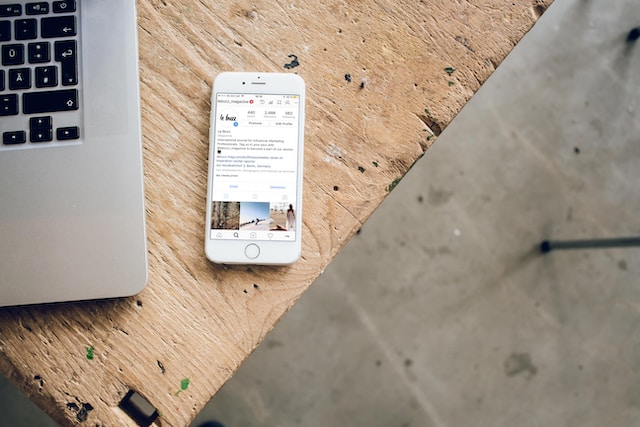
Antes de profundizar en cómo fijar publicaciones en Instagram, analicemos esta función de fijación. En junio de 2022, Instagram presentó una función única de fijación en la cuadrícula. A primera vista, esta última novedad puede parecer sencilla. Y lo es, ya que permite a los usuarios seleccionar un máximo de tres publicaciones o «reels» para fijarlos. Básicamente, esta función los mostrará en la parte superior de la cuadrícula de tu perfil.
Además, esta función guarda similitudes con el concepto de «contenido destacado» de plataformas como Facebook y Twitter. Así, puedes destacar todo tipo de publicaciones, que permanecerán en la parte superior de la cuadrícula de tu perfil de forma indefinida. Cabe destacar que puedes dejar de destacar estas publicaciones y sustituirlas por otras más recientes en tu perfil de Instagram .
Dado que esta función permite fijar hasta tres publicaciones en la cuadrícula de tu perfil, es necesario tomar decisiones estratégicas. Determinar qué contenido concreto fijar y en qué orden requiere una reflexión detenida y una planificación minuciosa.
InstagramLa función de pinear de abre las puertas a un dinámico abanico de posibilidades para que los usuarios puedan personalizar sus perfiles con precisión. ¿Has pensado en las ventajas de aprender a pinear en Instagram? Veámoslas rápidamente.
4 ventajas de aprender a prender un alfiler Instagram
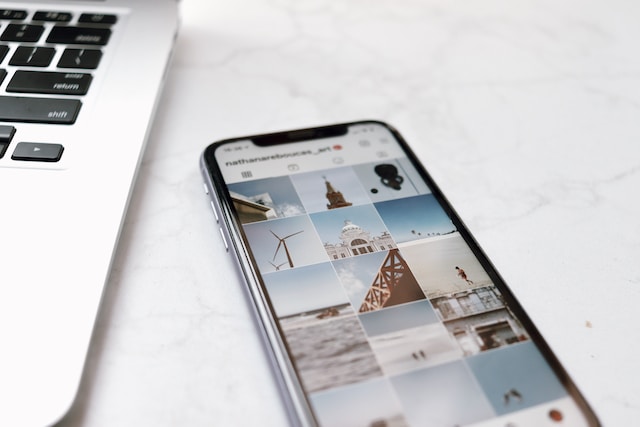
Saber cómo fijar una publicación en Instagram ofrece numerosas ventajas tanto a particulares como a empresas y creadores de contenido. Aumenta la visibilidad de tus publicaciones, potencia la participación de la audiencia y destaca detalles importantes para los espectadores. Sin más preámbulos, aquí tienes cuatro ventajas clave:
1. Aumente la visibilidad de sus publicaciones
Al fijar publicaciones en Instagram , podrás destacar tus publicaciones más interesantes en la parte superior de tu perfil. Esta ubicación privilegiada garantiza que los visitantes de tu perfil vean inmediatamente el contenido fijado, lo que aumenta su visibilidad e impacto. Independientemente de la importancia de tu contenido, esta función garantiza que el contenido que elijas siga estando accesible para todos los que visiten tu perfil.
2. Destacar promociones e información importante
Las empresas pueden aprender a fijar publicaciones en Instagram para destacar promociones, eventos o cualquier información que su público deba conocer. Por ejemplo, fijar una publicación sobre una oferta por tiempo limitado o el lanzamiento de un nuevo producto garantiza que la información sea fácilmente accesible para todos. Esto aumentará las posibilidades de llamar la atención de clientes potenciales y de conseguir colaboraciones con otras marcas en Instagram. Esta función resulta especialmente útil para crear una sensación de urgencia e impulsar las conversiones.
3. Impulsar la participación de la audiencia
Saber cómo fijar contenido atractivo puede generar una mayor interacción por parte de tu público. Ya sea fijando un comentario llamativo o un Reel que haya calado entre los espectadores, esto anima a otros usuarios a participar de la misma manera.
Curiosamente, los usuarios tienden más a sumarse a conversaciones en curso, a compartir sus opiniones o a interactuar con contenidos que ya están despertando interés. Este mayor nivel de participación fomenta un sentido de comunidad y potencia la visibilidad de tu perfil gracias al aumento de las interacciones.
4. Mostrar la personalidad y la narrativa de la marca
Tu contenido destacado es un reflejo de la personalidad y la historia de tu marca. Al saber cómo destacar contenido en Instagram, estás contando una historia sobre quién eres o qué ofreces. Puedes ser un influencer de estilo de vida que comparte un hito personal o una empresa que muestra el «detrás de las cámaras» de sus operaciones. Por lo tanto, tu contenido destacado determina cómo te perciben los visitantes. Además, actualizar de forma constante tu contenido destacado refleja el dinamismo y la adaptabilidad de tu marca.
Cómo fijar un comentario en Instagram en 3 sencillos pasos
Las ventajas de saber cómo publicar en Instagram te animarán a compartir contenido en tu perfil de Instagram . Un aspecto importante a la hora de publicar en Instagram tiene que ver con los comentarios. Por supuesto, querrás añadir información adicional después de publicar una entrada o un Reel.
La sección de comentarios es una forma estupenda de incluirla. Sin embargo, esta información adicional puede perderse entre la gran cantidad de comentarios de tus seguidores. Por eso, aprender a fijar un comentario en Instagram puede ser una solución sencilla. Fijar comentarios refleja la participación y las interacciones valiosas en tus publicaciones.
Sigue estos pasos para fijar comentarios en tus entradas de Instagram .
- Abra la aplicación Instagram y navegue hasta la entrada en la que desea anclar un comentario.
- Busca el comentario que deseas anclar y desliza el dedo hacia la izquierda. Aparecerá una serie de opciones.
- Entre las opciones, selecciona el icono «Fijar». En cuanto lo pulses, el comentario aparecerá en la parte superior de la sección de comentarios.

Cómo fijar una publicación en Instagram: Pin Contenido llamativo
¿Y tus publicaciones en Instagram ? Recuerda que Instagram te permite fijar hasta tres publicaciones en tu perfil. Anclar publicaciones importantes hace que se muestren de forma destacada. Estos son los pasos que debes tener en cuenta si quieres saber cómo fijar una publicación en Instagram:
- Conéctese a su cuenta Instagram y vaya a su perfil.
- Desplázate por tus publicaciones y localiza la que quieras fijar.
- Haz clic en la entrada para abrirla. Busca los tres puntos (opciones) en la esquina superior derecha.
- Selecciona la opción «Anclar al perfil» en el menú emergente de opciones. Tras confirmar la acción, aparecerá un icono de alfiler junto a la publicación, lo que la situará en la parte superior de la cuadrícula de tu perfil. De este modo, tendrá una visibilidad privilegiada frente al resto de publicaciones que hayas subido a tu perfil de Instagram .
Cómo hacer Pin Reels en Instagram: Deleite a sus visitantes con vídeos cortos
Con el auge de los vídeos cortos, Instagram Reels se ha convertido en una forma muy popular de interactuar con tu público. Promocionar tu identidad a través de Reels puede llevarte a alcanzar nuevas cotas, ya que cada vez más personas buscarán tu contenido de forma habitual. Te puede ayudar a destacar tus mejores vídeos para deleite de tu público. A continuación te explicamos cómo fijar Reels en Instagram:
- Abra su perfil Instagram y pulse sobre la pestaña Carretes.
- Busca el Carrete que quieras anclar y ábrelo.
- Toca los tres puntos de la parte inferior del Carrete para acceder a las opciones.
- Seleccione la opción "Anclar al perfil" de la lista.
Cómo fijar pegatinas en Instagram Story
Sin duda, estás empezando a aplicar estos pasos a tu perfil. ¿Qué hay de Instagram Stories? ¿Hay características que merezca la pena anclar en ellas? Instagram Story ofrece una forma dinámica de compartir momentos bonitos con tus seguidores añadiendo varias fotos.
A pesar de que su ciclo de 24 horas es muy breve, puedes aprovecharlo para captar la atención de tu público. Y lo que resulta aún más atractivo es el uso ingenioso de los stickers de «Instagram » en tu historia. Por eso, saber cómo fijarlos en Instagram es fundamental a la hora de insertar stickers en tu historia de Instagram.
Estas pegatinas pueden incluir elementos interactivos, como etiquetas de ubicación deInstagram , etiquetas de preguntas o hashtags de tendencia de Instagram . Sin más preámbulos, a continuación te explicamos cómo colocar pegatinas en una historia de Instagram de forma eficaz:
- Abre la aplicación Instagram y dirígete a la pantalla de la cámara. Puedes tocar el icono de la cámara en la parte superior izquierda o deslizar el dedo hacia la derecha en las noticias. Graba o sube tu vídeo como de costumbre.
- Cuando tengas listo el vídeo, pulsa el icono de pegatinas de la fila superior para darle tu toque creativo.
- En el caso de las pegatinas, aparecerá una ventana emergente con varias opciones. Elige la que más te guste.
- Para colocar tu pegatina, manténla pulsada. Aparecerá un control deslizante en la parte inferior con dos opciones. Ajusta el tamaño de la pegatina o del texto (agrandándolo o reduciéndolo) según tus preferencias, pellizcando y ampliando la imagen. (Para eliminar una pegatina, arrástrala hasta el icono de la papelera situado en la parte inferior y, a continuación, selecciona una nueva.)
- Desliza la barra por las distintas partes del vídeo para encontrar el lugar perfecto donde colocar tu pegatina. Cuando lo tengas todo listo, pulsa el botón «Fijar».
¡Y ya está! Ahora ya puedes compartir tu historia con una pegatina fijada en su sitio. Para asegurarte de que tu pegatina fijada se vea bien, puedes ajustar el color de fondo de la historia de Instagram .

Cómo eliminar las publicaciones de Instagram de tu perfil
Saber cómo fijar publicaciones en Instagram es emocionante y puede ayudarte a destacar tu mejor contenido. Sin embargo, debido a nuestra naturaleza dinámica, creamos contenido nuevo y fascinante. Por ello, es posible que tengamos que sustituir el contenido fijado actual por otro más reciente para que tenga una buena acogida entre nuestra audiencia.
Curiosamente, puedes desanclar una publicación de « Instagram » de tu perfil sin ningún problema. Así que, si quieres quitarle el lugar destacado a una publicación anclada, estos son los sencillos pasos que debes seguir:
- Accede a tu perfil de Instagram y localiza la publicación que deseas desanclar.
- Abre la entrada tocándola. Verás tres puntos en la esquina superior derecha para ver más opciones.
- Entre las opciones, busca «Desanclar del perfil». Selecciona esta opción para que la publicación deje de aparecer como destacada.
- Una vez que selecciones esta opción, la publicación que tenías fijada volverá a aparecer en tu feed según la fecha en la que la subiste.
El proceso de desanclaje se ha realizado correctamente. Si quieres anclar contenido nuevo, sigue los pasos para anclar que se indican en Instagram y que ya hemos comentado en esta guía.
4 consejos para aprender a prender alfileres Instagram
Saber cómo fijar contenido en Instagram puede mejorar considerablemente la visibilidad y la interacción de tu perfil. Esto la convierte en una habilidad valiosa que merece la pena dominar mientras mantienes tu actividad en la plataforma Instagram . Tanto si fijas comentarios, publicaciones, Reels o pegatinas en las historias, hay algunos consejos que conviene tener en cuenta para potenciar tu presencia en línea. Sin más preámbulos, echa un vistazo a estos consejos.
- Elija bien sus contenidos
Piensa bien qué contenido quieres destacar antes de fijarlo. Ya sea un comentario, una publicación, un Reel o un sticker, asegúrate de que se ajuste a tus objetivos y resulte atractivo para tu público.
Para las publicaciones y los Reels, selecciona contenido relevante y visualmente atractivo que refleje tu marca o tu estilo personal. Para los comentarios, elige interacciones que sean interesantes, positivas o que aporten valor a la conversación.
- Priorizar el compromiso
Destacar publicaciones en Instagram no solo sirve para mostrar contenido, sino también para fomentar la participación. A la hora de destacar comentarios, elige aquellos que hayan suscitado conversaciones interesantes o que hayan recibido respuestas positivas de tus seguidores. Con este consejo, tendrás más posibilidades de captar la atención de los visitantes y animarlos a interactuar con tu perfil.
- Manténgalo fresco y relevante
Aunque fijar contenido ayuda a mantener el interés de tu público, es fundamental que las publicaciones fijadas sigan siendo actuales y relevantes. A medida que cambien tus objetivos, promociones o prioridades, actualiza tus publicaciones fijadas, tus Reels o tus pegatinas en consecuencia. Por lo tanto, revisa y actualiza periódicamente tu contenido fijado para asegurarte de que tu perfil refleje tus iniciativas actuales.
- Mantener un perfil equilibrado
A la hora de aprender a destacar publicaciones en Instagram, es fundamental mantener un perfil equilibrado. Si utilizas varias funciones para destacar publicaciones (comentarios, publicaciones y Reels), asegúrate de que se complementen entre sí y formen un conjunto coherente. Un perfil completo que muestre diferentes aspectos de tu contenido y de la interacción con tus seguidores mantendrá a los visitantes interesados y comprometidos.
Disfrute de la participación orgánica en su contenido anclado con Path Social
Saber cómo fijar contenido en Instagram permite a los usuarios destacar su contenido más relevante. Siguiendo los sencillos pasos de esta guía, podrás fijar estratégicamente publicaciones, comentarios, Reels y pegatinas. De este modo, crearás un perfil dinámico que capte la atención y fomente la interacción. Tanto si eres creador de contenido como si representas a una empresa, fijar contenido en Instagram te permite dirigir la narrativa de tu presencia en línea.
Aunque saber cómo fijar publicaciones en Instagram es fundamental, Path Social puede ponerte en contacto con seguidores reales y orgánicos. Gracias a su algoritmo de segmentación de última generación, Path Social te conecta a la perfección con seguidores potenciales dispuestos a interactuar con tu contenido fijado. De este modo, podrás disfrutar de interacciones orgánicas que potencien tu presencia en las redes sociales, a diferencia de lo que ofrecen los bots deInstagram .
Entonces, ¿por qué la duda? Ha llegado el momento de encender su comunidad Instagram a través de Path Social. Esta plataforma es la clave para conseguir una presencia en línea vibrante y próspera. Empieza hoy mismo a ganar y aumentar seguidores.





¿Buscas el mejor servicio de promoción de Instagram ?
¡Consigue una interacción auténtica, un alcance específico y un crecimiento duradero con nuestra estrategia diseñada por expertos!
Pruebe nuestro servicio de promoción de Instagram




