


Cómo utilizar un descargador de fotos de perfil de Instagram

Tu foto Instagram te ayuda a presentarte como una marca. Por eso, es lógico que quieras que tu foto destaque. Sin embargo, Instagram lleno de fotos de perfil increíbles, así que quizá merezca la pena guardarlas para inspirarte a la hora de crear la tuya. Pero, ¿cómo puedes hacerlo? Con un programa para descargar fotos Instagram , por supuesto.
En esta guía, analizaremos en profundidad en qué consiste esta herramienta y cómo utilizarla. Al terminar, sabrás cómo ver y descargar fácilmente las fotos de perfil de otros usuarios en alta calidad.
¿Qué es una foto de perfil en Instagram?
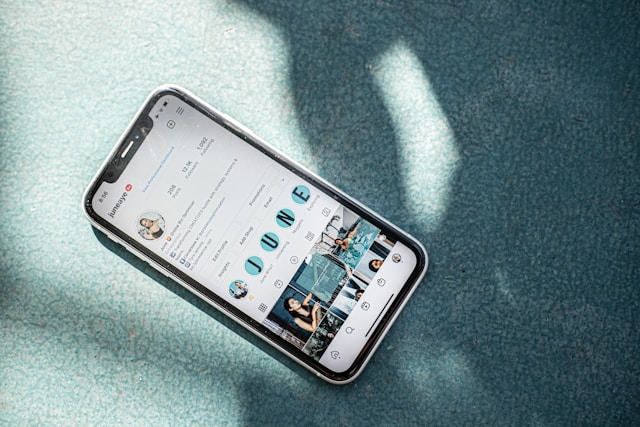
Tu foto de perfil es la imagen pequeña y redonda que representa tu cuenta en Instagram. Es la foto principal que aparece en la parte superior de tu perfil. Cuando publicas comentarios o apareces en listas de usuarios concretas, siempre se mostrará junto a tu nombre de usuario. Es, en esencia, tu identificador visual en la plataforma.
Puede que esta foto ocupe solo una pequeña parte de la esquina superior izquierda de tu perfil, pero es increíblemente importante. Es lo primero que ve la gente cuando entra en tu página y, en gran medida, define la identidad de tu marca. Por eso, asegúrate de que la foto que elijas te represente de verdad y refleje la personalidad de tu marca.
Las fotos de perfil varían en función del tipo de entidad de la que se trate. Los influencers y las cuentas personales suelen incluir fotos en las que se ve el rostro del usuario. Por su parte, las cuentas empresariales pueden utilizar su logotipo oficial como foto de perfil. Otras ideas para las fotos de perfil de las marcas incluyen su mascota, sus productos estrella, un icono que dé pistas sobre su próxima campaña y mucho más.
Normalmente, puedes hacer clic en la foto de perfil de alguien para ampliarla y verla en un tamaño mayor. Esta solía ser la configuración predeterminada para todas las cuentas. Sin embargo, Instagram ha empezado recientemente a implementar la opción de desactivar la posibilidad de que los usuarios amplíen y vean sus fotos.
¿Qué es un descargador de fotos de perfil de Instagram ?
Un programa para descargar fotos de perfil de Instagram es, sencillamente, una herramienta de terceros que te permite ver y descargar fotos de perfil. Instagram permite a los usuarios guardar las fotos de perfil de otras personas. Siempre puedes hacer una captura de pantalla, pero no será en alta definición. Por lo tanto, si quieres una copia de la foto de perfil de otra persona, tendrás que utilizar una de estas herramientas.
La mayoría de estas herramientas de descarga son páginas web gratuitas, como Inflact o Toolzu. ¡Esto significa que puedes conseguir una copia de las fotos de perfil de otras personas en su tamaño original sin ningún coste alguno!
Cómo utilizar un descargador de imágenes de perfil de Instagram (HD)
¿Tienes curiosidad por saber cómo funcionan estas herramientas de descarga? Aquí tienes unos sencillos pasos sobre cómo utilizar un descargador de fotos de perfil de terceros de Instagram (HD):
1. Abra su navegador y vaya a su foto de perfil de confianza Instagram downloader website.
2. Introduzca el nombre de usuario o el enlace del perfil del usuario cuya foto de visualización desea descargar.
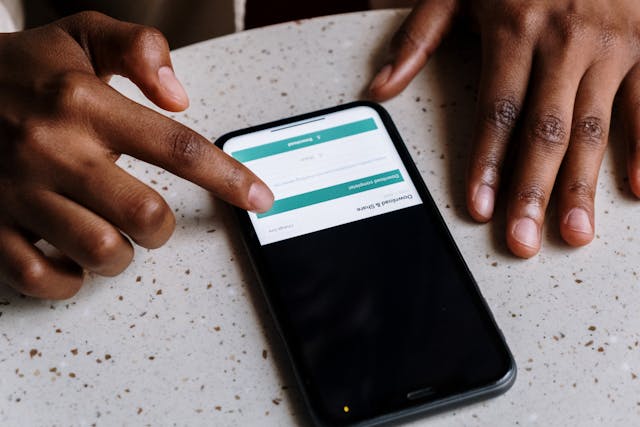
3. Haz clic en el botón de descarga y espera a que el sitio descargue la foto.
4. Visualiza y guarda la foto en tu dispositivo.
Sé siempre respetuoso a la hora de utilizar las fotos que descargues. Recuerda que, al fin y al cabo, pertenecen a sus respectivos propietarios. No utilices las fotos para suplantar a otras personas, hacerlas pasar por tuyas ni volver a publicarlas sin consentimiento.
Advertencia: No puedes usar un descargador de fotos de perfil de IG en cuentas privadas
El contenido público siempre es de libre acceso en Instagram. Eso significa que las aplicaciones de descarga de terceros podrán obtener esos datos y facilitártelos. Pero no ocurre lo mismo con las cuentas privadas. En ese caso, no podrás descargar sus fotos de perfil ni siquiera con la mejor aplicación de descarga que exista.
Instagram muy en serio la privacidad de sus usuarios. Cuando el perfil de un usuario es privado, Instagram difunde sus datos ni su contenido en ningún sitio. Esto hace que, técnicamente, sea imposible que una herramienta de descarga de fotos de perfil pueda acceder a ellos. Por lo tanto, estas herramientas solo funcionan con cuentas públicas.
¿Por qué descargar Instagram Profile Pictures?
Hay muchas razones por las que podrías encontrar un visor y descargador de imágenes de perfil beneficioso para tus necesidades en las redes sociales. Aquí hay varias razones por las que es posible que desee descargar Instagram fotos de perfil y encontrar esta herramienta útil.
Ver la foto en su tamaño y resolución originales
Cuando amplías una foto de perfil en Instagram, la plataforma la recorta para darle forma circular. Además, no te muestra la foto en su máxima resolución ni en su tamaño original. En cambio, un programa de descarga de terceros te la proporcionará en ambos formatos. Esto es perfecto para apreciar los detalles más sutiles de una foto de perfil.
Recuerda tus fotos de perfil y las de tus amigos
Descargar estas fotos es una forma estupenda de conservar tus recuerdos y los de tus amigos. Todo el mundo cambia su foto de perfil después de algún tiempo. Guardarlas es una forma estupenda de tenerlas a mano a lo largo de los años para recordarlas con cariño.
Una foto de perfil es demasiado pequeña para ver claramente a una persona
¿No estás seguro de si la persona que aparece en una página es quien crees que es? Quizá sea porque su foto de perfil es demasiado pequeña. Descargar la foto te permite ampliarla y confirmar si el usuario es quien crees que es. Esto es imprescindible a la hora de seguir a gente o aceptar solicitudes de seguimiento de otros. De esta forma, podrás estar más seguro y ser más prudente a la hora de decidir a quién dejas entrar en tu espacio online.
Evaluar el logotipo y la estética en línea de una marca
Si te dedicas al marketing, las herramientas para descargar fotos de perfil pueden resultarte útiles a la hora de evaluar la estética online de una marca. Te permiten analizar los elementos de diseño, las combinaciones de colores y los logotipos de las principales marcas y de la competencia. Además, son una forma estupenda de encontrar inspiración para el logotipo de tu marca y la foto de perfil de tu empresa.

Preguntas frecuentes
¿Cómo puedo ver la foto de perfil de alguien en Instagram ?
A continuación te explicamos cómo ver una versión ampliada de la foto de perfil de alguien en unos sencillos pasos:
1. Abra la aplicación Instagram .
2. Vaya a la página del usuario cuya foto desea ver.
3. Haz clic en su foto de perfil circular en la esquina superior izquierda de la página para ampliarla.
¿Puedo ver la foto de perfil de una cuenta privada de Instagram ?
Sí, puedes ver la foto de perfil de alguien aunque su cuenta sea privada, siempre y cuando lo sigas. Instagram te permitirá ampliar su foto si no lo sigues. En ese caso, solo verás la versión en miniatura de su foto en su página.
¿Puedo ver un perfil de Instagram sin iniciar sesión?
No podrás echar un vistazo a los perfiles de Instagram utilizas un dispositivo móvil y no inicias sesión. Sin embargo, puedes hacerlo en un navegador web accediendo directamente a la URL de un perfil concreto. Ten en cuenta que no podrás interactuar con nada de la página a menos que inicies sesión en tu cuenta.
Deja de fijarte en las fotos de perfil de otros usuarios y cultiva la tuya propia con Path Social
Una herramienta para descargar fotos Instagram puede resultar útil para guardar recuerdos y buscar inspiración. Sin embargo, no es en lo que deberías centrarte las 24 horas del día, los 7 días de la semana. En lugar de obsesionarte con los perfiles y las fotos de otras personas, es importante que dediques tus recursos a hacer crecer tu propia página.
Para eso, Path Social para ayudarte. Utilizamos un algoritmo de segmentación propio que te ayuda a llegar de forma orgánica a tu público objetivo específico. Más gente ve tu contenido, lo que se traduce en una mayor interacción y más seguidores para tu marca. ¡Pruébalo hoy mismo y descubre cómo nuestras estrategias promocionales pueden ayudarte a hacer crecer tu Instagram !





¿Quieres aumentar tus seguidores orgánicos Instagram ?
Utiliza nuestro conjunto de herramientas basadas en inteligencia artificial para atraer seguidores reales y comprometidos, y potenciar al máximo tu alcance.
Aumentar seguidores de Instagram ahora




