


Insta Unblocker: ¡Vuelve a la acción después de ser bloqueado!

Instagram | 27 de diciembre de 2024
Cuando todo va bien en Instagram, es una pasada. Pero cuando te bloquean el acceso a tu app favorita —ya sea por culpa del colegio, de un «amigo-enemigo» o Instagram —, es un auténtico infierno. Cuando te bloquean, sientes como si te estuvieras perdiendo una fiesta fabulosa o el último cotilleo candente. ¿Existe algún «desbloqueador» mágico de Instagram que te permita volver a acceder a algunas partes de la app?
Sigue leyendo para descubrir qué debes hacer cuando te bloqueen (¡y también cómo desbloquear a otras personas!).

Cómo desbloquear a alguien en Insta
Cuando piensas en la expresión«bloqueado en Instagram», quizá te venga a la mente de inmediato que alguien te ha bloqueado para que no puedas ver su perfil. Quizá hayas tenido una discusión con una antigua mejor amiga, o simplemente alguien no quiera que veas sus publicaciones. Bloquear es más drástico que restringir, así que sabes que es algo serio cuando lo hacen.
Aquí tienes un consejo de experto para saber si alguien te ha bloqueado. En la barra de búsqueda Instagram, escribe su nombre de usuario. También puedes acceder a su perfil desde un navegador web. Si no aparece en la búsqueda o en su página pone «Usuario no encontrado», es probable que te haya bloqueado.
Por supuesto, el bloqueo funciona en ambos sentidos. También puedes bloquear a otras personas para mantenerlas fuera de tu espacio seguro en Internet.
Lo bueno de bloquear a alguien en Instagram que es fácil volver a darle acceso cuando estés listo. ¿Quieres saber cómo desbloquear a alguien en Instagram volver a darle acceso a tu perfil? A continuación te explicamos cómo hacerlo, paso a paso:
- En la Instagram , ve a tu perfil.
- Haga clic en las tres líneas horizontales de la parte superior derecha de la pantalla.
- En "Quién ve tu contenido", toca Bloqueado para ver todas tus cuentas bloqueadas.
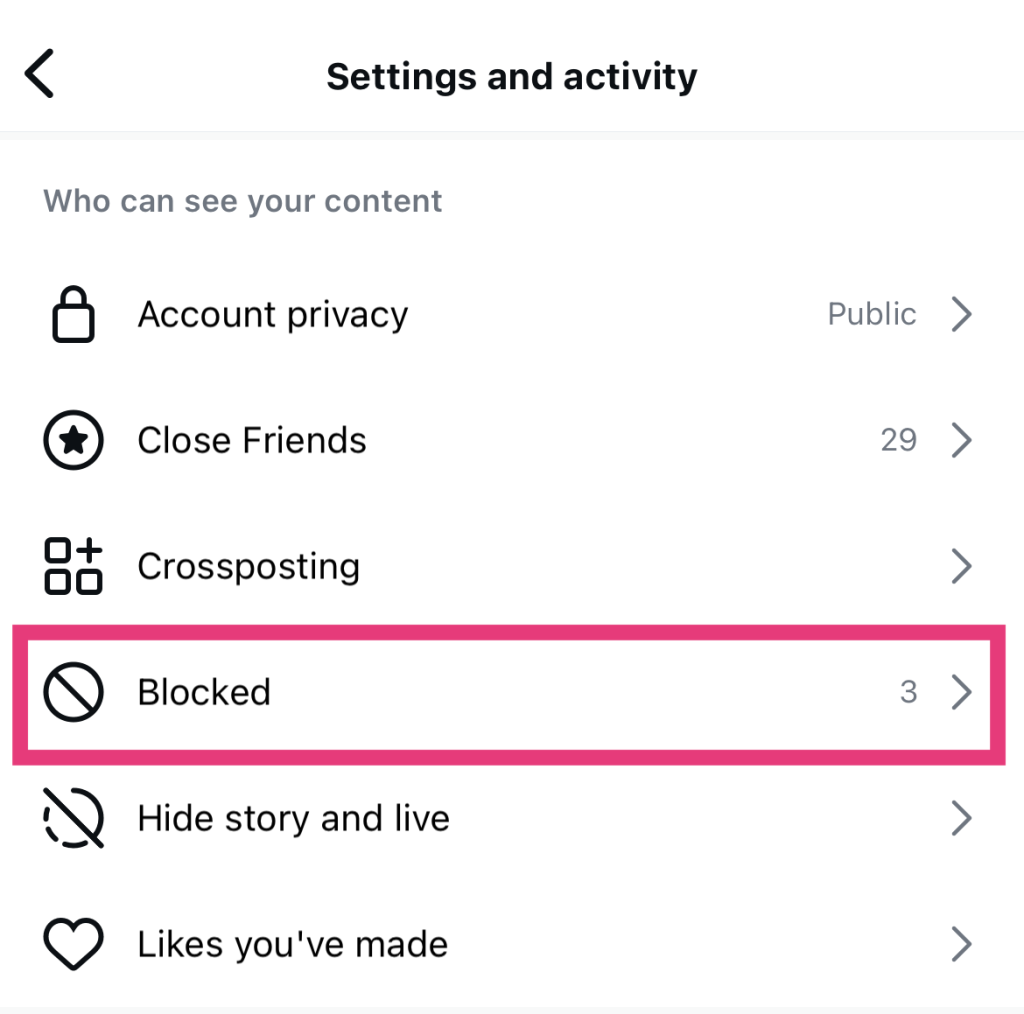
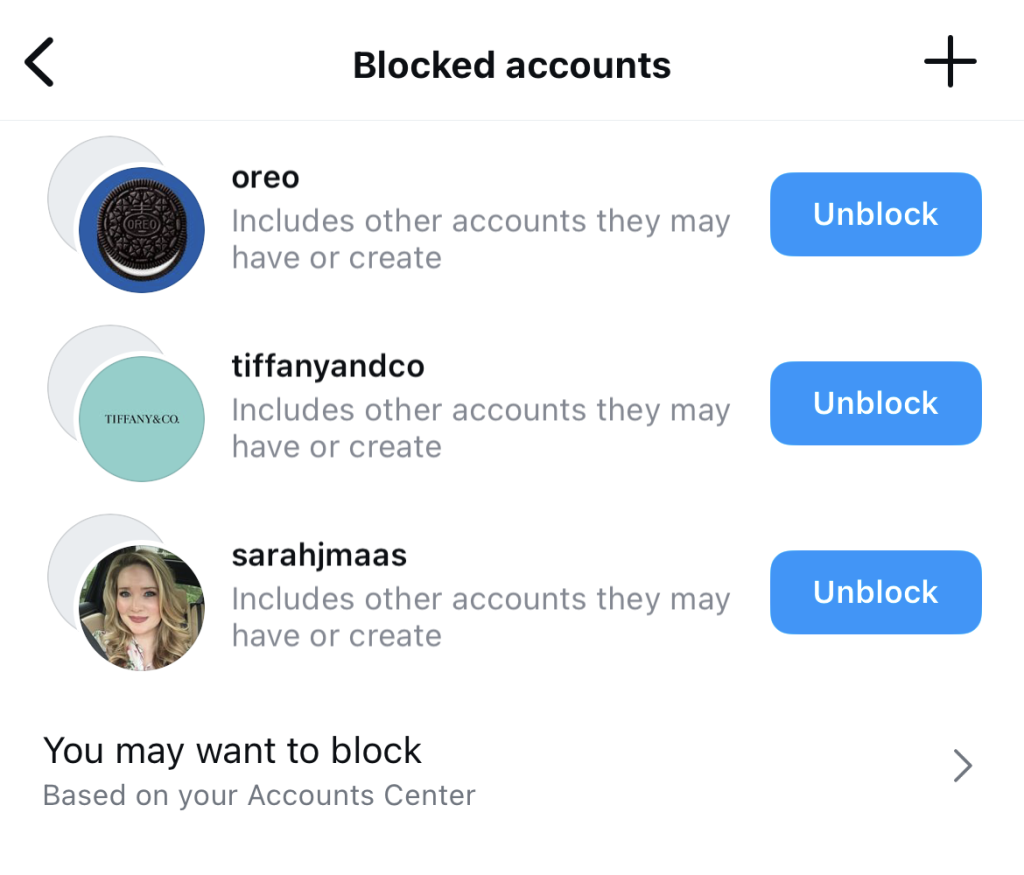
- Junto a cada nombre de la lista hay un botón que dice «Desbloquear». Busca el nombre de la persona a la que quieres desbloquear y haz clic en ese botón.
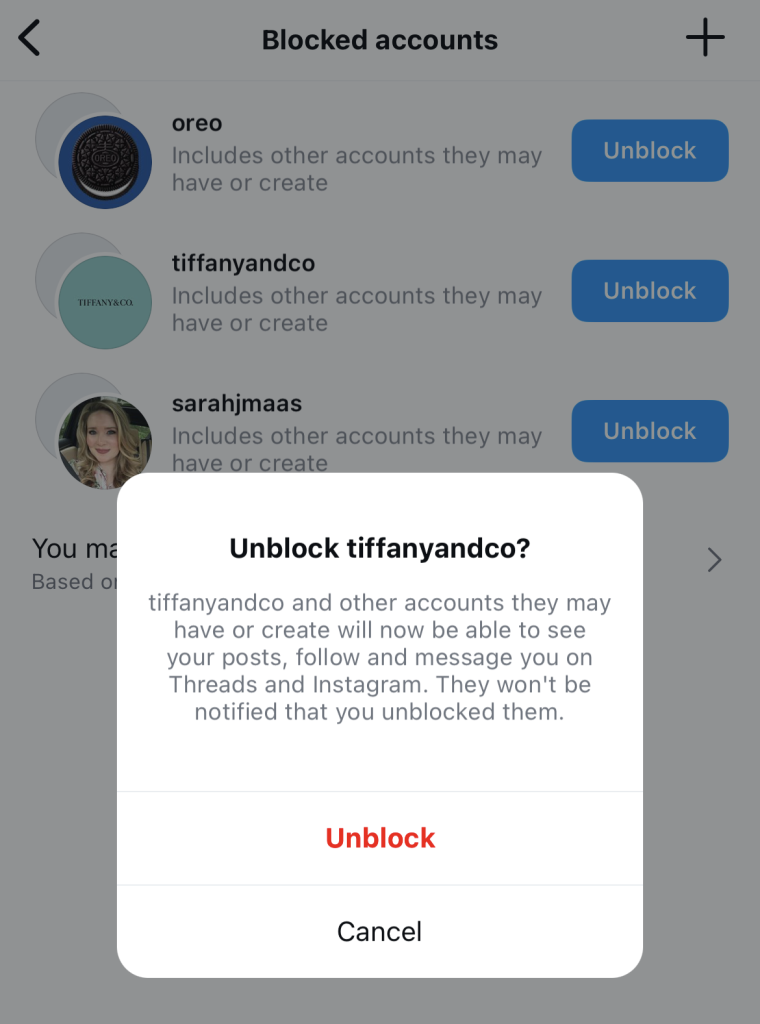
- Confirme que desea desbloquearlos pulsando el botón Desbloquear en el mensaje emergente que aparece.
- Espera a que se confirme que ya se han desbloqueado. A continuación, pulsa en «Descartar».

¿Por qué mi cuenta Instagram está bloqueada para ciertas acciones?
Además de que los usuarios te bloqueen en su perfil, Instagram también Instagram impedirte utilizar determinadas funciones de la aplicación. Esto ocurre cuando incumples algunas de las estrictas normas y directrices de la comunidad Instagram.
Supongamos que te lanzas a seguir a un montón de tiendas online en Instagram muy rápidamente. Esto puede marcar tu cuenta por comportamiento sospechoso y automatizado. Puede hacer que Instagram te prohíba temporalmente seguir más cuentas mientras investiga tu perfil.
Recuerda que Instagram un límite de 100 cuentas a las que puedes seguir a lo largo del día. Si sigues 100 cuentas en el plazo de una o dos horas, darás un poco de mala espina. Si no quieres que te retiren tus privilegios para seguir cuentas, limítate a seguir unas 10 cuentas por hora.
Esto también ocurre con muchas otras acciones de la aplicación. Un número excesivo de comentarios o «me gusta» en una publicación en un breve periodo de tiempo también puede dar lugar a que se bloqueen esas acciones. Por lo tanto, hay que actuar siempre con cautela cuando se realicen acciones demasiadas veces de una sola vez.
Cómo acceder a tu cuenta si está bloqueada por Insta
Así que, si te pasa eso, ¿cómo puedes desbloquear tu cuenta de Instagram? La solución es sencilla: deja de hacer lo que estés haciendo y espera a que pase. Si has estado publicando comentarios en masa o siguiendo demasiadas cuentas, mantén un perfil bajo durante un rato. Siempre que no vuelvas a realizar esas acciones restringidas, las restricciones temporales deberían levantarse en un plazo de 24 a 48 horas.
Lo que no debes hacer es utilizar una herramienta de desbloqueo de terceros Instagram autorizado. Estas herramientas pueden prometerte que te ayudarán a eludir el bloqueo temporal, lo cual puede resultar bastante tentador. Pero esto solo hará que tu cuenta sea señalada aún más por utilizar automatización y generar actividad no auténtica en Instagram. Eso puede dar lugar a bloqueos más permanentes. ¡Vaya! Así que mantente completamente alejado de ellas.

Aplicación Instagram desbloqueada en la escuela o el trabajo: 4 soluciones.
Muchas escuelas y lugares de trabajo prohíben el acceso a todo tipo de redes sociales —incluido Instagram— desde sus servidores. De este modo, los alumnos y los empleados solo pueden realizar actividades oficiales y académicas en línea sin la distracción de pasar el rato mirando sin parar el móvil.
Pero, ¿se puede desbloquear Instagram la red privada de tu colegio u oficina, incluso con cortafuegos y filtros de red estrictos? No es que queramos fomentar las distracciones en el colegio ni nada por el estilo, pero sí, se puede. Aquí tienes cuatro soluciones para acceder Instagram tu organización lo ha bloqueado desde su red de servidores.
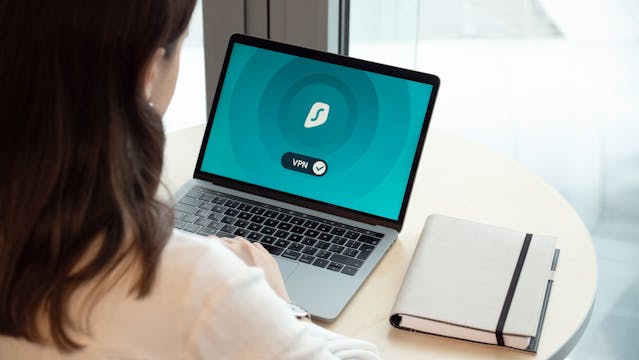
1. Configurar un servicio VPN para ser su Insta Unblocker
Según Exploding Topics, hay 1.500 millones de usuarios de VPN en todo el mundo. ¿Por qué no te unes a ellos y la utilizas como una forma sencilla de desbloquear Instagram?
Verás, un servicio de VPN oculta tu dirección IP real y la sustituye por otra para redirigir tu tráfico de Internet. Si el servidor cree que te encuentras en otra dirección en lugar de en tu colegio o lugar de trabajo, es posible que puedas acceder a Instagram.
Hay muchísimas VPN gratuitas disponibles. Pero si quieres garantizar una mayor seguridad en tus descargas, invierte en una de confianza, como ExpressVPN o NordVPN.
2. Utilice un proxy para acceder al sitio Instagram desbloqueado
Otra forma de eludir a los administradores de red estrictos que bloquean Instagram utilizando un servidor proxy. Los proxies son sitios web que pueden actuar como intermediarios entre tú e Instagram. Cuando accedes Instagram un proxy, es probable que tu centro educativo no se entere de que has abierto la aplicación.
3. Acceda al sitio web Instagram a través de un navegador
Si tienes suerte, puede que tu empresa haya bloqueado el funcionamiento de Instagram , pero es posible que la versión web siga estando disponible. Si crees que ese es el caso, utiliza tu portátil y entra en la Instagram para acceder a la plataforma desde allí. ¡Y ya está! Tendrás la aplicación al alcance de la mano.
4. Conectarse a otra fuente de Internet
A veces, estas instituciones utilizan su red wifi para bloquear Instagram otras redes sociales. Por lo tanto, basta con desconectarte de esa conexión a Internet y buscar otra. Quizás puedas utilizar el punto de acceso de tu móvil u otro proveedor de Internet cercano. Este rápido cambio podría permitirte acceder a Instagram estás en el colegio o en el trabajo.
¡Desbloquea IG para que tu página siga creciendo!
Hay un montón de trucos que pueden ayudarte a desbloquear Instagram . Tanto si utilizas un servicio VPN como un servidor proxy, podrás volver a acceder a la aplicación, incluso con restricciones de red.
Y cuando por fin recuperes el acceso a la aplicación, la fama estará al alcance de tu mano. Podrás volver enseguida a trabajar en tu feed, promocionar tu contenido y atraer a más seguidores a tu página. Y todo ello gracias a la ingeniosa herramienta para desbloquear Instagram que hayas elegido.
¿Necesitas aún más ayuda para conseguir más seguidores y fomentar la interacción en Instagram? ¡Deja que Path Social tu mejor amigo en tu búsqueda de la fama en Instagram! Nuestras estrategias, probadas y contrastadas, te ayudan a promocionar tu contenido para que lo vean primero las personas con más probabilidades de interactuar con él. ¡Eso se traduce en más «me gusta», comentarios y seguidores para tu página!
Hemos ayudado a marcas como Hailey's Clothing a conseguir casi 20.000 seguidores en un santiamén. ¿Quién dice que no podemos ofrecerte la misma magia? ¡Consigue más seguidores y sube a lo más alto de Instagram con Path Social hoy mismo!
Preguntas frecuentes
¿Cómo puedo desbloquearme de Instagram?
Cuando alguien te bloquea en Instagram, puedes solucionarlo haciendo las paces con esa persona. Pero si te bloquea la propia plataforma, la cosa es mucho más grave.
Tienes que averiguar si has infringido alguna de las normas Instagram. Después, debes mantener un perfil bajo y evitar realizar esas acciones sospechosas hasta que te desbloqueen en la aplicación.
¿Cuánto dura la cárcel de IG?
«IG Jail» hace referencia a la suspensión temporal Instagram a las cuentas señaladas por actividad sospechosa. Estas suspensiones suelen durar desde unas pocas horas hasta un máximo de 48 horas. Sin embargo, si sigues infringiendo las normas de la comunidad de la plataforma, podrían prolongarse mucho más tiempo.
¿Cómo desbloqueo Instagram para la escuela?
Una de las formas más rápidas de desbloquear Instagram mientras estás en la escuela es configurando una VPN. También puedes usar un proxy o cambiar tu WiFi para acceder a Instagram.





¿Quieres aumentar tu Instagram de forma natural?
Descubre una plataforma diseñada para ayudar a los creadores a llegar a seguidores reales y comprometidos, sin atajos.
Explora la plataforma