


Instagram Reels Downloader - Guarda lo que te gusta al instante

Instagram | 4 de septiembre de 2025
¿Alguna vez has pasado horas viendo Reels en Instagram y cada uno de ellos te parece más atractivo que el anterior? Pues eso es lo que les pasa a todos los millennials hoy en día.
Meta lanzó los Reels en 2020 y este formato de contenido no ha dejado de crecer, con unos índices de interacción en auge. Según su director ejecutivo, el número de Reels reproducidos supera los 200 000 millones al día. La demanda de programas para descargar Instagram está aumentando, ya que los usuarios quieren guardar el mejor contenido.
Instagrampromueve los contenidos de vídeo. Por eso los vídeos de carrete son tendencia y llegan a la audiencia más rápido que las publicaciones estáticas en Instagram.
¿Estás buscando opciones en Instagram descargar el «Reel» que has visto recientemente? Por desgracia, no encontrarás ninguna, porque no hay ninguna. Instagram permite a los creadores originales descargar sus «Reels». Los espectadores no pueden descargarlos directamente.
Entonces, ¿qué hacemos? ¡No te preocupes! En esta era dominada por la tecnología, siempre hay una solución. En este artículo te explicaremos cómo descargar Reels de Instagram mucho más, incluyendo consejos de edición de profesionales.

Instagram Reels Downloader - ¿Cómo conseguirlo?
Aunque puedes descargar Reels en Instagram, no es precisamente pan comido. Esto se debe a que Instagram los creadores desactivar la opción de descarga de su contenido. Sin embargo, si se trata de tu propio Reel, el proceso es sencillo. Pero cuando se trata del contenido de otra persona, necesitas programas de descarga Instagram para conseguirlo.
Antes no existía la opción de descargar los Reels de Instagram. Sin embargo, recientemente la plataforma ha introducido una nueva función que permite a los usuarios descargar los Reels. ¿Lo más molesto? Solo está disponible para los usuarios de EE. UU.
Pero no tienes por qué preocuparte si no estás en Estados Unidos. Te ofrecemos tres métodos sencillos para descargar carretes de Instagram a tu teléfono.

¿Se pueden descargar fácilmente los carretes de Instagram ?
Descargar Instagram puede que no sea tan sencillo como descargar fotos, pero hay formas de hacerlo. Así que vamos a ver cómo puedes descargar tus Reels favoritos de Instagram una forma poco convencional. Muchos usuarios nuevos en la plataforma suelen preguntarse: «¿Se pueden descargar fácilmente Instagram ?» La respuesta más sencilla es sí, pero el problema está en los detalles.
Si se trata de tu propio contenido, no hay condiciones. Pero si quieres descargar un «Reel» público, depende de las preferencias del creador. Si la opción de descarga no está disponible, es porque el creador la ha desactivado.
No obstante, sigue estos tres sencillos métodos para conseguirlo:
Descargue sus propios carretes Instagram
Como ya hemos mencionado, descargar tu «reel» de Instagram es muy sencillo. Puedes guardarlo fácilmente en tu móvil y publicarlo en otras plataformas como TikTok, X, etc.
Para guardar tu Instagram en tu móvil, sigue estos pasos:
- Introduce tus datos de acceso en Instagram. A continuación, ve a la pestaña «Reels».
- Elige el Carrete que quieras guardar y tócalo para verlo en pantalla completa.
- Haz clic en los tres puntos de la esquina inferior derecha para abrir el menú. Selecciona "Guardar en Camera Roll".
Ahora puedes encontrar tu Reel en tu Camera Roll. Ya está; ¡has guardado fácilmente tu Carrete Instagram !
Grabar la pantalla
La segunda opción que resulta muy útil para guardar Instagram en el móvil es la grabación de pantalla. Si algo te ha llamado la atención en Instagram y quieres verlo sin conexión, sigue estos pasos:
- Abre «Ajustes», ve a «Centro de control» y añade «Grabación de pantalla» a «Controles incluidos». De este modo, el botón de grabación de pantalla aparecerá en tu centro de control. Ahora aparecerá cuando deslices el dedo hacia abajo desde la esquina superior derecha de la pantalla de inicio.
- Abre la aplicación Instagram y busca el vídeo que quieras grabar.
- Reproduce el vídeo y, a continuación, desliza el dedo por la pantalla para abrir el Centro de control.
- Pulsa el botón de grabación para empezar a grabar el vídeo. Recuerda que también graba el audio.
- El vídeo se guardará en calidad HD en tu carrete. Después podrás recortarlo a la duración que desees.
Aplicaciones de terceros
Descargar Instagram es muy fácil con aplicaciones de terceros, sobre todo si buscas una forma de ahorrar tiempo. Para los usuarios de iPhone, InstDown e InSaver son excelentes opciones. Los usuarios de Android deberían optar por ETM Video Downloader. Otra opción estupenda que funciona para ambos es Path Social Downloader.
A continuación te explicamos cómo descargar carretes a través de una aplicación de terceros:
- Copia el enlace del vídeo Instagram Reel que te guste.
- Abre la aplicación que hayas elegido y pega el enlace.
- Pulsa el botón «Descargar» y ¡listo, el contenido ya es tuyo!
Un pequeño consejo: algunas aplicaciones no son sólo para Reels, también pueden capturar Instagram Stories para ti.
Cómo guardar los carretes Instagram
A menudo nos encontramos con vídeos tutoriales que sabemos que necesitaremos más adelante. En esos casos, los usuarios suelen preferir guardar los vídeos en lugar de descargarlos.
Crear una colección de tus Instagram Reels favoritos es como construir un cofre del tesoro personal de clips dentro de la aplicación. Es perfecta para un acceso rápido o para generar ideas para tus creaciones.
Aquí le mostramos cómo ahorrar Carretes en Instagram:
- Busca el Carrete que te guste y haz clic en el icono de los tres puntos situado en la parte inferior derecha de la pantalla.
- Solo tienes que pulsar la opción de la cinta o hacer clic en «Guardar». Aparecerá una ventana emergente de confirmación para confirmar el guardado.
¿Adónde van a parar los carretes descargados de Instagram ?
Tras descargarlos, muchas personas no encuentran los Reels en sus móviles. No dejan de preguntarse: «¿Dónde van a parar Instagram que he descargado?».
La mayoría de las aplicaciones de terceros descargan los Reels en la galería integrada del teléfono o en la carpeta «Fotos». La Instagram suele desactivarse automáticamente para la copia de seguridad, lo que puede ocultar los Reels de la galería principal. Para encontrar los vídeos que has descargado, ve a la opción «Carpetas» o «Álbumes» y busca la carpeta Instagram». Allí encontrarás tus Reels favoritos y podrás verlos en cualquier momento fuera de la plataforma.
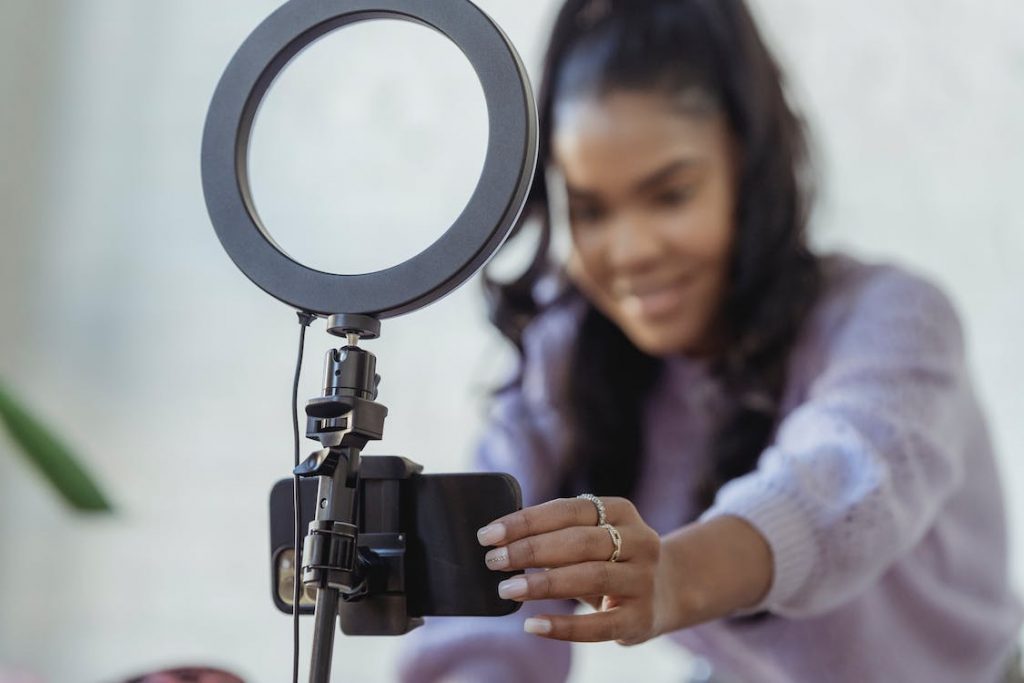
Cómo descargar Instagram Reels en el escritorio
¿Utilizas Instagram en un ordenador de sobremesa? No hay problema. También puede descargar allí los carretes de Instagram .
De hecho, los influencers recomiendan descargar los Reels directamente en el ordenador. Esto te ayuda a conseguir un acabado profesional gracias a las herramientas avanzadas de edición y corrección de color.
Funciona bien tanto en Mac como en PC. Encontrarás una gran variedad de aplicaciones de terceros listas para ayudarte. Gracias a ellas, descargar o grabar Reels en el escritorio es rápido y sencillo.
Entre las herramientas más destacadas se encuentran Loom, Camtasia, OBS Studio y QuickTime, a las que también se puede acceder desde iOS. Cada una de ellas ofrece una forma sencilla de pasar tus Reels al ordenador para que puedas realizar esa edición mágica de alto nivel.

Cómo crear carretes en Instagram
¿Aún no ha probado Instagram Reels? ¡Siempre hay una primera vez para todo!
Para iniciarte en Instagram , empieza por elegir una buena idea para tu contenido. A continuación, selecciona «Reels» en la parte inferior de la Instagram . Encontrarás muchas plantillas para Reels y herramientas de edición en la parte izquierda. Ahora, sigue las instrucciones y haz lo que te indiquen.
- Añade audio a tus carretes
Mejora tus Reels explorando la biblioteca de música Instagramo utilizando tu propio sonido. Cuando creas un Reel con audio original, los demás pueden utilizar ese audio seleccionando «Usar audio» en tu Reel. Es una forma estupenda de compartir tu creatividad.
Añadir música a Instagram , los Reels y las publicaciones Instagram duplica su valor y mantiene la atención del espectador durante más tiempo.
- Personalizar con efectos Reels
Sumérgete en un mundo creativo de efectos creados por Instagram por creadores con talento de todo el mundo. Estos efectos pueden transformar tu Reel, aportándole estilo y personalidad. Experimenta con diferentes estilos para encontrar el que mejor se adapte a tu historia.
- Utilizar el temporizador
Disfruta de la grabación sin necesidad de usar las manos configurando un temporizador. Te ofrece una cuenta atrás de tres segundos, perfecta para preparar tu pose o escena. Esta función resulta especialmente útil para los creadores que trabajan en solitario y desean capturar tomas dinámicas sin ayuda.
- Alinear contenidos
Crea transiciones fluidas entre clips con la herramienta «Alinear ». Es ideal para alinear objetos o escenas, lo que garantiza una transición fluida. Esta función supone un gran avance a la hora de crear contenido atractivo con cambios de vestuario o escenas en evolución.
- Ajustar la velocidad
Controla el ritmo de tu Reel con los ajustes de velocidad. Acelera o ralentiza el vídeo o el audio para adaptarlo al ritmo de la música o para resaltar un momento concreto. Es perfecto para crear/m dramáticos/m , o para seguir el ritmo de las canciones más animadas.
Cómo descargar música de Instagram Reels
Cuando los usuarios encuentran contenido interesante, se preguntan cómo descargar música de Instagram . Pero, por el momento, no hay respuesta a esa pregunta.
Instagram no proporciona un método directo para descargar música de Reels. Esta limitación anima a los usuarios a explorar formas creativas de utilizar la biblioteca de música disponible o sus sonidos originales.
Sin embargo, puedes guardar el audio de otros creadores en Instagram y utilizarlo en tus contenidos. Muchos usuarios guardan el audio que está de moda y hacen reels en consecuencia para tener un mejor alcance: ¡ayuda!
Cómo añadir audio descargado a los carretes de Instagram
Los creadores de contenido suelen crear contenido en torno a una música concreta. La música se relaciona con el contexto del «reel», lo que aporta un gran valor al contenido.
Si te estás preguntando cómo añadir audio descargado a Instagram , el proceso es un poco complicado. Puedes reproducir el audio descargado en otro móvil y hacer clic en la sección «voz en off» de Instagram . Aparte de eso, también puedes añadir audio que hayas guardado de otros creadores.

Cree carretes y aumente su influencia con Path Social
Instagram ofrecen una forma dinámica e interactiva de disfrutar y crear contenido para mejorar la visibilidad. Aunque no es posible descargarlos directamente, puedes utilizar aplicaciones de terceros, la grabación de pantalla o programas de descarga Instagram para ordenador como alternativas.
Para estar al día de las últimas tendencias y potenciar tu Instagram , colabora con Path Social.
¡Con las herramientas y estrategias adecuadas, Path Social ayudarte a vivir una Instagram excepcional Instagram ! Nuestro avanzado algoritmo de segmentación basado en IA garantiza que destaques entre innumerables creadores. La experiencia de nuestro equipo atrae a seguidores auténticos y comprometidos a tu página.
Para tus grandes sueños, tenemos grandes planes. Unamos fuerzas y hagámoslos realidad. Ponte en contacto con nosotros para empezar a crecer y a ganar Instagram hoy mismo!





¿Quieres una potente promoción Instagram ?
Amplíe su alcance con estrategias específicas que atraigan la participación y seguidores reales.
Comienza ya tu promoción Instagram




