



Instagram Las historias son una de las mejores formas de compartir novedades diarias con tus seguidores de una manera visualmente atractiva. Lo mejor del editor de historias es que te permite dar rienda suelta a tu creatividad. Al añadir pegatinas bonitas e interactivas de Instagram , puedes hacer que tus historias resulten más atractivas.
Estas pegatinas son igual que las que conoces y te encantan en la vida real. Hay de todo tipo de diseños y estilos, y puedes personalizarlas y pegarlas donde quieras. Del mismo modo, Instagram ofrece pegatinas con las que puedes jugar: puedes girarlas, cambiar su tamaño y personalizarlas.
Veamos los muchos tipos de pegatinas que puedes utilizar para tus Instagram Stories. Incluso te daremos algunos consejos sobre cómo hacer pegatinas personalizadas y encontrar los paquetes de pegatinas más bonitos. No te vayas.
¿Qué son las pegatinas Instagram ?
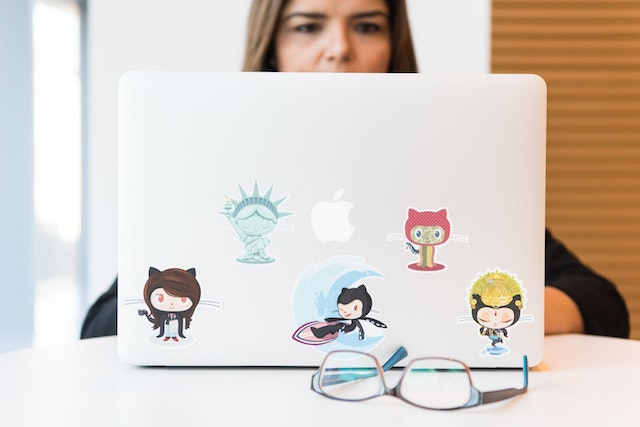
Lo primero es lo primero: ¿qué son, en realidad, las pegatinas de « Instagram »? Estas pegatinas son elementos adicionales que puedes añadir a tus historias de Instagram para que resulten más atractivas e interactivas. Hay de muchos tipos, desde GIF animados hasta encuestas, cuestionarios y otras pegatinas interactivas con las que tus seguidores pueden participar.
El uso de pegatinas en tus «Stories» no solo hace que tus publicaciones tengan un aspecto más cuidado y atractivo. Si eliges las pegatinas interactivas adecuadas, puedes aumentar tus índices de interacción y conseguir más visualizaciones.
Al utilizar pegatinas en tus publicaciones, podrás conocer mejor la opinión de tu público sobre tu contenido. Así, ellos podrán responder a tus preguntas de una forma divertida y sencilla. A continuación, podrás utilizar esas respuestas para mejorar los productos y el contenido de tu marca, con el fin de garantizar que tu público los disfrute.
Las pegatinas también son geniales para darle un toque especial a las publicaciones del feed o a los Reels que compartes en tus Stories. A veces, compartir una publicación puede hacer que una Story resulte sosa y monótona. Pero si añades otros elementos, como deslizadores de emojis y bonitos GIF, puedes conseguir que resulte más dinámica y atractiva.
Cómo encontrar pegatinas en Instagram y ponerlas en Stories
¿No sabes dónde encontrar los stickers cuando estás editando tus Stories? No te preocupes. A continuación te explicamos, paso a paso, cómo encontrar stickers en Instagram y añadirlos a tu Story:
1. Abre tu aplicación Instagram .
2. Accede al editor de historias de Instagram deslizando el dedo hacia la derecha desde tu página de inicio. También puedes hacer clic en el signo más azul que aparece debajo de tu foto de perfil en la sección Historias.
3. Sube una foto o vídeo existente como base para tu nueva Historia. También puedes capturar una nueva foto o vídeo en el momento.
4. Ahora es el momento de añadir algunas pegatinas. Haz clic en el icono de pegatinas (una pegatina cuadrada con una carita sonriente) situado en la esquina superior derecha del editor de historias. Debería estar justo al lado del icono de texto y del icono de filtros, que tiene forma de destellos.
5. Esto te llevará a la bandeja de pegatinas, donde encontrarás todas las pegatinas de « Instagram » que puedes usar en las historias. Elige el tipo de pegatina que quieras poner en tu historia y haz clic en ella.
6. Personaliza tu pegatina como más te guste. Eso significa completar tu encuesta, añadir preguntas, buscar GIFs divertidos y mucho más.
7. A continuación, ajusta la posición de la pegatina. Puedes pellizcarla y girarla para cambiar su tamaño y su posición. Arrástrala a cualquier lugar de la pantalla que desees.
8. Cuando estés satisfecho con el aspecto de tu «Story», ¡públicala para compartirla con tus seguidores!
11 pegatinas populares de Instagram Story
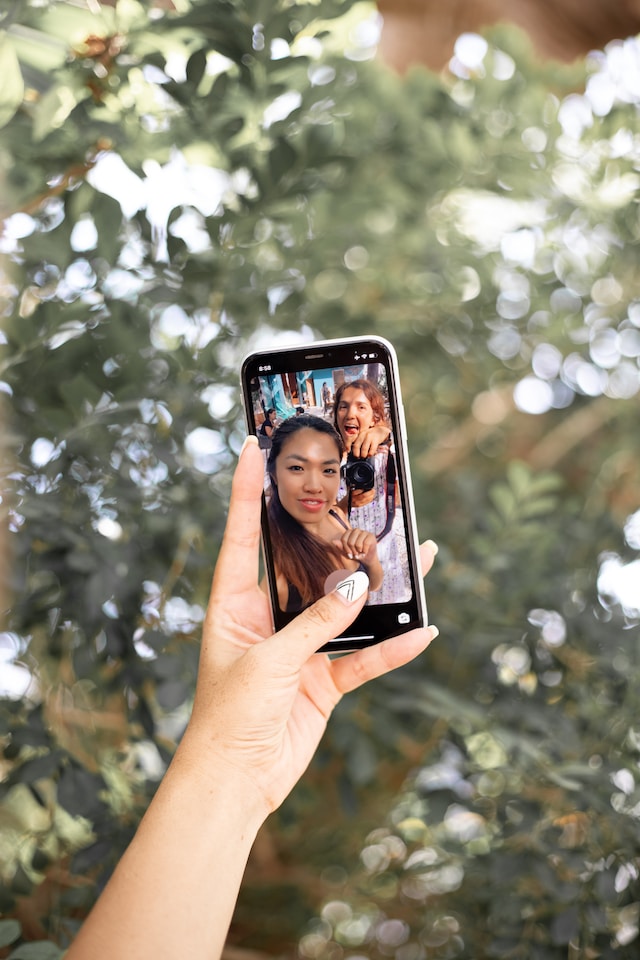
Hay muchos tipos de stickers para Instagram Story con los que puedes experimentar cuando quieras animar tus publicaciones. Aquí tienes 11 pegatinas Insta populares que te gustará usar en tus contenidos y cuándo usarlas:
1. GIFs bonitos
El tipo de stickers más popular de la plataforma son probablemente los GIF animados. Pero estos GIF no son como los de otras redes sociales. No son memes ni voluminosos por su forma rectangular.
Recuerda que « Instagram » es una plataforma visual. Por eso, los stickers GIF de la aplicación tienen formas libres y son estéticamente impresionantes. Muchos de ellos son iconos vectoriales creados por diseñadores gráficos.
Añadir bonitos GIF a tus Historias de Instagram es una forma estupenda de dar encanto y vida a tus publicaciones. Elige siempre stickers que encajen con el estado de ánimo que quieres evocar en tus Stories.
Cuando abras la bandeja de pegatinas en el Editor de historias, podrás elegir entre los GIF más populares que aparecen en la parte superior. Si buscas pegatinas con un estilo y un ambiente concretos, no dudes en utilizar la barra de búsqueda para encontrarlas.

2. Pegatinas de encuestas
Las encuestas se encuentran entre los stickers interactivos más populares de la aplicación. Estos stickers de Instagram te permiten escribir una pregunta y ofrecer dos o más respuestas posibles. Tus seguidores elegirán entonces su respuesta entre las opciones que les hayas proporcionado. Podrás ver el voto de todos y un desglose de qué respuesta es la más popular.
Estas pegatinas son ideales para las marcas que quieren saber qué quiere ver de ellas su público.
Imaginemos que tienes un blog de cocina y no sabes qué receta publicar a continuación en tu página. Puedes crear una encuesta en las Stories para preguntar a tus seguidores si prefieren ver aperitivos, postres o comidas saludables. Así podrás diseñar tu estrategia de contenido para incluir más recetas del tipo de comida que tus seguidores quieren ver.
También puedes utilizar encuestas para preguntas sencillas de «sí o no», como «¿Tienes ganas de que salga al mercado nuestro próximo lanzamiento?». Esto te ayuda a valorar si necesitas generar más expectación en torno a tu nueva colección.
3. Pegatinas Quiz
A continuación, tenemos las pegatinas de cuestionarios. Estas pegatinas interactivas son geniales si quieres llevar a cabo una campaña educativa rápida en tus Stories. Solo tienes que crear una pregunta de tipo test (con una única respuesta correcta) y esperar a que tus seguidores respondan. Cualquiera que responda a tu cuestionario verá al instante si ha acertado o se ha equivocado.
Quiz Instagram Las pegatinas son una forma estupenda de aprovechar el espíritu competitivo de tus seguidores y, al mismo tiempo, captar su atención. Esto capta su atención y hace que escuchen lo que tienes que decir.
Imaginemos que eres un influencer de viajes. Quieres crear unas historias de Instagram s para contar a tus seguidores la cultura única de un país que has visitado recientemente. Puedes plantear una pregunta para que adivinen de qué país estás hablando. Después, en tu siguiente publicación, revela la respuesta y profundiza en la historia y las curiosidades que quieras compartir.
4. La pegatina "Add Yours
La pegatina «Añade la tuya» es una de las pegatinas interactivas más nuevas y de moda de esta lista. Esta pegatina te permite escribir una frase que anime a otras personas a publicar su propia versión de la misma.
Algunas de las sugerencias más populares son "el OOTD de hoy" o "una foto de tu mascota". La gente puede publicar su propia foto o vídeo respondiendo a la pregunta y manteniendo la misma pegatina en su Historia. Es como un hilo para ver qué publica la gente sobre un mismo tema.
5. Pegatinas de preguntas y respuestas
Las pegatinas de «Preguntas y respuestas» (Q&A) de « Instagram » son perfectas para los creadores que quieren plantear una pregunta y ver las respuestas de sus seguidores. A diferencia de las encuestas y los cuestionarios, las pegatinas de «Preguntas y respuestas» permiten al espectador escribir su respuesta, en lugar de limitarse a elegir una de varias opciones.
Publica una historia en « Instagram » con una pegatina de preguntas y respuestas y espera a que lleguen las respuestas. Para ver las respuestas de todos, abre tu historia y desliza el dedo hacia arriba. Verás todas las respuestas a tu pegatina en la pantalla que aparecerá.
Muchos influencers utilizan este adhesivo para crear sesiones de preguntas y respuestas con sus seguidores. Publican el sticker instando a sus seguidores a que les envíen preguntas para responder. En sus siguientes Instagram Stories responderán a algunas de las preguntas.
Esta pegatina resulta útil no solo para los creadores de contenido, sino también para las cuentas personales. Por ejemplo, si quieres que tus amigos te recomienden libros o música, puedes publicar una pegatina de preguntas y respuestas sobre el tema. Después, solo tienes que relajarte y esperar a que tus seguidores compartan contigo sus títulos favoritos.

6. Pegatinas deslizantes Emoji
Los deslizadores emoji son pegatinas de Instagram que permiten a la gente expresar cómo se sienten sobre tu contenido utilizando una escala emoji. Es una forma estupenda de conocer la opinión y los sentimientos de tu audiencia sobre tu contenido sin pedirles que lo escriban.
Imaginemos que eres un influencer del mundo del fitness al que le encanta publicar rutinas de entrenamiento para tus seguidores. En lugar de pedirles que comenten para saber qué les ha parecido el programa, utiliza un control deslizante de emojis.
Comparte el vídeo en tu «Story» y añade un control deslizante de emojis con el emoji de un brazo flexionado. A continuación, escribe la pregunta: «¿Cómo de fuerte te sientes tras completar este entrenamiento?». Tus seguidores deslizarán el emoji para indicarte cuánto les ha gustado el entrenamiento. Es una forma única y creativa de evaluar hasta qué punto les gusta tu contenido y tus programas de ejercicio.
7. Pegatinas de cuenta atrás
Si tienes un evento importante a la vista y quieres generar expectación, plantéate utilizar pegatinas de cuenta atrás Instagram . Estas pegatinas son exactamente lo que su nombre indica: muestran el tiempo que queda para un gran evento.
Puedes utilizarlas para las fiestas, como Navidad y Nochevieja. Pero también puedes usarlas para que la gente marque en sus calendarios las fechas de lanzamiento de productos o las rebajas de la marca.
Por ejemplo, imaginemos que eres un influencer de moda y estás a punto de dar a conocer tu última colaboración con una gran marca de ropa. Puedes ir dando pistas a tus seguidores con una pegatina de cuenta atrás para anunciarles que vas a desvelar la campaña. ¡Es una forma fantástica de generar expectación!

8. Pegatinas Hashtag
Los hashtags son muy importantes para las publicaciones en Instagram si quieres que los demás descubran tu página. Pero, ¿sabías que también puedes utilizarlos como hashtags adhesivos y beneficiarte de la misma capacidad de descubrimiento?
Si utilizas pegatinas de hashtags en tus historias de Instagram , tus publicaciones aparecerán en la página de ese hashtag. Eso significa que incluso las personas que no te siguen podrían ver tu contenido si exploran el hashtag que has utilizado. Y, dado que llegas a un público más amplio con tus pegatinas de hashtags, esto podría traducirse en nuevos seguidores en tu perfil.
9. Pegatinas de ubicación
Al igual que las pegatinas de hashtags, las pegatinas de ubicación son una forma estupenda de conseguir que más gente descubra tu página. Es similar a añadir tu ubicación a las publicaciones de tu feed, pero en este caso se hace mediante pegatin Instagram es en tus Stories.
Si publicas contenido sobre viajes en tus «Stories», no te olvides de añadir una etiqueta de ubicación. De esa forma, las personas que visitan la página de ese lugar podrán encontrar tu perfil y, con suerte, seguirte. Es imprescindible no solo para los influencers de viajes, sino para cualquiera que quiera conseguir más visualizaciones en sus «Stories» de viajes.
10. Pegatinas musicales
Dale más vida a tus historias de Instagram añadiendo una pegatina de música. Instagram cuenta con una biblioteca de canciones que puedes añadir a tu historia y que se reproducirán de fondo en tu publicación. Estas pegatinas de música Instagram son ideales para crear ambiente y despertar emociones mientras tus seguidores ven tus historias.
Esta pegatina tiene muchas formas. Puedes poner simplemente el título de la canción y el artista que la ha publicado. También puedes mostrar los mismos detalles pero con una foto enorme de la portada del álbum. También puedes mostrar la letra de la canción para que tus seguidores la canten.
11. Menciones o Instagram Pegatinas de asas
Por último, tenemos las pegatinas de mención, también conocidas como Instagram handle stickers. Estas pegatinas son útiles si quieres etiquetar a un amigo que está en tu historia de Instagram contigo. Solo tienes que escribir su nombre de usuario en Instagram y colocar el adhesivo en el lugar que quieras de la publicación. Es parecido a etiquetar a alguien en una foto, pero para las Historias.
Cuando la gente vea tu «Story», podrá hacer clic en el sticker. Al hacerlo, se les redirigirá al perfil de esa persona. Es una forma estupenda de promocionar las páginas de otros creadores a los que consideras amigos.

Qué buscar para encontrar pegatinas y GIF estéticos para IG
Cuando buscas pegatinas y GIF para añadir a tu «Story», la oferta puede resultar abrumadora en un abrir y cerrar de ojos. Probablemente haya cientos de miles de pegatinas de todo tipo por descubrir.
Lo malo es que no todos encajan con tu estética Instagram . Es posible que tengas que desplazarte durante diez minutos antes de encontrar las pegatinas de IG estéticas perfectas.
Un truco para encontrar pegatinas bonitas más fácilmente: utiliza la función de búsqueda de GIF. Utiliza términos de búsqueda que encajen con tu estética para encontrar los stickers más bonitos disponibles en Instagram . Estas son algunas de las palabras clave que puedes utilizar para buscar pegatinas:
- Boho: Pegatinas acogedoras y de inspiración bohemia con elementos de la naturaleza y motivos culturales.
- Caligrafía: Pegatinas con palabras escritas en bonitas fuentes y tipos de letra.
- Floral: coloridas pegatinas de flores para dar más vida a tus Instagram Stories.
· Estética: Pegatinas con elementos modernos, de tendencia y artísticos.
- Minimalista: Líneas y diseños limpios con colores neutros o monocromáticos.
· Pastel: Pegatinas e iconos en colores claros y pastel que crean un ambiente suave y relajante.
- Vintage: Pegatinas retro y de la vieja escuela que pueden hacer que tus Historias se sientan nostálgicas.
También puede buscar diseñadores para encontrar sus bonitas pegatinas en Instagram
Si tienes algún diseñador gráfico o artista favorito, también puedes buscar sus nombres. Si han creado alguna pegatina bonita en Instagram, aparecerán en cuanto escribas su nombre. Aquí tienes algunos artistas cuyas pegatinas quizá te guste usar en tus publicaciones:
- El lugar poco común: Simples pero alegres pegatinas animadas en colores brillantes.
- Greendotori: Pegatinas blancas que van desde frases cortas a simpáticas imágenes vectoriales como corazones y tazas de café.
- LidiaOnTheRoad: Frases motivadoras bellamente escritas para aligerar el ánimo de tus Historias e inspirar a tus seguidores.
· EmmaDarvick: Pegatinas de dibujos lineales a la última con un estilo atrevido, moderno y propio de la Generación Z. Tiene un montón de pegatinas geniales de personas.
Cuando busques a estos diseñadores en la bandeja de pegatinas, asegúrate de escribir bien su nombre. Si cometes el más mínimo error ortográfico, es posible que no aparezcan sus preciosas pegatinas de Instagram .

Cómo hacer pegatinas personalizadas Instagram en 3 pasos
Si se te da bien el diseño gráfico, también puedes crear pegatinas personalizadas de « Instagram » para usarlas en tus «Stories». Es una forma estupenda de mostrar tu arte y compartirlo con tus seguidores para que lo utilicen en sus propias publicaciones. A continuación te explicamos cómo crear las tuyas propias en tres pasos:
Paso 1: Diseña tus pegatinas Instagram
En primer lugar, diseña tus pegatinas animadas personalizadas. Puedes utilizar cualquier aplicación o plataforma con la que te sientas cómodo, ya sea Canva o Adobe Illustrator. Da rienda suelta a tu creatividad con tus dibujos y paletas de colores. Crea tantas pegatinas como quieras.
Cuando diseñes tus pegatinas personalizadas, asegúrate de que sean interesantes para un público más amplio, no solo para ti. De esa forma, podrás compartirlas con tus amigos y familiares para que ellos también las utilicen. En poco tiempo, puede que muchísima gente las utilice en sus propias «Stories». Es una forma genial de darte a conocer como artista digital.
Paso 2: Cárgalos en GIPHY
Cuando estés satisfecho con el aspecto general y la animación de tus pegatinas de « Instagram », querrás subirlas a GIPHY. « Instagram » colabora con esta web de alojamiento de GIF para su biblioteca de pegatinas animadas. Por lo tanto, si quieres que tus pegatinas aparezcan en la plataforma, es necesario que GIPHY las apruebe primero.
Crea una cuenta de marca en GIPHY y sube tus stickers personalizados. Sube al menos cinco stickers y espera a que la plataforma los apruebe.
Paso 3: Busca tus pegatinas y utilízalas
Cuando todas tus pegatinas hayan sido aprobadas, podrás buscar el nombre de tu marca en la barra de búsqueda de pegatinas de Instagram. Allí deberían aparecer tus bonitas pegatinas personalizadas. Selecciona las pegatinas que quieras usar en tus historias de Instagram y ¡diviértete con ellas todo lo que quieras!
Acuérdate de anunciar a tus seguidores que tienes pegatinas de Instagram para que las usen. Enséñales a buscar tu nombre en la bandeja de cromos para que puedan encontrar tus cromos personalizados.
Experimenta con los stickers para que tus IG Stories sean más atractivas
Instagram Los stickers son geniales para añadir más encanto y personalidad a tus historias de Instagram . Puedes usar GIFs monísimos y estéticos o optar por stickers interactivos, como deslizadores de emojis, encuestas y cuestionarios. Los stickers le darán un toque especial a tus publicaciones en redes sociales y, al mismo tiempo, te permitirán interactuar más con tus amigos de una forma creativa.
¿Quieres que más gente vea las impresionantes Historias que has creado con simpáticos adhesivos? ¡Empuja tu contenido a la audiencia adecuada con la ayuda de Path Social!
Path Social cuenta con una herramienta de segmentación avanzada y propia que identifica al público de nicho que más disfruta de tu contenido. A continuación, muestra tus publicaciones para garantizar que este público las vea e interactúe con ellas.
¡Lo mejor es que con esta herramienta también puedes conseguir más seguidores! Eso significa que habrá más gente que vea e interactúe con tus «Stories», ¡llenas de las pegatinas más monas de Instagram ! Empieza hoy mismo a aumentar la interacción y a hacer crecer tu comunidad en Instagram .





¿Quieres una potente promoción Instagram ?
Amplíe su alcance con estrategias específicas que atraigan la participación y seguidores reales.
Comienza ya tu promoción Instagram




