


Chat d'affaires : Instagram Le meilleur outil des créateurs pour les clients

Félicitations ! Votre activité est en plein essor. Vos publicités portent leurs fruits, et vous recevez enfin des prospects intéressants ainsi que de nombreux messages privés. Peut-être même en recevez-vous trop. Il est désormais temps de découvrir une méthode efficace pour gérer vos messages privés. Une bonne solution consiste à gérer vos conversations via les Instagram Business Chat à l'aide de Meta Business Suite.
Vous avez peut-être déjà entendu parler d’outils tiers, mais la famille Meta propose une méthode tout aussi efficace. Sur la plateforme de messagerie Instagram, les entreprises ont la possibilité d’échanger directement avec leurs clients. Elles peuvent ainsi offrir un service client simple et efficace. Grâce à cette méthode pratique, elles peuvent répondre aux questions et partager des informations sur leurs produits avec leurs abonnés.
La fonctionnalité « Business Chat » Instagram un outil très utile pour les entreprises qui souhaitent interagir avec leurs abonnés. Elles peuvent désormais le faire de manière plus personnalisée, tout en gagnant du temps et en optimisant leurs ressources. Nous vous garantissons que cela en vaut la peine. Poursuivez votre lecture pour découvrir nos meilleurs conseils !

Quelques types de comptes Instagram à choisir
Aux débuts Instagram, il n’existait qu’un seul type de compte : un compte personnel que l’on pouvait choisir de rendre public ou privé. Aujourd’hui, Instagram est bien plus qu’une simple application de partage de photos permettant à vos tantes et à vos anciens camarades de classe de suivre votre actualité. Il existe désormais trois types de Instagram . Voyons cela de plus près.
Compte personnel Instagram
Si vous deviez créer un compte Instagram, l'application vous attribuera ce profil. Imaginons que vous n'attendiez pas grand-chose Instagram vous souhaitiez simplement suivre vos amis et vos célébrités préférées. Ce profil est fait pour vous.
Vous êtes libre de rendre votre compte privé si vous le souhaitez. Ainsi, vous pouvez vous protéger des harceleurs et choisir qui peut voir ce que vous partagez sur votre vie.
Le choix de ce type de compte n'est pas définitif. Vous pouvez toujours changer votre compte pour un compte créateur ou un compte professionnel. Il pourrait être tentant de le faire. Les comptes personnels n'ont pas accès aux informations et aux analyses et ne peuvent pas monétiser les posts.
Compte Business Instagram
La plateforme propose deux catégories de comptes professionnels. La première est le compte professionnel, qui offre un large éventail de fonctionnalités que vous ne trouverez pas dans un compte personnel. Ces fonctionnalités sont spécifiques aux entreprises et peuvent contribuer à améliorer les ventes de n'importe quel produit. C'est la catégorie idéale si vous possédez une boutique en ligne. Si vous savez bien exploiter ces fonctionnalités, Instagram pourraient s'avérer plus efficaces qu'un site web.
Voici ce que vous obtenez avec un compte professionnel :
- Vous aurez la possibilité de programmer des annonces et de promouvoir des publications existantes à partir de votre page.
- Vous pourrez accéder à l'outil Branded Content pour vous aider à gagner de l'argent.
- Vous aurez accès à des informations sur vos publications et vos annonces, ainsi qu'à des données essentielles sur votre compte. Vous constaterez que ces éléments sont essentiels à la croissance organique de votre page.
- Vous pouvez obtenir la vérificationInstagram pour vous protéger contre les comptes d'usurpateurs.
Compte de créateur sur Instagram
Le compte « Creator » sur Instagram est également un compte professionnel. Il est idéal pour les influenceurs en herbe d’ Instagram qui n’ont pas d’objection à ce que leur compte soit public. Pour suivre votre évolution, vous pouvez utiliser les statistiques disponibles sur Instagram . Vous pouvez promouvoir du contenu, diffuser des publicités et utiliser l’outil de contenu de marque. Une page de ce type ne peut pas être privée, mais les utilisateurs apprécieront de pouvoir monétiser leur contenu. Vous pouvez toutefois masquer vos coordonnées.

Ceci s'adresse à ceux qui se demandent : « Que signifie “Business Chat” sur Instagram? »
Les utilisateurs qui configurent leur page en compte professionnel bénéficieront d'une version différente de l'application. Les comptes professionnels sont parfaits pour ceux qui souhaitent assurer la présence en ligne de leur marque. L'une des nombreuses fonctionnalités uniques est le Instagram Chat » Instagram . Mais qu'est-ce que le « Business Chat » sur Instagram? Il s'agit d'un accès à une expérience commerciale en ligne plus efficace. De nombreux clients potentiels préfèrent envoyer un message privé plutôt que d'appeler.
Le chat professionnel sur Instagram est une fonction de messagerie que les entreprises peuvent utiliser. C'est un excellent moyen d'engager le dialogue avec les utilisateurs qui ont des questions sur des produits ou des services. IG a tenu compte des besoins des entreprises en ligne lorsqu'il l'a créée. Les entreprises peuvent mieux communiquer grâce à des fonctions de messagerie telles que les réponses rapides et l'accès à l'analyse des messages.
Vous devrez créer un compte professionnel pour accéder à cette fonctionnalité de messagerie. Il est très simple de se lancer avec Instagram Chat. Si vous possédez déjà un compte, vous pouvez le transformer en compte professionnel en suivant ces étapes :
- Sélectionnez le menu "Paramètres".
- Appuyez ensuite sur l'option "Compte".
- Sélectionnez "Passer à un compte professionnel" dans le menu qui s'affiche.
- Choisir le compte Business
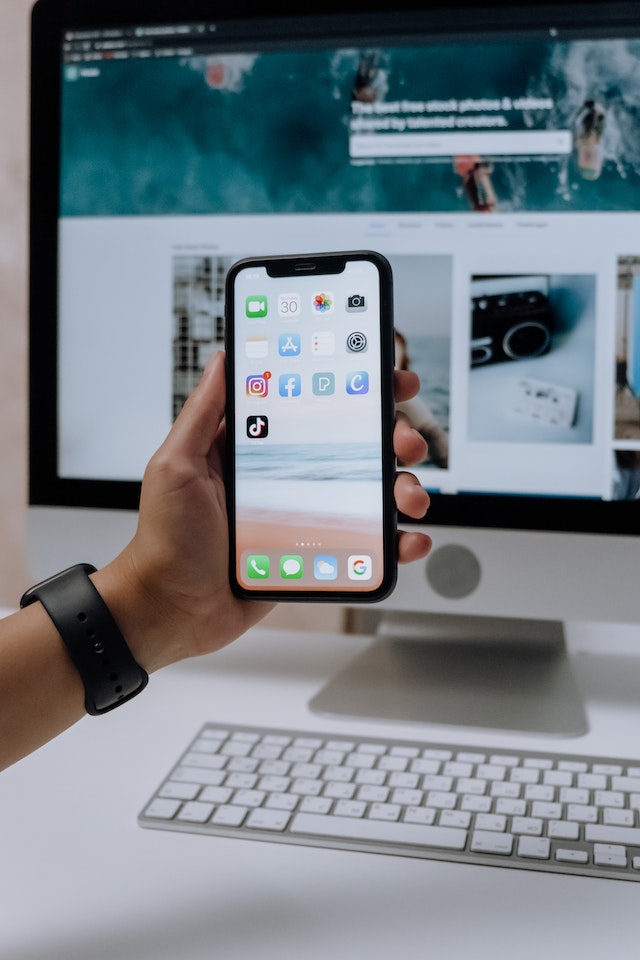
Instagram Les fonctions de chat pour les entreprises devraient faciliter la communication
Vous souhaitez que les consommateurs potentiels interagissent avec votre contenu en laissant des commentaires. Cela indique qu'ils sont ouverts à plus d'informations sur les biens et services que vous proposez. Instagram business chat permet d'économiser beaucoup de temps et d'efforts en utilisant des paramètres automatisés pour répondre aux commentaires et aux messages postés. Vous voulez vous adresser correctement aux prospects à fort potentiel qui peuvent générer un plus grand nombre de conversions.
Vous ne pouvez pas vous permettre de risquer d'ignorer par inadvertance les commentaires laissés sur vos articles. Idéalement, vous ne devriez pas non plus mettre trop de temps à y répondre. Ce n'est peut-être pas de votre faute. Vous êtes peut-être préoccupé par autre chose en ce moment. En raison des décalages horaires, vous pouvez recevoir des messages à des moments inopportuns. Vous risquez alors de perdre rapidement ces clients potentiels. L'automatisation pourrait vous permettre de conserver ces prospects.
Vous voulez que vos abonnés se sentent pris en compte. Même si vous n’aviez pas l’intention de les négliger, ils peuvent avoir cette impression. Répondre rapidement contribue grandement à maintenir l’intérêt de vos abonnés. Vous pouvez répondre aux questions fréquentes ou fournir des informations supplémentaires sur un produit ou un service sans avoir à être en ligne vous-même. Il vous suffit de configurer des réponses automatiques pour les commentaires et de les rediriger vers votre Instagram .
Les utilisateurs d'Instagram veulent des réponses immédiates. Obtenir des réponses instantanément fait partie intégrante de la culture moderne. Même lorsque vos bureaux sont fermés, vous pouvez répondre rapidement aux questions ou aux préoccupations soulevées par vos clients et vos abonnés. Les clients apprécieront de recevoir des réponses rapides. Cela permet de préserver la bonne image de votre entreprise auprès de votre clientèle.
Faites ceci avant de mettre en place des messages automatisés
Il existe principalement deux types de messages que vous pouvez configurer sur Instagram. Il s'agit d'une réponse instantanée et d'un message d'absence. Le message d'absence notifie simplement aux personnes qui vous contactent que vous n'êtes pas en ligne actuellement.
La configuration est relativement simple. Il suffit de s'assurer que certaines étapes sont bien respectées. Cette fonctionnalité n'est pas disponible pour tous les types de comptes. Si vous souhaitez tout de même l'utiliser, passez votre Instagram en profil professionnel.
Assurez-vous que votre entreprise dispose d'une page professionnelle Facebook. Vérifiez qu'il existe un lien entre cette page Facebook représentant votre entreprise et un Instagram . L'étape suivante consiste à autoriser l'accès à la gestion des messages sur Instagram activant cette fonctionnalité. Pour ce faire, procédez comme suit :
- Naviguer vers les Paramètres du compte
- Ensuite, rendez-vous dans la section intitulée « Confidentialité — Messages ».
- Enfin, activez l'option "Autoriser l'accès aux messages" tout en bas de la page.
Vous avez désormais terminé les étapes préliminaires. Vous pouvez maintenant passer à la configuration du message automatisé idéal pour les personnes qui vous contactent.
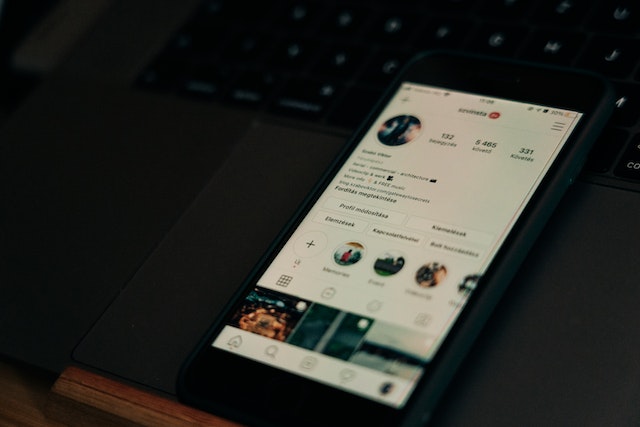
Voici comment mettre en place des paramètres automatisés
Êtes-vous prêt à gagner en efficacité une fois cette fonctionnalité mise en place ? Vous pourrez répondre automatiquement au premier message direct qu'une personne vous enverra sur Instagram. Peu importe que vous soyez en ligne ou non. Voici comment vous devez procéder :
- Rendez-vous dans la section Business Suite de Facebook. Pour ce faire, ouvrez la page professionnelle de Facebook liée au compte professionnel Instagram en question.
- Ensuite, accédez à la « Boîte de réception ».
- Cliquez sur l'onglet "Réponses automatisées".
- Parcourez et sélectionnez l'option "Réponse instantanée".
- Ensuite, cliquez sur l'option "Modifier le message" située en dessous.
- À l'étape suivante, sélectionnez «Instagramdans la section des plateformes.
- Saisissez le texte du message souhaité. Le message ne doit pas dépasser 500 caractères, espaces compris. Vous disposez toutefois d'une certaine marge de manœuvre pour rédiger votre message. Vous pouvez le personnaliser en y ajoutant le nom de la personne et y insérer quelques emojis.
- Sélectionnez l'option « Enregistrer » si le résultat vous convient. À ce stade, une réponse automatique est envoyée à chaque utilisateur en réponse au message initial qu'il a envoyé.
Configurez votre message d'adieu
Les « messages d'absence » constituent un moyen convivial d'interagir avec vos clients. Si vous n'êtes pas en ligne ou si vous ne pouvez pas répondre, vos clients recevront ce message. Voyons ensemble comment votre entreprise peut commencer à utiliser cette fonctionnalité.
- Cliquez sur "Away Message" dans la partie "Inbox - Automatic replies" de Facebook Business Suite.
- Cliquez sur le bouton "Modifier" en bas de l'écran pour apporter des modifications à votre message d'éloignement.
- Ensuite, comme pour la réponse immédiate, saisissez le texte du message souhaité.
- Déterminer le moment opportun pour envoyer le message au client potentiel.
Désormais, plus aucun prospect n'est laissé pour compte ! Vous pouvez ainsi vous assurer que vos clients n'ont pas l'impression que vous les négligez. N'oubliez pas de les recontacter, cependant. Vous pouvez désormais rester dans la course face à la concurrence. Si un client dispose de nombreuses alternatives pour les produits que vous proposez, il risque de ne pas attendre longtemps avant de se tourner vers un autre fournisseur.

Votre vie peut changer lorsque vous apprenez à utiliser Instagram pour les affaires
Si ta camarade de classe un peu excentrique du lycée y arrive, tu peux y arriver aussi. Elle a trouvé son public cible sur cette plateforme de réseaux sociaux, et aujourd’hui, elle en vit. Toi aussi, tu peux y arriver ! Il te suffit de savoir comment utiliser Instagram à des fins professionnelles. Il existe de nombreuses façons de monétiser ton contenu sur Instagram . Voyons ensemble comment faire.
Devenir affilié
Vous avez la possibilité de générer de l'argent grâce aux programmes d'affiliation. Et vous pouvez le faire même si vous n'avez pas mille ou dix mille personnes qui vous suivent ! Il vous suffit de promouvoir des produits ou des services auprès des personnes qui suivent votre contenu. Imaginez : vous pouvez être payé pour faire de la publicité pour des produits que vous aimez déjà utiliser.
Voici comment cela fonctionne. Inscrivez-vous en ligne au programme d'affiliation d'une entreprise. Vous devrez leur fournir certaines informations, et ils vous attribueront un numéro d'identification. Ensuite, vous publierez un contenu sur le produit ou le service en question et y ajouterez un lien. N'attendez pas qu'un internaute utilise votre lien pour acheter l'un des produits. Créez des Reels captivants et publiez du contenu pour faire de la publicité. Lorsque vous parvenez à convaincre un internaute d'acheter, vous pouvez percevoir une commission.
Participer à des posts sponsorisés
Une entreprise peut vous rémunérer pour publier une publicité pour l'un de ses produits. Cela peut prendre la forme d'une photo ou d'une vidéo sur votre compte Instagram. C'est une méthode efficace pour gagner de l'argent sur Instagram. Cela vous oblige à produire du contenu de haute qualité, même si vous ne vendez rien. Une marque examinera le profil démographique de vos abonnés pour déterminer si vous correspondez à son public cible. Lors d'une discussion Instagram concernant votre marque, on pourra vous demander de présenter des statistiques détaillées pour s'en assurer.

Avec Business Chat Instagram, la croissance est inévitable
Grâce à toutes les ressources Path Social, vous devriez savoir comment tirer le meilleur parti Instagram votre entreprise. Il vous suffit d’un peu d’ingéniosité et d’une certaine connaissance des différentes méthodes de marketing. Vous trouverez tous les conseils sur ce site. Vous avez désormais tout ce qu’il faut pour générer des revenus et créer du contenu de grande qualité !
Vous souhaitez donner à votre Instagram un avantage concurrentiel supplémentaire ? Vous utilisez déjà Business Chat. Instagram est à votre portée grâce à un bon outil de développement. Avec nous, vous êtes entre de bonnes mains. Chez Path Social, nous utilisons un système de ciblage par IA unique en son genre. Il garantit que le contenu produit par votre entreprise est diffusé auprès des audiences les plus susceptibles de l'apprécier. Votre réseau d'abonnés ciblés s'élargira ainsi de manière plus naturelle. Collaborez avec nous et vous constaterez rapidement une augmentation du nombre de vos abonnés. Commencez dès aujourd'hui à développer votre page!





Vous voulez augmenter le nombre de vos followers Instagram ?
Utilisez notre boîte à outils basée sur l'IA pour attirer de véritables abonnés engagés et booster votre portée.
Augmenter le nombre de followers Instagram




