


Chat empresarial: Instagram La mejor herramienta de los creadores para sus clientes

¡Enhorabuena! El negocio va viento en popa. Tus anuncios están dando sus frutos y, por fin, estás recibiendo buenos contactos y muchos mensajes directos. Quizás estés recibiendo demasiados. Ahora necesitas saber cuál es la mejor forma de gestionar tus mensajes directos. Una buena opción es gestionar los chats a través de los Instagram de Business Chat Instagram con Meta Business Suite.
Quizá hayas oído hablar de herramientas de terceros, pero existe un método eficaz dentro de la familia Meta. En la plataforma de mensajería Instagram, las empresas tienen la oportunidad de mantener conversaciones directas con sus clientes. Las empresas pueden ofrecer atención al cliente de forma fácil y eficaz. Gracias a este práctico método, pueden responder a las consultas y compartir información sobre los productos con sus seguidores.
El Business Chat de Instagram una herramienta muy útil para las empresas que quieren interactuar con sus seguidores. Ahora pueden hacerlo de una forma más personal y que ahorra tiempo y recursos. Te aseguramos que merece la pena. ¡Sigue leyendo para descubrir los mejores consejos!

Algunos tipos de cuentas Instagram para elegir
En los primeros tiempos de Instagram, solo había un tipo de cuenta: la cuenta personal, que podías configurar como pública o privada. Ahora, IG se ha convertido en algo más que una aplicación para compartir fotos con la que tus tías y antiguos compañeros de clase puedan seguir tus andanzas. Hay tres tipos de Instagram . Vamos a ver cuáles son.
Cuenta personal Instagram
Si abrieras una cuenta de Instagram, la aplicación te asignaría este tipo de perfil. Supongamos que no esperas mucho de Instagram quieres estar al día de lo que hacen tus amigos y tus famosos favoritos. Este perfil es para ti.
Tienes la libertad de configurar tu cuenta como privada si lo deseas. De esta forma, podrás evitar a los acosadores y decidir quién puede ver lo que compartes sobre tu vida.
La elección de este tipo de cuenta no es permanente. Siempre puedes cambiar tu cuenta a una cuenta de creador o de empresa. Puede ser tentador acertar. Las cuentas personales no pueden acceder a insights y analytics y no pueden monetizar posts.
Cuenta Empresas Instagram
Hay dos categorías de cuentas profesionales disponibles en la plataforma. Una de ellas es la cuenta empresarial, que ofrece una amplia variedad de funciones que no encontrarás en una cuenta personal. Estas funciones están pensadas específicamente para empresas y pueden ayudar a que cualquier producto se venda mejor. Se trata de una categoría ideal si tienes una tienda online. Si sabes aprovechar bien estas funciones, Instagram podrían resultar más eficaces que una página web.
Esto es lo que obtienes con una cuenta de empresa:
- Tendrás la capacidad de programar anuncios y promocionar publicaciones existentes desde tu página.
- Podrás acceder a la herramienta Branded Content para ganar dinero.
- Tendrás acceso a información sobre tus publicaciones y anuncios, así como a datos fundamentales de la cuenta. Verás que son vitales para el crecimiento orgánico de tu página.
- Puedes obtener la verificaciónInstagram para protegerte de las cuentas de suplantación de identidad.
Cuenta de creador en Instagram
La cuenta «Creator» de Instagram también es una cuenta profesional. Es ideal para los aspirantes a influencers de Instagram a los que no les importe tener una cuenta pública. Para hacer un seguimiento del crecimiento, puedes utilizar las estadísticas de Instagram . Puedes promocionar contenido, publicar anuncios y utilizar la herramienta de contenido de marca. Una página como esta no puede ser privada, pero los usuarios agradecerán poder monetizar su contenido. Aún así, puedes ocultar tus datos de contacto.

Esto va dirigido a quienes se preguntan: «¿Qué significa “Business Chat” en Instagram?»
Los usuarios que configuren su página como cuenta empresarial disfrutarán de una versión diferente de la aplicación. Las cuentas empresariales son ideales para quienes desean dar visibilidad a su marca en Internet. Una de sus muchas características exclusivas es el chat Instagram . Pero, ¿qué significa el chat empresarial en Instagram? Significa tener acceso a una experiencia empresarial en línea más eficiente. Muchos clientes potenciales prefieren enviar un mensaje directo en lugar de llamar por teléfono.
El chat para empresas de Instagram es una función de mensajería que las empresas pueden utilizar. Es excelente para atraer a seguidores que puedan tener preguntas sobre productos o servicios. IG ha tenido en cuenta las necesidades de las empresas online a la hora de crearlo. Las empresas pueden comunicarse mejor con funciones de mensajería como respuestas rápidas y acceso a análisis de mensajes.
Tendrás que crear una cuenta empresarial para acceder a esta función de mensajería. Empezar a utilizar Instagram Chat es muy sencillo. Si ya tienes una cuenta, puedes convertirla en una cuenta empresarial siguiendo estos pasos:
- Selecciona el menú "Ajustes".
- A continuación, pulse la opción "Cuenta".
- Selecciona "Cambiar a una cuenta profesional" en el menú que verás.
- Elegir cuenta Business

Instagram Las funciones de chat empresarial deben facilitar la comunicación
Usted desea que los consumidores potenciales interactúen con su contenido dejando comentarios sobre el mismo. Esto indica que están abiertos a recibir más información sobre los bienes y servicios que usted ofrece. Instagram business chat ahorra mucho tiempo y esfuerzo al utilizar configuraciones automatizadas para responder a los comentarios y mensajes publicados. Quieres dirigirte adecuadamente a los clientes potenciales que pueden generar un mayor número de conversiones.
No puedes correr el riesgo de ignorar los comentarios de las publicaciones por descuido. Lo ideal es que tampoco tardes demasiado en responderlos. Puede que no sea culpa tuya. Quizás haya algo que te esté preocupando en ese momento. Debido a las diferencias horarias, es posible que recibas mensajes en momentos inoportunos. Corres el riesgo de perder rápidamente a estos clientes potenciales. La automatización podría ayudarte a conservar estos clientes potenciales.
Quieres que tus seguidores se sientan tenidos en cuenta. Aunque no sea tu intención que se sientan desatendidos, es posible que tengan esa sensación. Responder rápidamente contribuye en gran medida a mantener el interés de tus seguidores. Puedes responder a las preguntas más frecuentes u ofrecer información adicional sobre un producto o servicio sin necesidad de estar conectado. Solo tienes que configurar respuestas automáticas para los comentarios y redirigirlos a tu Instagram .
Los usuarios de Instagram quieren respuestas al instante. Forma parte de la cultura moderna obtener respuestas de inmediato. Cuando la oficina esté cerrada, puedes ofrecer una respuesta rápida a las preguntas o dudas que planteen tus clientes y seguidores. Los clientes valorarán recibir respuestas con rapidez. Esto contribuye a mantener la buena imagen de la empresa entre los clientes.
Haga esto antes de configurar mensajes automáticos
Existen principalmente dos tipos de mensajes que puedes configurar en Instagram. Se trata de una respuesta instantánea y un mensaje de ausencia. El mensaje de ausencia simplemente notifica a las personas que se ponen en contacto contigo que no estás conectado en ese momento.
Configurarlo es relativamente fácil. Solo tienes que asegurarte de seguir unos pasos concretos. Esta función no está disponible para cualquier tipo de cuenta. Si aún así necesitas utilizarla, cambia tu Instagram a un perfil empresarial.
Asegúrate de que tu empresa tenga una página de empresa en Facebook. Comprueba que exista una vinculación entre esta página de Facebook, que representa a tu empresa, y un Instagram . El siguiente paso es habilitar el acceso para gestionar los mensajes en Instagram ello, sigue estos pasos:
- Vaya a la Configuración de la cuenta
- A continuación, ve a la sección titulada «Privacidad — Mensajes».
- Por último, activa la opción "Permitir el acceso a los mensajes" en la parte inferior de la página.
A estas alturas, ya has completado los pasos preliminares. Ahora puedes pasar a configurar el mensaje automático ideal para las personas que se pongan en contacto contigo.
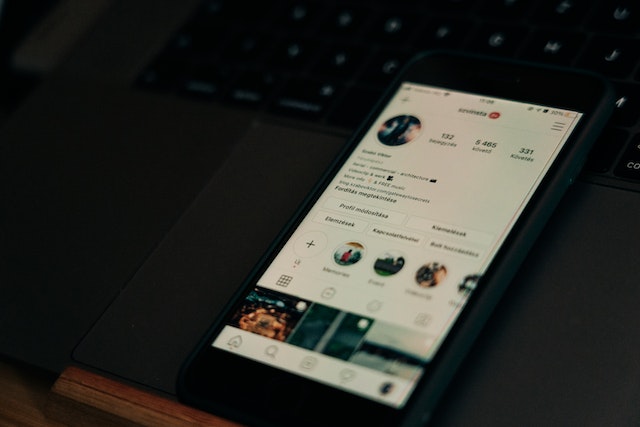
Así se configuran los ajustes automáticos
¿Estás listo para una mayor eficiencia una vez que esta función esté configurada? Podrás responder automáticamente al primer mensaje directo que te envíe una persona en Instagram. No importa si estás conectado o no. A continuación te explicamos cómo configurarlo:
- Ve a la sección "Business Suite" de Facebook. Para ello, abre la página de empresa en Facebook vinculada a la cuenta de empresa Instagram en cuestión.
- A continuación, ve a la «Bandeja de entrada».
- Haga clic en la pestaña "Respuestas automáticas".
- Navega y selecciona la opción "Respuesta instantánea".
- A continuación, pulsa la opción "Editar mensaje" situada debajo.
- En el siguiente paso, seleccionaInstagramen la sección de plataformas.
- Introduce el texto del mensaje que desees. El mensaje no puede superar los 500 caracteres, incluidos los espacios. No obstante, tienes cierto margen de maniobra a la hora de redactar tu mensaje. Puedes personalizarlo con el nombre de la persona e incluir algunos emojis.
- Selecciona la opción «Guardar» si estás satisfecho con el resultado. En ese momento, se envía una respuesta automática a cada usuario en respuesta al mensaje inicial que hayan enviado.
Configure su mensaje de despedida
Los «mensajes de ausencia» son una forma cordial de interactuar con tus clientes. Si en ese momento no estás conectado o no puedes responder, tu cliente recibirá este mensaje. Veamos los detalles sobre cómo tu empresa puede empezar a utilizarlos.
- Haz clic en "Mensaje de ausencia" en la parte "Bandeja de entrada - Respuestas automáticas" de Facebook Business Suite.
- Pulsa el botón "Editar" en la parte inferior de la pantalla para realizar cambios en tu mensaje de ausencia.
- A continuación, del mismo modo que con la respuesta automática, introduce el texto del mensaje que desees.
- Determine el momento adecuado para enviar el mensaje al cliente potencial.
¡Ahora ya no se te escapará ningún cliente potencial! Puedes asegurarte de que tus clientes no sientan que los estás ignorando. Eso sí, no te olvides de hacer un seguimiento con ellos. Ahora podrás mantenerte al día con la competencia. Si alguien tiene muchas opciones para los productos que ofreces, es posible que no tarde mucho en irse a otra parte.

Su vida puede cambiar cuando aprenda a utilizar Instagram para los negocios
Si tu peculiar compañera de clase del instituto puede hacerlo, tú también. Ella encontró su público objetivo en esta red social y ahora se gana la vida con ello. ¡Tú también puedes hacerlo! Solo tienes que saber cómo utilizar Instagram para tu negocio. Hay muchísimas formas de monetizar tu contenido de Instagram . Hablemos de cómo hacerlo.
Afiliarse
Tienes potencial para generar dinero a través de programas de afiliación. ¡Y puedes hacerlo aunque no tengas mil o diez mil personas siguiéndote! Simplemente promociona productos o servicios a las personas que siguen tu contenido. Imagínate: puedes cobrar por anunciar productos que ya te gusta utilizar.
Así es como funciona el proceso. Únete al programa de afiliados de una empresa a través de Internet. Tendrás que facilitarles algunos datos y ellos te proporcionarán un número para identificarte. A continuación, publicarás contenido sobre el producto o servicio en cuestión e incluirás un enlace. No esperes a que alguien utilice tu enlace para comprar uno de los productos. Crea vídeos atractivos y publica contenido para promocionarlos. Cuando consigas convencer a alguien para que compre, tendrás derecho a recibir una comisión.
Participar en publicaciones patrocinadas
Una empresa puede pagarte por publicar un anuncio de uno de sus productos. Podría tratarse de una foto o un vídeo en tu cuenta de Instagram. Se trata de un método eficaz para ganar dinero en Instagram. Requiere que produzcas contenido de alta calidad, aunque no vendas nada. Una marca tendrá en cuenta el perfil demográfico de tus seguidores para ver si conectas con su mercado objetivo. Una conversación Instagram sobre tu marca puede requerir que muestres estadísticas detalladas para asegurarte de ello.

Con Business Chat Instagram, el crecimiento es inevitable
Con todos los recursos Path Social, deberías saber cómo sacar el máximo partido Instagram tu negocio. Solo necesitas un poco de ingenio y conocer un poco los diferentes métodos de marketing. Todos los consejos están en esta página web. ¡Ya estás listo para generar ingresos y crear contenido de alta calidad!
¿Necesitas darle a tu Instagram una ventaja competitiva adicional? Ya estás utilizando Business Chat. Instagram está a tu alcance con una buena herramienta de crecimiento. Con nosotros estás en buenas manos. En Path Social utilizamos un sistema de segmentación basado en IA único en su género. Este sistema garantiza que el contenido que produce tu empresa llegue al público que más probabilidades tiene de que le guste. Como resultado, tu red de seguidores segmentados se ampliará de forma más natural. Colabora con nosotros y verás rápidamente cómo aumenta tu número de seguidores. ¡Empieza a hacer crecer tu página hoy mismo!





¿Quieres aumentar tus seguidores Instagram ?
Utiliza nuestro conjunto de herramientas basadas en inteligencia artificial para atraer seguidores reales y comprometidos, y potenciar al máximo tu alcance.
Aumentar seguidores de Instagram ahora




