


Comment faire un collage sur Instagram Story (Trucs et astuces)

À l'ère du numérique, où les interactions virtuelles sont en plein essor, Instagram imposé comme une véritable plateforme de connexion et d'expression personnelle. Aujourd'hui, des millions de personnes utilisent Instagram partager leurs expériences grâce à ses fonctionnalités exceptionnelles telles que les Stories, IGTV et les Reels. Alors, si vous souhaitez découvrir les astuces pour créer un collage dans Instagram , vous êtes au bon endroit.
Avant d'aborder ce sujet, nous avons une question à vous poser. Vous êtes-vous déjà demandé pourquoi les gens préfèrent créer des collages Instagram plutôt que de publier sur leur fil d'actualité ? Qu'est-ce qui les rend si attrayants, et pourquoi les utilisateurs se tournent-ils si massivement vers cette technique dynamique pour partager leurs réflexions et leurs expériences ?
Comme il dégage une impression de spontanéité et d'authenticité, il offre un aperçu en temps réel de la vie des gens, en capturant des instants fugaces et des émotions brutes, contrairement aux publications soigneusement élaborées qui apparaissent sur le fil d'actualité.
De plus, cette fonctionnalité vous garantit la confidentialité et vous permet de contrôler qui peut consulter vos Instagram . Vous avez le choix entre les partager avec l'ensemble de vos abonnés, avec certaines personnes sélectionnées ou uniquement avec vos proches, que vous avez spécifiquement choisis via la fonctionnalité « Amis Instagram . Cela signifie que vous pouvez partager vos expériences personnelles avec un public ciblé tout en préservant votre vie privée. Voyons maintenant comment créer un collage sur Android et iOS.
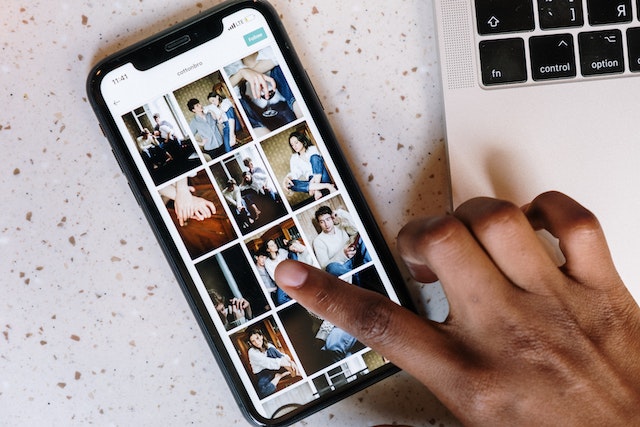
Comment faire un collage sur Android et iOS avec des autocollants ?
Vous vous demandez comment créer un collage sur Android et iOS à l'aide d'autocollants ? La fonctionnalité d'autocollants du collage Instagram vous permet de laisser libre cours à votre créativité dans vos stories. Vous y trouverez plusieurs options, telles que des photos, des clichés ou des modèles de conception.
Voici les étapes simples pour réaliser un collage sur Instagram story avec des autocollants :
- Ouvrez votre application Instagram
- Cliquez sur l'option "Votre histoire" dans le coin supérieur gauche.
- Tapez sur l'image affichée ou sélectionnez l'option de l'appareil photo en haut pour modifier l'arrière-plan.
- Prenez une photo de l'arrière-plan que vous souhaitez utiliser. Vous pouvez le faire en plaçant votre appareil photo vers le bas sur n'importe quelle surface et en cliquant sur une photo
- Une fois votre fond d'écran en place, pour afficher les paramètres « Autocollant », faites glisser vers le haut la partie inférieure de celui-ci (et non l'écran entier du téléphone).
- Tapez sur l'icône "Galerie" et choisissez une image à ajouter comme autocollant au collage que vous avez créé.
- Utilisez maintenant la caméra avant, refaites le geste de glissement vers le haut, puis appuyez sur l'option « AJOUTEZ LA VÔTRE » dans le menu de la caméra.
- Il suffit de taper sur les autocollants de la liste fournie pour les utiliser à la place des photographies.
- Ensuite, utilisez deux doigts pour faire pivoter et redimensionner chaque image. Appuyez longuement sur une image tout en la déplaçant pour la repositionner. Si vous le souhaitez, ajoutez d'autres photos et superposez-les.
- Si vous souhaitez vous débarrasser d'une image en la maintenant enfoncée, vous pouvez la déplacer sur le symbole de la poubelle.
- Pour chaque photo ou sticker que vous souhaitez ajouter à votre Instagram , suivez les étapes 4 à 10.

Comment faire un collage sur Instagram Story en utilisant la fonction de mise en page Instagram
Les utilisateurs créent des collages à partir de différentes dispositions. Cette fonctionnalité impose toutefois certaines restrictions quant aux dispositions des collages, telles que les combinaisons 2×2, 4×4, 3×3 ou 1×3. Ces restrictions concernent notamment le nombre de photos que vous pouvez utiliser.
Vous vous demandez comment créer un collage dans Instagram Instagram à l'aide de la Instagram ? C'est très simple ! Par ailleurs, cette fonction ne permet pas de superposer les photos ni de les positionner librement. Si vous ne connaissez pas encore l'icône « Layout » sur Instagram, suivez ces étapes :
- Téléchargez l'application Instagram sur votre Smartphone
- Tapez sur l'icône plus et sélectionnez l'histoire
- Appuyez sur l'icône de mise en page sur le côté gauche de l'écran.
- Sélectionner la mise en page souhaitée
- Commencez par la zone en haut à gauche et ajoutez-y vos photos. Appuyez sur l'icône de la galerie dans le coin inférieur gauche pour ajouter des photos, ou appuyez sur le cercle blanc pour prendre une photo avec votre appareil photo. Répétez l'opération pour chaque zone de la mise en page.
- Lorsque vous avez terminé, cochez la case encerclée pour enregistrer le collage.
- Vous pouvez apporter des modifications à partir des options du haut ou appuyer sur l'icône "votre histoire" pour la partager.
Si vous vous demandez comment créer un collage dans une Instagram sans utiliser de modèle, voici comment procéder :
Appuyez sur l'icône des autocollants qui se trouve en haut de l'écran ; vous pouvez également faire glisser votre doigt vers le haut depuis le bas de l'écran pour ouvrir la section des autocollants. Ensuite, sélectionnez l'icône de l'appareil photo ou de la galerie pour ajouter une photo de votre galerie au collage. Une fois cela fait, modifiez votre image comme vous le souhaitez : vous pouvez notamment la redimensionner, la déplacer, la faire pivoter ou la réorganiser.

Faites des collages intéressants en utilisant les meilleures applications de collage pour créer des histoires sur Instagram
Il se peut que vous ayez besoin de l'aide d'applications tierces proposant divers effets et paramètres, car les outils d'édition disponibles pour la création Instagram sont limités. Voici quelques-unes des meilleures applications de collage sur lesquelles vous pouvez compter pour créer un collage dans Instagram :
Mojo
Avec Mojo, vous disposez de plusieurs options de mise en page pour créer votre collage Instagram . L'application est compatible non seulement avec Instagram aussi avec d'autres réseaux sociaux. Si vous souhaitez savoir comment créer un collage dans Instagram à l'aide de l'application Mojo, voici la marche à suivre :
- Sélectionnez le modèle qui vous convient parmi plusieurs options proposées.
- Choisissez votre mise en page préférée
- Ensuite, cliquez sur le bon endroit pour télécharger les photos.
Il offre des fonctionnalités d'édition intéressantes, telles que la modification des couleurs et des animations, ainsi que l'ajout de musique à votre story. Grâce à la fonction de prévisualisation très pratique, vous pouvez même voir à quoi ressemblera votre publication sur Instagram.
Une fois l'image retouchée, exportez votre création vers votre Instagram. Si vous ne souhaitez pas créer votre design à partir de zéro, Mojo vous propose un large choix de modèles prêts à l'emploi.
Canva
Canva est l'un des outils de conception les plus populaires, doté de fonctionnalités très pratiques qui permettent de créer des collages de haute qualité Instagram . Pour réaliser un collage, rendez-vous dans l'application, sélectionnez « Réseaux sociaux », puis «Instagram » et «Instagram ». Vous y trouverez des modèles prêts à l'emploi, mais si vous souhaitez en créer un vous-même, sélectionnez « Créer un modèle vierge ».
Si vous souhaitez ajouter des images, du texte ou des autocollants, appuyez sur le bouton « + » situé en bas de votre écran. Une fois tous les éléments rassemblés, Canva vous permet de redimensionner et de réorganiser chacun d'entre eux. Lorsque vous êtes satisfait de votre création, exportez-la directement sur Instagram publiez-la dans votre story.
Déplier
Unfold utilise des modèles de la même manière que Mojo, ce qui vous offre un point de départ simple pour créer un récit. Il vous suffit de choisir un modèle et de sélectionner les photos que vous souhaitez utiliser.
Elle propose plusieurs options d'animation ainsi qu'un large choix de modèles. L'application dispose également de fonctionnalités intelligentes qui améliorent l'expérience utilisateur, comme la possibilité de créer une liste personnalisée de ses designs préférés.
Grâce à ses nombreuses fonctionnalités, Unfold s'avère être une excellente solution pour créer un collage sur Instagram , car il offre une expérience utilisateur très pratique. Avec Unfold, vous pouvez facilement créer le collage de votre choix et le publier directement sur Instagram, en toute simplicité.
Adobe Express
C'est un outil de création de collages très apprécié pour les applications de réseaux sociaux. Adobe Express propose de nombreux modèles de conception, notamment des flyers, des logos et des visuels pour les réseaux sociaux.
Il vous permet de publier gratuitement vos collages dans Instagram . Lorsque vous créez Instagram , Adobe vous permet de participer activement au processus de création.
De plus, il propose plusieurs options de thème, et vous pouvez créer le vôtre en sélectionnant « Créer un modèle vierge ». Grâce à un bouton « Ajouter », vous pouvez facilement intégrer des éléments supplémentaires, tels que des images. Parallèlement, l'option de mise en page vous permet de modifier la présentation comme vous le souhaitez.
Avec Adobe Express, vous pouvez déplacer vos photos et les aligner facilement. Vous avez également la possibilité de supprimer l'arrière-plan d'une photo et d'ajouter des animations simples, comme des effets d'apparition et de disparition progressifs. Instagram votre collage terminé, partagez-le directement sur Instagram . Vous savez désormais comment créer un collage pour Instagram à l'aide d'applications tierces.
Comment changer la couleur d'arrière-plan de Instagram Story contenant une image ou une vidéo
Si votre Instagram contient une photo ou une vidéo, il se peut qu’il y ait des espaces vides dans l’arrière-plan jusqu’à ce que celui-ci occupe tout l’écran. Dans ce cas, vous pouvez utiliser l’outil « Dessiner » pour combler ces espaces. Cette méthode vous permet de choisir n’importe quelle couleur pour votre arrière-plan. Elle offre ainsi des possibilités de personnalisation créatives, particulièrement appréciées par ceux dont la couleur de marque ne figure pas dans la palette de couleurs standard Instagram. Cette technique est indispensable pour apprendre à créer un collage dans les Stories Instagram.
Voyons comment vous pouvez modifier la couleur d'arrière-plan de l'article Instagram :
Étape 1: Allez dans la section Instagram Stories et prenez une photo ou une vidéo avec votre appareil photo. Vous pouvez également choisir une image dans votre rouleau d'appareils photo.
Étape 2: Cliquez sur les trois points situés dans le coin supérieur droit de l'écran pour afficher les options permettant de modifier la couleur d'arrière-plan. Sélectionnez ensuite l'outil « Dessiner ».
Étape 3: Une fois que les menus des barres d'outils supérieure et inférieure sont apparus, cliquez sur l'icône en forme de crayon située en bas à gauche. Vous pouvez ensuite choisir une couleur spécifique dans l'image ou la vidéo.
Étape 4: Appuyez sur votre écran et maintenez la pression jusqu'à ce que la couleur sélectionnée recouvre complètement la toile de fond de votre histoire Instagram .
Étape 5: La couleur que vous sélectionnez s'appliquera à votre Instagram dans quelques instants.
Étape 6: Si vous souhaitez faire apparaître certaines parties de votre image ou de votre vidéo sous l'arrière-plan, sélectionnez l'outil « gomme » et effectuez les modifications nécessaires.
C'est aussi simple que cela de modifier la couleur de fond de votre Instagram Story et de la rendre plus personnalisée.
Plus de Instagram Techniques et fonctionnalités de collage d'histoires à essayer :
Saviez-vous que vous pouvez ajouter plusieurs photos à votre Instagram ? Eh bien oui, et vous pouvez également trouver la source des images lorsque vous créez un collage sur Android ou iPhone à l'aide Instagram . Choisissez des photos dans WeChat, dans le dossier « Téléchargements », sur Facebook et dans d'autres dossiers. Pour découvrir comment réaliser un collage dans Instagram et aller Instagram plus Instagram , téléchargez des photos depuis un service de stockage en ligne et ajoutez-les à votre collage.
Si vous ne connaissez pas encore toutes les fonctionnalités supplémentaires offertes par Instagram , nous allons vous les présenter brièvement ici.
Transformez des photos en direct en boomerang
L'une des fonctionnalités géniales Instagram qu'il permet de transformer des photos prises en direct en « Boomerang ». Cependant, pour créer un « Boomerang », vous devez avoir pris la photo au cours des dernières 24 heures. Voici la marche à suivre :
- Allez à l'option Instagram story et glissez vers le haut pour accéder au rouleau d'appareils photo.
- Maintenant, choisissez l'image en direct dans votre galerie
- Appuyez sur l'écran et maintenez-le enfoncé pendant quelques secondes
- Le mot "Boomerang" apparaît à l'écran.
- Vous pouvez ensuite créer un boomerang à partir de votre image en direct

Comment faire un collage sur Instagram Story (Quick Hack)
Voici une astuce rapide pour ajouter des photos à votre histoire Instagram :
- Utilisez l'appareil photo de votre téléphone pour prendre une photo ou choisissez-en une dans votre collection.
- Vous pouvez ajouter des filtres ou modifier la couleur de l'arrière-plan pour améliorer votre cliché comme vous le souhaitez.
- Accédez à l'application Photos sur votre téléphone
- Copier une photo après l'avoir sélectionnée
- Maintenant, mettez l'image dans votre Instagram Story
- Répétez les étapes si nécessaire pour incorporer plusieurs photographies.
Instagram Le logiciel continue de planter même après réinstallation ?
Il arrive fréquemment que l'application Instagram cesse de fonctionner ou se bloque lors du téléchargement de vos histoires. Ce phénomène est assez fréquent lors de l'exportation de collages d'histoires Instagram à partir d'une application de collage externe telle que Mojo ou Adobe. Ces problèmes surviennent lorsque les utilisateurs utilisent des versions plus anciennes de Instagram.
N'oubliez pas que le paysage des réseaux sociaux évolue sans cesse et que, pour s'adapter aux nouvelles exigences et faire face à la concurrence, Instagram lance Instagram de nouvelles versions. Lorsque la dernière version est disponible, les anciennes versions deviennent « obsolètes » et inutilisables, ce qui explique pourquoi Instagram planter même après avoir été réinstallé.
Pour éviter que tous vos efforts consacrés à la création de collages Instagram ne soient vains, assurez-vous que votre application est à jour.

Conclusion
Savoir créer un collage sur Instagram permet d'améliorer l'aspect général et l'image de marque de votre profil Instagram. Le monde évolue sans cesse, tout comme les mises à jour, les nouvelles fonctionnalités, les astuces, les tendances et les informations pertinentes. Pour les utilisateurs actifs des réseaux sociaux, il est essentiel de se tenir informé de ces évolutions.
Cependant, face à ces mises à jour constantes, on peut facilement se retrouver à la traîne par rapport aux dernières évolutions. C'est là que les experts en réseaux sociaux peuvent vous aider, car leur métier consiste justement à suivre de près les avancées dans le domaine des réseaux sociaux.
Alors, si vous souhaitez passer à Instagram , Path Social vous aider ! Grâce à ses stratégies et outils de réseaux sociaux élaborés par des experts, vous pourrez développer une Instagram solide Instagram et augmenter votre nombre d'abonnés. Path Social dispose d’une équipe d’experts en réseaux sociaux qui peut vous aider à faire exploser votre Instagram et à vous constituer une communauté fidèle. Confiez-nous donc vos comptes sur les réseaux sociaux et laissez la magie opérer ! Renforcez Path Social votre présence sur les réseaux sociaux avec Path Social .





Vous cherchez la meilleure façon d'obtenir des followers Instagram ?
Essayez notre service Instagram basé sur l'IA pour obtenir des résultats concrets et durables.
Essayez notre service de followers Instagram




