



En esta era digital, en la que las interacciones virtuales están en auge, Instagram convertido en una potente herramienta para establecer conexiones y expresarse. Hoy en día, millones de personas utilizan Instagram compartir sus experiencias gracias a sus increíbles funciones, como las historias, IGTV y los Reels. Así que, si quieres aprender los trucos para crear un collage en Instagram , estás en el lugar adecuado.
Antes de entrar en materia, tenemos una pregunta para ti. ¿Te has preguntado alguna vez por qué la gente prefiere crear collages Instagram en lugar de publicar en su muro? ¿Qué los hace tan atractivos y por qué la mayoría recurre a esta técnica dinámica para compartir sus pensamientos y experiencias?
Dado que transmite una sensación de espontaneidad y autenticidad, ofrece una visión en tiempo real de la vida de las personas, captando acontecimientos fugaces y emociones sin filtrar, en contraste con las publicaciones de la biografía, que suelen estar cuidadosamente elaboradas.
Además, te ofrece privacidad y control sobre quién ve tus Instagram . Hay opciones para compartirlas con todos tus seguidores, con personas seleccionadas o solo con personas cercanas, elegidas específicamente a través de la función «Amigos Instagram . Esto significa que puedes compartir tu experiencia personal con tu público objetivo sin renunciar a tu privacidad. Veamos cómo podemos crear un collage en Android y iOS.
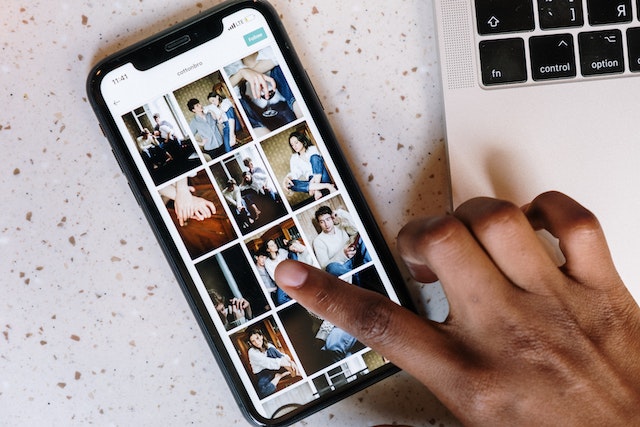
Cómo hacer un collage en Android y iOS con pegatinas?
¿Te preguntas cómo hacer un collage en Android y iOS con pegatinas? La función de pegatinas del collage Instagram te permite dar rienda suelta a tu creatividad en tus historias. Encontrarás varias opciones, como fotos, instantáneas o plantillas de diseño.
Aquí están los sencillos pasos sobre cómo hacer un collage en Instagram historia con pegatinas:
- Abra su aplicación Instagram
- Haz clic en la opción "Tu historia" de la esquina superior izquierda.
- Pulse sobre la imagen mostrada o seleccione la opción de cámara en la parte superior para cambiar el fondo.
- Haz una foto del fondo que quieras utilizar. Puedes hacerlo colocando la cámara hacia abajo sobre cualquier superficie y haciendo clic en una foto
- Una vez que hayas colocado el fondo de pantalla, para ver los ajustes de «Sticker», arrastra hacia arriba la parte inferior del mismo (no toda la pantalla del móvil).
- Toca el icono "Galería" y elige una imagen para añadirla como pegatina al collage que has creado.
- Ahora utiliza la cámara frontal, repite el movimiento de deslizamiento hacia arriba y pulsa la opción de cámara «AÑADE LA TUYA».
- Sólo tienes que pulsar sobre las pegatinas de la lista proporcionada para utilizarlas en lugar de las fotografías.
- A continuación, utiliza dos dedos para girar y cambiar el tamaño de cada imagen. Mantén pulsada una imagen mientras la mueves y cambia su posición al mismo tiempo. Si quieres, añade más fotos y superpónlas.
- Manteniendo pulsado sobre una imagen podrás moverla sobre el símbolo de la papelera si quieres deshacerte de ella
- Para cada foto o pegatina que quieras añadir a tu Instagram , sigue los pasos del 4 al 10.

Cómo hacer un collage en Instagram Story utilizando la función de diseño Instagram
Los usuarios crean collages utilizando diversos diseños. Sin embargo, esta función presenta algunas restricciones en cuanto a los diseños de los collages, como las combinaciones 2×2, 4×4, 3×3 o 1×3. Estas limitaciones incluyen el número de fotografías que se pueden utilizar.
¿Te preguntas cómo hacer un collage en Instagram Instagram con la Instagram ? ¡Es muy fácil! Además, esta función no permite superponer ni colocar las fotos de forma arbitraria. Si aún no conoces el icono de «Layout» de Instagram, sigue estos pasos:
- Descargue la aplicación Instagram en su smartphone
- Pulse sobre el icono más y seleccione la historia
- Pulse el icono de diseño en la parte izquierda de la pantalla.
- Seleccione el diseño deseado
- Empieza por la zona superior izquierda y añade allí tus fotos. Toca el icono de la galería en la esquina inferior izquierda para añadir fotografías, o toca el círculo blanco para hacer una foto con la cámara. Repite el proceso en cada zona del diseño.
- Cuando hayas terminado, marca con un círculo para guardar el collage.
- Puedes editarla desde las opciones superiores o pulsar el icono "tu historia" para compartirla
Si te estás preguntando cómo hacer un collage en las Instagram sin plantilla, aquí te explicamos cómo hacerlo:
Toca el icono de las pegatinas que ves en la parte superior de la pantalla; otra forma de hacerlo es deslizar el dedo hacia arriba desde la parte inferior de la pantalla para abrir la sección de pegatinas. A continuación, debes seleccionar el icono de la cámara o de la galería para añadir una foto de tu galería al collage. Una vez hecho esto, edita la imagen como quieras: también puedes cambiar su tamaño, moverla, girarla o reorganizarla.

Haz collages interesantes con las mejores aplicaciones de collage para crear historias Instagram
Es posible que necesites ayuda de programas de terceros con diferentes efectos y ajustes, ya que las herramientas de edición disponibles para crear Instagram son limitadas. A continuación te presentamos algunas de las mejores aplicaciones para crear collages en Instagram en las que puedes confiar:
Mojo
Con Mojo, tienes varias opciones de diseño para crear tu collage Instagram . La aplicación no solo es compatible con Instagram también con otras redes sociales. Si quieres saber cómo hacer un collage en Instagram con la aplicación Mojo, esto es lo que tienes que hacer:
- Selecciona el diseño que más te guste de entre varias opciones dadas
- Elige tu diseño favorito
- A continuación, pulsa en el lugar adecuado para subir las fotos
Ofrece interesantes funciones de edición, como cambiar el color y la animación, e incluir música en tu historia. Gracias a la práctica función de vista previa, incluso puedes ver cómo quedará tu publicación en Instagram.
Una vez editada la imagen, exporta el diseño a tu Instagram. Si no quieres crear el diseño desde cero, Mojo te ofrece un montón de opciones para elegir entre diseños ya preparados.
Canva
Canva es una de las herramientas de diseño más populares, con excelentes funciones que permiten crear collages de gran calidad Instagram . Para crear un collage, abre la aplicación, selecciona «redes sociales», luegoInstagram» y, a continuación,Instagram ». Allí encontrarás plantillas ya preparadas, pero si quieres crear una por tu cuenta, selecciona «crear en blanco».
Si quieres añadir imágenes, texto o pegatinas, pulsa el botón «+» situado en la parte inferior de la pantalla. Cuando hayas reunido todos los elementos, Canva te permite cambiar el tamaño y reorganizarlos. Una vez que estés satisfecho con el resultado, exporta directamente a Instagram publícalo en tu historia.
Despliegue
Unfold utiliza plantillas de forma similar a Mojo, lo que te ofrece un punto de partida sencillo a la hora de crear una historia. Solo tienes que elegir una plantilla y decidir qué fotografías quieres utilizar.
Ofrece varias opciones de animación con una amplia variedad de plantillas. La aplicación también cuenta con funciones inteligentes que mejoran la experiencia en su conjunto, como la opción de crear una lista personalizada de diseños favoritos.
Con sus numerosas funciones, Unfold resulta ser una opción excelente para crear un collage en Instagram , ya que ofrece una experiencia de usuario muy práctica. Con Unfold puedes crear fácilmente el collage que desees y publicarlo directamente en Instagram sin complicaciones.
Adobe Express
Es una herramienta muy popular para crear collages en aplicaciones de redes sociales. Adobe Express ofrece numerosas plantillas de diseño, como folletos, logotipos e imágenes para redes sociales.
Te permite subir los collages a Instagram de forma gratuita. A la hora de crear Instagram , Adobe te permitirá participar directamente en el proceso de creación.
Además, cuenta con varias opciones de diseño, y puedes crear el tuyo propio seleccionando «Crear en blanco». Con la ayuda del botón «Añadir», puedes incorporar fácilmente elementos adicionales, como imágenes. Al mismo tiempo, la opción de diseño te permite modificarlo a tu gusto.
Con Adobe Express, puedes mover fotos y alinearlas fácilmente. Además, hay una opción para eliminar el fondo de las fotos y añadir animaciones sencillas, como efectos de aparición y desaparición. Comparte tu creación final directamente en Instagram hayas creado el collage. Ahora ya sabes cómo hacer un collage en Instagram utilizando aplicaciones de terceros.
Cómo cambiar el color de fondo de una historia que contiene una imagen o un vídeo en Instagram
Si tu Instagram contiene una foto o un vídeo, es posible que aparezcan espacios en blanco en el fondo hasta que ocupe toda la pantalla. Cuando esto ocurra, puedes utilizar la herramienta «Dibujar» para rellenar esos espacios. Con este método, puedes elegir cualquier color para tu fondo. Esto permite una personalización creativa, muy apreciada por aquellos cuyo color de marca no aparece en la rueda de colores estándar Instagram. Esta técnica es esencial para aprender a crear un collage en las historias de Instagram.
Veamos cómo cambiar el color de fondo de la historia Instagram :
Paso 1: Ve a la sección Instagram Stories y haz una foto o un vídeo con tu cámara. O puedes elegir una imagen del carrete de tu cámara
Paso 2: Haz clic en los tres puntos situados en la esquina superior derecha de la pantalla para ver las opciones de ajuste del color de fondo. A continuación, selecciona la herramienta «Dibujar».
Paso 3: Una vez que hayan aparecido los menús de las barras de herramientas superior e inferior, pulsa el símbolo del lápiz situado en la esquina inferior izquierda. A continuación, podrás elegir un color concreto de la imagen o el vídeo.
Paso 4: Mantenga pulsada la pantalla hasta que el color seleccionado cubra por completo el fondo de su historia en Instagram .
Paso 5: El color que elijas se aplicará a tu Instagram en unos instantes.
Paso 6: Si quieres dejar al descubierto algunas partes de tu imagen o vídeo que se encuentran debajo del fondo, selecciona el borrador y realiza los ajustes necesarios.
Así de sencillo es modificar el color de fondo de tu Instagram Story y hacerlo más personalizado.
Más Instagram Story Collage Techniques and Features to Try:
¿Sabías que puedes añadir varias fotos a tu Instagram ? Pues sí, y además puedes indicar la fuente de las imágenes mientras creas un collage en Android o iPhone con Instagram . Elige fotos de WeChat, Descargas, Facebook y otras carpetas. Para aprender a hacer un collage en Instagram y llevar tu Instagram un paso más allá, descarga fotografías de un servicio en la nube y añádelas a tu collage.
Por si aún no conoces las funciones adicionales que ofrece Instagram , te las vamos a explicar brevemente aquí.
Convierte fotos en directo en un boomerang
Una de las funciones más interesantes de Instagram que permite convertir fotos en tiempo real en un «boomerang». Sin embargo, para crear un «boomerang», tienes que haber hecho la foto en las últimas 24 horas. Estos son los pasos a seguir:
- Ve a la opción Instagram story y desliza el dedo hacia arriba para acceder al rollo de la cámara
- Ahora, elige la imagen en directo de tu galería
- Mantenga pulsada la pantalla durante unos segundos
- Verás la palabra "Boomerang" en tu pantalla
- A continuación, puedes crear un boomerang a partir de tu imagen en directo

Cómo hacer un collage en Instagram Story (Quick Hack)
Aquí tienes un truco rápido para añadir fotos a tu historia en Instagram :
- Utiliza la cámara de tu teléfono para hacer una foto o elige una de tu colección
- Puedes añadir filtros o cambiar el color del fondo para mejorar tu toma como desees
- Ve a la aplicación Fotos de tu teléfono
- Copiar una foto después de seleccionarla
- Ahora, pon la imagen en tu Instagram Story
- Repite los pasos si es necesario para incorporar varias fotografías
Instagram ¿Sigue fallando incluso después de reinstalar?
Es habitual que la aplicación Instagram deje de funcionar o se bloquee al cargar tus historias. Esto es bastante común cuando se exportan collages de historias de Instagram desde una aplicación de collage externa como Mojo o Adobe. Estos problemas se producen cuando los usuarios utilizan versiones anteriores de Instagram.
Recuerda que el panorama de las redes sociales está en constante evolución y, para adaptarse a las nuevas exigencias y a la competencia, Instagram lanza Instagram nuevas versiones. Cuando se lanza la última versión, las anteriores quedan «obsoletas» y ya no sirven, por lo que Instagram fallando incluso después de reinstalarlo.
Para evitar que todo el esfuerzo que has dedicado a crear un collage Instagram se eche a perder, asegúrate de que tu aplicación esté actualizada.

Conclusión
Saber cómo hacer un collage en Instagram mejora el aspecto general y la imagen de marca de tu perfil en esta red social. Al igual que el mundo cambia constantemente, también lo hacen las actualizaciones, las nuevas funciones, los trucos, las tendencias y los datos de análisis. Para los usuarios activos de las redes sociales, es fundamental estar al día de estas novedades.
Sin embargo, con las constantes actualizaciones, es fácil quedarse atrás respecto a las últimas novedades. Pero ahí es donde los expertos en redes sociales pueden ayudar, ya que su trabajo consiste precisamente en estar al tanto de los avances en el panorama de las redes sociales.
Así que, si quieres mejorar tu Instagram , Path Social ayudarte! Gracias a sus estrategias y herramientas para redes sociales, diseñadas por expertos, podrás crear una Instagram sólida Instagram y aumentar tu número de seguidores. Path Social cuenta con un equipo de expertos en redes sociales que pueden ayudarte a disparar tu Instagram y a crear una base de seguidores duradera. ¡Deja tus cuentas en nuestras manos y observa cómo se obra la magia! Aumenta tu presencia en las redes sociales con Path Social .





¿Buscas la mejor forma de conseguir seguidores Instagram ?
Prueba nuestro servicio Instagram basado en inteligencia artificial para obtener resultados reales y duraderos.
Pruebe nuestro servicio de seguidores de Instagram




