


Comment faire un boomerang Instagram en 2025

Instagram Conseils | 17 septembre 2025
Imaginez un barista en train de dessiner un cœur sur un latte. Mignon, non ? Maintenant, imaginez que ce même geste se répète encore et encore. Ou qu’un nouveau produit tombe dans une boîte et en ressorte aussitôt, comme s’il disait : « Choisis-moi ! » C’est exactement ainsi que fonctionne un boomerang d’ Instagram .
Il s'agit d'une courte vidéo qui avance puis recule, créant ainsi un effet de boucle sans fin. Elle attire l'attention, rend votre contenu vivant et ludique, et en 2025, elle est de nouveau très tendance. Pas étonnant : c'est un excellent moyen de présenter un produit ou un service de manière ludique, sans avoir recours à des tournages coûteux.
C'est pourquoi nous avons décidé de créer ce guide rapide. Nous allons vous montrer comment créer un Boomerang et faire ressortir votre contenu dans le flux.

Qu'est-ce qu'un boomerang Instagram ?
Un « Boomerang » est une courte vidéo qui répète une action rapide. La vidéo est lue dans le sens normal à partir du point de départ, puis revient immédiatement en arrière jusqu'à ce point, en boucle continue. Instagram permet de créer des Boomerangs à partir de courtes vidéos ou d'une série de photos.
Essayons d'expliquer ce qu'est un « boomerang » sur Instagram à l'aide d'exemples simples tirés de la vie quotidienne :
- Ouvrir une bouteille de champagne, le bouchon s'envole puis revient instantanément à sa place.
- Plonger dans une piscine, quand les éclaboussures te reviennent dans les mains.
- Mordre dans un hamburger et avoir l'impression que la bouchée est à nouveau entière.
Boomerang a fait son apparition sur Instagram en 2015 et a rapidement gagné en popularité grâce à ses publications créatives. Cependant, il a perdu un peu de son attrait au bout de quelques années, à mesure que les Reels et les Stories gagnaient en popularité.
Aujourd’hui, en 2025, ce format est de nouveau à la mode. Les utilisateurs, y compris les marques, apprécient ce format rapide et captivant qui permet de mettre en avant des produits, des événements ou simplement des moments ludiques d’une manière nouvelle et originale.
Comment fonctionne l'effet boomerang ?
Un « Boomerang » transforme une courte vidéo ou une Live Photo en un mini-clip qui se répète en boucle vers l'avant et vers l'arrière. Imaginez que vous lanciez un avion en papier : il s'envole, puis revient à toute vitesse dans votre main. Ce mouvement de va-et-vient attire l'attention et dynamise votre contenu.
Le secret, c'est le mouvement. Ne vous contentez pas de tenir votre café. Buvez une gorgée, faites un clin d'œil ou lancez quelque chose en l'air. C'est le mouvement qui donne vie au Boomerang.
Cet effet est déjà disponible dans les Stories d'Instagram sur iPhone et Android. Il suffit de sélectionner l'effet Boomerang, et Instagram créera automatiquement le clip pour vous.
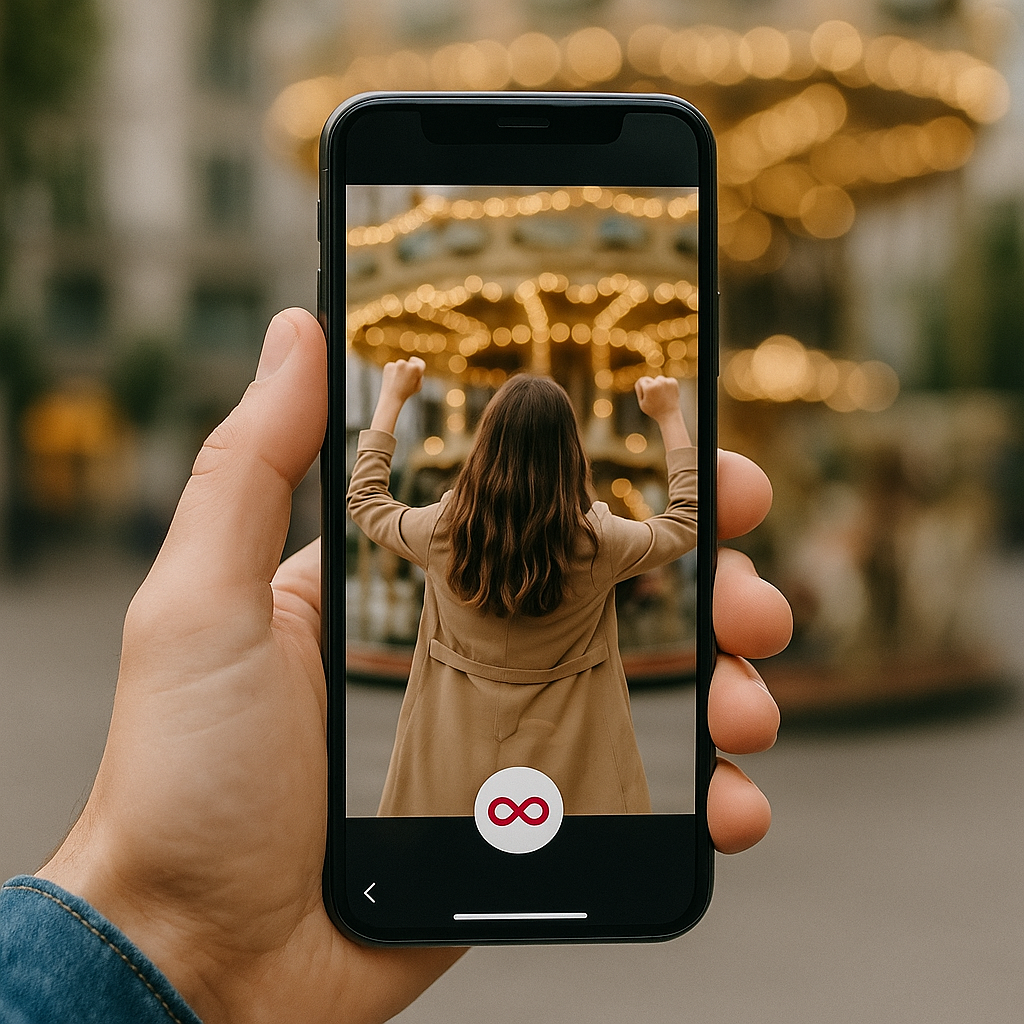
Comment créer un boomerang sur Instagram
Vous êtes prêt à apprendre à faire un boomerang sur Instagram? Vous avez plusieurs possibilités. Vous pouvez l'enregistrer avec l'effet tout de suite ou l'ajouter à une photo ou vidéo Live que vous avez déjà. Allons-y pas à pas.
Comment faire un boomerang à partir de l'appareil photo d'Instagram
Vous voulez immortaliser un moment amusant sur-le-champ ? Instagram vous permet de créer un Boomerang directement depuis l'appareil photo. Suivez les étapes suivantes :
- Histoires ouvertes.
- Trouvez l'icône ∞ (symbole de l'infini).
- Appuyez sur la touche et maintenez-la enfoncée pour enregistrer pendant un court instant.
- Modifiez votre vidéo en ajoutant des effets, en modifiant la vitesse et en rendant votre Boomerang encore plus créatif.
- Publiez votre histoire et attendez les réactions.
Comment transformer une vidéo en boomerang
En général, il faut une application tierce pour transformer une vidéo classique en Boomerang. Mais les courtes vidéos enregistrées sous forme de Live Photos sur iPhone fonctionnent instantanément. Une Live Photo est un format spécifique à l'iPhone qui capture une image fixe accompagnée de quelques secondes de mouvement. En gros, il s'agit d'une mini-vidéo qui s'affiche comme une photo classique jusqu'à ce que vous appuyiez longuement dessus.
Voici donc ce qu'il faut faire :
- Ouvrez les Stories sur Instagram.
- Balayez vers le haut pour ouvrir votre rouleau d'appareils photo.
- Sélectionnez une photo en direct et recherchez l'icône ∞.
- Appuie sur l'icône ∞ et hop, ça crée un boomerang !
Android ne prend pas en charge les Live Photos ; vous ne pouvez donc enregistrer de nouveaux Boomerangs qu’en utilisant directement l’ Instagram , et non à partir de vidéos existantes.
Comment faire un boomerang à partir de photos
Vous souhaitez créer un Boomerang à partir d'une photo ? Sur Instagram, cela ne fonctionne qu'avec les Live Photos. S'il s'agit d'une photo classique, Instagram ne pourra pas la transformer en Boomerang. Dans ce cas, vous pouvez utiliser une application tierce. Voici quelques options populaires :
- Boomerit Boomerang Maker : transforme n'importe quelle vidéo, voire une série de photos, en « boomerang ». Vous pouvez régler la vitesse avec précision, définir le nombre de boucles et ajouter des filtres.
- Boomerang Video Maker : propose une grande variété de filtres et d'effets pour vous permettre de créer des vidéos vraiment originales.
- CapCut : un logiciel de montage tout-en-un très populaire. Idéal si vous ne disposez pas de Live Photos, car il permet de transformer n'importe quelle vidéo en Boomerang.
- Loop Video & GIF Maker : vous permet de créer à la fois des Boomerangs et des GIF directement à partir des vidéos stockées sur votre téléphone, avec des paramètres personnalisables.
Pourrez-vous encore utiliser l'application Boomerang en 2025 ?
Pour faire court, la réponse est non. Il existait auparavant une application Boomerang distincte. Cependant, Instagram l'a supprimée en mars 2022 et l'a retirée de l'App Store et de Google Play. Vous pouvez désormais utiliser toutes les fonctionnalités de Boomerang directement dans les Stories d'Instagram .
En 2025, l'ancienne icône Boomerang aura complètement disparu. Si vous souhaitez utiliser un boomerang, vous devrez le faire directement sur Instagram.
Idées créatives pour les Boomerangs Instagram
Vous voulez essayer Boomerang mais vous ne savez pas quoi poster ? Voici quelques exemples pour votre Boomerang :
- Un geste théâtral avec les cheveux : secouez vos cheveux, agitez votre écharpe ou même un chapeau original. Ce geste spectaculaire attire immédiatement l'attention et captive le regard des gens.
- Plongeon dans la piscine: immortalisez le moment où quelqu’un plonge dans une piscine, en mettant en avant l’action et la bonne humeur. Idéal pour les hôtels, les complexes touristiques ou pour créer une ambiance estivale. La boucle vidéo met en valeur les éclaboussures, pour un rendu dynamique et plein d’énergie.
- Un chien qui attrape une balle: une option ludique pour les marques d'animaux de compagnie, le sport ou toute personne souhaitant mettre en avant une activité divertissante et dynamique. Le Boomerang met en valeur la vitesse et l'enthousiasme, tandis que la boucle rend la vidéo captivante à regarder.
- Un verre de vin aux lèvres: levez votre verre aux restaurants, bars ou services de traiteur. Remplacez le vin par un café ou une part de cheesecake, et faites la promotion de tout ce dont vous avez besoin de la manière la plus gourmande qui soit.
- Bougies de gâteau rallumées: Observez la magie des bougies qui se rallument encore et encore. Parfait pour les boulangeries ou les services de fête. Cette boucle ludique apporte de la joie et fait sourire tout le monde.
Plus vous y ajoutez de mouvement, d'énergie et d'effets créatifs, plus les gens seront enclins à regarder votre Boomerang à plusieurs reprises.
Modifier et améliorer votre Boomerang
Même une courte vidéo peut être beaucoup plus intéressante. Mettons-y un peu de piment.
Ajout de filtres et d'effets
Ajoutez un filtre et regardez le clip s'illuminer de nouvelles couleurs.
- Ralenti: ralentit l'action, ce qui confère une touche dramatique et cinématographique.
- Écho: Crée un effet de « double vision », comme si le mouvement laissait une ombre derrière lui.
- Duo: se lit en avant et en arrière avec un léger glitch subtil qui apporte une touche d'originalité.
Vous pouvez régler la vitesse, les couleurs et le sens de la boucle. Même une seule seconde peut se transformer en un petit spectacle.
Utiliser des applications tierces pour obtenir de meilleurs résultats
Vous ne voulez pas vous limiter à Instagram? Pas de problème ! Vous pouvez utiliser des applications tierces très pratiques. Elles ne créeront pas un Boomerang à partir de rien, mais elles rendront vos clips bien plus sympas. Vous pourrez les découper, y ajouter du texte, de la musique, ou même changer l'arrière-plan.
Voici trois options intéressantes :
- Boomloop : Infinity Loop and Playback Video Maker transforme vos clips en boucles sans fin. Vous pouvez jouer sur la vitesse, le nombre de répétitions et ajouter des filtres.
- Boomerang Video Loop Maker transforme n'importe quelle vidéo en un Boomerang en boucle. Vous pouvez y ajouter des effets amusants, comme le retour en arrière, le ralenti ou l'avance rapide, pour la rendre plus captivante.
- Adobe Express permet de créer des GIFs de type Boomerang, d'utiliser des modèles prêts à l'emploi et de retoucher vos vidéos sans rien télécharger.
Une fois que tu l'auras peaufiné, il te suffira de le mettre en ligne sur Instagram et de voir tout le monde cliquer sur « Replay ».
Meilleures pratiques pour publier des boomerangs sur Instagram
Il est maintenant temps de planifier le moment où vous publierez votre story Instagram Boomerang pour qu'elle attire l'attention dans le fil d'actualité.
Des légendes et des hashtags qui fonctionnent bien
Ne vous contentez pas d'écrire des légendes banales et ennuyeuses. Préférez plutôt une légende qui apporte du contexte ou qui révèle votre personnalité, par exemple :
- "Quand tu réalises que c'est vendredi"
- "J'essaie d'agir normalement au brunch"
- "Tout juste sortis du four - vos nouveaux biscuits préférés"
- "Mise en place de notre dernière collection - coup d'œil à l'intérieur !
- "Café et planification = début de semaine parfait".
Et n'oubliez pas les hashtags ! Ils permettent à de nouveaux utilisateurs de découvrir votre contenu. Exemples : #MorningVibes, #WeekendMood, #WorkFromHome, #SmallBusinessLove, #DailyInspo, #ShopLocal, #NewArrivals.
De cette façon, les internautes remarqueront votre Boomerang, ce qui vous permettra d'obtenir davantage de « J'aime », de commentaires et de partages.
Quand et où poster pour susciter l'engagement
Postez le soir ou le week-end pour obtenir plus d'engagement. C'est à ce moment-là que les gens peuvent faire défiler les Stories et les voir. Tôt le matin en semaine ? Tout le monde est occupé avec son café et ne consulte pas Instagram.
Une bonne règle consiste à publier entre 18 h et 21 h en semaine, lorsque les gens se détendent après le travail ou l'école. Le week-end, essayez entre 10 h et 13 h, moment où beaucoup se détendent et consultent les Stories tout en prenant un brunch ou un café.
Problèmes courants et comment les résoudre
Il arrive parfois que votre Boomerang Instagram ne soit pas aussi réussi que vous l’aviez imaginé, ou qu’il ne fonctionne tout simplement pas. Ne vous inquiétez pas, c’est tout à fait normal, surtout si vous débutez dans la création de Boomerangs. Quelques petits détails peuvent poser problème, comme des bugs de l’application, un éclairage insuffisant ou un système obsolète. La bonne nouvelle, c’est que la plupart de ces problèmes sont faciles à résoudre.
Pourquoi mon Boomerang ne fonctionne-t-il pas ?
Si votre Boomerang ne fonctionne pas, consultez cette liste des problèmes courants et des solutions :
- L'application ne démarre pas ou se bloque: fermez « Instagram » puis rouvrez-la, vérifiez si des mises à jour sont disponibles ou redémarrez votre téléphone.
- Plantages de l'application: assurez-vous de disposer de suffisamment d'espace sur votre téléphone et libérez de l'espace de stockage si nécessaire. Vérifiez également que votre connexion Internet est bonne.
- Vidéo floue ou tremblante: Tenez votre téléphone de manière stable et évitez les mouvements rapides, sauf si c'est l'effet recherché.
- Vidéo de faible qualité: Filmez près d'une fenêtre ou à l'extérieur, à la lumière naturelle. Les pièces sombres donnent un aspect granuleux.
- Pas d'option Boomerang sur les photos en direct: Vous n'avez probablement pas mis à jour Instagram depuis un moment. Mettez à jour l'appli pour voir apparaître l'icône de l'infini(∞).
- Problèmes de son ou de lecture: Mettez à jour Instagram et redémarrez votre téléphone.
Qualité du boomerang et conseils d'éclairage
Les boomerangs effectuent leurs boucles à grande vitesse, ce qui fait que les moindres détails, comme des mains tremblantes ou un mauvais éclairage, se remarquent immédiatement. Une lumière vive et des mouvements réguliers permettent d'obtenir une boucle fluide et spectaculaire.
Conseils pour une meilleure qualité :
- Pour obtenir les meilleurs résultats, utilisez une lumière naturelle et vive.
- Évitez les pièces sombres qui rendent votre vidéo floue ou désordonnée.
- Tenez le téléphone de manière stable pour éviter les tremblements.
- Effectuez de petits mouvements contrôlés pour obtenir un résultat impeccable.
Derniers conseils pour réaliser des boomerangs qui attirent l'attention
Voyez plus grand ! Un Boomerang, ce n’est pas seulement pour filmer un café ou un tir au panier. Il peut immortaliser votre réaction, se transformer en mème marrant, voire devenir une petite expérience. Essayez d’en créer des versions pour Reels, ajoutez du texte, de la musique ou des stickers GIF pour susciter davantage d’engagement.
Conseils pour rendre votre Boomerang plus créatif :
- Essayez différents angles: Les petits mouvements de caméra rendent l'image plus dynamique.
- Jouez avec la vitesse: un effet de ralenti ou « Duo » peut rendre drôle même un simple geste.
- Ajoutez des détails: Montrez les réactions des personnes ou des objets dans le cadre.
- Texte et autocollants: Expliquent le contexte et le rendent plus vivant.
- Reels et réutilisation: ne vous contentez pas d'une seule Story, partagez-la sous différents formats.
Et surtout, ne gardez pas vos idées pour vous. Cliquez sur « Partager » pour que votre Boomerang devienne viral. Collaborez avec nous sur Path Social et faites en sorte que votre contenu se démarque, reste ludique et attire les internautes.





Vous recherchez de vrais Instagram , sans artifices ?
Laissez notre croissance organique ciblée par l'IA travailler pour vous.
Obtenir des followers Instagram maintenant