


IG Metrics 101 : Guide complet d'analyse Instagram

Lorsque vous cherchez à développer votre Instagram , vous ne pouvez pas vous contenter de publier une photo au hasard en espérant que ça marche. C’est comme frapper à l’aveuglette en espérant frapper un home run. Même si vous êtes doué pour créer des publications créatives, votre stratégie de contenu doit tout de même s’appuyer sur des données. Dans ce guide Instagram , nous allons vous montrer précisément quelles informations vous pouvez exploiter pour améliorer votre présence en ligne.
Le contenu est peut-être roi sur Instagram, mais les décisions fondées sur les données en sont la reine. Vous ne pouvez pas vous contenter de deviner quel type de publications plaira à vos abonnés et de croiser les doigts à chaque fois que vous publiez. En maîtrisant parfaitement les indicateurs de performance de vos contenus précédents, vous pouvez optimiser votre contenu pour qu’il rencontre davantage de succès. Plongeons-nous ensemble dans les statistiques Instagram voyons comment les utiliser pour améliorer votre contenu, d’accord ?
Qu'est-ce que l'analyse Instagram ?
Commençons par le commencement : qu’est-ce que Instagram ? Les statistiques désignent les données pertinentes que vous pouvez extraire de votre Instagram pour évaluer les performances de votre contenu. En analysant ces données, vous pouvez en savoir plus sur vos performances en ligne. Vous pouvez même consulter les statistiques de chaque publication, qu’il s’agisse de photos, de Reels ou Instagram (mais nous y reviendrons plus tard !).
Au niveau le plus élémentaire, cela peut concerner le nombre d’interactions ou de vues générées par votre publication. Mais des analyses plus avancées vous fourniront des indicateurs clés tels que la portée, la durée de visionnage, les clics sur les liens, les taux d’engagement et bien d’autres encore. Tous ces indicateurs vous donnent une idée de la façon dont votre public cible perçoit votre contenu et de son pouvoir d’engagement.
Les rapports d'analyse vous aident à évaluer le type de contenu qui fonctionne pour vous et celui qui n'a pas vraiment d'écho. C'est un outil que vous pouvez utiliser pour voir comment vous vous débrouillez sur la plateforme et élaborer des stratégies pour vous améliorer encore.
Instagram est l'outil d'analyse intégré à l'application, accessible aux marques et aux créateurs. Il fournit des données précises mises à jour en temps réel et propose une multitude d'indicateurs, ce qui en fait le meilleur outil d'analyse Instagram . Vous pouvez y consulter les performances globales de votre page, examiner les statistiques de chaque publication et en savoir plus sur vos abonnés. Si vous diffusez des publicités, vous y trouverez également leurs statistiques.
La lecture et l'analyse des données sur Insights vous permettent de mesurer le succès des posts sur lesquels vous travaillez si dur. Cela vous permet de savoir si certaines campagnes ont pu atteindre vos objectifs.
Les statistiques Instagram également servir de tremplin pour trouver de meilleures idées créatives et élaborer une stratégie de contenu nouvelle et optimisée. Elles vous permettent de cerner précisément vos points forts et vos points faibles. Grâce à ces informations, vous pouvez prendre des décisions davantage fondées sur les données pour déterminer les prochaines étapes à suivre sur Instagram améliorer votre présence.

Comment voir Instagram Analytics ?
La question suivante qui vous vient sans doute à l'esprit est la suivante : comment consulter Instagram ? Eh bien, la première chose à savoir, c'est que tout le monde ne peut pas accéder aux statistiques de ses publications. Instagram est un outil réservé exclusivement aux titulaires d'un compte professionnel, c'est-à-dire aux créateurs et aux profils d'entreprise. Ainsi, si vous souhaitez consulter vos données statistiques, vous devez d'abord passer à un compte professionnel.
Vous pouvez facilement trouver la page Insights dans votre tableau de bord professionnel si vous avez déjà une page professionnelle. Voici comment procéder :
1. Ouvrez l'application Instagram et allez dans votre profil.
2. Cliquez sur les trois lignes horizontales en haut à droite de l'écran.
3. Dans la rubrique « Pour les professionnels », appuyez sur « Statistiques » pour découvrir les chiffres concrets relatifs à votre page !
À partir de là, explorez les différents onglets et indicateurs. Vous pouvez consulter les analyses de chaque publication, les données d'audience ou simplement obtenir un aperçu général des statistiques de votre page. Notez que vous ne pouvez consulter les statistiques que pour les publications que vous publiez après être passé à une page professionnelle.
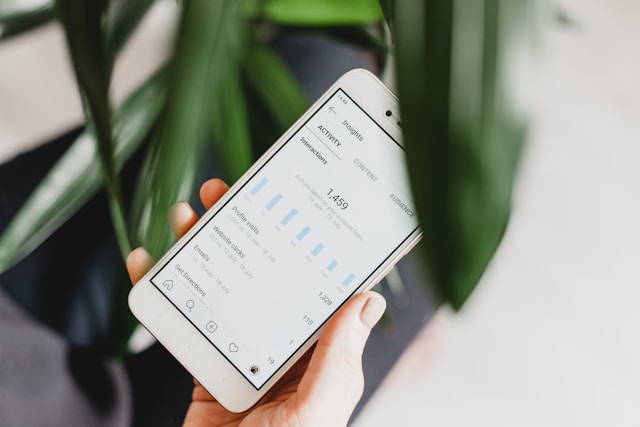
Instagram Analytics Metrics 101 : Que signifient ces paramètres ?
Il existe de nombreux indicateursInstagram qui vous aident à mesurer les performances de vos publications. Et comme ils sont très nombreux, il peut être intimidant d'essayer de tous les cerner et de tous les comprendre. Mais ne vous inquiétez pas, nous sommes là pour vous aider. Voyons ensemble quels sont les indicateurs clés que vous pouvez vous attendre à trouver dans Instagram et ce qu'ils signifient.
Instagram Métriques dans la vue d'ensemble du compte
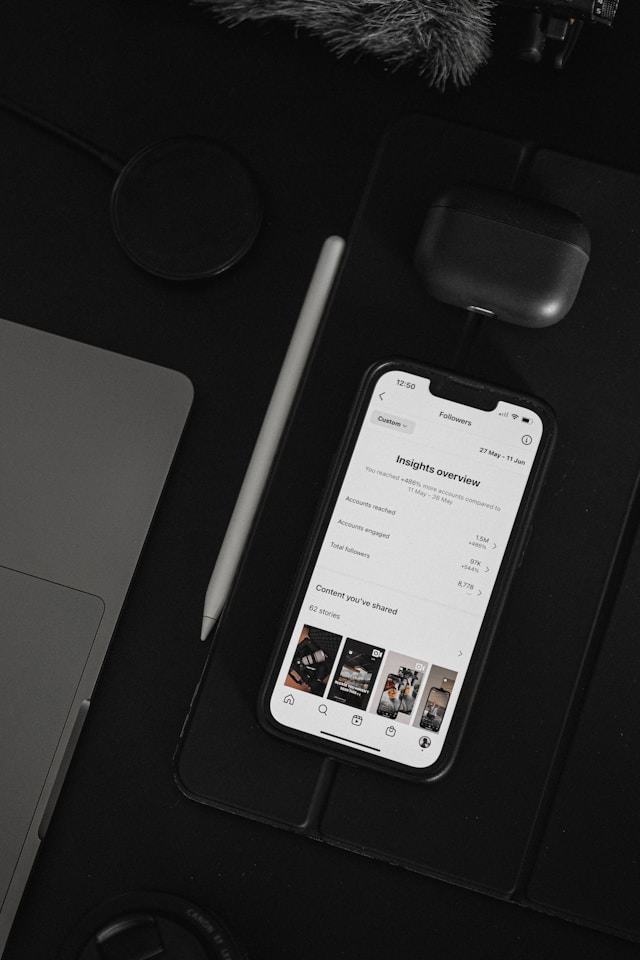
Lorsque vous ouvrez le tableau de bord Insights, la première chose que vous verrez, ce sont vos Instagram au niveau de la page, c'est-à-dire la vue d'ensemble de votre compte. Vous y trouverez des graphiques illustrant l'évolution du nombre de vos abonnés au fil du temps, le nombre de personnes ayant récemment consulté votre profil, et bien plus encore.
Lorsque vous consultez vos statistiques, vous pouvez choisir une période spécifique à partir de laquelle l'application extrait les données. Cette période peut aller des sept derniers jours aux trois derniers mois.
Deux des indicateurs les plus importants que vous rencontrerez dans cette section sont « Comptes touchés » et « Comptes engagés ». Le premier vous indique le nombre d’utilisateurs uniques ayant vu votre contenu sur la plateforme. Le second, quant à lui, vous montre combien de personnes ont interagi activement avec vos publications par le biais de « J’aime », de commentaires, de clics et de partages. Ces indicateurs clés vous donnent une idée de l’efficacité de la promotion de votre page et de la pertinence de votre contenu.
Mesures dans les aperçus post-niveau
IG Insights vous permet également de consulter les indicateurs au niveau de chaque publication. Voici, étape par étape, comment accéder aux données de chacune de vos publications :
1. Dans Instagram , accédez à votre profil.
2. Ouvrez le message pour lequel vous souhaitez obtenir des informations.
3. Cliquez sur Afficher les aperçus en bas du message.
À partir de là, vous pouvez consulter des indicateurs pertinents qui vous renseignent sur les performances de votre publication. Il s'agit notamment de votre audience, du nombre de vues de la vidéo et des interactions avec le contenu (c'est-à-dire le niveau d'engagement que vous avez obtenu).
À partir du nombre d'interactions, il est facile de calculer un autre indicateur pertinent qui n'est pas disponible dans Insights : votre taux d'engagement. Celui-ci mesure l'impact que vous générez par rapport à votre nombre d'abonnés. Pour calculer ce taux, divisez le nombre total d'interactions sur vos publications par votre nombre d'abonnés, puis multipliez le résultat par 100.
Par exemple, imaginons que vous soyez un influenceur comptant 5 000 abonnés. Vous publiez une photo qui recueille 250 « J'aime » et 25 commentaires. En appliquant la formule, vous obtenez un taux de 5,5 %. (Remarque : selon Hootsuite, les taux compris entre 1 % et 5 % sont considérés comme très bons !)
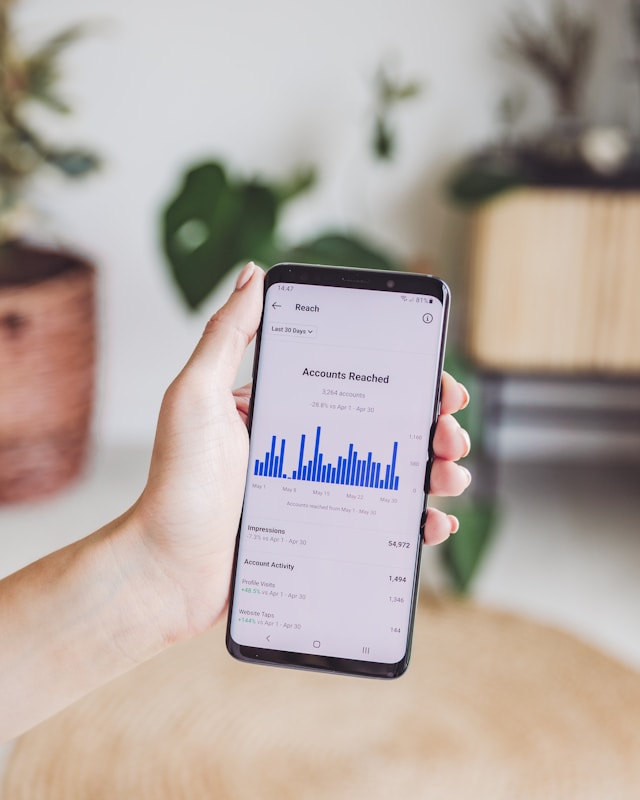
Analyse de Instagram Reels
Vous pouvez accéder à vos statistiques pour les Reels d'Instagram exactement de la même manière que ci-dessus. Mais outre la portée et les interactions, vous verrez apparaître quelques indicateurs propres au format vidéo court. En voici quelques-uns :
- Vues: nombre total de fois où votre vidéo a été visionnée sur l'écran d'un utilisateur, y compris les relectures.
- Durée de visionnage: Le temps cumulé pendant lequel votre vidéo a été visionnée par tous les utilisateurs.
- Durée moyenne de visionnage: durée moyenne pendant laquelle un utilisateur regarde votre Reel. Plus votre durée moyenne de visionnage est élevée, plus vous avez su captiver et retenir l'attention de votre public.
- Suivis: Le nombre de comptes qui vous ont suivi après avoir regardé votre vidéo. Cela vous indique dans quelle mesure votre bobine a réussi à susciter l'intérêt pour votre marque.

Instagram Analyse de l'histoire
Vous souhaitez connaître les performances de votre contenu Story ? Vous pouvez le savoir grâce à Instagram Story analytics. Ces données seront disponibles dans votre tableau de bord Insights et pourront être consultées jusqu'à une semaine après l'expiration de votre Story.
Dans cette section, vous pourrez consulter le nombre de « J'aime », de réactions, de réponses et d'interactions avec les stickers générés par chaque Story. Ces données vous permettront de comprendre quels types de Stories suscitent l'intérêt des utilisateurs et lesquels sont ignorés ou sautés. Vous verrez également des indicateurs clés tels que la portée et le nombre d'impressions.

Autres données disponibles sur votre public
Dans l'onglet « Audience » d'IG Insights, vous pourrez consulter des données démographiques sur vos abonnés. Cela comprend une répartition précise par sexe de votre communauté, un graphique d'âge et des informations sur les villes où ils vivent. Grâce à ces informations, vous pouvez ajuster votre stratégie de contenu afin de l'adapter à leurs préférences et à leurs goûts spécifiques. En adaptant votre réflexion spécifiquement à votre audience, vous pouvez vous attendre à davantage d'interactions avec votre contenu à chaque nouvelle publication !
Cette section du rapport d'analyse vous indique également les moments de la journée où votre public est le plus actif sur la plateforme. Elle dresse un tableau précis des moments où vos fans sont en ligne. Ces informations vous donnent une idée du meilleur moment pour publier sur Instagram afin d'obtenir un engagement immédiat.

Conseil de pro : vous pouvez également utiliser des outils d'analyse tiers sur Instagram .
Outre IG Insights, vous pouvez investir dans des outils Instagram tiers fiables pour obtenir des informations encore plus détaillées sur vos publications.
Ces outils peuvent disposer de leurs propres technologies et algorithmes pour vous fournir des données encore plus complètes sur votre contenu. Ils peuvent même proposer des fonctionnalités supplémentaires qui ne sont pas disponibles sur Instagram, telles que des analyses concurrentielles, des rapports personnalisables, des informations sur les influenceurs, et bien plus encore. Ainsi, même si les rapports analytiques intégrés Instagramsont suffisants, ces outils supplémentaires méritent peut-être que vous y jetiez un œil.
La bonne nouvelle, c'est qu'il existe également une multitude d'outils d'analyse qui vous fournissent des informations détaillées, et ce, entièrement gratuitement. L'un d'entre eux est le Path Social Analyzer. Cet outil d'analyse gratuit et sophistiqué vous fournit toutes les informations essentielles dont vous avez besoin sur n'importe quel Instagram public.
Son utilisation est d'une simplicité enfantine. Il vous suffit de saisir le nom d'utilisateur du profil dont vous souhaitez analyser les statistiques. Ensuite, d'un simple clic, vous accédez à une multitude de indicateurs et de données le concernant. Vous découvrirez des informations pertinentes telles que les taux d'engagement, l'activité moyenne de l'utilisateur, la fréquence de publication, le nombre d'impressions, les heures de publication les plus populaires, les hashtags les plus utilisés, et bien plus encore.
L'outil « Path Social Analyzer » est un moyen génial et pratique de jeter un œil à Instagram de n'importe quelle marque !
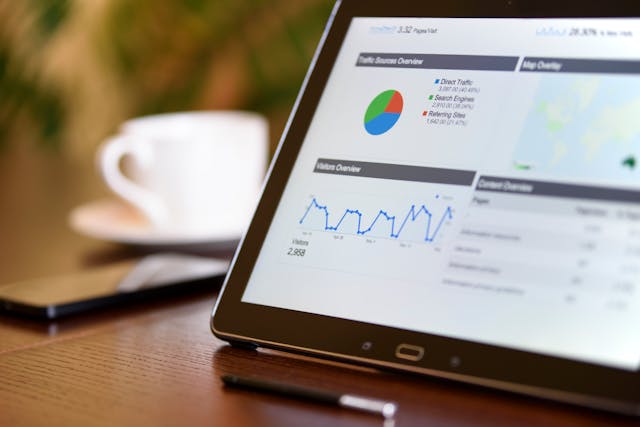
L'analyse Instagram pourrait également être une bonne idée
Il est essentiel d'utiliser les bons hashtags Instagram en fonction de votre domaine d'activité si vous souhaitez que vos publications atteignent votre public cible. Pour choisir ceux qui conviennent le mieux à votre publication, tirez parti des statistiques Instagram .
L'analyse des hashtags correspond exactement à ce que son nom indique : des indicateurs et des données sur les performances de certains hashtags sur Instagram. Les rapports d'analyse des hashtags vous permettront de déterminer le niveau de popularité et d'engagement d'un hashtag. En comprenant les performances de hashtags spécifiques, vous pourrez trouver la bonne combinaison de hashtags pour vos publications afin d'optimiser leur visibilité.
Vous pouvez accéder à des analyses de hashtags grâce à des outils tiers fiables, tels que Sprout Social, qui permettent de suivre les hashtags utilisés par votre audience. Mais vous pouvez également utiliser de nombreux outils gratuits d'analyse de hashtags pour faire des économies. Le générateur de hashtagsPath Social constitue une excellente option à cet effet.
Le Générateur de hashtags vous permet de consulter les statistiques et indicateurs les plus importants relatifs à n'importe quel hashtag sur Instagram. Il vous suffit de saisir un hashtag pour que nous vous présentions les informations les plus intéressantes et utiles à son sujet. Vous y trouverez notamment le nombre de publications associées à ce hashtag, la moyenne quotidienne de publications, et même le niveau de difficulté pour figurer en tête des résultats.
Nous vous proposons même des hashtags associés que vous pouvez utiliser en complément de ce tag et copier-coller dans votre légende ! En somme, c'est votre outil tout-en-un pour analyser et choisir les bons tags pour n'importe quelle Instagram .

Questions fréquemment posées
Comment lire mes données analytiques sur Instagram ?
Vous pouvez consulter vos données analytiques sur Instagram accédant à la page « Insights ». Cette fonctionnalité est accessible à toute personne disposant d’un compte professionnel. Sur ce tableau de bord, vous pourrez consulter les principaux indicateurs et mesures de performance, tant au niveau de la page qu’au niveau des publications.
Comment mesurez-vous l'analyse de Instagram ?
Pour évaluer les performances de vos analyses, il est important de les comparer à vos chiffres antérieurs. C'est pourquoi il est essentiel de noter vos indicateurs clés au fil des semaines ou des mois. Vous pourrez ainsi vous en servir comme points de référence pour évaluer vos performances ultérieurement.
Comment gérer les analyses de Instagram ?
Une bonne façon de gérer vos données analytiques est de les organiser dans une feuille de calcul. Enregistrez vos mesures et vos scores ainsi que la date. Faites-le toutes les deux semaines ou une fois par mois pour voir comment vos chiffres augmentent ou diminuent.
Combien de followers faut-il pour voir Insights sur Instagram?
Il n'y a pas de nombre minimum d'abonnés requis pour accéder à la page « Insights ». La seule condition est de disposer d'un compte professionnel, c'est-à-dire d'un profil de créateur ou d'entreprise. Le tableau de bord « Insights » n'est pas une récompense liée au nombre d'abonnés que vous avez. C'est un outil destiné à vous aider à gagner davantage d'abonnés si vous savez tirer parti de ce que vous y apprenez.
Quelle est la précision des analyses d'IG ?
Les statistiques d'IG Insights sont toujours précises, car les données proviennent directement Instagram; il n'y a donc pratiquement aucune marge d'erreur. Les outils d'analyse tiers sont généralement fiables eux aussi. Veillez simplement à choisir un service sérieux et digne de confiance, ayant fait ses preuves, puis associez votre compte à son site.
Mettez ce guide Instagram Analytics dans vos favoris pour vous y référer ultérieurement !
Certes, c’est le contenu créatif qui captera l’attention de votre public cible lorsqu’il tombera sur votre page. Cependant, grâce aux statistiques fournies par Insights et d’autres outils tiers, vous pouvez identifier ce qui fonctionne et ce qui ne fonctionne pas sur votre page. Ces données pertinentes constituent la recette secrète du succès sur Instagram. Tirez-en parti, et vous serez sur la bonne voie pour atteindre des taux d’engagement exceptionnels et devenir une star d’Instagram.
Les rapports d'analyse vous intimident encore ? Ajoutez ce guide Instagram à vos favoris et consultez-le chaque fois que vous en aurez besoin. En attendant, concentrez-vous sur ce que vous aimez le plus : créer du contenu pertinent, percutant et divertissant !
Vous avez besoin d'aide Path Social diffuser ce contenu ? Vous pouvez compter sur Path Social Nous mettons en œuvre des stratégies promotionnelles éprouvées — des partenariats avec des influenceurs aux mentions dans les newsletters — pour faire parler de votre marque de manière pertinente. Nous veillons à ce que votre message atteigne votre public cible, ce qui pourrait vous permettre de gagner davantage d'abonnés sur votre page.
Doublez votre nombre de followers et votre engagement comme Modern Fit l'a fait avec l'aide de Path Social aujourd'hui !





Vous souhaitez développer naturellement votre Instagram ?
Découvrez une plateforme conçue pour aider les créateurs à toucher un public authentique et engagé, sans prendre de raccourcis.
Explorez la plateforme




