


IG Metrics 101: Guía completa de análisis Instagram

Cuando intentas hacer crecer tu Instagram , no basta con publicar una foto al azar y cruzar los dedos. Es como batear a ciegas y esperar un jonrón. Por muy bueno que seas creando publicaciones creativas, tu estrategia de contenido debe estar respaldada por datos. En esta guía Instagram , te mostraremos exactamente qué datos puedes utilizar para mejorar tu presencia en línea.
Puede que el contenido sea el rey en Instagram, pero las decisiones basadas en datos son su reina. No puedes limitarte a adivinar qué tipo de publicaciones les encantarán a tus seguidores y cruzar los dedos cada vez que publiques algo. Si conoces a fondo las métricas de rendimiento de tu contenido anterior, podrás optimizarlo para que tenga más éxito. Vamos a profundizar en las estadísticas de Instagram en cómo utilizarlas para mejorar tu contenido, ¿te parece?
¿Qué es Instagram Analytics?
Empecemos por lo básico: ¿qué son Instagram ? Las estadísticas son los datos reveladores que puedes extraer de tu Instagram para ver cómo está funcionando tu contenido. Al analizar estos datos, puedes obtener más información sobre tu rendimiento en línea. Incluso puedes consultar los datos de publicaciones concretas, desde fotos hasta Reels e Instagram (¡pero ya hablaremos de eso más adelante!).
En el nivel más básico, esto podría incluir el número de interacciones con el contenido o de visualizaciones que obtiene tu publicación. Sin embargo, los análisis más avanzados te proporcionarán métricas clave como el alcance, el tiempo de visualización, los clics en los enlaces, las tasas de interacción y muchas más. Todas estas métricas te dan una idea de cómo recibe tu público objetivo tu contenido y de si resulta atractivo.
Los informes analíticos te ayudan a evaluar qué tipo de contenidos te funcionan y cuáles no. Es una herramienta que puedes utilizar para ver cómo te va en la plataforma y elaborar estrategias para mejorar aún más.
Instagram es la herramienta de análisis integrada en la aplicación que está disponible para marcas y creadores. Ofrece datos precisos que se actualizan en tiempo real y un sinfín de métricas, lo que la convierte en la mejor herramienta de análisis Instagram . Aquí puedes ver el rendimiento general de tu página, consultar las estadísticas de cada publicación y obtener más información sobre tus seguidores. Si publicas anuncios, también podrás ver allí sus estadísticas.
Leer y analizar los datos en Insights te permite medir el éxito de las publicaciones en las que tanto trabajas. Te muestra si determinadas campañas han sido capaces de cumplir tus objetivos.
Las estadísticas de Instagram también Instagram servir de punto de partida para generar mejores ideas creativas y desarrollar una estrategia de contenido nueva y mejorada. Te permiten conocer a fondo tus puntos fuertes y débiles. A partir de esa información, puedes tomar decisiones más fundamentadas en datos sobre qué pasos dar a continuación en Instagram mejorar tu presencia.

¿Cómo puedo ver Instagram Analytics?
La siguiente pregunta que probablemente te estés haciendo es: ¿cómo puedo consultar Instagram ? Pues bien, lo primero que debes saber es que no todo el mundo puede acceder a las estadísticas de sus publicaciones. Instagram es una herramienta disponible exclusivamente para quienes tienen cuentas profesionales, es decir, solo para creadores y perfiles empresariales. Así que, si quieres ver tus datos analíticos, primero debes cambiarte a una cuenta profesional.
Puedes encontrar fácilmente la página Insights en tu panel profesional si ya tienes una página de empresa. A continuación te explicamos cómo hacerlo:
1. Abre la aplicación Instagram y ve a tu perfil.
2. Haga clic en las tres líneas horizontales de la parte superior derecha de la pantalla.
3. En la sección «Para profesionales», pulsa en «Estadísticas» para empezar a ver cifras concretas sobre tu página.
A partir de ahí, prueba las diferentes pestañas y métricas. Podrás ver análisis de publicaciones concretas, datos de audiencia o simplemente una visión general de las estadísticas de tu página. Ten en cuenta que solo podrás ver los datos de las publicaciones que realices después de cambiar a una página profesional.
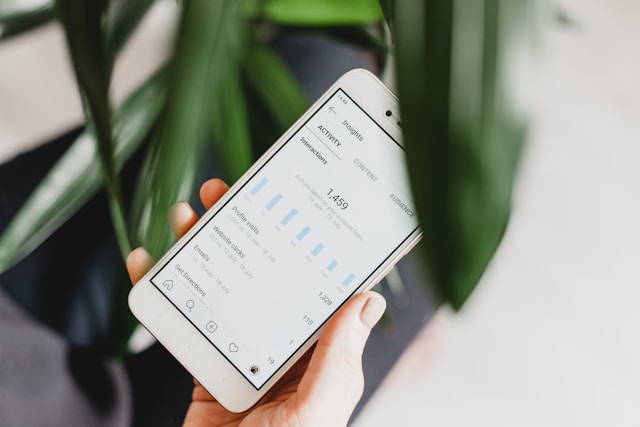
Instagram Métricas analíticas 101: ¿Qué significan estos parámetros?
Hay un montón de métricasInstagram que te ayudan a medir el rendimiento de tus publicaciones. Y, como hay tantas, puede resultar abrumador intentar asimilarlas y comprenderlas todas. Pero no te preocupes, nosotros te echamos una mano. Veamos cuáles son las métricas clave que puedes encontrar en Instagram y qué significan.
Instagram Métricas en la visión general de la cuenta
Al abrir el panel de control de Insights, lo primero que verás son Instagram a nivel de página, es decir, el resumen de tu cuenta. Verás gráficos que muestran las tendencias de crecimiento de tus seguidores a lo largo del tiempo, cuántas personas han visitado tu perfil recientemente y mucho más.
Al consultar tus estadísticas, puedes seleccionar un intervalo de tiempo concreto del que la aplicación extraerá los datos. Puede ser un periodo tan reciente como los últimos siete días o incluso los tres meses anteriores.
Dos de las métricas más importantes que encontrarás en esta sección son «Cuentas alcanzadas» y «Cuentas que han interactuado». La primera te indica el número de usuarios únicos que han visto tu contenido en la plataforma. Por su parte, la segunda te muestra cuántas personas han interactuado activamente con tus publicaciones mediante «me gusta», comentarios, clics y comparticiones. Estas métricas clave te dan una idea de lo bien que estás promocionando tu página y de la relevancia de tu contenido.
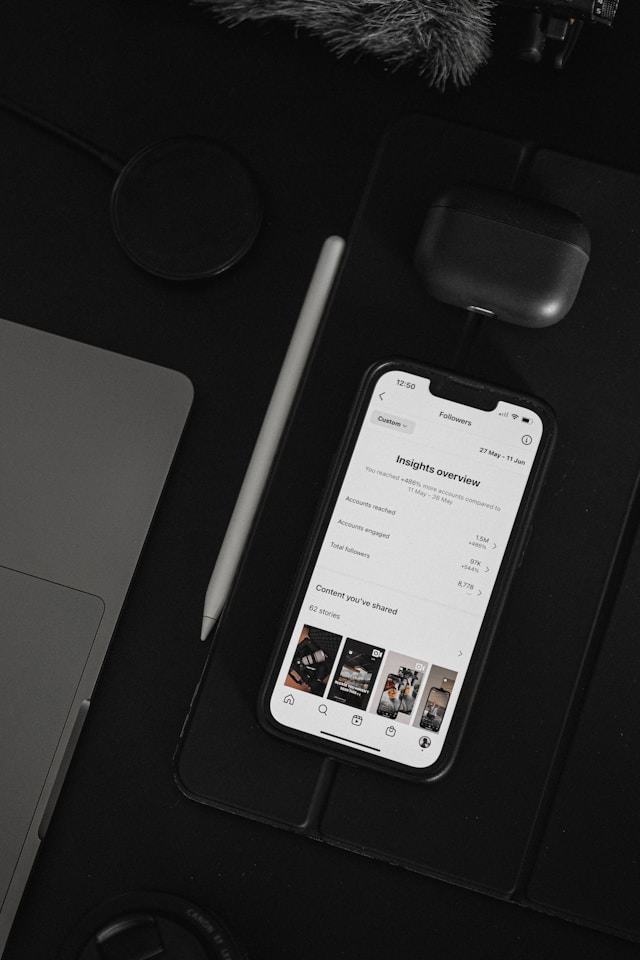
Métricas en Post-Level Insights
IG Insights también te permite consultar las métricas por publicación. A continuación te explicamos, paso a paso, cómo acceder a los datos de cada una de tus publicaciones:
1. En la Instagram , ve a tu perfil.
2. Abre la entrada sobre la que quieres ver insights.
3. Haz clic en View Insights en la parte inferior de la entrada.
Desde allí, podrás ver métricas detalladas que te indican cómo ha funcionado tu publicación. Entre ellas se incluyen el alcance, las visualizaciones del vídeo y las interacciones con el contenido (es decir, el nivel de participación que has obtenido).
Con el recuento de interacciones, es fácil calcular otra métrica relevante que no está disponible en Insights: tu tasa de interacción. Esta métrica mide el impacto que generas en relación con tu número de seguidores. Para calcular esta tasa, divide el total de interacciones de tus publicaciones entre tu número de seguidores y multiplica el resultado por 100.
Por ejemplo, supongamos que eres un influencer con 5.000 seguidores. Publicas una foto que recibe 250 «me gusta» y 25 comentarios. Al aplicar la fórmula, obtienes una tasa del 5,5 %. (Nota: según Hootsuite, ¡las tasas que oscilan entre el 1 % y el 5 % son muy buenas!)
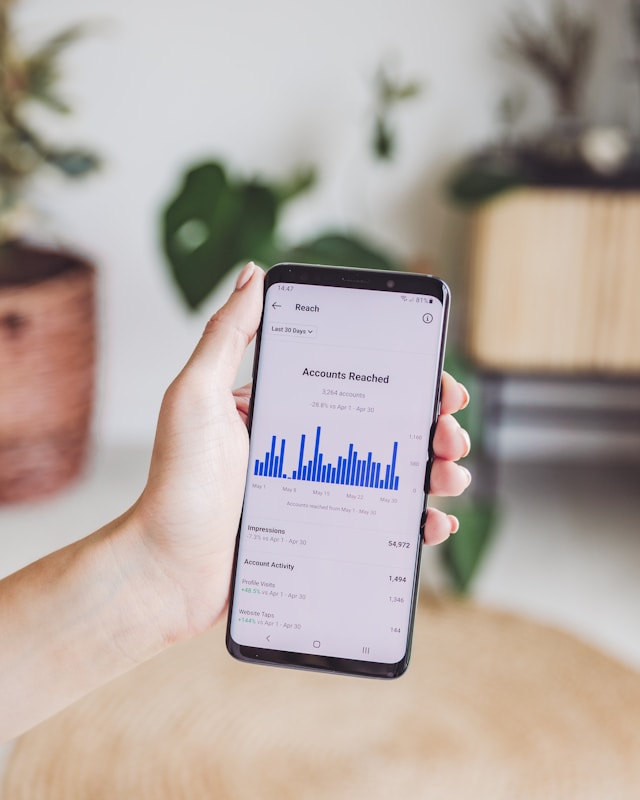
Análisis de Instagram Reels
Puedes acceder a tus estadísticas de IG Reels exactamente de la misma forma que se ha indicado anteriormente. Sin embargo, además del alcance y las interacciones, verás algunas métricas propias del formato de vídeo corto. Estas son solo algunas de ellas:
- Visualizaciones: el número total de veces que se ha reproducido tu vídeo en la pantalla de un usuario, incluidas las repeticiones.
- Tiempo de visionado: La cantidad acumulada de tiempo que tu vídeo fue reproducido por todos los usuarios.
- Tiempo medio de visualización: el tiempo medio que un usuario dedica a ver tu Reel. Cuanto mayor sea tu tiempo medio de visualización, más habrás logrado cautivar y mantener la atención de tu público.
- Seguidos: El número de cuentas que te siguieron después de ver tu vídeo. Esto indica la eficacia de tu Carrete para despertar interés por tu marca.

Instagram Análisis de historias
¿Quieres ver cómo está funcionando el contenido de tus historias? Puedes averiguarlo con los análisis de Historias de Instagram . Estos datos estarán disponibles en tu panel de Insights hasta una semana después de que caduque tu historia.
En esta sección, podrás consultar cuántos «Me gusta», reacciones, respuestas e interacciones con pegatinas ha generado cada historia. Esto te permitirá hacerte una idea de con qué tipo de historias interactúa la gente y cuáles ignora o se salta. También verás métricas generales, como el alcance y las impresiones.

Otros datos disponibles sobre su público
En la pestaña «Audiencia» de IG Insights, podrás ver datos demográficos sobre tus seguidores. Esto incluye un desglose preciso por género de tu base de seguidores, un gráfico de edades e información sobre las ciudades en las que viven. Con estos datos, puedes ajustar tu estrategia de contenido para adaptarla a sus preferencias y gustos específicos. Al centrarte específicamente en tu audiencia a la hora de crear contenido, ¡puedes esperar más interacciones con tus publicaciones cada vez que publiques algo!
Esta sección del informe de análisis también muestra las horas del día más activas de tu audiencia en la plataforma. Te da una idea precisa de cuándo están conectados tus fans. Esta información te da una idea de cuál es el mejor momento para publicar en Instagram y conseguir una interacción inmediata.

Consejo profesional: También puede utilizar herramientas de análisis de terceros Instagram
Además de IG Insights, puedes invertir en herramientas Instagram de terceros de confianza para obtener información aún más detallada sobre tus publicaciones.
Es posible que estas herramientas cuenten con sus propias tecnologías y algoritmos para ofrecerte datos aún más completos sobre tu contenido. Incluso podrían incluir funciones adicionales que no están disponibles en Instagram, como análisis de la competencia, informes personalizables, información sobre influencers y mucho más. Así pues, aunque los informes analíticos integrados Instagramson suficientes, quizá merezca la pena echar un vistazo a estas herramientas adicionales.
La buena noticia es que también hay un montón de herramientas de análisis que te ofrecen información detallada de forma totalmente gratuita. Una de ellas es Path Social Analyzer. Esta herramienta de análisis avanzada y gratuita te proporciona toda la información esencial que necesitas saber sobre cualquier Instagram pública Instagram .
Usarlo es muy fácil. Solo tienes que introducir el nombre de usuario del perfil del que quieras obtener información. A continuación, con solo pulsar un botón, tendrás al alcance de la mano una gran cantidad de métricas y datos sobre ese perfil. Verás información relevante como las tasas de interacción, la actividad media de los usuarios, la frecuencia de publicación, las impresiones, las horas más populares para publicar, los hashtags más utilizados y mucho más.
¡El analizador Path Social es una forma fantástica y práctica de echar un vistazo al Instagram de cualquier marca!
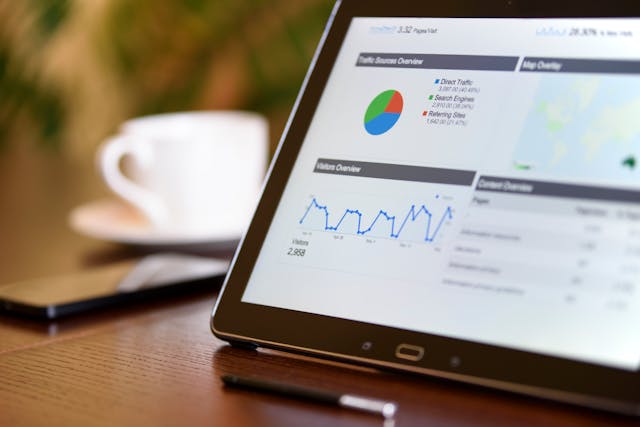
Analizar Instagram también podría ser una buena idea
Utilizar los hashtags adecuados de Instagram según tu nicho es fundamental si quieres que tus publicaciones lleguen a tu público objetivo. Para elegir los más adecuados para tu publicación, aprovecha las estadísticas Instagram .
El análisis de hashtags es exactamente lo que parece: métricas y datos sobre el rendimiento de determinadas etiquetas en Instagram. Los informes de análisis de etiquetas te mostrarán la popularidad y el nivel de interacción de un hashtag. Al comprender cómo funcionan las etiquetas específicas, podrás crear la combinación adecuada de hashtags para tus publicaciones y conseguir la máxima visibilidad.
Puedes encontrar análisis de hashtags en herramientas de terceros de confianza, como Sprout Social, que realiza un seguimiento de las etiquetas que utiliza tu público. Pero también puedes utilizar un montón de herramientas gratuitas de análisis de etiquetas para ahorrarte algo de dinero. El generador de hashtagsPath Social es una opción excelente para ello.
El generador de hashtags te permite consultar las estadísticas y métricas más importantes relacionadas con cualquier etiqueta de Instagram. Solo tienes que introducir un hashtag y te mostraremos la información más interesante y útil que necesitas saber sobre él. Esto incluye el número de publicaciones con esa etiqueta, la media de publicaciones al día e incluso la dificultad para posicionarse entre los primeros resultados.
¡Incluso te ofrecemos hashtags relacionados que puedes usar junto con esa etiqueta para copiarlos y pegarlos en tu pie de foto! En definitiva, es tu herramienta integral para analizar y elegir las etiquetas adecuadas para cualquier Instagram .

Preguntas frecuentes
¿Cómo puedo consultar mis datos analíticos en Instagram ?
Puedes consultar tus datos analíticos en Instagram la página «Insights». Esta función está disponible para cualquier persona que tenga una cuenta profesional. En ese panel de control, podrás ver métricas clave e indicadores de rendimiento tanto a nivel de página como de publicación.
¿Cómo se miden los análisis de Instagram ?
Para evaluar el rendimiento de tus análisis, es importante compararlos con tus cifras anteriores. Por eso es fundamental tomar nota de tus métricas clave a lo largo de las semanas o los meses. De ese modo, podrás utilizarlas como puntos de referencia para evaluar tu evolución más adelante.
¿Cómo gestiono los análisis de Instagram ?
Una buena forma de gestionar tus datos analíticos es organizarlos en una hoja de cálculo. Registra tus métricas y puntuaciones junto con la fecha. Hazlo cada dos semanas o una vez al mes para ver cómo crecen o disminuyen tus cifras.
¿Cuántos seguidores necesitas para ver Insights en Instagram?
No hay un número mínimo de seguidores necesario para acceder a la página de Estadísticas. El único requisito es tener una cuenta profesional, es decir, un perfil de creador o de empresa. El panel de Estadísticas no es una recompensa por el número de seguidores que tengas. Es una herramienta que te ayuda a conseguir más seguidores si sabes aprovechar lo que has aprendido.
¿Cuál es la precisión de los análisis de IG?
Las estadísticas de IG Insights son siempre precisas porque los datos proceden directamente de Instagram, por lo que el margen de error es mínimo o nulo. Las herramientas de análisis de terceros también suelen ser fiables. Solo tienes que asegurarte de elegir un servicio legítimo y de confianza con una trayectoria contrastada y vincular tu cuenta a su página web.
Marque esta guía de análisis Instagram para consultarla en el futuro.
Por supuesto, el contenido creativo es lo que captará la atención de tu público objetivo cuando visite tu página. Sin embargo, gracias a las estadísticas de Insights y otras herramientas de terceros, podrás ver qué ha funcionado y qué no en tu página. Estos datos reveladores son la clave del éxito en Instagram. Aprovecha esta información y estarás en el buen camino para conseguir unas tasas de interacción espectaculares y la fama en Instagram.
¿Todavía te intimidan los informes analíticos? Añade a tus favoritos esta guía Instagram y vuelve a consultarla siempre que lo necesites. Hasta entonces, céntrate en lo que más te gusta: ¡crear contenido relevante, impactante y entretenido!
¿Necesitas ayuda Path Social dar a conocer ese contenido? Puedes contar con Path Social Utilizamos estrategias promocionales de eficacia probada —desde colaboraciones con influencers hasta menciones en boletines informativos— para generar una repercusión relevante en torno a tu marca. Nos aseguramos de que esto llegue a tu público objetivo, lo que podría permitirte ganar más seguidores para tu página.
Duplica tus seguidores y tu engagement como hizo Modern Fit con la ayuda de Path Social ¡hoy!





¿Quieres aumentar tu Instagram de forma natural?
Descubre una plataforma diseñada para ayudar a los creadores a llegar a seguidores reales y comprometidos, sin atajos.
Explora la plataforma




