


Instagram Blocage ou restriction : Guide de l'utilisateur

Lorsque vous faites défiler votre Instagram , vous arrive-t-il de vous interroger sur les limites invisibles qui façonnent vos interactions en ligne ? Instagram améliore Instagram l'expérience utilisateur en limitant les abus et les interactions indésirables. Les fonctionnalités de confidentialité de la plateforme en font une application de réseau social privilégiée par les adolescents, les influenceurs et les marques. Cet article vous expliquera en détail la différence entre Instagram et « restreindre » Instagram , et comment chacune d'elles peut influencer vos interactions sur les réseaux sociaux.
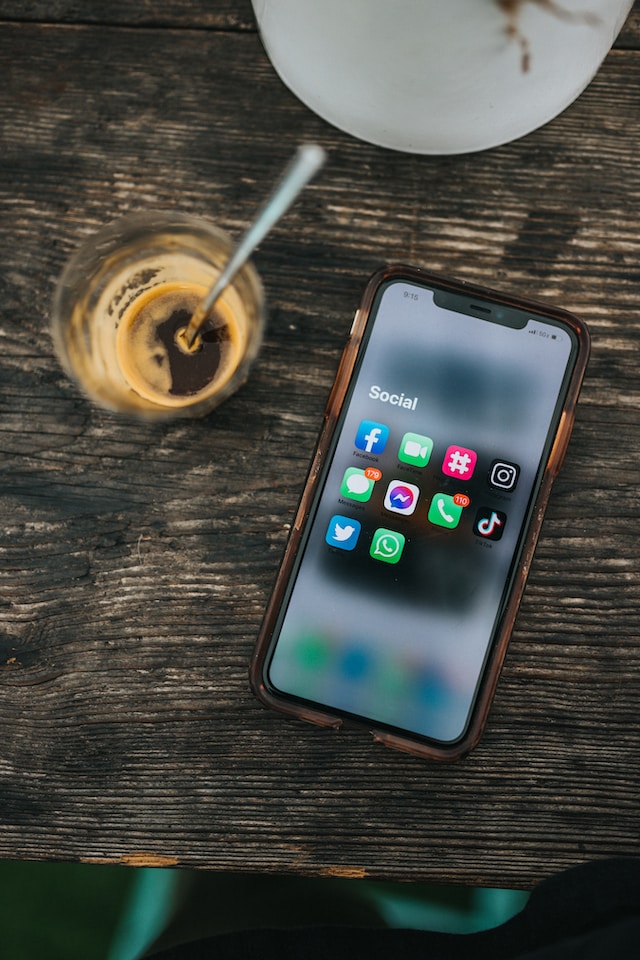
Différence entre Instagram Block et Restrict
Instagram les utilisateurs doivent se familiariser avec les fonctions de restriction et de blocage de la plateforme afin de favoriser une communauté positive et pacifique. Ces fonctions sont efficaces pour gérer les interactions et atténuer les contenus ou comportements indésirables.
Voyons comment les fonctions de blocage et de restriction fonctionnent et quelles sont leurs implications.
Que signifie "restreindre" sur Instagram?
Vous vous demandez ce que signifie restreindre sur Instagram?
Restreindre une personne sur Instagram est une alternative au blocage. Ce type de blocage "doux" vous permet de contrôler plus finement la manière dont un utilisateur interagit avec votre profil. Vous pouvez le faire en limitant son accès à certaines publications de votre profil et à certains modes de communication.
Contrairement aux utilisateurs bloqués, les utilisateurs soumis à des restrictions ne perdent pas tout accès, ce qui favorise la transparence et les relations tout en limitant les contacts indésirables.
Même si vous pouvez limiter l'accès d'un utilisateur, il est toujours possible de le bloquer. Cette flexibilité vous permet de suivre l'évolution de la situation et de réagir avec vigilance si nécessaire. La fonctionnalité de limitation Instagramoffre un moyen nuancé de contrôler nos interactions en ligne tout en conservant certains liens sociaux.
Que signifie le terme "bloc" sur le site Instagram?
Bloquer quelqu'un sur Instagram signifie que cette personne ne peut plus consulter votre profil ni aucun des contenus que vous publiez. Le fait de bloquer un utilisateur le supprime de votre liste d'abonnés. Cela l'empêche de vous contacter par messages privés, commentaires ou réponses à vos publications. De même, il ne pourra plus voir ni interagir avec vos publications ou vos commentaires. Cela garantit que l'utilisateur bloqué ne peut en aucun cas accéder à votre contenu ni vous contacter.

Quand faut-il bloquer ou restreindre quelqu'un ?
Instagram des fonctionnalités de blocage et de restriction permettant de contrôler les interactions. Il est toutefois important d'examiner attentivement les différentes situations avant d'utiliser ces fonctionnalités.
L'option de blocage constitue une solution efficace pour mettre fin, de manière définitive et irréversible, aux interactions indésirables. Il est important de prendre des mesures concrètes face aux abus en ligne et à l'attention indésirable. Lorsque vous bloquez quelqu'un, cette personne perd l'accès à votre profil, à vos publications et à tout autre moyen de communication. C'est également un moyen efficace de protéger votre vie privée et votre sécurité en ligne.
Restreindre l'accès à la page d'une personne est une approche modérée qui permet de limiter son implication sans couper le contact. C'est l'option préférée lorsque l'obstruction totale est trop stricte. Restreindre l'accès à votre profil ne signifie pas nécessairement qu'il est complètement caché.
La décision de bloquer ou de restreindre l'accès d'une personne dépend de la dynamique de vos interactions. Si la restriction d'accès ne donne pas de résultats, vous pouvez bloquer cette personne en dernier recours. Les interactions en ligne évoluant constamment, les utilisateurs doivent être capables de réagir avec précision et d'adapter leur stratégie en conséquence. Lorsqu'une personne publie fréquemment des commentaires explicites ou harcelants, vous pouvez la bloquer afin de mettre un terme à ce type de comportement.
Il existe toutefois une autre solution. Si vous tombez sur un Instagram qui enfreint les Règles de la communauté Instagram, vous pouvez le signaler. Ces règles couvrent toute une série de problèmes, tels que les abus, le spam, la nudité, l’intimidation, la violence, les escroqueries, l’usurpation d’identité, etc.
Comprendre chacune de ces fonctionnalités permet aux particuliers et aux marques qui font appel à des influenceurs de prendre une décision éclairée, en accord avec leurs préférences et leurs limites en ligne.
Que se passe-t-il lorsque vous limitez ou bloquez quelqu'un ?
Si vous souhaitez limiter Instagram , vous pouvez bloquer ou restreindre l’accès à certains utilisateurs. Même si vous restreignez l’accès à quelqu’un sur Instagram, cette personne pourra peut-être continuer à voir votre contenu si elle vous suit. Cela vous permet de conserver votre visibilité sans éveiller les soupçons. Ces utilisateurs peuvent communiquer avec vous de différentes manières : par messages privés, en lisant et en répondant à vos discussions, ou en commentant vos publications. Cependant, lorsqu’un utilisateur dont l’accès est restreint vous envoie un message privé, le système le déplace vers la rubrique « Demandes » et vous ne recevez aucune notification.
L'un des avantages de la restriction d'accès est qu'elle permet d'éliminer les notifications gênantes provenant d'un utilisateur spécifique. Toutefois, les personnes dont l'accès est restreint peuvent toujours vous taguer dans des publications. Vous pouvez toutefois examiner et approuver les commentaires et les messages avant qu'ils ne soient visibles publiquement.
À l’inverse, bloquer quelqu’un sur Instagram une solution plus définitive. Si vous bloquez une personne, celle-ci ne pourra plus consulter votre profil ni vous trouver via la fonction de recherche. De cette manière, la plateforme l’empêche de suivre vos activités, même si vous avez des amis en commun. Instagram se désabonnera automatiquement de Instagram utilisateur, et celui-ci perdra la possibilité de vous taguer, de vous envoyer des messages ou d’engager des conversations. En bloquant les profils actuels et similaires de ces utilisateurs, Instagram vous Instagram de limiter les faux profils et les faux abonnés.
Vous pouvez vous assurer que vous bloquez tous les comptes qu'ils créeront à l'avenir en prenant les mesures nécessaires. Instagram a ajouté cette fonctionnalité car de nombreux utilisateurs créaient des comptes en double pour vérifier si la plateforme les avait bannis. L'utilisateur bloqué ne saura pas si vous l'avez bloqué ou si vous avez simplement désactivé ou supprimé votre compte.

Comment restreindre l'accès d'un utilisateur à Instagram
En matière de restriction d'accès sur Instagram, trois options distinctes s'offrent aux utilisateurs. Chacune propose une approche unique en matière de contrôle, permettant aux utilisateurs d'ajuster leur niveau de contrôle en fonction de leurs préférences. Grâce à ces méthodes, les utilisateurs peuvent personnaliser leur expérience en ligne avec facilité et précision. Ils peuvent gérer les interactions via les paramètres de commentaires ou adopter une approche directe depuis le profil de l'utilisateur concerné.
- Par le biais des commentaires
Pour bloquer un utilisateur sur Android, il suffit d'appuyer longuement sur le commentaire de l'utilisateur que vous souhaitez bloquer. Ensuite, cliquez sur l'icône « Info » en haut de l'écran et appuyez sur le bouton « Restreindre ».
Si vous utilisez iOS, balayez vers la gauche sur le commentaire, appuyez sur l'icône d'information, puis sélectionnez « Restreindre ». Cela vous permet de restreindre l'accès d'un utilisateur directement depuis la section des commentaires.
- A partir de Paramètres
Cliquez sur l'icône représentant trois points dans le coin supérieur droit pour accéder à votre profil. Allez dans « Paramètres », puis dans « Confidentialité », et cliquez enfin sur « Accès restreint ». Recherchez le compte dont vous souhaitez limiter l'accès, puis cliquez sur le bouton « Restreindre » qui apparaît à côté.
- Extrait de leur profil
Allez sur le compte Instagram de la personne dont vous souhaitez limiter l'accès. Appuyez sur le menu à trois points dans le coin supérieur droit et cliquez sur l'option Restreindre. Il s'agit d'un moyen simple de limiter l'accès de l'utilisateur en accédant directement à son profil.
Chaque méthode s'intègre parfaitement à l'interface utilisateur Instagram, ce qui la rend très simple d'utilisation. Instagram aux utilisateurs de limiter leurs activités et la visibilité de leurs contenus, leur offrant ainsi un meilleur contrôle sur leur expérience.
Comment bloquer un utilisateur sur Instagram
Instagram de bloquer facilement d'autres utilisateurs, ce qui permet d'éviter les contacts ou les contenus indésirables. Les options de blocage sont particulièrement utiles pour Instagram qui s'adressent à un large public. Ces étapes simples permettent de bloquer définitivement l'accès d'un utilisateur à votre profil :
Lancez Instagram et accédez au compte de la personne que vous souhaitez bloquer. Cliquez ensuite sur l'icône à trois points dans le coin supérieur droit. Cette option offre aux utilisateurs des fonctionnalités.
Cliquez sur le bouton de menu pour faire apparaître un menu déroulant. Sélectionnez « Bloquer » ; une fenêtre de confirmation s'affichera alors pour vous demander de confirmer votre choix.
Sélectionnez "Bloquer" et Instagram vous demandera de vérifier votre choix. Cette étape supplémentaire permet d'éviter qu'un utilisateur ne soit bloqué par erreur. La confirmation de votre choix entraînera le blocage automatique de l'utilisateur.
Le fait de bloquer quelqu'un sur Instagram plusieurs conséquences, notamment :
- Les personnes bloquées ne pourront plus voir votre profil ni entrer en contact avec vous.
- Ils ne peuvent pas voir votre profil ni interagir avec lui.
- Si la personne que vous avez bloquée vous suivait, Instagram la Instagram de la liste.
- La plateforme supprimera définitivement les likes et les commentaires qu'ils ont postés sur votre contenu.
- Lorsque vous bloquez un utilisateur, ni vous ni lui ne recevrez de messages privés. Toutefois, l'historique des conversations reste accessible, sauf si vous faisiez partie d'une conversation de groupe. Instagram vous Instagram alors si vous souhaitez quitter le groupe ou en rester membre.
- Ils ne peuvent pas vous ajouter à des discussions de groupe ou vous marquer dans des messages.
- Ils ne pourront pas trouver votre profil dans les recherches connexes.
En vous retirant du Instagram d'un utilisateur, vous l'empêcherez de vous contacter, ce qui vous permettra de profiter d'une expérience plus intime et plus facile à gérer.

Comment savoir si quelqu'un vous a bloqué sur Instagram
Il peut parfois vous arriver de vous retrouver de l'autre côté de la barrière. Vous vous demandez comment savoir si quelqu'un vous a bloqué sur Instagram? Commencez par rechercher le profil de l'utilisateur à l'aide de son nom d'utilisateur. Si vous n'obtenez aucun résultat, cela peut signifier que le compte est inactif ou que cette personne vous a bloqué.
Il existe un moyen simple de savoir si quelqu'un vous a bloqué sur les médias sociaux. Vous pouvez consulter votre liste de followers pour voir si une personne que vous suiviez auparavant a disparu de votre fil d'actualité.
Connectez-vous à un autre Instagram et effectuez la même recherche pour vérifier les résultats. Si son profil est visible depuis ce deuxième compte, cela confirme qu’il vous a bloqué. Toutefois, s’il est introuvable, il se peut qu’il ait désactivé son compte.
Comment savoir si quelqu'un vous a imposé des restrictions sur le site web Instagram
Même si Instagram directement les utilisateurs bloqués de cette restriction, ceux-ci peuvent s'en rendre compte. L'utilisateur bloqué pourrait se poser des questions s'il cesse soudainement de voir vos publications.
Vous pouvez rechercher des signes révélateurs si vous pensez que quelqu'un vous a imposé des restrictions sur Instagram. L'icône "Actif maintenant" ou "Actif il y a une heure" sous le chat peut vous aider à déterminer si l'utilisateur est en ligne. Vérifiez si quelqu'un vous a bloqué en commentant son message récent et en demandant à un ami de vérifier la visibilité.
Les utilisateurs peuvent choisir de rendre leur Instagram privée. Notez que les commentaires peuvent être affichés avec un certain retard, ce qui rend difficile le suivi des échanges en temps réel. Malgré ces réserves, Instagram judicieux de connaître les signes indiquant qu’une personne a été restreinte sur Instagram . Reconnaître ces indices permet aux utilisateurs de rester vigilants et de corriger efficacement leurs actions.
Renforcez votre communauté Instagram avec Path Social
Même si le fait de se fermer aux autres peut sembler plus radical au premier abord, cela vous aide à créer un environnement dans lequel vous vous sentez en sécurité. N’hésitez pas à choisir la solution qui vous convient le mieux. C’est votre besoin de sécurité psychologique qui doit guider votre choix.
Avant de choisir entre la fonction Instagram et la fonction « restreindre » Instagram , réfléchissez aux conséquences possibles avant d’agir. Vous pouvez restreindre ou bloquer les personnes dont les interactions vous dérangent sur Instagram. Lorsque vous bloquez quelqu’un, toute communication entre vous et l’utilisateur bloqué est complètement coupée. La fonction « restreindre » est une stratégie plus souple qui atténue certaines conséquences potentielles.
Si un utilisateur tient des propos injurieux, se livre à du harcèlement ou vous cause une grande détresse émotionnelle, vous pouvez le bloquer. Limitez les échanges avec les personnes avec lesquelles vous souhaitez passer moins de temps ou avec lesquelles vous comptez renouer plus tard.
Path Social s'efforce d'aider les entreprises et les entrepreneurs Instagram à maximiser leur impact social grâce à son algorithme d'IA de pointe. Nous élaborons des stratégies sur mesure pour renforcer leur influence en ligne et leur garantir une expérience réussie dans l'univers dynamique des réseaux sociaux.
Vous cherchez des moyens d'augmenter votre portée sociale ? Prenez contact avec nous et commencez à gagner Instagram followers dès aujourd'hui avec Path Social!





Vous souhaitez développer naturellement votre Instagram ?
Découvrez une plateforme conçue pour aider les créateurs à toucher un public authentique et engagé, sans prendre de raccourcis.
Explorez la plateforme




