


¿Cuál es la mejor aplicación para hacer carretes en 2024?

Instagram | 4 de septiembre de 2025
Parece que hoy en día hay aplicaciones para todo lo relacionado con Instagram . Algunas aplicaciones afirman que pueden conseguirte más seguidores, mientras que otras prometen aumentar el número de «me gusta» en tus publicaciones. Por otro lado, hay otras aplicaciones diseñadas para ayudarte a mejorar tus publicaciones y hacerlas más atractivas y de mayor calidad. Entre ellas se incluyen las numerosas aplicaciones de edición de vídeo para Instagram Reels. Hoy vamos a descubrir cuál es la mejor aplicación para crear Reels, en función de tus necesidades de edición.
Hay un sinfín de herramientas disponibles que pueden convertirse en tu mejor aliado a la hora de editar Reels. Hay aplicaciones gratuitas para crear Reels y otras de pago. Estas herramientas se centran en los efectos especiales y en los editores clásicos para conseguir transiciones fluidas. Solo tienes que elegir la que mejor se adapte a tus necesidades y a tus habilidades de edición.
Si eliges la herramienta de edición de vídeo adecuada, estarás en el buen camino para triunfar con tus Reels. Y te lo hemos puesto más fácil. En esta guía encontrarás ocho de las aplicaciones de edición de vídeo más eficaces para los Reels de Instagram . ¡Échales un vistazo para ver cuál es la ideal para ti!
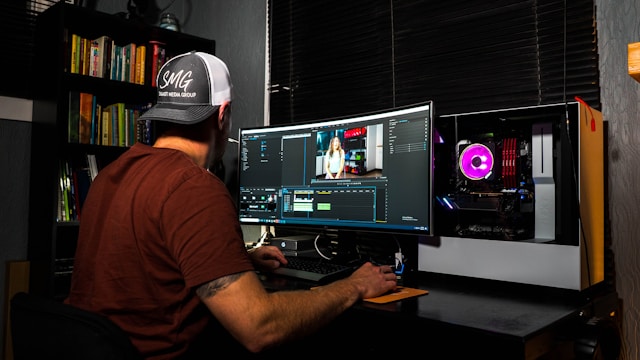
¿Por qué utilizar herramientas de edición de vídeo para crear sus carretes Instagram ?
Los Reels son uno de los formatos de contenido más demandados actualmente en Instagram . Desde influencers hasta empresas, pasando por cuentas personales de usuarios de a pie, a todo el mundo le encanta ver y publicar Reels. Estos vídeos cortos en formato vertical son muy adictivos y constituyen unas herramientas de marketing increíbles.
Como a todo el mundo le encantan los Reels de Instagram , la plataforma está repleta de este tipo de contenido de vídeo. Por eso, si quieres empezar a crear Reels, tienes que dar un paso más para destacar. Una forma de hacerlo es utilizando una aplicación de edición de vídeo de terceros para mejorar la estética general de tus Reels.
Utilizar una herramienta de edición de vídeo para crear tus Reels tiene muchas ventajas. Es cierto que Instagram cuenta con su propio editor de Reels integrado. Sin embargo, otras aplicaciones ofrecen funciones que te permiten tener un mayor control para que tus vídeos queden exactamente como los habías imaginado.
Las aplicaciones de edición de vídeo te permiten dar rienda suelta a tu creatividad gracias a su gran variedad de útiles funciones de edición. Con estas aplicaciones, puedes recortar, cortar y añadir efectos de sonido, animaciones y estilos de transición dinámicos a tus clips de vídeo. Algunas aplicaciones también cuentan con funciones avanzadas, como filtros, edición multicapa, exportación en alta resolución y efectos cinematográficos.
Tanto si optas por aplicaciones básicas como avanzadas, herramientas como estas pueden hacer que tus Reels resulten más interesantes y cautivadores. Y cuando tus Reels sean de alta calidad y ofrezcan valor, conseguirán más visualizaciones. Por lo tanto, si quieres tener éxito creando Reels e Instagram , una aplicación de edición de confianza puede ser tu mejor aliada.
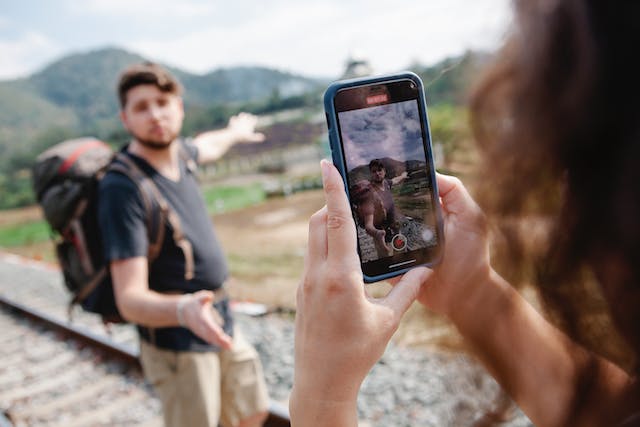
Mejor aplicación de edición de carretes con plantillas de vídeo para principiantes: Canva
No todo el que hace Instagram Reels es un experto a la hora de editar y diseñar contenidos estéticos. Los principiantes y los que no tienen ojo para el diseño necesitarán un poco de ayuda extra a través de plantillas de vídeo.
Aunque Canva es más conocida por sus plantillas de carteles y folletos digitales, también cuenta con plantillas de vídeo vertical. Por eso es la mejor aplicación de edición de Reels para principiantes que necesitan ayuda a la hora de crear bonitos vídeos verticales Instagram .
Para crear una plantilla de Reel parInstagram , las aplicaciones como Canva ofrecen miles de elementos de diseño, fotos y tipografías, además de cientos de plantillas. Lo mejor de todo es que su uso es totalmente gratuito. Solo tienes que elegir una plantilla y subir tus clips de vídeo. A partir de ahí, el resto consiste básicamente en arrastrar y soltar, al igual que con el resto de plantillas creativas de Canva, que son muy fáciles de usar.
Editar Reels con Canva no solo te permite crear contenidos de vídeo fascinantes, sino que también te permite crear tu vídeo en un tiempo récord. Como ya cuentan con plantillas, no tienes que empezar desde cero a la hora de crear tu Reel. Esto te ahorra muchísimo tiempo.
Además, no tienes que preocuparte por idear el aspecto, las transiciones y los efectos de tu Reel. Las plantillas de Canva ya lo tienen todo preparado; solo tienes que añadir tus clips de vídeo y listo. ¡Es, sin duda, la forma más fácil de crear Reels si eres nuevo en este formato de contenido!
La mejor aplicación para hacer carretes con música y voz en off: CapCut
Es posible que algunos creadores de contenido te digan que lo que determina el éxito o el fracaso de un Reel es el audio. Y no se equivocan. La música de fondo y la voz en off de un vídeo son las que le dan a un Reel su carácter y su valor de entretenimiento. Si el audio es muy importante para ti, utiliza CapCut: la mejor aplicación para crear Reels con música y voces en off.
CapCut es una herramienta de edición de vídeo que pertenece a la misma empresa que TikTok. Sin embargo, también puedes utilizarla para editar vídeos verticales para los Reels de Instagram . Es un editor de vídeo muy completo que te permite recortar y fusionar vídeos, así como añadirles texto y pegatinas. Pero si hay algo que destaca de CapCut, es su especialización en música y sonidos.
CapCut tiene una enorme biblioteca de canciones libres de derechos que puedes utilizar para añadir música a tus vídeos. También tienen un montón de efectos de sonido interesantes que puedes superponer. Estos sonidos pueden hacer que cualquier Carrete resulte más atractivo de lo que era originalmente.
Además de ofrecer la posibilidad de añadir música y efectos de sonido, CapCut también te permite grabar voces en off para tus Reels. A diferencia de otras aplicaciones de edición de terceros, no establecen ningún límite de tiempo para la grabación de voz. También te permiten jugar con el tono, la velocidad y el volumen de tu voz en off. Sus subtítulos automáticos son la guinda del pastel de esta fantástica función.
La música es una forma fantástica de mejorar tus Reels de Instagram y añadirles más narrativa. CapCut te permite experimentar con todo tipo de clips de audio y voces en off, lo que te permite expresarte de forma creativa a través del sonido.
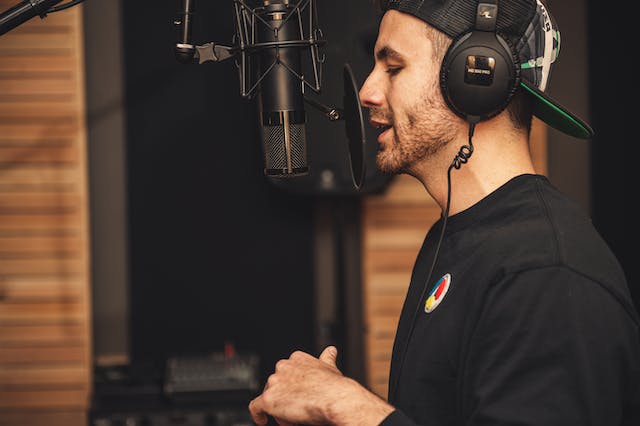
Mejor aplicación de pago para editar vídeos: Adobe Premier Rush
Aunque Adobe es más conocida por Photoshop, la empresa también cuenta con una aplicación móvil de edición llamada Adobe Premier Rush. Esta aplicación permite a cualquiera editar los vídeos de su móvil como lo haría un profesional. La aplicación, de pago, cuenta con numerosas funciones avanzadas, desde la corrección de color hasta la exportación de vídeos en alta definición. Estas son solo algunas de las muchas cosas que puedes hacer con la aplicación:
- Crea transiciones suaves de un clip al siguiente.
- Ajusta la velocidad de tu vídeo para hacerlo más lento o más rápido.
- Añade audio de la biblioteca de música libre de derechos de Adobe. También puedes ajustar el audio de tu Carrete reduciendo el ruido y equilibrando los sonidos.
- Utiliza una de sus plantillas e introduce fácilmente en ella tus vídeos y fotos.
- Comparte tu vídeo directamente en Instagram y otras plataformas de redes sociales con un solo clic.
Por supuesto, no solo estás pagando por todas estas funciones. También estás pagando un sobreprecio por el prestigio de Adobe como marca líder en diseño y edición. Así que prepárate para un precio elevado por esta aplicación. Pero no te preocupes: podemos dar fe de sus increíbles funciones, que mejorarán por completo tus Reels de Instagram . ¡Seguro que no te arrepentirás de invertir en esta aplicación!
Las Mejores Aplicaciones Gratuitas Para Hacer Carretes: Instagram ¡Itself!
¡Por supuesto, también tenemos que darle un poco de cariño a « Instagram »! La propia aplicación « Instagram » destaca como la mejor herramienta para editar Reels. Por eso la consideramos una de las mejores aplicaciones gratuitas para crear Reels.
InstagramPuede que el editor de Reels integrado en la aplicación no cuente con tantas funciones avanzadas. Pero tiene todo lo que podrías necesitar para crear contenido de vídeo atractivo para tus seguidores. En Instagram, puedes recortar y reorganizar fragmentos de vídeo para contar la historia que quieras. También puedes probar a añadir transiciones de moda a tus clips para hacerlos aún más emocionantes. Puedes añadir música y superposiciones de texto a tus clips. Si te apetece divertirte un poco más, incluso puedes usar divertidos filtros de realidad virtual para darle un toque especial a tus vídeos de selfies.
Una característica única de « Instagram » es que te permite grabar vídeos directamente desde el editor de Reels. Esto es fantástico para crear Reels rápidos y sin complicaciones en los que te dirijas a tu público.
Si no quieres descargar una aplicación de edición de terceros (ni pagar por ella), quédate con el editor de « Instagram ». Puede que no tenga todas las funciones sofisticadas que ofrecen algunas de las aplicaciones de vídeo más avanzadas, pero es ideal para crear Reels sencillos que siguen siendo divertidos y entretenidos, a la vez que te ahorran tiempo y dinero.

Lo mejor para formatos únicos y efectos de moda: InShot
InShot es otra aplicación de edición de vídeo muy popular que la gente utiliza para crear sus Reels. Ofrece todas las funciones básicas, desde recortar fácilmente los vídeos hasta ajustar la velocidad o añadir música al resultado final. Pero algo que hace increíblemente bien es permitir a los usuarios experimentar con efectos y transiciones divertidos y de moda.
InShot tiene en cuenta las últimas tendencias de los Reels de Instagram a la hora de crear nuevas transiciones. Puedes utilizar efectos de vídeo en 3D, sustituir el cielo e incluso hacerte parecer un gigante en tu vídeo. Es fantástico para los creadores que quieren entretener a su público de una forma desenfadada y a la última.
La aplicación también es muy útil para trabajar con vídeos horizontales que quieras publicar en Reels. Te permite añadir barras o espacios en blanco por encima y por debajo de estos vídeos, convirtiéndolos así en un vídeo vertical. También puedes superponer vídeos horizontales unos encima de otros para convertirlos en verticales a través de la aplicación.
Mejor aplicación de edición para efectos cinematográficos clásicos: Splice
La gente suele utilizar los Reels de Instagram para crear contenido desenfadado y con el que el público se sienta identificado. La mayoría de los creadores suelen utilizar transiciones sencillas con animaciones y efectos mínimos. De todos modos, siempre que la narración sea acertada, no son necesarios.
Sin embargo, hay otros que se esmeran en crear contenidos de vídeo impresionantes y visualmente alucinantes con efectos cinematográficos. No, estos creadores no recurren a una cámara profesional para producir estos vídeos. Lo consiguen con fragmentos de vídeo grabados con su móvil y una aplicación de edición llamada Splice.
Splice te permite añadir efectos cinematográficos al estilo de Hollywood a tus Reels. Entre ellos se incluyen las tomas panorámicas y los alejamientos de cámara, así como la creación de vídeos de fondo personalizados para tu Reel final. Cuando termines de editar tu vídeo, parecerá que lo haya editado un equipo de directores de fotografía.
Pero no son solo las transiciones cinematográficas las que permiten a Splice dar a tus Reels un aspecto pulido y satisfactorio. La aplicación también aplica correcciones de color a tus vídeos, tal y como hacen los cineastas con las películas antes del montaje final. Puedes ajustar los tonos y matices de tus clips de vídeo para crear el ambiente y la atmósfera que desees. Esto contribuye en gran medida a la narración a través del vídeo.

La mejor aplicación para trabajar con pantalla verde: Kinemaster
Los creadores de contenidos que llevan tiempo haciendo Reels a veces utilizan una pantalla verde para filmar los vídeos. Esto les permite elegir vídeos de fondo para sus Reels. Es una forma fantástica de pintar un escenario específico para tu Reel. También te permite mostrarte a ti mismo y fotos o clips relevantes en el mismo fotograma.
Pero no todas las aplicaciones de edición cuentan con funciones para trabajar con pantalla verde, también conocida como «chroma key». Tienes que encontrar una que te permita realizar composiciones con «chroma key» sin perder la alta resolución de tus vídeos. Y eso es precisamente lo que hace KineMaster.
KineMaster te permite eliminar un color de fondo específico de tus vídeos. Normalmente, este color es el verde, lo que crea una pantalla verde. Sin embargo, puedes elegir el color que prefieras. A continuación, te permite añadir otros clips que servirán como vídeo de fondo para tu Reel. Y gracias a los ajustes de precisión de KineMaster, puedes conseguir vídeos con croma muy nítidos y con un acabado profesional. ¡Es perfecto para superponer fotos y vídeos! Lo mejor de todo es que puedes exportar tu vídeo final en 4K. Esto te permite subir Reels nítidos y de alta calidad que a tu público le encantarán.
Ten en cuenta que KineMaster es una aplicación de edición de pago. Aunque tiene una versión gratuita, los vídeos exportados con ella incluirán una marca de agua. ¡Solo te lo advierto!
Lo mejor para pegatinas divertidas, emojis y efectos de RA: Clips
Si te encantan los emojis y los stickers, te encantará crear Reels con Clips, una aplicación de edición de Reels propiedad de Apple para dispositivos iOS. Es la herramienta perfecta para crear Reels divertidos, coloridos y dinámicos.
Con Clips, puedes editar vídeos tanto verticales como horizontales. Añade todos los elementos de diseño que quieras, desde pegatinas hasta emojis y leyendas, en cualquier estilo de fuente y color que se te ocurra. ¡Incluso puedes insertar bocadillos, añadir música de tu biblioteca e incluir texto animado en tus clips si lo deseas!
Al igual que con el editor integrado de Reels de Instagram , también puedes grabar vídeos directamente desde la aplicación Clips. Además, puedes modificar el aspecto de la habitación en la que te encuentras utilizando su función especial «AR Spaces». Es algo parecido a los filtros de Instagram , pero en lugar de modificar solo tu cara, se modifica todo el espacio. ¡Es genial!
Aplicaciones para hacer estallar los carretes
Hay muchísimas aplicaciones que pueden ayudarte a que tus Reels queden perfectos. Si aún no te sientes seguro de tus habilidades a la hora de idear contenido de vídeo, prueba las plantillas de vídeo de Canva, ideales para principiantes. Si quieres experimentar con efectos cinematográficos o quizá trabajar con una pantalla verde, opta por Splice o KineMaster. Hay una herramienta de edición de vídeo para cada persona. Solo tienes que elegir bien para poder empezar a crear los mejores Reels que hayas hecho nunca.
Una vez que hayas descubierto cuál es la mejor aplicación para crear Reels según tus habilidades y necesidades, es hora de ponerse manos a la obra. Crea los Reels más creativos, entretenidos, cercanos e impresionantes que puedas. ¡Después, utiliza Path Social para que los vea más gente!
Nuestro algoritmo de segmentación exclusivo toma tu contenido y lo difunde entre tu público objetivo. Eso significa que las personas que más probablemente disfrutarán de tus publicaciones e interactuarán con ellas serán precisamente las que las vean. Además, como mucha gente descubrirá tu contenido por primera vez, conseguirás un montón de nuevos seguidores. Aumenta tu número de seguidores y consigue más visualizaciones en tus Reels hoy mismo.
Preguntas frecuentes
Ahora que ya sabes cuál es la mejor aplicación para crear Reels, ¡nada te puede detener! Sin embargo, si tienes alguna otra duda al respecto, estás en el lugar adecuado. Echa un vistazo a nuestras preguntas frecuentes para profundizar más en el tema.
¿Cómo exporto mi vídeo?
La mayoría de las aplicaciones te permiten exportar vídeos en el formato adecuado para los Reels de Instagram (relación de aspecto vertical de 9:16). Una vez que hayas terminado de editarlos, solo tienes que seleccionar la opción de exportación y elegir la resolución (1080p es ideal para Instagram). Tras la exportación, puedes subir el vídeo directamente a tus Reels de Instagram .
¿Cuál es la mejor aplicación para hacer carretes Instagram con efectos especiales?
Las mejores aplicaciones para hacer carretes con efectos especiales son las siguientes:
- FilmoraGo: Ofrece diversos efectos, plantillas y transiciones animadas.
- CapCut: Ofrece una amplia gama de efectos, entre los que se incluyen transiciones, filtros y animaciones de vídeo avanzadas.
- InShot: Cuenta con varios efectos divertidos, como «glitch», «retro» y «bokeh».
- Kinemaster: Proporciona edición de vídeo multicapa con potentes efectos y animaciones de fotogramas clave.
¿Puedo crear transiciones en Instagram Reels?
Sí, puedes crear transiciones en los Reels de Instagram , tanto desde la propia aplicación como mediante aplicaciones de terceros. Elige la aplicación de edición de Reels que mejor se adapte a ti y a tus necesidades específicas. Aplicaciones como CapCut, InShot y Kinemaster cuentan con efectos de transición de estilo profesional que pueden ayudarte a que tus Reels tengan un aspecto impecable.





¿Buscas la mejor forma de conseguir seguidores Instagram ?
Deje que nuestras estrategias de crecimiento orgánico dirigidas por IA trabajen para usted.
Consigue seguidores de Instagram ahora




