



Todas las aplicaciones que existen necesitan actualizarse de vez en cuando. Ya se trate de una red social o de una aplicación bancaria, es fundamental estar al día con las actualizaciones. Instagram no Instagram una excepción a esta regla. Por eso te explicamos cómo actualizar Instagram te contamos por qué deberías hacerlo.
Aprender a actualizar automática o manualmente Instagram es rápido y sencillo. Sigue leyendo para aprender cómo.
¿Qué son las actualizaciones de Instagram ?
Instagram son nuevas versiones de la aplicación. Al instalarlas, actualizas Instagram su última versión. Algunas actualizaciones sirven para corregir errores, aplicar parches o introducir nuevas funciones. Los desarrolladores actualizan la Instagram para mejorar la experiencia del usuario.
Puedes descargar la última versión de la aplicación manualmente desde la tienda Google Play o desde la App Store de Apple. O, si prefieres ahorrarte todas esas molestias, puedes activar las actualizaciones automáticas.
Por qué debería actualizar su aplicación a la última versión
Lo entendemos. No a todo el mundo le gustan los cambios, ni siquiera en la Instagram . A veces, es un fastidio perder una interfaz con la que ya estás familiarizado y con la que te sientes cómodo. Puedes optar por retrasar la actualización a la última versión Instagram .
Pero, tarde o temprano, Instagram de admitir tu versión obsoleta. Entonces, tendrás que cambiar de todos modos.
Recuerda que, si pospones Instagram , no podrás utilizar determinadas funciones. Además, es posible que algunas funciones dejen de funcionar correctamente o que ni siquiera funcionen. La aplicación también podría funcionar más lentamente si la nueva actualización incluye correcciones de errores.
Cómo actualizar manualmente la aplicación Instagram
¿Estás listo para aprender a actualizar la Instagram ? En primer lugar, te vamos a enseñar cómo hacerlo manualmente tanto en un dispositivo iOS como en uno Android. Solo hay que seguir unos sencillos pasos y, antes de que te des cuenta, tu aplicación funcionará mejor que nunca.
Cómo actualizar Instagram en Android
Estos son los pasos para actualizar Instagram en Android.
- Ve a la aplicación Google Play en tu teléfono Android.
- Escriba "Instagram" en el cuadro de búsqueda de la parte superior de la pantalla.
- Cuando aparezca la aplicación, debería aparecer el botón «Actualizar» junto al Instagram si hay una actualización disponible.
La instalación de las actualizaciones debería tardar como máximo un minuto. Una vez que haya terminado de cargarse, haz clic en la entrada Instagram y se iniciarán las nuevas actualizaciones.
Cómo actualizar Instagram en el iPhone
Cómo actualizar Instagram en iPhone (o cualquier dispositivo iOS) implica pasos similares a los de un dispositivo Android. Sólo tienes que seguir estos pasos.
- Ve a la App Store desde tu iPhone, iPad u otro dispositivo móvil con iOS
- Encontrarás la pestaña de actualizaciones en la parte inferior de la pantalla. Un punto rojo con un número indicará el número de actualizaciones de aplicaciones disponibles para tu teléfono. Toca la pestaña de actualizaciones.
- Aparecerá una lista de aplicaciones con actualizaciones disponibles. Busca Instagram y toca "Actualizar".
Al igual que en los dispositivos que no son iOS, la próxima vez que abras la aplicación, se aplicarán las nuevas funciones y las correcciones del sistema.
Cómo inscribirse en las actualizaciones automáticas de aplicaciones para Instagram
Esos pasos han sido bastante sencillos, ¿verdad? Pero para dedicar menos tiempo a consultar Google Play o la App Store, hay otra opción. Puedes configurar Instagram para Instagram se actualice automáticamente.
La opción de activar o desactivar Instagram solo está disponible en dispositivos Android y iPhone que tengan instalado el Gestor de aplicaciones de Facebook. (Por lo tanto, si no lo tienes, tendrás que seguir utilizando Google Play Store y la App Store).
A continuación te explicamos cómo recibir automáticamente las últimas versiones de las aplicaciones.
- Cómo inscribirse en las actualizaciones automáticas de aplicaciones para Instagram
- Pulse en la barra de menú de la parte superior derecha.
- Pulsa "Ajustes".
- Toca "Acerca de" y, a continuación, "Actualizaciones de la aplicación".
- Toca la barra deslizante junto a "Actualización automática Instagram" para activar o desactivar las actualizaciones automáticas.
Y así, sin más, ya puedes añadir Instagram la lista de tus aplicaciones favoritas que se actualizan automáticamente.
Cómo actualizar Instagram Messenger
Una de las actualizaciones más recientes de Instagram es la integración de las funciones de Messenger de Facebook. A continuación te explicamos cómo actualizar Instagram Messenger tanto para Android como para iPhone.
- Accede a tu cuenta Instagram y toca tu foto de perfil en el menú inferior.
- Pulse el icono Menú en la esquina superior derecha.
- Pulsa "Ajustes".
- Deberías ver «Actualizar mensajes» en la parte superior de la lista. Si no es así, pulsa en «Buscar» y escribe «mensajes».
- Pulse Actualizar. Ahora estás listo para disfrutar de una nueva forma de mensajería Instagram .
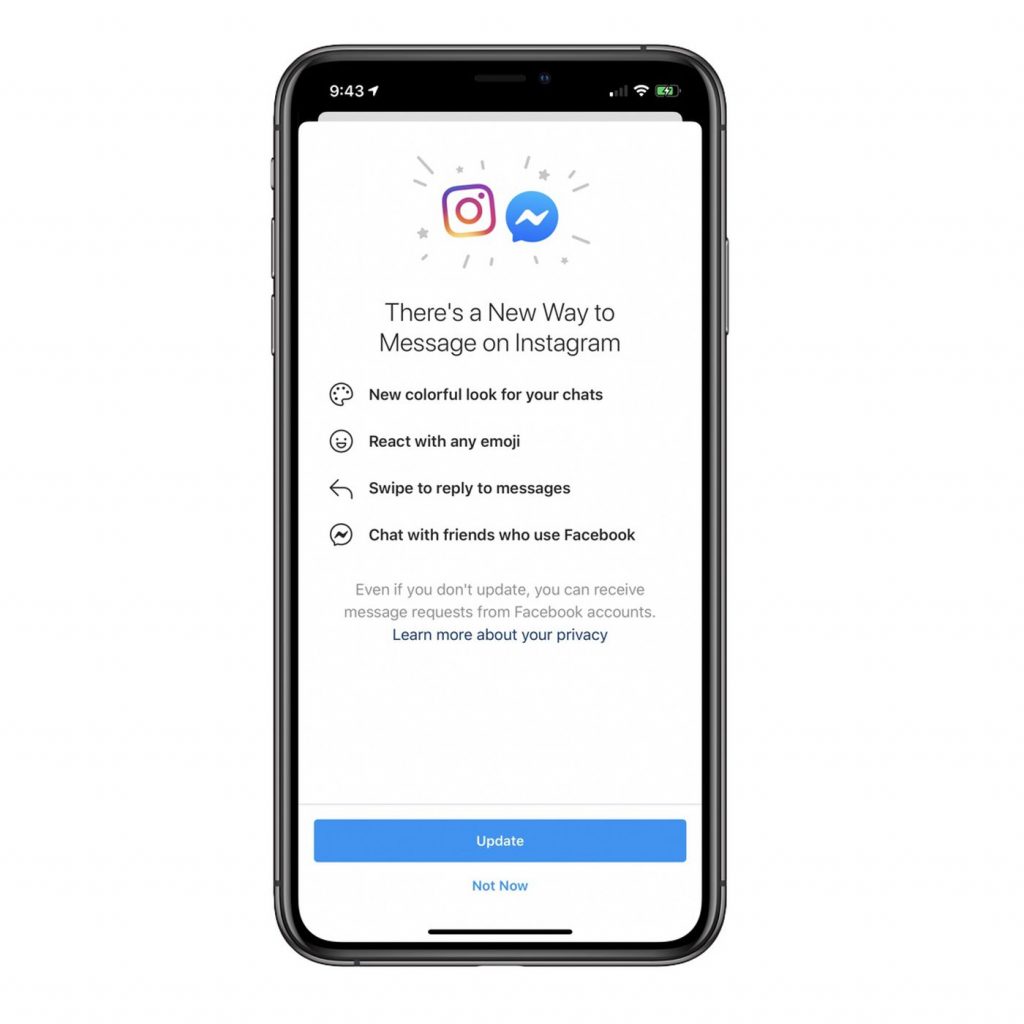
Una vez que hayas actualizado tu Instagram Messenger, verás que el icono de Messenger, situado en la esquina superior derecha, sustituye al icono de mensajes directos. Tendrás acceso a las funciones de Facebook Messenger y de mensajes directos, por lo que podrás chatear directamente con tus amigos en Instagram. Esto debería reducir los posibles fallosInstagram .
Ten en cuenta que no podrás deshacer esta actualización. Una vez que hayas actualizado a la última versión, ya no podrás volver a utilizar la función de mensajes directos. Por último, es posible que esta función aún no esté disponible en determinadas regiones. Si te encuentras en alguna de esas zonas, no te molestes en visitar la tienda de aplicaciones para descargar FB Messenger.

Cómo desinstalar Instagram Update
Supongamos que mantener tu aplicación actualizada no te está funcionando. Quizá también te interese saber cómo desinstalar Instagram . Hay varias formas de hacerlo, dependiendo de la configuración de tu dispositivo y de si utilizas un teléfono Android o un iPhone. Ten en cuenta que es posible que solo puedas volver a versiones anteriores lanzadas durante el mismo año. Estas son tus opciones.
- Desinstala Instagram . Debes hacerlo manualmente, normalmente a través de los ajustes de tu móvil. Busca en Internet una versión anterior para volver a instalar la aplicación en tu móvil. No perderás ninguno de tus Instagram , pero tendrás que volver a iniciar sesión. Descarga únicamente una versión anterior de un sitio web de confianza.
- Comprueba la configuración de tu móvil. Abre las aplicaciones y busca Instagram el campo de búsqueda de tu móvil. En algunos dispositivos, el Instagram tendrá tres puntos al lado, lo que te permitirá «Desinstalar actualizaciones». La aplicación volverá automáticamente a la versión anterior a la última Instagram .
- Por último, pero no por ello menos importante, recuerda desactivar las actualizaciones automáticas de Instagram.
Conéctese con más de
75.000 profesionales del marketing en instagram
Descubre los últimos consejos, trucos y estrategias para hacer crecer tu cuenta de Instagram
Reflexiones finales: Esté siempre atento a la última versión de la aplicación
Es fácil sentirse rezagado en el mundo de las redes sociales. Al igual que otras aplicaciones, Instagram lanza Instagram actualizaciones con las últimas funciones, mejoras en el funcionamiento del sistema y una experiencia de usuario optimizada. Puede que no siempre te gusten estas actualizaciones, pero Instagram importante saber cómo actualizar Instagram .
¿Gestiona una cuenta de empresa? Entonces, utilizar la última versión de Instagram es crucial para conseguir y mantener unas buenas métricas. Es aún más importante cuando todavía estás trabajando para aumentar el número de seguidores y la participación.
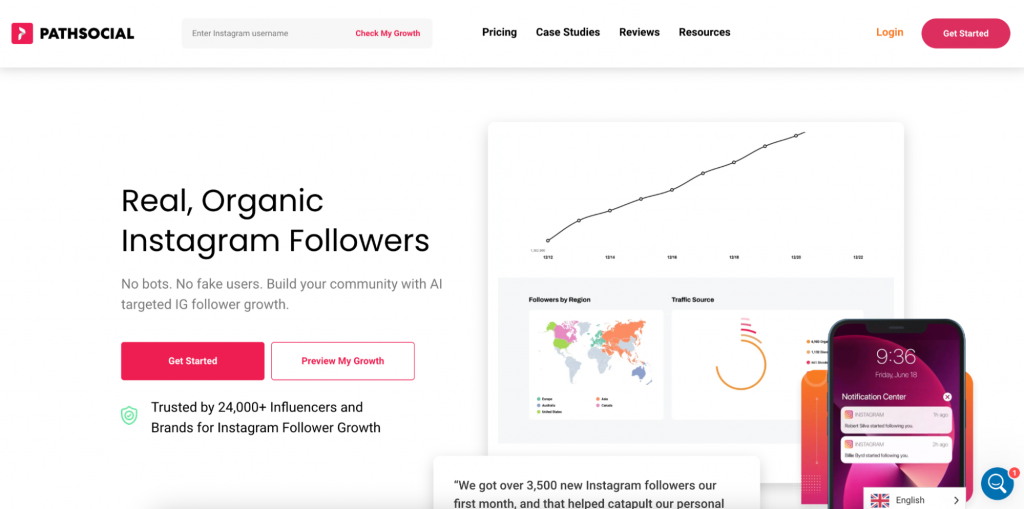
Si necesitas ayuda para hacer crecer tu cuenta, plantéate colaborar con un servicio de crecimiento de confianza como Path Social. Path Social un crecimiento orgánico gracias a su tecnología propia de segmentación basada en IA y a su equipo interno de expertos en redes sociales. Puedes estar tranquilo: conseguirás seguidores reales, comprometidos y segmentados. ¡Empieza hoy mismo a hacer crecer tu cuenta y a ganar Instagram !





¿Quieres aumentar tu Instagram de forma natural?
Descubre una plataforma diseñada para ayudar a los creadores a llegar a seguidores reales y comprometidos, sin atajos.
Explora la plataforma




