



Todo el mundo siente al menos un poco de vértigo cuando ve una afluencia de "me gusta" en sus publicaciones de Instagram . Un número alto en el contador de "Me gusta" Instagram es señal de que la gente aprecia y aprueba tu contenido. Significa que estás haciendo algo bien. Eso da a cualquiera no solo una inyección de autoestima y validación, sino también un sentimiento de pertenencia.
Sin embargo, a veces, la carrera desenfrenada por conseguir el mayor número de «Me gusta» en Instagram puede suponer una gran presión para los creadores. En lugar de centrarse en crear y consumir contenido increíble, se centran en conseguir más «Me gusta». Entonces, ¿hay alguna forma de ignorar o incluso ocultar el recuento de «Me gusta» de una publicación?
Hoy vamos a explicarte todo lo que necesitas saber sobre el contador de "Me gusta" de Instagram. Sigue desplazándote para conocer su importancia para la plataforma y cómo puedes personalizar tu configuración de Me gusta.
¿Qué es el contador Instagram Like?
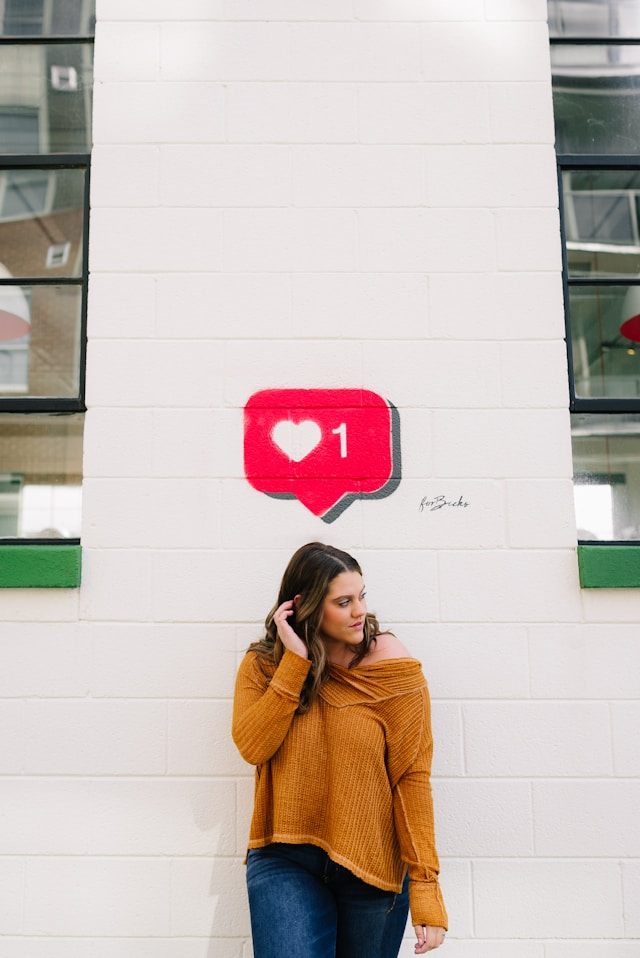
El contador de «Me gusta» de las publicaciones de « Instagram » es esa pequeña sección de una publicación que muestra cuántos «Me gusta» ha recibido. En las publicaciones del feed, aparece al final del contenido. En los Reels, se encuentra en la parte derecha de la pantalla. En ambos casos, verás el famoso icono del corazón en algún lugar cerca del número de «Me gusta».
El número de «Me gusta» de cada publicación siempre es visible para el autor de la misma. Dependiendo de la configuración de ese usuario, también puede ser visible para otras personas.
El contador de «Me gusta» aumenta cada vez que alguien ve tu publicación y hace clic en el botón del corazón. También pueden tocar dos veces la publicación para darle un «Me gusta».
Además del número de «Me gusta» que recibe una publicación, el contador también muestra los nombres de usuario de todas las personas a las que les ha gustado. Debería aparecer algo parecido a «A [nombre de usuario] y a x personas más les ha gustado». Si tu configuración no permite que se vea el número total, simplemente dirá: «A [nombre de usuario] y a otras personas les ha gustado».
¿Por qué es importante conseguir un alto número de Me gusta en Instagram?
Conseguir muchos "me gusta" es un mero estímulo eufórico de confianza y una fuente de validación para algunos. Pero los "me gusta" también son muy importantes para que los creadores de contenido sepan cuánta participación en Instagram está generando su publicación. Muchos "me gusta" les indican que a su público le gusta el contenido que publican. Pueden utilizar esta información para mejorar y tomar decisiones informadas sobre su estrategia de contenidos de cara al futuro.
Los «Me gusta» también influyen en la tasa de interacción de una publicación, un factor al que el algoritmo de « Instagram » da prioridad a la hora de clasificar las publicaciones en el feed. Cuantos más «Me gusta» reciba tu publicación, más alta será su posición en los feeds de los usuarios y, posiblemente, también en la página «Explorar». Esto significa que más personas podrían encontrar tu publicación, lo que aumenta la visibilidad y la interacción general de tu marca.
Un elevado número de «Me gusta» también es una prueba social de que merece la pena prestar atención a tu contenido e interactuar con él. Si los usuarios ven nombres de usuario que les resultan familiares y cifras impresionantes en el contador de «Me gusta» de tus publicaciones, se sentirán más inclinados a seguirte.
Ten en cuenta, sin embargo, que comprar o generar «me gusta» falsos para obtener todas estas ventajas es algo totalmente prohibido. Instagram está siempre atento a las cuentas que generan actividad no auténtica, como los «me gusta» falsos. Estas páginas suelen acabar siendo objeto de un «shadowban», lo que perjudica tu presencia en línea.
Cómo ocultar el recuento de me gusta en Instagram navegando por la configuración de me gusta de Instagram
Allá por 2019, Instagram llevó a cabo una especie de experimento. La plataforma lanzó un feed en el que no aparecía el emblemático contador de «Me gusta» en las publicaciones. De ese modo, nadie sabría cuántos «Me gusta» recibía cada publicación.
Según Adam Mosseri, director de « Instagram », esto «alivió la presión» Instagram y hizo que fuera «menos competitivo». Lo lanzaron para que la gente pudiera publicar el contenido creativo que le gustara sin las ataduras de la presión social.
Sin embargo, al cabo de dos años, Instagram descubrió que eliminar el contador de «Me gusta» no alivia mucho la presión en la plataforma. La gente sigue creando contenido de una forma que sabe que les reportará interacción y «Me gusta» auténticos.
Así pues, Instagram permite ahora a cada usuario elegir si quiere que se muestre su contador de «Me gusta» en las publicaciones. Esto significa que, si no te sientes cómodo con que otros vean tu recuento de «Me gusta», puedes ocultárselo.
¿Quieres aprender a ocultar el recuento de me gusta en Instagram? Aquí te explicamos cómo hacerlo paso a paso en tu Instagram Configuración de Me gusta:
1. En tu perfil de Instagram , haz clic en las tres líneas horizontales situadas en la esquina superior derecha.
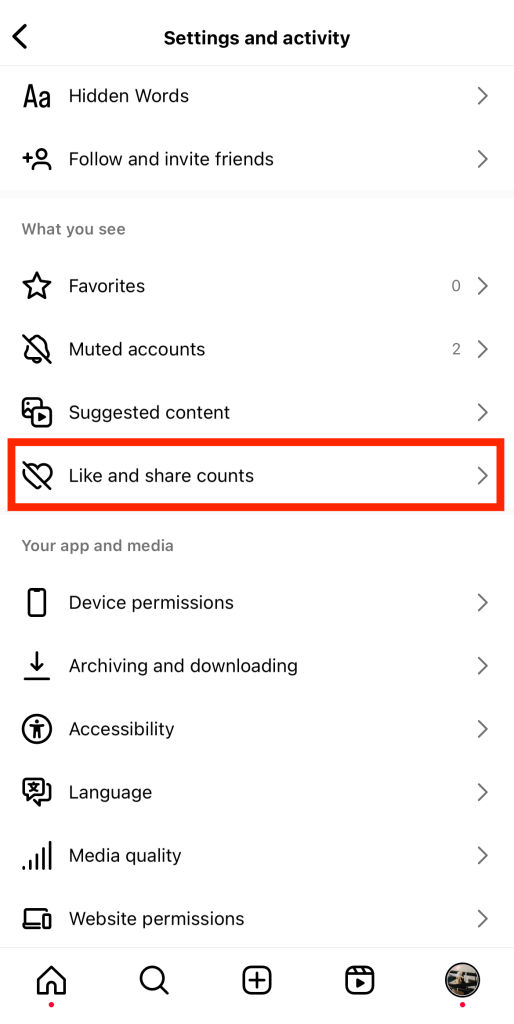
2. Desplázate hasta la sección Lo que ves y haz clic en Me gusta y compartir cuenta.
3. Activa el interruptor para ocultar los recuentos de Me gusta y Compartir.
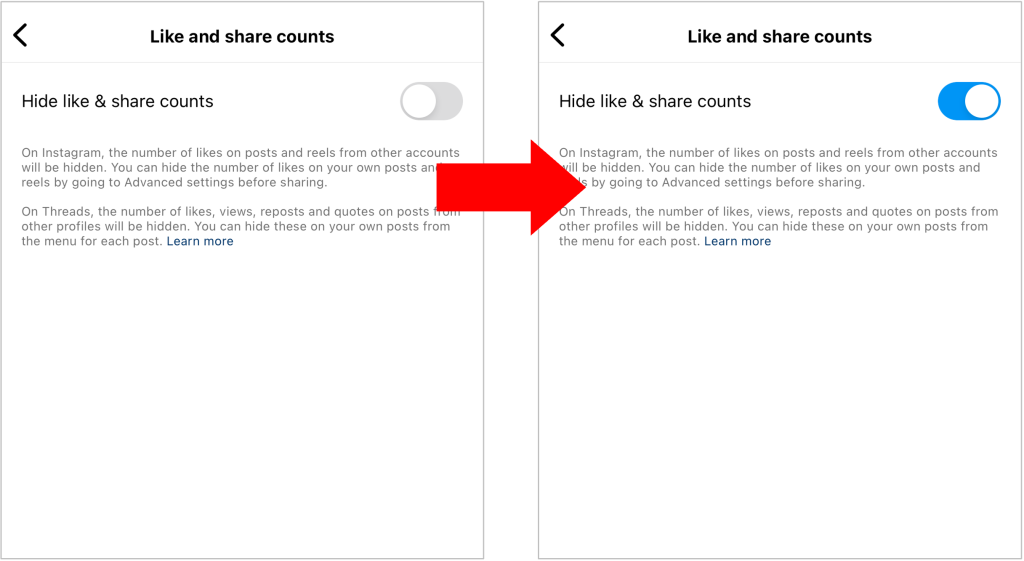
Ten en cuenta que, si ocultas el recuento de «Me gusta» de tu contenido, tampoco podrás ver el recuento de «Me gusta» de los demás.
También puedes optar por ocultar el recuento de "me gusta" de una entrada en su sección de configuración avanzada antes de publicarla.
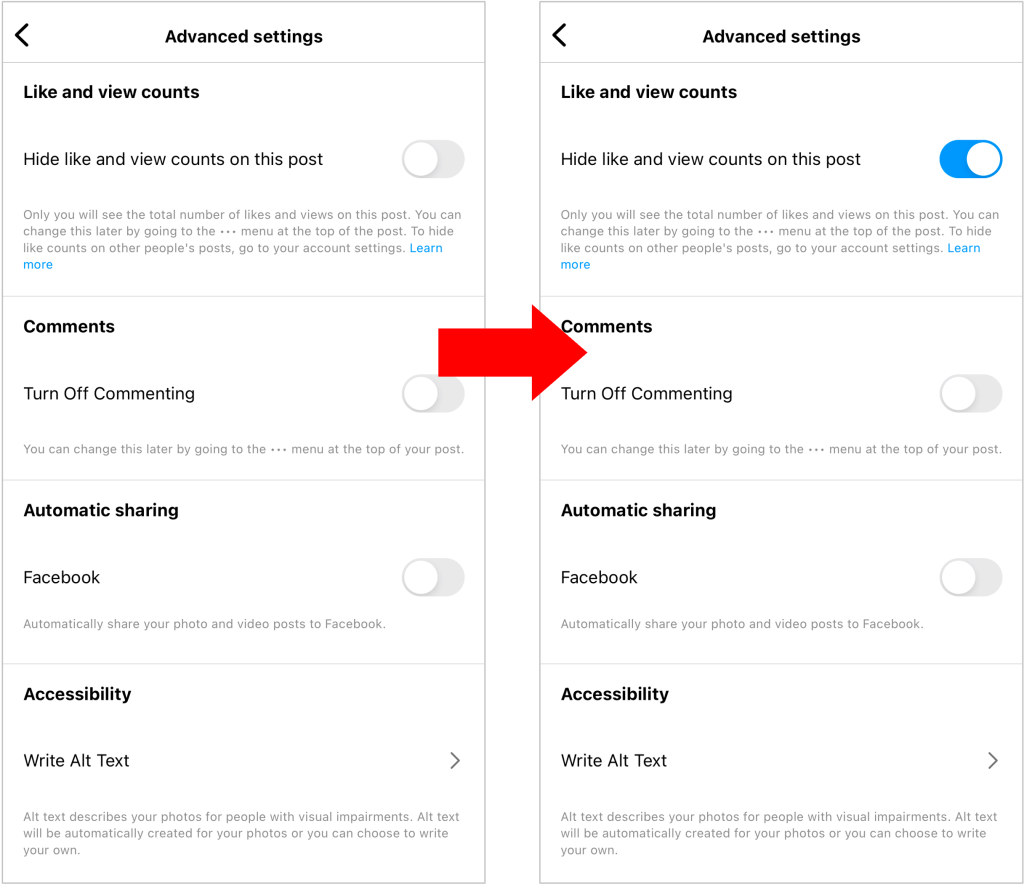
¿Quieres ocultar el recuento de Me gusta en un post ya publicado? Solo tienes que hacer clic en los tres puntos de la parte superior de la publicación y pulsar "Ocultar recuento de Me gusta".
Cómo ver los Likes de alguien en Instagram
¿Te interesa ver el contador de «Me gusta» de la publicación de otro usuario? ¡Es muy fácil y lo puedes hacer en unos segundos! A continuación te explicamos cómo ver los «Me gusta» de alguien en Instagram.
Abre la aplicación « Instagram » y busca la publicación con el contador de «Me gusta» que te interesa ver. Si la configuración de esa persona permite que otros vean sus «Me gusta», verás el número total de «Me gusta» debajo de la publicación.
Cómo ver los me gusta ocultos de alguien en Instagram
¿Tienes curiosidad por saber cómo ver los «Me gusta» ocultos de alguien en Instagram? Por desgracia, no hay forma de ver el recuento total de «Me gusta» de una publicación si el autor ha decidido ocultarlo. Si no permite que otros vean su recuento de «Me gusta», sus publicaciones mostrarán el mensaje: «A [nombre de usuario] y a x personas más les ha gustado». Solo el autor de la publicación podrá ver el número total de «Me gusta».
No obstante, puedes ver quién ha dado a «Me gusta» a su contenido. Haz clic en «Otros» para abrir la lista completa de usuarios a los que les ha gustado la publicación. Verás a las personas que conoces y con las que más interactúas en la parte superior de la lista.
Consejo profesional: Puedes utilizar un sitio web de terceros como Phlanx para ver el recuento de "Me gusta" en una publicación con "Me gusta" ocultos. Ten en cuenta que solo funciona en publicaciones públicas.
¿Puedo ocultar lo que me gusta en Instagram?
Si te da vergüenza el contenido con el que interactúas, quizá te preguntes: «¿Puedo ocultar lo que me gusta en Instagram?». Por desgracia, no, no puedes, al menos no del todo.
Cuando le das a «Me gusta» a un contenido en Instagram, la plataforma te añadirá a la lista de personas a las que les ha gustado esa publicación. Si alguien que te sigue ve esa publicación, tu nombre de usuario podría aparecer en la lista de personas a las que les ha gustado. Dicho esto, alguien tendría que esforzarse mucho para averiguar si te ha gustado una publicación concreta.
Para ser justos, antes era mucho más difícil ocultar los «Me gusta» en Instagram. Hace años, la plataforma contaba con una pestaña llamada «A quién sigues». En esta pestaña se podía ver a qué les daban «Me gusta» y qué comentaban tus amigos. Sin embargo, con el fin de aumentar la privacidad y el control sobre lo que los usuarios ven de los demás, Instagram eliminó esta pestaña.
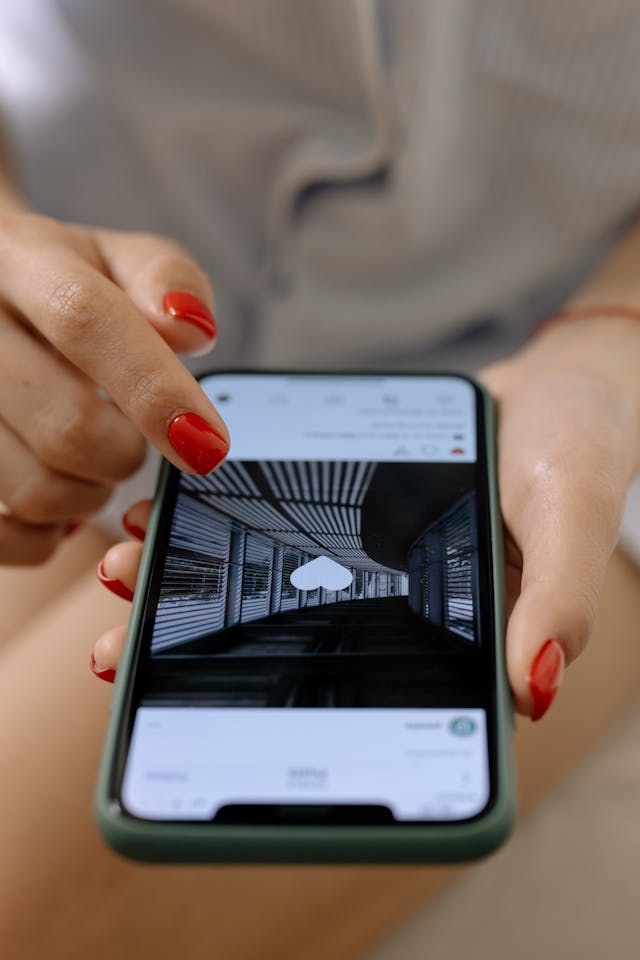
Cómo ocultar Likes en Instagram: Que nadie sepa lo que te gusta
¿Te preguntas cómo ocultar los «Me gusta» en Instagram para que nadie sepa qué contenido te gusta? Bueno, eso es bastante complicado, ya que cualquiera puede ver si te ha gustado una publicación o no. Si de verdad quieres ocultar lo que te gusta, tendrás que ser creativo a la hora de burlar el sistema.
Una cosa que puedes hacer es crear un «Finsta», es decir, una cuenta secundaria de Instagram . Asegúrate de que nadie que conozcas te siga en esa cuenta temporal. Allí podrás darle a «Me gusta» libremente a cualquier contenido que te apetezca sin sentirte cohibido por las publicaciones con las que interactúas.
Otro consejo para quienes no quieren que otros vean las publicaciones que les gustan es guardarlas. Acostúmbrate a pulsar el icono de favorito en las publicaciones que te gustan en lugar de darles literalmente a me gusta.
Guardar contenido en Instagram tiene un montón de ventajas, como poder volver a verlo más tarde. También puedes organizar tus publicaciones guardadas en colecciones personales para clasificarlas fácilmente. ¡Guarda contenido sobre viajes, belleza, gastronomía, gatitos monísimos o lo que más te guste!
¿Quieres decirle a alguien que te encanta su contenido sin tener que darle a «Me gusta» a la publicación? ¡Deja un comentario o envíale un mensaje directo elogiándole! Aunque expreses tu agradecimiento por la publicación, nadie verá tu nombre de usuario en la lista de personas a las que les ha gustado.

Consejos para conseguir más Likes en tus contenidos
¿Quieres aumentar el número de "me gusta" en tus publicaciones? Estos son algunos de nuestros consejos probados para aumentar la participación en forma de "me gusta":
- Crea contenido entretenido, con el que el público se sienta identificado y que resulte útil. Asegúrate de que las publicaciones que compartas sean interesantes, ya sea porque son divertidas o porque aportan valor a la vida de las personas. El contenido enriquecedor siempre recibe más «me gusta» que aquel que resulta aburrido y sin impacto.
- Incluye hashtags de moda en el pie de foto de tu publicación. Esto aumenta la visibilidad de tu publicación, de modo que incluso quienes no te siguen pueden verla. Esto puede aumentar significativamente tus "me gusta".
- Colabora con creadores de contenido populares de tu sector y inclúyelos en tus publicaciones. No tiene por qué ser una campaña de marketing de influencers en toda regla. Basta con una sola publicación en la que aparezca un influencer muy querido para que tu número de «Me gusta» se dispare.
- Utilizalas estadísticas de Instagram para obtener información valiosa que te ayude a mejorar tu contenido. Descubre qué tipos de contenido creativo entusiasman a tu público. A continuación, crea más contenido de ese tipo para conseguir más «Me gusta» en el futuro.
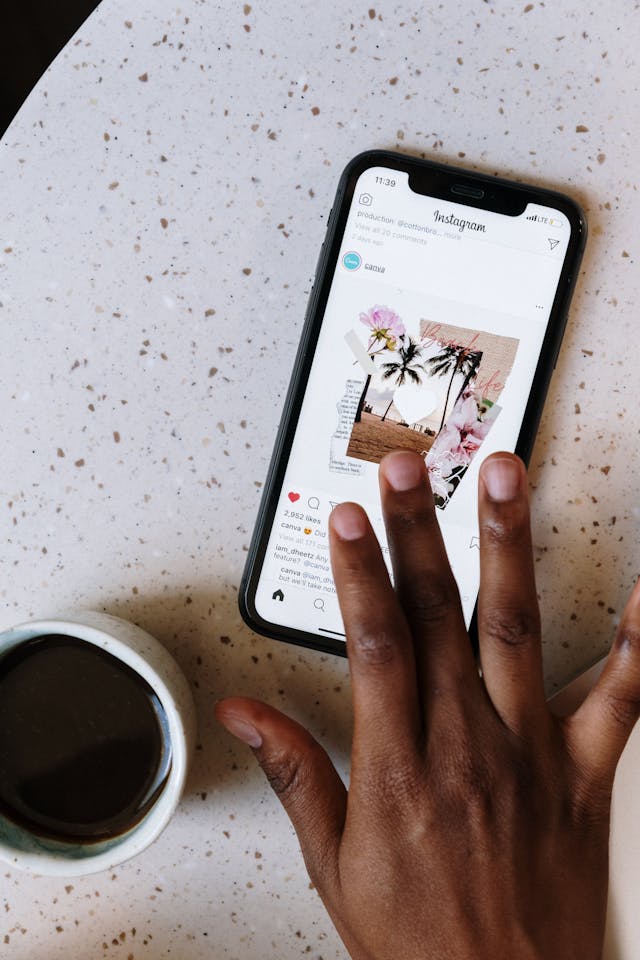
¡Consigue un mayor número de "Me gusta" en tus publicaciones en Instagram con Path Social!
¿Quieres conseguir más «Me gusta» en el contenido en el que tanto te esfuerzas? Sigue nuestros consejos anteriores para crear contenido de alta calidad que capte la atención y fomente la interacción. Pero si quieres una forma aún más rápida de aumentar tu número de «Me gusta», céntrate en ampliar tu audiencia. Cuanta más gente vea tu contenido, más «Me gusta» es probable que reciba.
Path Social Puede ayudarte a crear una audiencia sólida y comprometida aumentando tu número de seguidores con fans auténticos. Nuestro equipo utiliza la inteligencia artificial para identificar a tu público objetivo y promocionar tus publicaciones entre ellos, lo que mejora la visibilidad de tu marca. En consecuencia, notarás un crecimiento significativo no solo en el número de seguidores, sino también en el contador de «Me gusta» de tus publicaciones en Instagram .
Entonces, ¿a qué está esperando? ¡Trabaja con Path Social para conseguir más seguidores y Likes Instagram Instagram hoy mismo!





¿Buscas Instagram reales y auténticos en Instagram ?
Deje que nuestras estrategias de crecimiento orgánico dirigidas por IA trabajen para usted.
Consigue seguidores de Instagram ahora




