


Comment télécharger les profils Instagram : Sauvegardez vos contenus préférés !

Instagram d’une personne est une fenêtre qui vous permet de découvrir sa vie. Chaque publication vous donne un aperçu des nombreuses facettes de son quotidien, qu’il s’agisse de son travail, de ses relations ou de ses loisirs. Lorsque vous admirez un créateur, vous souhaitez conserver une copie du contenu de sa page. Ainsi, si vous savez comment télécharger Instagram , enregistrer vos publications préférées devient un jeu d’enfant.
Mais comment faire exactement pour télécharger le profil de quelqu’un sur Instagram? À quel type de contenu aurez-vous accès lorsque vous essaierez d’enregistrer sa page ? Aujourd’hui, nous allons vous dévoiler tout cela et bien plus encore. Continuez à faire défiler pour découvrir comment enregistrer le contenu que vous aimez sur vos Instagram préférés.
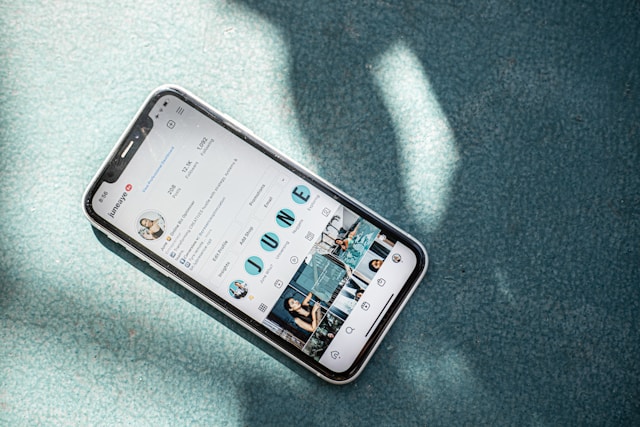
Qu'est-ce qu'un téléchargeur de profil sur Instagram?
Un outil de téléchargement de profil est un logiciel tiers qui permet de télécharger en masse le contenu d'un Instagram spécifique. En fournissant à ces outils les liens vers les profils, vous pouvez facilement télécharger la photo de profil d'un utilisateur, ses publications, ses Reels et ses Moments forts.
Voici comment cela fonctionne. Vous indiquez l'URL du profil Instagram d'un utilisateur spécifique. Ensuite, l'outil de téléchargement de profil récupère tout le contenu public de ce profil. À partir de là, vous pouvez sélectionner le contenu que vous souhaitez consulter, visionner, puis télécharger.
Il suffit d'appuyer sur un bouton de téléchargement pour que ces publications s'affichent directement sur votre appareil. Et le mieux dans tout ça, c'est que tous ces contenus téléchargés conserveront leur taille et leur qualité d'origine. Génial, non ?
Comment télécharger des photos spécifiques à partir d'un profil
Il existe également des outils qui vous permettent de télécharger uniquement certaines photos du profil d'une personne. Ainsi, vous n'avez pas besoin de parcourir l'intégralité de son profil pour trouver le contenu que vous souhaitez télécharger.
L'un de ces outils est Path Social Photo Downloader. Voici comment il fonctionne :
- Trouvez un message que vous souhaitez télécharger à partir de Instagram.
- Cliquez sur l'icône de l'avion en papier et copiez le lien vers ce message.
- Collez l'URL dans l'outil Path Social et cliquez sur Recherche.
- Une fois la page entièrement chargée, cliquez sur l'option « Télécharger » pour enregistrer le contenu sur votre appareil.
Le téléchargement de photos peut s'avérer utile pour de nombreuses raisons. Cependant, il est important de toujours traiter le contenu d'autrui avec le plus grand respect. Dans la mesure du possible, utilisez-le uniquement à des fins personnelles. N'abusez jamais de ces publications pour voler, tromper ou usurper l'identité de leurs propriétaires respectifs.

Pourquoi quelqu'un voudrait-il télécharger les profils Instagram ?
Il peut sembler étrange que quelqu'un dise vouloir télécharger des pages de profil sur Instagram. Mais il y a en fait de nombreuses raisons pour lesquelles il serait judicieux de le faire. Voici quelques-unes des raisons les plus courantes pour lesquelles quelqu'un pourrait vouloir télécharger le contenu de sa page préférée sur Instagram .
1. Pour conserver une copie du contenu Cool dans votre rouleau d'appareils photo
Le téléchargement de publications depuis un Instagram vous permet de conserver des copies de vos contenus préférés sur votre appareil. Ainsi, vous pouvez y revenir quand vous le souhaitez pour les revoir. Il peut s'agir de vidéos de méditation, de recettes, de recommandations musicales ou même simplement de photos de la célébrité pour laquelle vous avez le béguin.
L'avantage d'avoir ces messages dans votre rouleau d'appareil photo est que vous pouvez y accéder même si vous n'avez pas accès à Internet. Vous n'avez pas besoin de perdre du temps à trouver le profil de quelqu'un juste pour revoir un message spécifique.

2. Effectuer une analyse des principaux concurrents de votre marque
Selon le Forbes Agency Council, les analyses concurrentielles vous permettent de combler les lacunes et de pallier les faiblesses de la stratégie commerciale de vos concurrents. Une analyse Instagram remplit la même fonction.
Télécharger les profils des concurrents de votre marque vous permet d'étudier attentivement leur stratégie de contenu. Grâce à ces exemples, vous pouvez analyser les points forts et les points faibles de leur Instagram . Vous pouvez ensuite combler ces lacunes avec votre propre contenu créatif.
Conseil de pro: si vous effectuez une analyse concurrentielle, enrichissez vos informations grâce à l’ outil Path Social Analyzer. Cet outil vous fournit des données complètes sur n’importe quel profil public Instagram. Il vous suffit d’indiquer l’URL du profil, et notre outil analysera la page et vous présentera les résultats de manière détaillée. Voici quelques-unes des nombreuses informations que vous pouvez obtenir grâce à cet outil :
- La fréquence à laquelle l'utilisateur publie du contenu
- Le moment de la journée où ils publient le plus de contenu
- Le nombre de likes et de commentaires sur chaque article
- Top hashtags des 100 derniers messages
- Contenu ayant le plus de "likes" et de commentaires
Outre le téléchargement de leur contenu, l'analyse de ces informations à l'aide de notre outil d'analyse vous permet d'en savoir beaucoup plus sur vos concurrents.
3. Présenter vos meilleurs contenus dans votre portfolio
Vous pouvez également télécharger le contenu de votre profil pour l'utiliser dans votre portfolio numérique ou votre dossier de presse. C'est la solution idéale pour les photographes, les mannequins, les artistes, les créateurs de contenu et bien d'autres encore. Les outils de téléchargement s'avèrent particulièrement pratiques lorsque vous ne savez plus où se trouvent les copies originales de vos photos et vidéos !

Existe-t-il un moyen de télécharger les profils privés de Instagram ?
À l'heure actuelle, il n'existe aucun moyen de télécharger Instagram privés. Les outils tiers ne permettent de télécharger que les pages dont le contenu est public. Le système de sécurité Instagramprotège les profils privés à l'aide de multiples couches de cryptage, ce qui empêche les outils de téléchargement d'accéder à ces pages.
Si vous souhaitez vraiment enregistrer du contenu provenant d'un profil privé, vous pouvez simplement faire une capture d'écran de la publication. Toutefois, si vous souhaitez l'obtenir dans sa taille et sa qualité d'origine, demandez poliment une copie à son auteur. Mais s'il refuse, n'insistez pas. Il a le droit de refuser de partager son travail avec qui que ce soit.
Comment télécharger une image de profil Instagram
Vous souhaitez conserver une copie de la photo de profil d'une personne au lieu de son contenu ? Voici comment télécharger une photo de profil Instagram :
1. Trouvez un outil fiable permettant de télécharger des photos de profil, tel qu’Inflact. Rendez-vous sur l’URL de la page de visualisation des photos de profil de ce site dans votre navigateur.
2. Ouvrez l'application Instagram et rendez-vous sur le profil de la personne dont vous souhaitez télécharger la photo d'écran.
3. Cliquez sur les trois points en haut de la page et sélectionnez Copier l'URL du profil.
4. Retournez dans votre navigateur et collez-le sur le sitepermettant de visualiser les photos de profil. Certains sites ne vous demanderont qu'un nom d'utilisateur, et non un lien.
5. Cliquez sur le bouton Télécharger qui apparaît une fois que le site a récupéré une copie de la photo.

Les gens sauront-ils que vous utilisez un téléchargeur de photos de profil Instagram sur leur photo ?
Ne vous inquiétez pas si quelqu'un découvre que vous avez utilisé un téléchargeur de photos de profil Instagram pour obtenir leurs photos. Ces outils peuvent être très discrets et n'informent pas les utilisateurs que quelqu'un d'autre a sauvegardé leur photo d'écran.
Cela dit, n'oubliez jamais de faire preuve de respect dans l'utilisation que vous faites du contenu d'autrui. Ne l'utilisez jamais pour usurper l'identité des auteurs des photos ou pour les diffamer.
Utilisez d'autres profils IG comme source d'inspiration pour améliorer et développer le vôtre !
Télécharger du contenu depuis Instagram d'une autre personne présente de nombreux avantages. Cela vous permet de conserver sur votre appareil les publications que vous appréciez, d'analyser certaines marques et d'accéder à certaines publications hors ligne. N'oubliez pas toutefois de respecter le travail original et les publications des autres, et de réserver le contenu téléchargé à un usage strictement personnel.
Découvrez les publications qui vous plaisent et téléchargez Instagram que vous admirez pour trouver des idées de contenu créatif. Cela peut vous inspirer à améliorer la qualité de votre contenu, ce qui vous permettra d'attirer davantage d'abonnés et de développer votre page. Path Social vous aider dans cette démarche.
Notre équipe utilise des outils de ciblage basés sur l'IA pour promouvoir votre contenu créatif auprès du public de niche auquel il s'adresse le mieux. Et une fois que vous aurez attiré l'attention de ce public, vous pouvez vous attendre à voir affluer de nombreux nouveaux abonnés sur votre page. Attirez dès aujourd'hui davantage d'abonnés authentiques qui apprécient votre contenu et développez votre Instagram avec notre aide!





Vous cherchez la meilleure façon d'obtenir des followers Instagram ?
Essayez notre service Instagram basé sur l'IA pour obtenir des résultats concrets et durables.
Essayez notre service de followers Instagram




