


Cómo descargar perfiles de Instagram : Guarda tus contenidos favoritos

Instagram de una persona es una ventana a través de la cual puedes asomarte a su vida. Cada publicación te permite vislumbrar las múltiples facetas de su vida, desde el trabajo hasta las relaciones personales, pasando por sus aficiones. Cuando admiras a un creador, te apetece guardar una copia del contenido de su página. Por eso, si sabes cómo descargar Instagram , guardar tus publicaciones favoritas resulta muy fácil.
Pero, ¿cómo se descarga exactamente el perfil de alguien en Instagram? ¿A qué tipo de contenido tendrás acceso cuando intentes guardar su página? Hoy te lo contamos todo y mucho más. Sigue leyendo para descubrir cómo guardar el contenido que más te gusta de tus Instagram favoritos Instagram .
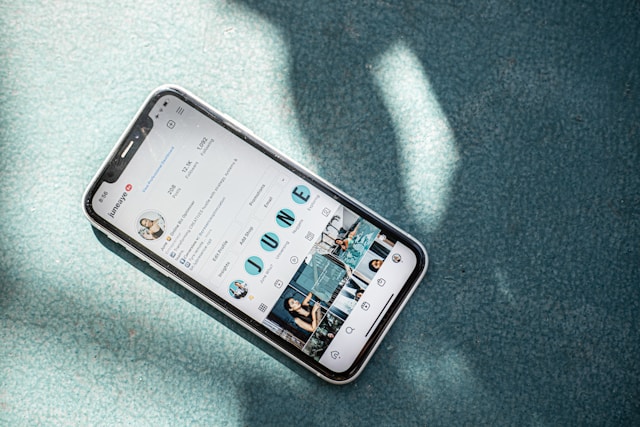
¿Qué es un descargador de perfiles en Instagram?
Un descargador de perfiles es una herramienta de terceros que te permite descargar de forma masiva el contenido de un Instagram concreto Instagram . Al introducir los enlaces de los perfiles en estas herramientas, puedes descargar fácilmente la foto de perfil, las publicaciones del feed, los Reels y los Momentos destacados de un usuario.
Así es como funciona. Introduces la URL del perfil de Instagram de un usuario concreto. A continuación, el descargador de perfiles recopilará todo el contenido público de ese perfil. A partir de ahí, puedes seleccionar el contenido específico que quieras ver, reproducir y, posteriormente, descargar.
Con solo pulsar el botón de descarga, recibirás esas publicaciones directamente en tu dispositivo. Lo mejor de todo es que todo este contenido descargado tendrá el tamaño y la calidad originales. Genial, ¿verdad?
Cómo descargar fotos específicas de un perfil
También hay herramientas que te permiten descargar solo determinadas fotos del perfil de alguien. De esta forma, no tienes que revisar todo su perfil para encontrar el contenido que quieres descargar.
Una de estas herramientas es Path Social Photo Downloader. Funciona de la siguiente manera:
- Busque la entrada que desea descargar en Instagram.
- Haz clic en el icono del avión de papel y copia el enlace a esa entrada.
- Pegue la URL en la herramienta Path Social y pulse Buscar.
- Cuando la página haya cargado completamente la publicación, haz clic en la opción «Descargar» para guardarla en tu dispositivo.
Descargar fotos puede resultar útil por muchas razones. Sin embargo, es importante tratar siempre el contenido de los demás con el máximo respeto. Si puedes, utilízalo únicamente para uso personal. Nunca hagas un uso indebido de las publicaciones para robar, engañar o suplantar a sus respectivos propietarios.

¿Por qué alguien querría descargar perfiles de Instagram ?
Suena un poco extraño cuando alguien dice que quiere descargar páginas de perfil en Instagram. Pero en realidad hay muchas razones por las que hacerlo tendría sentido. Estas son algunas de las razones más comunes por las que alguien podría querer descargar contenidos de su página favorita de Instagram .
1. Para guardar una copia del contenido de Cool en tu Camera Roll
Descargar publicaciones de un Instagram te permite guardar copias de tu contenido favorito en tu dispositivo. De esta forma, podrás volver a verlas cuando quieras. Puede tratarse de vídeos de meditación, recetas, recomendaciones musicales o, simplemente, fotos de tu famoso favorito.
Lo mejor de tener estas publicaciones en el rollo de la cámara es que puedes acceder a ellas incluso sin Internet. Tampoco tienes que perder tiempo buscando el perfil de alguien para volver a ver una publicación concreta.

2. Hacer un análisis competitivo de los principales competidores de su marca
Según el Forbes Agency Council, los análisis de la competencia te permiten identificar las lagunas y los puntos débiles de la estrategia empresarial de tus competidores. Un análisis Instagram cumple la misma función.
Descargar los perfiles de los competidores de tu marca te permite estudiar a fondo su estrategia de contenido. Con copias de su contenido, puedes analizar los puntos fuertes y débiles de su Instagram . A continuación, puedes cubrir esas carencias con tu propio contenido creativo.
Consejo profesional: Si estás realizando un análisis de la competencia, mejora tus conocimientos con el Path Social Analyzer. Esta herramienta te ofrece datos exhaustivos sobre cualquier perfil público de Instagram. Solo tienes que introducir la URL del perfil y nuestra herramienta analizará la página y te presentará los resultados detallados. Estas son algunas de las muchas informaciones que puedes obtener con la herramienta:
- Frecuencia con la que el usuario publica contenidos
- La hora más popular del día en que publican contenidos
- El número de "me gusta" y comentarios de cada entrada
- Top hashtags de sus últimas 100 publicaciones
- Contenido con más "me gusta" y comentarios
Además de descargar su contenido, obtener esta información gracias a nuestra herramienta de análisis te permite conocer mucho mejor a tus competidores.
3. Para mostrar sus mejores contenidos en su cartera
También puedes descargar el contenido de tu perfil para utilizarlo en tu portafolio digital o en tu dossier de prensa. Es ideal para fotógrafos, modelos, artistas, creadores de contenido y muchos más. ¡Las herramientas de descarga resultan especialmente útiles cuando no sabes dónde están las copias originales de tus fotos y vídeos!

¿Hay alguna forma de descargar perfiles privados de Instagram ?
En este momento, no hay forma de descargar Instagram privados Instagram . Las herramientas de terceros solo pueden descargar páginas con contenido público. El sistema de seguridad Instagramprotege los perfiles privados con múltiples capas de cifrado, lo que impide que las herramientas de descarga puedan acceder a sus páginas.
Si de verdad quieres guardar contenido de un perfil privado, basta con hacer una captura de pantalla de la publicación. Sin embargo, si lo quieres en su tamaño y calidad originales, pide amablemente al propietario que te facilite una copia. Pero si te dice que no, no insistas. Tiene derecho a negarse a compartir su trabajo con nadie.
Cómo descargar una foto de perfil de Instagram
¿Te interesa conservar una copia de la foto de perfil de alguien en lugar de su contenido? A continuación te explicamos cómo descargar una foto de perfil de Instagram :
1. Busca un programa de descarga de fotos de perfil de confianza, como Inflact. Accede a la URL del visor de fotos de perfil de ese sitio web en tu navegador.
2. Abre la aplicación Instagram y dirígete al perfil de la persona cuya foto de pantalla quieras descargar.
3. Haga clic en los tres puntos de la parte superior de la página y seleccione Copiar URL del perfil.
4. Vuelve al navegador y pégalo en la páginapara ver fotos de perfil. Algunas páginas solo te pedirán un nombre de usuario, no un enlace.
5. Haga clic en el botón Descargar que aparece después de que el sitio obtenga una copia de la foto.
¿Sabrá la gente si usas un descargador de fotos de perfil de Instagram en su foto?
No te preocupes por si alguien descubre que has utilizado un descargador de fotos de perfil de Instagram para obtener sus fotos. Estas herramientas pueden ser muy discretas y no notifican a los usuarios que otra persona ha guardado su foto de visualización.
Dicho esto, recuerda ser siempre respetuoso a la hora de utilizar el contenido de otras personas. Nunca lo utilices para suplantar la identidad de las personas que aparecen en las fotos ni para difamarlas.
Utiliza otros perfiles de IG para mejorar y desarrollar el tuyo.
Descargar contenido del Instagram de otra persona resulta útil por muchas razones. Te permite guardar en tu dispositivo el contenido que más te gusta, analizar marcas concretas y acceder a determinadas publicaciones sin conexión. Solo recuerda respetar el trabajo original y las publicaciones de los demás, y utilizar el contenido descargado únicamente para uso personal.
Busca publicaciones que te encanten y descarga Instagram que admiras para obtener ideas de contenido creativo. Esto puede inspirarte a mejorar tu contenido, lo que te permitirá atraer a más seguidores y hacer crecer tu página. Path Social ayudarte con eso.
Nuestro equipo utiliza herramientas de segmentación basadas en inteligencia artificial para promocionar tu contenido creativo entre el público específico con el que mejor conectará. Y una vez que te hayas dado a conocer entre ese público, podrás esperar un montón de nuevos seguidores en tu página. ¡Atrae a más seguidores auténticos a los que les encante tu contenido y haz crecer tu Instagram con nuestra ayuda hoy mismo!





¿Buscas la mejor forma de conseguir seguidores Instagram ?
Prueba nuestro servicio Instagram basado en inteligencia artificial para obtener resultados reales y duraderos.
Pruebe nuestro servicio de seguidores de Instagram




