Ask Meta AI Instagram: Tu nuevo compañero en las redes sociales

Instagram | 20 de noviembre de 2024
¡Apártate, ChatGPT! Ha llegado un nuevo asistente de IA, y está diseñado específicamente para mejorar tu presencia en las redes sociales. Nos referimos a Ask Meta AI Instagram, un compañero digital que responde a preguntas y genera ideas creativas directamente desde Instagram.
La tendencia de la IA Instagram no deja de crecer. Y ahora, la red Meta por fin cuenta con su propia herramienta de IA para ayudarte a potenciar tu Instagram . ¿Tienes curiosidad por saber cómo funciona? En esta guía, te explicamos todo lo que necesitas saber al respecto. ¡Sigue leyendo para descubrir cómo Instagramnueva IA integrada Instagrampuede mejorar tu experiencia Instagram !

¿Qué es Ask Meta AI en Instagram?
Meta AI es un asistente digital interactivo integrado en Instagram que te ayuda a responder preguntas y generar ideas de contenido. Se basa en un modelo lingüístico de última generación llamado LLaMA. Meta afirma que es el "asistente de IA más inteligente que puedes usar gratis" en los tiempos que corren.
Pregúntale lo que quieras a la herramienta de IA y obtendrás una respuesta de gran calidad en cuestión de segundos. Hace de todo, desde responder a preguntas generales hasta ofrecer recomendaciones sobre destinos de viaje, planes de comidas y mucho más. ¡Incluso puede generar imágenes únicas a partir de cualquier sugerencia creativa! Es perfecta para buscar lo que necesites sin salir de la Instagram .
Instagram pueden acceder a la función de IA a través de sus mensajes directos. En el campo de búsqueda, en lugar de la típica lupa, deberías ver el logotipo de un círculo azul hueco. Y, en lugar de «Buscar», el campo debería decir «Pregúntale a Meta AI». ¡Toca ahí y haz tu pregunta!
La herramienta de IA aún no está disponible para todo el mundo. Meta e Instagram implementando la función poco a poco, pero con paso firme, ubicación por ubicación y usuario por usuario. Así que, si todavía no la tienes, no te desanimes. ¡La tendrás mucho antes de lo que crees!
Cómo utilizar Instagram Meta AI Search
¿Eres uno de los afortunados que pueden ver la función de IA en la barra de búsqueda de tu bandeja de entrada? A continuación te explicamos cómo utilizarla, paso a paso:
1. En la Instagram , pulsa el icono de mensajes situado en la esquina superior derecha de la pantalla. Esto te llevará a tu bandeja de entrada de mensajes directos.
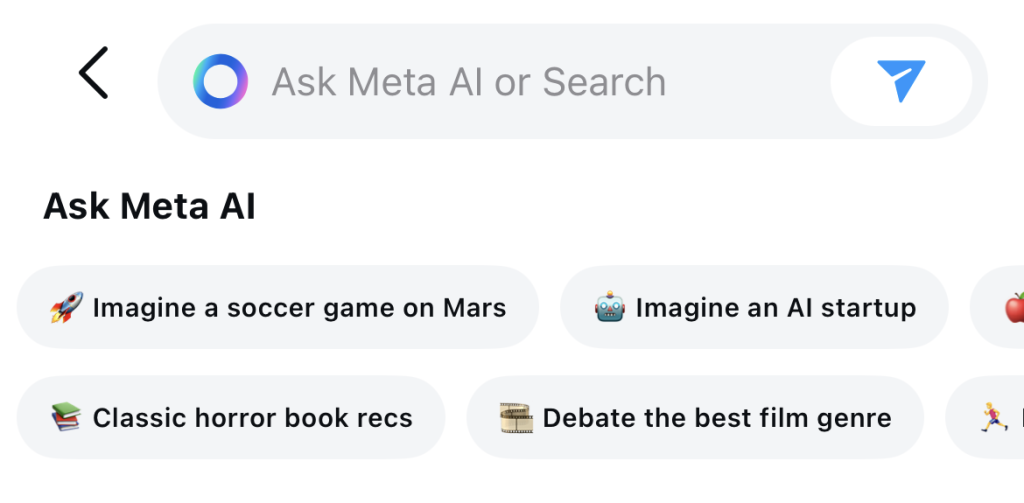
2. Toca la barra de búsqueda que dice "Ask Meta AI". Deberías ver algunas sugerencias de búsqueda debajo para inspirarte.
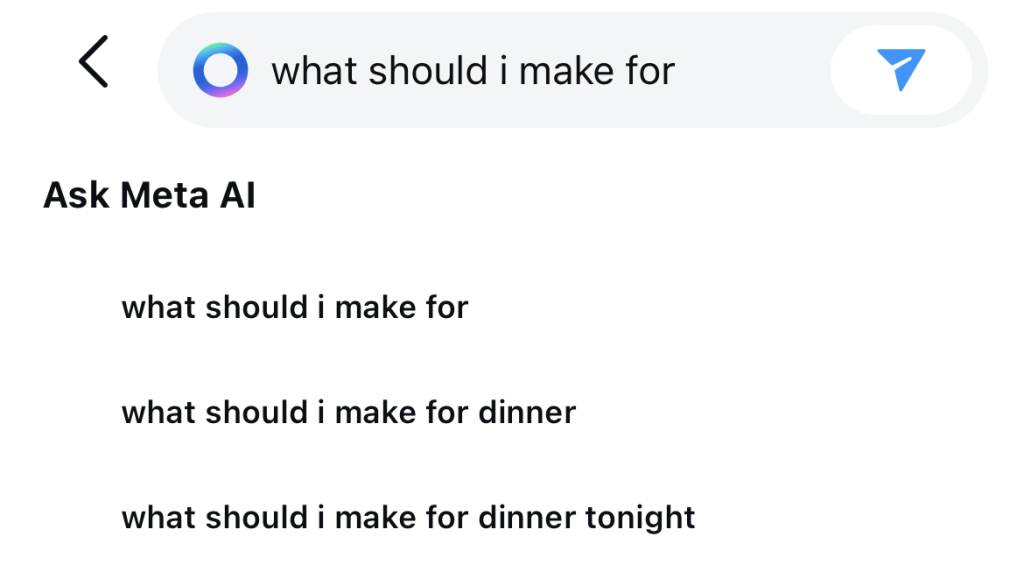
3. Escribe tu pregunta o tarea. Debajo aparecerán sugerencias de autocompletado entre las que también puedes elegir. A continuación, pulsa el botón «Enviar ».
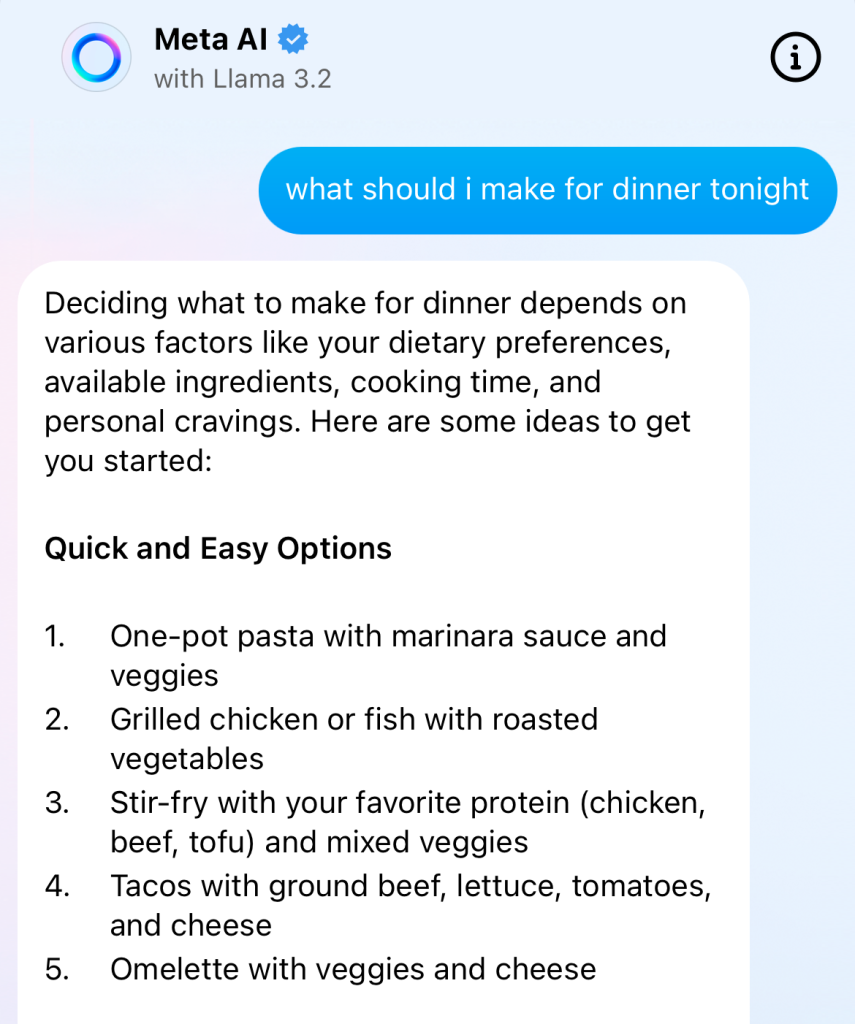
4. Aparecerá una nueva ventana de conversación con la herramienta de IA. Espera unos segundos a que el asistente de IA responda a tu consulta.
5. Pulse el símbolo del pulgar hacia arriba o hacia abajo para indicar a Instagram lo satisfecho que está con la respuesta.
¿Quieres pedirle a la herramienta que te genere una imagen? Empieza tu consulta en el campo de mensaje con la palabra «imagine». Por ejemplo: «Imagina una biblioteca llena de gente» o «¡Imagina a dos corgis pidiendo una golosina!».
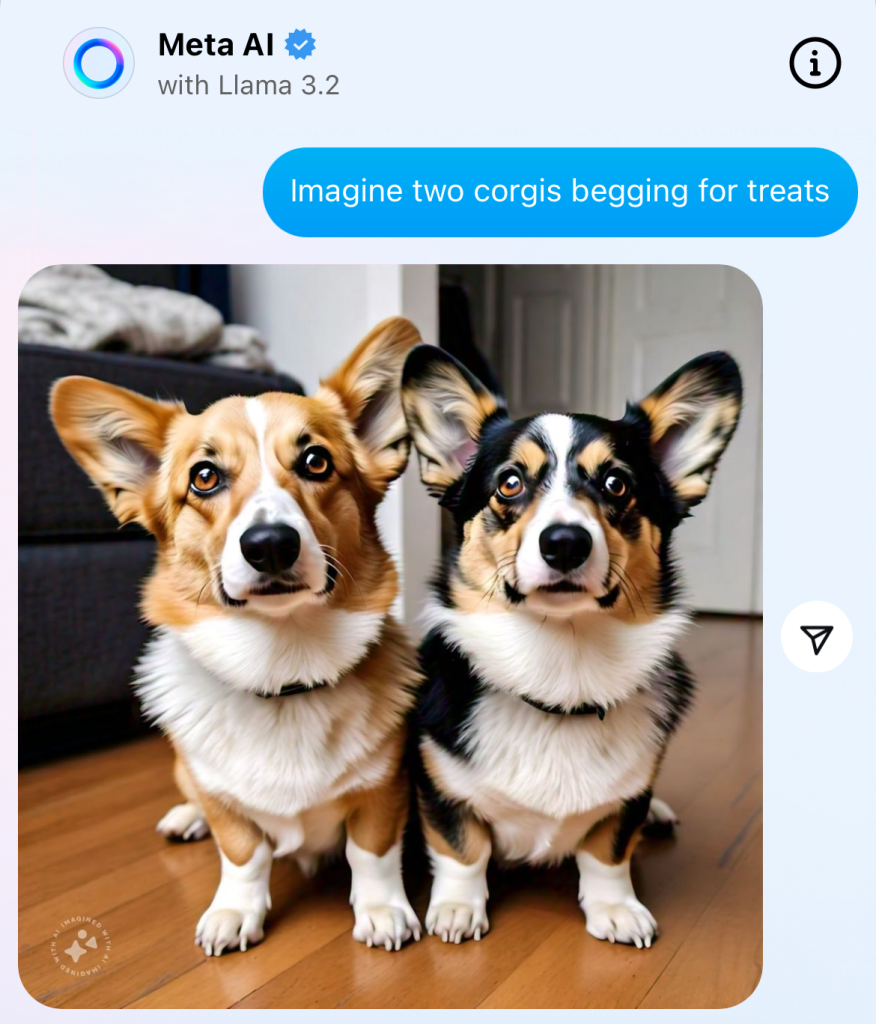
Tras tu primera interacción, la conversación con el asistente de IA debería aparecer en tu bandeja de entrada. Solo tienes que pulsar sobre ella para que vuelva a aparecer el cuadro de chat y hacer más preguntas cuando quieras.
Diferentes formas de utilizar la IA para impulsar su Instagram
El carácter interactivo de la herramienta de IA te permite preguntar lo que quieras, por muy descabellado o aleatorio que sea. Sin embargo, la mejor forma de utilizarla es para perfeccionar y mejorar tu Instagram . ¿Quieres mejorar Instagram con IA? A continuación te mostramos algunas formas en las que la herramienta puede ayudarte a hacerlo:
- Consigue ayuda para redactar pies de foto y respuestas a comentarios elocuentes, entretenidos y atractivos.
- Elabora estrategias con ideas creativas de contenido para llenar tu feed de publicaciones atractivas y llamativas.
- Genera hashtags de IG relevantes para tu nicho y cubos de contenido para aumentar la visibilidad en Instagram.
- Encuentra personas influyentes que sean populares en nichos y comunidades específicos con los que colaborar.
Cómo desactivar Ask Meta AI Instagram
No puedes desactivar el asistente de IA de Instagram, ya que siempre lo verás en el cuadro de búsqueda de mensajes. Pero siempre puedes silenciar el chat que tienes con él. A continuación te explicamos cómo hacerlo:
1. Desliza a la izquierda en la conversación de Meta AI en tus DMs.
2. Toca los tres puntos horizontales que aparecen junto al nombre de la conversación.
3. Seleccione Silenciar y, a continuación, Silenciar mensajes.
Cómo borrar tus conversaciones con Meta AI
¿Quieres eliminar una consulta y una respuesta concretas de tu historial de conversaciones con el asistente de IA? Para borrar una conversación con la herramienta de IA, mantén pulsado el mensaje concreto que quieras eliminar. A continuación, pulsa «Eliminar para ti». Ten en cuenta que el proceso de eliminación del contenido tarda unos 90 días, aunque ya no aparezca en tu ventana de chat.
La IA es la próxima gran novedad para Instagram ¡Crecimiento para los creadores!
La nueva herramienta de búsqueda con IA Instagramno solo es inteligente, sino que también es creativa y puede ayudarte a generar contenido y pies de foto de gran calidad. Esto te permite crear contenido más impactante para atraer a nuevos seguidores, ¡lo que te ayudará a aumentar tu número de seguidores sin esfuerzo!
Pero Ask Meta AI Instagram no es la única forma en que puede utilizar la IA para impulsar su presencia en línea. Hay muchas otras formas en las que la IA puede ayudar a que más personas vean tus contenidos, como Path Social.
Utilizamos la inteligencia artificial para promocionar tu contenido directamente en las pantallas de tu público. De esta forma, consigues más visibilidad e interacción en tus publicaciones, además de una comunidad de seguidores auténticos y 100 % reales.
Nuestro sistema basado en inteligencia artificial ha ayudado a miles de creadores como Terrell Conyers a aumentar de forma orgánica su número de seguidores. ¡Y también lo haremos por ti! ¡Mejora tu Instagram y consigue más seguidores con Path Social!
Preguntas frecuentes
¿Cómo puedo solicitar una Meta AI en Instagram?
De momento, no hay forma de solicitar la herramienta de IA si aún no la has visto en tu Instagram . La plataforma está implementando la función de forma gradual: primero para cuentas seleccionadas y, más adelante, para todos los usuarios. ¡Así que ten paciencia! La función debería aparecer en tu aplicación en breve.
¿Cómo consigo que Meta AI genere imágenes?
Para generar imágenes con la herramienta de IA, escribe «Imagine» seguido de tu indicación. Por ejemplo: «Imagine un arcoíris» o «Imagine un equipo de baloncesto en la cancha». A continuación, pulsa Intro y espera a Instagram genere tu imagen.
¿Cómo me opongo a Meta AI en Instagram?
Meta utiliza Instagram de los usuarios para entrenar su función de inteligencia artificial. Si no te parece bien que la plataforma utilice tu información, siempre puedes oponerte a ello.
Cuando recibas una notificación de Meta en la que te informen de que van a empezar a utilizar tus datos para la optimización de la IA, pulsa el botón «Oponerse». ¡Y ya está! Ahora no podrán utilizar tus datos para desarrollar sus herramientas de IA.





¿Quiere conseguir un crecimiento orgánico en las redes sociales?
Nuestra estrategia basada en IA le ayuda a atraer a auténticos fans que realmente se interesan por su contenido.
Impulse ya su crecimiento orgánico en las redes sociales