Creadores en Instagram: Cómo convertirse en un creador de contenidos de éxito

Los creadores de Instagram se han convertido en una especie totalmente nueva, con un gran potencial para alcanzar el éxito a gran escala, no solo en las redes sociales, sino en cualquier otro lugar donde haya un público interesado. Instagram introdujo las cuentas de creador para ofrecer a los creadores de contenido una vía mejor para su actividad, que consiste en crear contenido para el consumo público. Si el contenido es el rey, entonces los creadores de contenido pueden compararse con arquitectos que lo producen y moldean con maestría. Si tienes ideas creativas esperando a convertirse en contenido increíble, aquí tienes todo lo que necesitas saber para convertirte en un creador de contenido de éxito en Instagram.
¿Qué es una cuenta de creador en Instagram
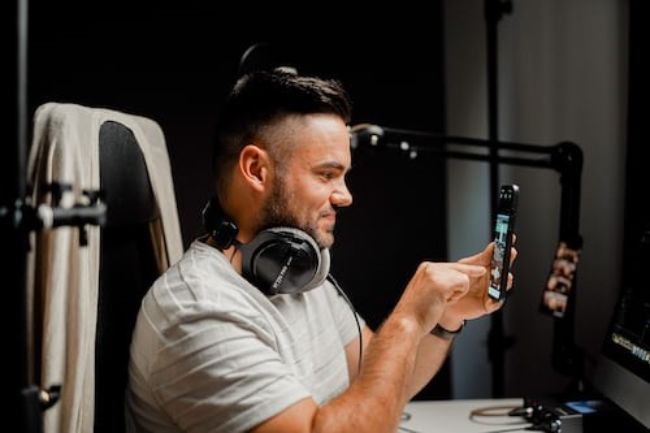
Una cuenta de creador en Instagram está diseñada específicamente para que los creadores de contenido tengan acceso a funciones que les permitan controlar mejor su presencia en línea, les ayuden a comprender su crecimiento y les faciliten la gestión de sus mensajes. Las cuentas de creador Instagram están abiertas al público y cuentan con las mismas funciones avanzadas de gestión de redes sociales que las cuentas empresariales.
Las cuentas « Instagram » pueden representar una marca, una empresa o una personalidad, y son ideales para:
- Influencers
- Personalidades públicas
- Artistas
- Productores de contenidos
- Cualquiera que quiera construir una marca personal en Instagram
Con una cuenta de creador, dispondrás de mejores herramientas para desarrollar tu marca personal tal y como tú quieras, acercarte más a tu comunidad, ganar dinero haciendo lo que mejor se te da y lo que te apasiona, y además disfrutar de una mayor protección de tu cuenta.
Puedes convertir una cuenta personal o una cuenta de empresa en una cuenta de creador. Las cuentas privadas pasan automáticamente a ser públicas al convertirlas en cuentas de creador, y todas las solicitudes de seguimiento pendientes se aceptan automáticamente.
Qué es un creador digital en Instagram
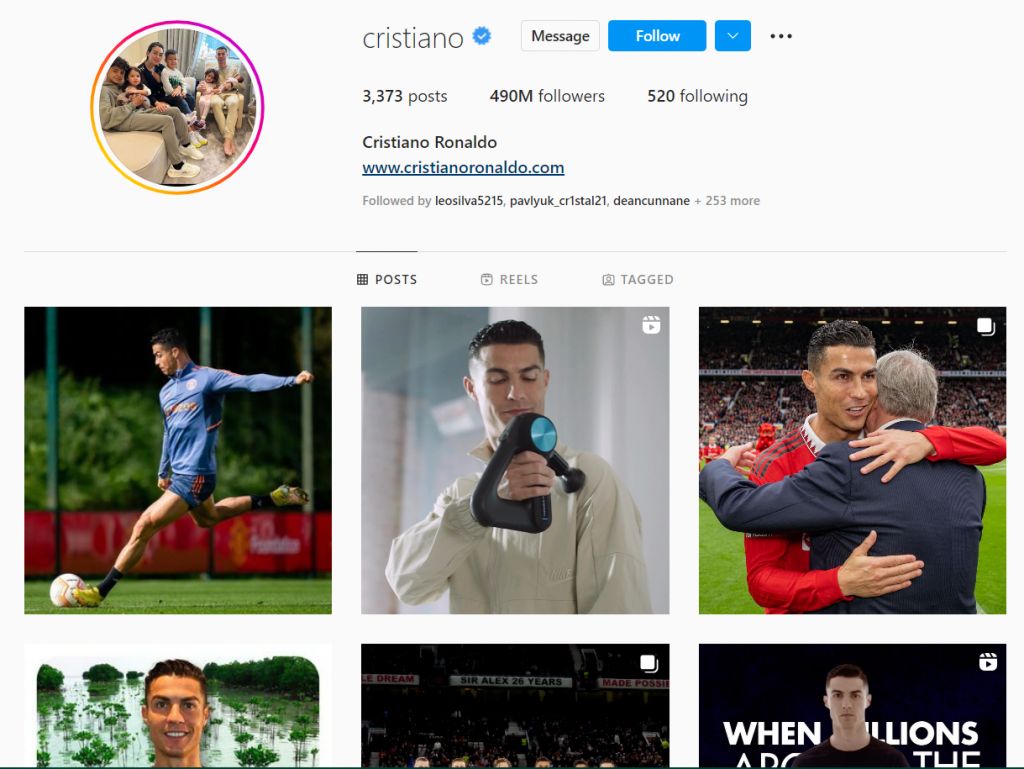
Todos los creadores digitales son creadores de contenidos, pero no todos los creadores de contenidos son creadores digitales. Si eres un creador digital en Instagram, significa que produces contenidos exclusivamente para su difusión digital, es decir, para su consumo en línea. El término «creador de contenidos» es una categoría más amplia, que incluye a los creadores de contenidos tanto para medios impresos como digitales.
Funciones disponibles en las cuentas de Instagram Creator
Estas son las funciones a las que puede acceder si tiene una cuenta de creador en Instagram .
- Panel de control profesional. Podrás realizar un seguimiento de tu rendimiento, acceder a herramientas profesionales para la segmentación de la audiencia y la gestión de contenidos, y consultar información formativa seleccionada por Instagram.
- Información de contacto y etiquetas de categoría. Puedes identificar tu cuenta de Instagram como creador con una etiqueta específica —como «autor», «bloguero» o «deportista»— que te clasifique como una autoridad o un profesional en tu ámbito concreto. La información de contacto y las etiquetas de categoría son opcionales y se pueden activar o desactivar.
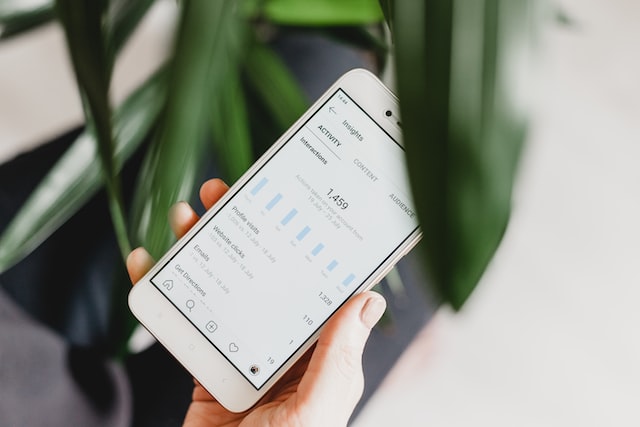
- Estadísticas de crecimiento. Analiza y comprende qué contenido te ayuda a aumentar tu audiencia mediante el seguimiento de las publicaciones nuevas y existentes, la actividad de tus seguidores y mucho más. Ten en cuenta que solo se puede acceder al panel de estadísticas de « Instagram » a través de la aplicación móvil. Si quieres gestionar publicaciones, consultar estadísticas o publicar tu contenido de « Instagram » desde un ordenador, tendrás que vincular tu cuenta de creador de « Instagram » a Creator Studio.
- Bandeja de entrada secundaria. Tu bandeja de entrada contará con las pestañas «Principal» y «General». Podrás organizar tus mensajes y controlar las notificaciones de cada una de estas pestañas. Así, podrás colocar todos los mensajes de tus amigos en la bandeja de entrada «Principal» y los mensajes directos del resto de usuarios en la bandeja de entrada «General». También podrás marcar los mensajes importantes para no olvidarte de responderlos. Con una cuenta de creador, además, tienes la opción de utilizar atajos de teclado personalizados para generar respuestas guardadas, lo cual resulta especialmente útil a la hora de responder a preguntas frecuentes en los mensajes directos.
- Solicitudes clasificadas. Tendrás la opción de ordenar tus solicitudes por fecha de recepción o por cuentas principales.
- Publicaciones con opción de compra. Puedes etiquetar productos para crear publicaciones con opción de compra, ya sea a través de « Instagram Shopping» o, si eres socio autorizado de otra empresa, mediante « Instagram Shopping».
Cómo utilizar Creator Studio
Creator Studio sólo está disponible para cuentas de creador o cuentas de empresa. Puedes conectar tu cuenta de creador Instagram a Creator Studio con o sin página de Facebook para poder gestionar tus publicaciones y ver tus perspectivas desde el ordenador.
Conecta tu cuenta de creador de Instagram sin una página de Facebook con estos pasos:
- Ve a Creator Studio.
- Haz clic en el icono Instagram situado junto al icono de Facebook en la parte superior de la pantalla.
- Siga las instrucciones de inicio de sesión de Creator Studio con su nombre de usuario y contraseña de Instagram .
- Si tienes problemas para conectar tu cuenta de Instagram y se te pide que la vincules a una página de Facebook, es posible que primero tengas que cerrar sesión en tu perfil de usuario de Facebook y, a continuación, iniciar sesión en Creator Studio con tu nombre de usuario y contraseña de IG. Si esto no funciona, puedes utilizar un navegador en modo privado o de incógnito para iniciar sesión en Creator Studio con tu nombre de usuario y contraseña de IG.
Conecta tu cuenta de creador Instagram a Creator Studio con una página de Facebook siguiendo estos pasos:
- Ve a Creator Studio.
- Haz clic en el icono Instagram situado junto al icono de Facebook en la parte superior de la pantalla.
- Si tu cuenta de creador de Instagram ya está vinculada a una página de Facebook, solo tienes que hacer clic en la cuenta de Instagram que quieras conectar a Creator Studio.
- Si no administras la página de Facebook vinculada a tu cuenta de creador de Instagram , haz clic en «Conectar» en Instagram y, a continuación, sigue las instrucciones para iniciar sesión.
- Si quieres utilizar otra cuenta de creador de Instagram que no esté vinculada a tu página de Facebook, haz clic en «Conectar otra cuenta de Instagram » y sigue las instrucciones.
- Si tienes varias cuentas de « Instagram » vinculadas a una o varias páginas de Facebook y quieres gestionarlas todas desde Creator Studio, haz clic en «Continuar con las cuentas vinculadas». Ten en cuenta que solo puedes tener 5 cuentas de « Instagram » a la vez.
Cómo convertirse en creador de contenidos en Instagram
Convertirte en creador de contenido con una cuenta de creador Instagram te ofrece mejores oportunidades para ganar dinero en Instagram, vender en Instagram y conseguir más «Me gusta» para acelerar tu crecimiento. A continuación te explicamos cómo cambiar tu cuenta personal o perfil empresarial para configurar una cuenta de creador:
- Ve a tu perfil y toca el menú de la esquina superior derecha.
- Pulsa Configuración.
- Seleccione Cuenta y elija Cambiar a cuenta profesional y de creador si está cambiando desde una cuenta personal; o elija Cambiar a cuenta de creador si está cambiando desde una cuenta de empresa.
- Seleccione su categoría.
- Conéctate a tu página de Facebook o selecciona «Omitir».
- Revisa tus datos de contacto. Necesitarás al menos un medio de contacto, pero tendrás la opción de mostrarlo u ocultarlo en tu perfil.
- Seleccione la opción de visualización de perfil que prefiera. Puedes ocultar o mostrar tu categoría e información de contacto en tu perfil.
Si quieres crear una nueva cuenta de creador en lugar de cambiar una cuenta ya existente, solo tienes que crear una nueva cuenta en Instagram y, a continuación, cambiarla a una cuenta de creador en Instagram .
Cómo desactivar la cuenta de creador en Instagram
Si has decidido que una cuenta de creador Instagram no es lo que buscas, puedes volver a una cuenta personal o a un perfil empresarial. Ten en cuenta que desactivar tu cuenta de creador en Instagram implica que perderás todos los datos analíticos de dicha cuenta. Tampoco podrás recuperar esta cuenta de creador; tendrás que crear una nueva cuenta de creador si decides volver a utilizarla.
A continuación te explicamos cómo volver a cambiar a una cuenta personal:
- Ve a tu Configuración.
- Pulse Cuenta.
- Vaya a Cambiar tipo de cuenta.
- Pulsa en «Cambiar a cuenta personal» y, a continuación, pulsa en «Cambiar a personal» para confirmar.
Creador Instagram Cuentas vs Cuentas Business
Si no tienes claro si te conviene más una cuenta de creador Instagram o un perfil empresarial, aquí tienes las principales diferencias entre ambas para ayudarte a decidir.
- Las cuentas de creador tienen la opción de identificarse con una etiqueta específica basada en lo que hacen o en cuál es su experiencia. Las cuentas de empresa se clasifican en función de su sector.
- Tanto las cuentas de creadores como los perfiles de empresa tienen la opción de mostrar su información de contacto. Sin embargo, solo las cuentas de empresa tienen la opción de añadir una ubicación concreta, lo cual resulta útil para las empresas con un local físico.
- Las cuentas de creadores y las cuentas de empresas pueden añadir botones de acción a su perfil. Una cuenta de creador Instagram puede utilizar las llamadas a la acción «Reservar ahora» o «Reservar»; una cuenta de empresa puede utilizar las llamadas a la acción «Reservar ahora», «Reservar» y «Pedir comida».
Haga crecer su Instagram con una cuenta de creador
Es posible crear una marca personal o un negocio solo con una cuenta personal de Instagram (configurada como pública), pero competir con marcas similares y hacer crecer tu Instagram va a resultar extremadamente difícil. Por otro lado, disponer de una cuenta de creador Instagram te dará acceso a funciones especializadas diseñadas para ayudarte a gestionar mejor tu presencia en línea, el rendimiento de tus contenidos, las ventas y la segmentación de tu público, entre otras cosas, y, por lo tanto, también te ofrecerá las mejores posibilidades de éxito.
Además de aprovechar las funciones avanzadas disponibles para las cuentas de creadores de Instagram , puedes dar un paso más allá en el crecimiento de tu marca asociándote con un experto en estrategias de crecimiento en Instagram , como Path Social. La avanzada capacidad de segmentación mediante IA de Path Socialy su equipo interno de expertos en redes sociales te ayudarán a ampliar tu alcance, a conseguir seguidores reales que estén genuinamente interesados en lo que ofreces, a experimentar una mayor interacción de alta calidad y a acercarte mucho más a tus objetivos de Instagram . ¡Empieza hoy mismo a crecer y a ganar seguidores en Instagram !





¿Buscas la mejor forma de conseguir seguidores Instagram ?
Prueba nuestro servicio Instagram basado en inteligencia artificial para obtener resultados reales y duraderos.
Pruebe nuestro servicio de seguidores de Instagram