


Instagram Herramientas de análisis: Analice Big Data para obtener información sobre IG

Instagram | 4 de septiembre de 2025
Instagram sea conocido por su impresionante contenido estético, sus retos de moda y sus entretenidos Reels. Y, sin duda, la creatividad es lo más importante aquí, al igual que en cualquier otra red social. Pero, al fin y al cabo, Instagram sigue siendo una ciencia. Se basa en cifras concretas y en información útil para ayudar a las marcas a triunfar en la plataforma. ¿Y cómo se puede acceder a ese tipo de datos? Con herramientas Instagram probadas y contrastadas, por supuesto.
Tanto si eres propietario de un negocio, un aspirante a influencer o una celebridad consolidada en Instagram, es importante que revises tus estadísticas con regularidad. Es la única forma de saber si tu contenido está funcionando bien o si necesitas ajustar tus estrategias.
Por suerte, existen muchas aplicaciones y herramientas de análisis que permiten consultar estos datos. Hoy vamos a repasar algunas de las mejores, que pueden hacer maravillas por tu estrategia Instagram . ¡Sigue leyendo para descubrir qué herramientas cuentan con las mejores funciones de análisis del mercado!
¿Qué es el análisis de redes sociales?
El análisis consiste en recopilar datos de una página de redes sociales y analizarlos para obtener información sobre su contenido y su público. Y en esta era basada en los datos, es imprescindible para cualquier marca que quiera triunfar en Internet.
Gracias a las herramientas de análisis y a los informes, las marcas pueden averiguar qué están haciendo bien y qué están haciendo mal en Internet. De este modo, pueden mejorar sus estrategias de contenido y seguir publicando contenidos que gusten a su público objetivo.
Hay un montón de métricas diferentes que suelen aparecer en los informes de análisis habituales. Entre ellas se incluyen el alcance, las tasas de interacción, los «me gusta», los comentarios, el crecimiento del número de seguidores y otros indicadores clave de rendimiento en línea. Estas métricas te permiten comprobar si tu contenido en redes sociales es eficaz y está teniendo buena acogida entre tu público objetivo.
Muchas plataformas de redes sociales ofrecen esta información de forma gratuita. Sin embargo, las marcas que desean obtener datos más detallados suelen recurrir a aplicaciones de análisis de terceros para obtener datos más amplios, sólidos y con mayor impacto. En cualquier caso, los datos analíticos suelen presentarse en forma de informes o paneles de control en línea por los que puedes desplazarte.
Los informes analíticos son su arma secreta para vencer al algoritmo Instagram
Si lo piensas bien, los datos útiles que obtienes de los informes analíticos son la clave para triunfar en Instagram. Sin ellos, podría resultarte difícil mejorar tu contenido y destacar en una plataforma tan competitiva.
Verás, el Instagram es conocido por dar prioridad al contenido con altos índices de relevancia y participación. Cuanta más gente interactúe con tu contenido, más lo considerará el algoritmo como relevante. A continuación, hace que ese contenido aparezca en una posición más destacada en el feed, lo que significa que más gente lo verá. Esto aumenta aún más su alcance y la participación.
Entonces, ¿qué papel desempeñan las herramientas de análisis?, te preguntarás. Al obtener información valiosa sobre tu contenido a partir de los informes de análisis, puedes hacer que sea más relevante y atractivo. Cuanto más interesante sea tu contenido, más interacción conseguirás.
De este modo, tus índices de interacción no dejan de aumentar. En consecuencia, el Instagram hace que el contenido de tu página aparezca en los primeros puestos del feed, lo que te da visibilidad ante un público más amplio. Esto permite un crecimiento potencial con el tiempo, lo que se traduce en más seguidores, mayor reconocimiento de marca, más interacciones en las publicaciones y mayor fidelidad de los clientes. ¿Y no es eso precisamente lo que Instagram toda marca en Instagram ?
Piensa en los informes analíticos como una guía para optimizar tus contenidos y hacerlos más atractivos. Es tu arma secreta para subir a lo más alto del feed y conseguir más ojos en tu página.

Instagram Insights sigue siendo el lugar más cómodo para consultar sus métricas
Ahora que ya conocemos las ventajas de Instagram , hablemos de dónde puedes consultarlas. Aunque hay muchas aplicaciones de análisis de terceros, tenemos que hacer una mención especial a la original:Instagram .
Instagram es el panel de análisis integrado en la aplicación que muestra un montón de métricas de las publicaciones e información valiosa sobre la audiencia. Está disponible exclusivamente para cuentas profesionales, por lo que lo verás si tienes una cuenta empresarial o de creador.
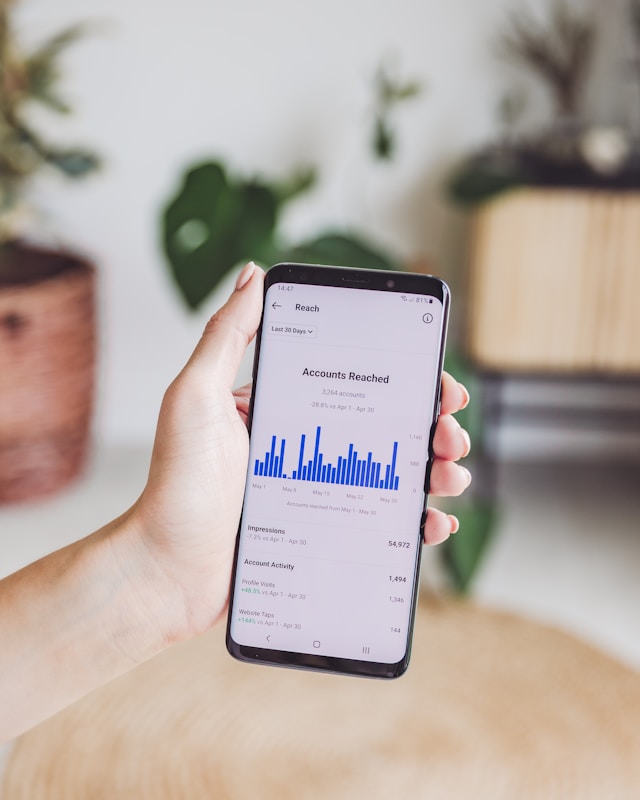
El panel de Insights te ofrece una visión general de las métricas clave de rendimiento de tu página, desde las cuentas a las que has llegado hasta las tendencias de crecimiento del número de seguidores. Además, proporciona información detallada por publicación, mostrando datos como el alcance, las impresiones, las interacciones, las visualizaciones y mucho más para cada publicación.
Incluso podrás ver información detallada sobre tus seguidores, como su edad, sexo y ubicación. El panel de control te muestra incluso a qué horas del día están activos en Instagram. Esto es genial para planificar cuándo publicar contenido a lo largo del día.
Si tienes una Instagram profesional Instagram , la página «Insights» está a solo unos toques de distancia. La encontrarás en la sección «Herramientas profesionales» de tu configuración. Explora las diferentes métricas y los interesantes datos que puedes consultar en esta herramienta de análisis integrada en la aplicación. A continuación, descubre cómo puedes utilizar esa información para mejorar tu Instagram más adelante.
Las 5 mejores herramientas de análisis de Instagram para conocer a fondo los números de una página de IG
Instagram es una forma rápida y práctica de ver cómo están funcionando tu página y tu contenido en la plataforma. Pero, si somos sinceros, los datos que ofrece son un poco básicos. Se limitan a métricas generales como el alcance, las tasas de interacción y las visualizaciones.
Y, aunque estos datos son muy útiles, no siempre son suficientes. Algunos usuarios buscan un análisis más profundo y conclusiones claras y prácticas que puedan incorporar a sus estrategias de marketing. Si te sientes identificado, es hora de dejar un poco de lado Instagram e invertir en aplicaciones de análisis de pago.
Las herramientas y servicios de análisis de pago te ofrecen un abanico más amplio y completo de métricas e información sobre tu Instagram . Además de las cifras puras y duras, pueden incluir funciones avanzadas, como análisis de la competencia, ideas de contenido, patrones de opinión y mucho más.
Son fantásticas para identificar con precisión tus puntos fuertes y débiles como marca en Instagram. Gracias a estas funciones, verás que merece mucho la pena invertir en herramientas de análisis de pago.
¿Quiere probar una aplicación de análisis avanzado pero no está seguro de cuál utilizar? Estas son las cinco mejores herramientas de análisis de Instagram en las que invertir para obtener información más detallada sobre una página Instagram .
1. Más adelante, la herramienta de análisis más fácil de usar para principiantes
Más adelante es una aplicación de análisis conocida por su interfaz intuitiva. En lugar de abrumarte con intimidantes gráficos de líneas y tablas, procesa los datos por ti. A continuación, te muestra información fácil de entender y útil que puedes incorporar de inmediato a tu estrategia Instagram de cara al futuro. Es perfecta para principiantes, nuevos propietarios de marcas y quienes se inician en el análisis de datos.
El eslogan de esta herramienta de análisis es «todos los datos, sin complicaciones». No les importa ser la aplicación basada en IA más grande o más impresionante del mundo. Lo único que quieren es ofrecerte información sencilla pero detallada sobre tu Instagram para que puedas mejorarlo.
Además, ofrece análisis sobre tus publicaciones —desde las fotos del feed hasta los Reels—, los enlaces de tu biografía y tu página en su conjunto. Para ayudarte a visualizar qué publicaciones están teniendo mejor rendimiento, pueden clasificarlas según los «me gusta», los comentarios, las guardadas y otros parámetros. También incluyen una calculadora de la tasa de interacción muy fácil de usar que muestra cómo se calcula esta métrica.
En general, Later es estupendo para quienes todavía se sienten un poco intimidados por los análisis de las redes sociales. Es una gran herramienta para principiantes que te permite familiarizarte con las métricas clave de Instagram y aprender de ellas.
2. Brandwatch para análisis y escucha social
Brandwatch te muestra todas las Instagram básicas Instagram que puedes esperar de una aplicación de análisis de primer nivel. Te ofrece una visión general de cómo tus esfuerzos en las redes sociales están repercutiendo en tu negocio. Además de proporcionar datos sobre el rendimiento de tu contenido, lo compara con el de tus competidores. De este modo, sabrás cómo te va frente a aquellos frente a los que intentas destacar. La aplicación también muestra datos demográficos clave sobre tu público, en concreto sobre tus seguidores.
Pero lo que realmente distingue a Brandwatch es que también cuenta con una herramienta de monitorización de redes sociales impresionante y muy completa. Cuando te tomes un descanso de leer los informes analíticos de tu página, echa un vistazo a su panel de control de monitorización de redes sociales. Allí podrás ver conversaciones sobre tu marca procedentes de millones de fuentes en línea.
Conozca la opinión del público sobre su marca y lo que su público objetivo piensa de sus competidores. Incluso puede ver los temas de tendencia que sigue actualmente su mercado objetivo y las tendencias emergentes que están a punto de causar sensación. Adelántese a los acontecimientos y sepa de qué habla su público con la ayuda de Brandwatch.

3. Hootsuite para análisis y programación de contenidos
Hootsuite es otra aplicación conocida por sus informes Instagram , detallados y reveladores. Esta aplicación te muestra indicadores clave de rendimiento para contenidos como Reels, Stories, publicaciones en el feed e incluso anuncios de pago, si los hay. La información que verás sobre estos tipos de contenido incluye el alcance, las impresiones, las visualizaciones, las tasas de interacción, las veces que se ha compartido, las veces que se ha guardado y mucho más.
Lo mejor de Hootsuite es que es mucho más que una simple aplicación de análisis. También es una herramienta de gestión de contenidos que te permite programar Instagram con antelación. No solo te ayuda a organizar el contenido futuro, sino que además te indica cuál es el mejor momento para publicarlo.
Hootsuite es, básicamente, tu herramienta integral para obtener informes analíticos y actuar de inmediato basándote en la información que te proporcionan esos datos. Descubre qué aspectos de tu contenido debes mejorar. A continuación, crea y programa esas publicaciones para que se publiquen al instante. ¡Y ya está todo listo!

4. Keyhole para análisis de perfiles y análisis de la competencia
Una cosa es consultar las métricas de rendimiento de tu marca en Instagram, pero otra muy distinta es ver cómo se compara con el rendimiento de tus principales competidores. Si quieres obtener informes analíticos sobre tu perfil y, al mismo tiempo, ver cómo les va a tus competidores, prueba Keyhole.
Keyhole es una aplicación estupenda para el análisis de perfiles de Instagram . Muestra las métricas clave de tus publicaciones y campañas. Incluso comparte información práctica sobre cómo mejorar tus estrategias para futuros proyectos. Keyhole también ofrece recomendaciones sobre cuándo deberías publicar tus contenidos para conseguir el máximo impulso y participación.
Pero los datos no se quedan ahí. La aplicación compara tus métricas con las de tus competidores. Keyhole cuenta con un panel de análisis competitivo que compara tus datos con los de tus principales competidores. Podrás ver qué publicaciones están teniendo mejor rendimiento, quién tiene más seguidores y de quién se habla más en Internet.
Keyhole es una herramienta imprescindible para los propietarios de marcas que quieren eliminar a la competencia y llegar a lo más alto.
5. trendHERO for Analytics Informes para comprobar la calidad de los perfiles de los influencers
A veces, no es el perfil de tu propia marca sobre el que quieres generar informes analíticos. Si estás pensando en colaborar con determinados influencers para próximas campañas, también es buena idea analizar sus cifras. Y para eso, trendHERO es la aplicación de análisis que necesitas.
TrendHERO analiza más de 90 métricas para elaborar un informe exhaustivo sobre cualquier influencer que elijas. Este informe te mostrará toda la información que te pueda interesar conocer antes de colaborar con ellos. Esto incluye datos demográficos de la audiencia, calidad del contenido, crecimiento del número de seguidores, índices de interacción e incluso si tienen o no seguidores falsos.
Con trendHERO, puedes estar seguro de que los influencers con los que colaboras son de gran calidad y los que mejor se adaptan a tu marca. Es la herramienta de análisis que necesitas cuando planeas lanzar una gran campaña de marketing de influencers.

¿Puede encontrar herramientas de análisis gratuitas en Instagram con funciones impresionantes?
Con tantas aplicaciones de análisis de pago tan geniales que hay en el mercado, quizá te preguntes: ¿existen herramientas Instagram gratuitas? ¿Se pueden encontrar en Internet algunas que ofrezcan las mismas funciones de análisis tan impresionantes que las herramientas de pago mencionadas anteriormente?
Lo entendemos. Estás buscando una herramienta de análisis gratuita porque quieres conocer el rendimiento de tu página y mejorar tus estrategias. Es algo totalmente lógico, sobre todo para creadores que están empezando o propietarios de pequeñas empresas que quieren mejorar su presencia en Instagram.
Sin embargo, hay que ser sinceros. En lo que respecta a las herramientas de análisis, se obtiene lo que se paga. Las herramientas de pago suelen incluir funciones más avanzadas y bases de datos exhaustivas para extraer información de los macrodatos. Es poco habitual encontrar herramientas de análisis gratuitas que ofrezcan los mismos conocimientos y conclusiones.
Pero recuerda: el panel de control integrado Instagram te muestra un montón de métricas clave y es totalmente gratuito. Si quieres conocer el rendimiento de tu contenido, siempre puedes obtener información al respecto desde allí sin que te cueste un ojo de la cara.
He aquí otro consejo profesional si busca análisis gratuitos en Instagram : busque pruebas gratuitas de las mejores aplicaciones de análisis.
Muchas aplicaciones de terceros atraen a clientes potenciales con pruebas gratuitas que duran una o dos semanas. Regístrate en estas pruebas y vincula tu Instagram para acceder a todos los datos detallados sobre tu página. Es posible que estas versiones gratuitas tengan algunas limitaciones. Sin embargo, basta con consultar una vez los datos analíticos avanzados para saber cuál es la situación de tu marca en Instagram.
¿Y quién sabe? ¡Quizás te guste tanto la prueba gratuita que al final acabes invirtiendo en la aplicación! Aprovecha al máximo la versión gratuita explorando las funciones de análisis de la aplicación y las herramientas adicionales de gestión de contenidos. Si te gusta lo que ves, plantéate pagar para tener acceso completo a la herramienta.

¿Qué son las herramientas de análisis Instagram ? ¿Merece la pena probarlas?
Utilizar hashtags relevantes en tus publicaciones es una de las mejores formas de aumentar el alcance y la interacción con tu contenido. Pero no basta con incluir cualquier serie de etiquetas en tu pie de foto, por muy de moda que parezcan. Tienes que diseñar una estrategia sólida de hashtags para llegar al público objetivo que tienes en mente. Las herramientas de análisis pueden ayudarte en este sentido.
Aunque la mayoría de las herramientas de análisis se centran en el rendimiento del contenido, algunas se dedican a ayudarte a perfeccionar la selección de hashtags de tu marca. Se denominan herramientas de análisis Instagram y están diseñadas para proporcionar métricas y datos valiosos sobre los hashtags de las redes sociales.
Estas herramientas de análisis especializadas cuentan con un montón de funciones interesantes, entre las que pueden figurar:
- Datos sobre la popularidad de determinados hashtags.
- Alcance, impresiones y interacción por hashtag.
- Sugerencias de hashtags para facilitar la recopilación de etiquetas para tus próximas publicaciones.
- Información sobre las etiquetas que utiliza su público objetivo.
- Analizar los hashtags de marca, ya sean los tuyos o los de la competencia.
Si actualmente dispones de hashtags de marca, te recomendamos encarecidamente que eches un vistazo a la herramienta de análisis de hashtags Talkwalker. En esta aplicación de seguimiento de hashtags, podrás ver un sinfín de métricas detalladas sobre tus campañas de hashtags de marca. Te muestra las menciones, el sentimiento, las conversaciones relacionadas con tu etiqueta, las etiquetas de tus competidores y mucho más. ¡Es imprescindible para cualquier marca que quiera causar sensación con una gran campaña de hashtags!

Convierte esos datos en un gran contenido y haz crecer tu página de IG hoy mismo.
Al utilizar las mejores herramientas de análisis disponibles, podrás obtener una visión general de tus métricas Instagram . Con esta información, podrás extraer conclusiones prácticas, como qué ha funcionado y qué no ha funcionado con tu público objetivo. A partir de ahí, ajusta tu estrategia Instagram y crea contenido excelente, atractivo y de gran rendimiento que encantará a tus seguidores.
Las herramientas Instagram son fantásticas para mejorar tu contenido en general, pero el trabajo no acaba ahí. También tienes que asegurarte de que la gente vea realmente ese contenido. De lo contrario, ¿para qué ha servido todo ese esfuerzo?
Path Social aquí para ayudarte. Nuestro algoritmo basado en inteligencia artificial identifica a tu público específico y se encarga de que tu contenido aparezca en su feed. Este aumento de la visibilidad ante tu público objetivo no solo dispara tus índices de interacción, sino que también impulsa el crecimiento de tus seguidores. En poco tiempo, tendrás un montón de nuevos seguidores a los que les encanta tu contenido y que interactúan con él regularmente. ¡Consigue más Instagram con Path Social!





¿Quieres aumentar tu Instagram de forma natural?
Descubre una plataforma diseñada para ayudar a los creadores a llegar a seguidores reales y comprometidos, sin atajos.
Explora la plataforma




