


Comment créer un compte professionnel sur Instagram : Nos conseils de pro

Gérer un Instagram pour votre marque peut sembler amusant, mais ce n’est pas une sinécure. Les responsables de marque et les créateurs doivent constamment faire face à un afflux de messages, à des problèmes d’audience et à la pression liée à la génération de conversions. Heureusement, Instagram de nombreuses fonctionnalités utiles conçues pour faciliter la vie des entreprises et des créateurs qui gèrent des pages professionnelles. Aujourd’hui, nous allons donc vous expliquer comment créer un Instagram professionnel et tirer pleinement parti de ses avantages.
Produire en série du contenu mignon et captivant et devenir viral sur Internet ne suffit pas pour développer votre marque de manière durable. Vous devez également augmenter votre audience et vos taux d’engagement, stimuler les ventes et acquérir une connaissance approfondie de votre public cible. Grâce à un profil professionnel sur Instagram, vous pouvez réaliser tout cela et bien plus encore. Il peut vous aider à optimiser votre présence sur les réseaux sociaux et à dépasser largement les objectifs marketing de votre marque.
Continuez à défiler pour en savoir plus sur la manière de passer d'une page personnelle à une page professionnelle. Nous partageons également des conseils d'experts pour optimiser les fonctions et avantages exclusifs dont vous bénéficiez avec un profil professionnel. Allons-y sans plus attendre !

Le 411 sur Instagram Compte d'entreprise vs. Page personnelle vs. Compte de créateur
Vous pouvez avoir un compte personnel ou professionnel. Mais quelle est la différence entre les deux ?
Un compte personnel est destiné aux particuliers qui souhaitent utiliser la plateforme pour rester en contact avec leurs amis et leur famille. Les utilisateurs de ces Instagram publient du contenu personnel, comme des photos avec leurs proches ou prises lors de leurs voyages. C'est le type de compte que vous aurez si vous êtes sur Instagram le seul but de nouer des liens avec d'autres personnes.
Avec un compte personnel, vous ne pouvez toucher votre public que de manière organique. Vous ne pouvez pas diffuser de publicités payantes ni sponsoriser les publications d’autres créateurs. Et même si cela peut sembler limiter votre potentiel sur la plateforme, les pages personnelles présentent également des avantages uniques. Par exemple, avec un compte personnel, vous pouvez configurer votre page en mode privé, ce qui renforce votre sécurité en ligne.
Le compte professionnel, quant à lui, est conçu pour promouvoir une marque spécifique. Il existe deux types de comptes professionnels.
Si vous possédez une entreprise qui commercialise des produits ou des services spécifiques, vous pourriez opter pour un compte professionnel. Il est certes possible de promouvoir une marque via un compte personnel. Cependant, les comptes professionnels sur Instagram offrent bien plus d'outils marketing que les pages personnelles.
Si vous êtes un influenceur en pleine ascension ou une personnalité publique, vous devriez opter pour un Instagram « Créateur ». Ce type de compte s'adresse à ceux qui souhaitent se forger une image de marque personnelle.
Voici quelques-uns des nombreux avantages liés à la possession d'un compte professionnel, qu'il s'agisse d'un compte d'entreprise ou de créateur :
- Diffuser du contenu payant pour promouvoir des produits et des services.
- Des rapports d'analyse sur les paramètres clés de Instagram et les données démographiques de l'audience.
- Outils de partenariat de contenu de marque pour les collaborations.
- Creator Studio, où les marques peuvent gérer, programmer et monétiser leurs contenus.
- Informations uniques de contact et de localisation sur votre profil.
- Ajout de liens pour "swipe up" sur vos Instagram Stories (plus de 10 000 followers).

Comment créer un Instagram professionnel, étape par étape
Toute personne qui crée un Instagram commence par un compte personnel. Si vous êtes chef d'entreprise ou créateur de contenu, vous devriez passer à un compte professionnel. Heureusement, cette procédure est très simple et gratuite. Voici comment procéder, étape par étape :
1. Ouvrez l'application Instagram et accédez à votre profil.
2. Cliquez sur le menu hamburger (trois lignes horizontales) dans la partie supérieure droite de l'écran.
3. Cliquez sur Paramètres et confidentialité.
4. Faites défiler la page jusqu'à la section "Pour les professionnels" et cliquez sur Type de compte et outils.
5. Cliquez sur Basculer vers le compte professionnel.
6. Lisez les rappels et les instructions des pages suivantes et appuyez sur Continuer pour poursuivre le processus de conversion.
7. Sélectionnez la catégorie qui correspond le mieux à votre marque. Vous avez l'embarras du choix : « Entrepreneur », « Épicerie », « Restaurant », « Produit/service », « Artiste », « Créateur numérique », et bien d'autres encore.
8. Choisissez si vous souhaitez créer un compte professionnel ou un compte de créateur. Et voilà, c'est terminé !
Maintenant que vous disposez d'un compte professionnel, embellissez votre page pour la rendre plus attrayante aux yeux de vos abonnés potentiels. Ajoutez des boutons de contact, un lien utile dans votre biographie, et même des « Stories à la une » pour mettre en avant vos meilleurs contenus.
N'oubliez pas que chaque utilisateur peut créer jusqu'à cinq comptes Instagram . Cela signifie que vous pouvez conserver une page personnelle et avoir plusieurs comptes professionnels si vous gérez différentes marques.
Vous souhaitez revenir à un compte personnel ? Ne vous inquiétez pas, il est très facile de revenir à une page personnelle. Voici comment procéder :
1. Accédez à vos paramètres et à votre vie privée par le biais de votre profil.
2. Faites défiler la page jusqu'à la section "Pour les professionnels" et cliquez sur Outils et contrôles du créateur.
3. Cliquez sur « Changer de type de compte », puis sur « Passer à un compte personnel ».
4. Confirmez votre décision de revenir à une page personnelle.
Comment utiliser Instagram for Business pour améliorer la présence en ligne de votre marque ?
Comme mentionné précédemment, le passage à un compte professionnel vous donne accès à des outils marketing réservés aux entreprises et aux créateurs. Ces outils exceptionnels vous aident à promouvoir votre marque et à interagir plus efficacement avec votre public cible. Ils sont parfaits pour améliorer votre présence en ligne et la gestion quotidienne de votre compte.
Voulez-vous connaître les meilleures caractéristiques d'une page professionnelle ? Voici comment utiliser Instagram pour les entreprises afin de renforcer votre présence en ligne.
1. Consultez Instagram Insights pour améliorer votre contenu
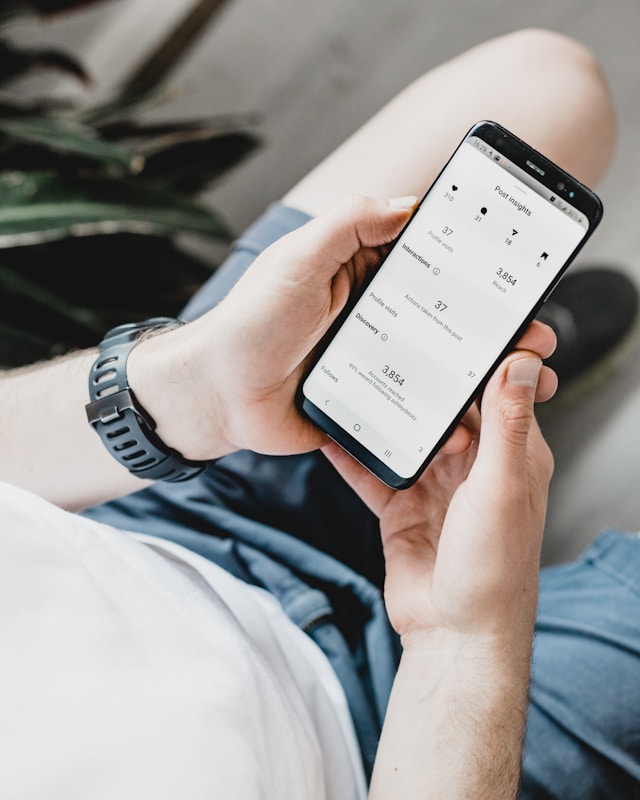
Les professionnels ont accès à Instagram , un outil d'analyse qui fournit des informations précieuses et des indicateurs sur les performances de votre contenu. Il vous présente des indicateurs de performance tels que votre portée totale, votre taux d'engagement, le nombre d'impressions et bien plus encore pour chacune de vos publications. Vous pouvez également consulter un aperçu général de ces indicateurs pour l'ensemble de votre page sur une période donnée.
Ces statistiques sont très utiles pour vous permettre de mieux comprendre les performances de vos publications sur Instagram. Si vous n'êtes pas satisfait de vos indicateurs, utilisez ces statistiques pour ajuster votre stratégie de contenu et commencer à adopter une nouvelle approche.
Outre l'évaluation des performances de votre contenu, Instagram vous permet également d'en savoir plus sur vos abonnés. Le tableau de bord Insights comporte un onglet « Audience ». En cliquant dessus, vous découvrirez de nombreuses informations démographiques pertinentes sur vos abonnés. Parmi celles-ci figurent leur tranche d'âge, la répartition par sexe et même les moments de la journée où ils sont les plus actifs sur la plateforme.
Ces informations sur votre base de fans actuelle vous aident à mieux comprendre votre public. Elles vous permettent d'optimiser le type de contenu que vous publiez et le moment où vous le faites pour maximiser l'engagement.
2. Ajouter des informations de contact et des boutons CTA pour améliorer le profil de votre entreprise
Donnez à vos clients potentiels davantage d'informations sur votre marque en ajoutant vos coordonnées à votre page. Vous pouvez indiquer l'adresse de votre entreprise et votre numéro de téléphone, qui s'afficheront en haut de votre profil. Cela permettra aux internautes de vous contacter plus facilement et de se renseigner sur vos produits ou services.
Les profils d'entreprise sont également autorisés à inclure des boutons d'appel à l'action (CTA) sur leur page avec lesquels les utilisateurs peuvent interagir. Certains de ces boutons comprennent des CTA tels que "Réservez", "Réservez maintenant" ou "Achetez maintenant", et mènent directement à votre site web.
Ces boutons apparaissent également en haut de votre profil, ce qui permet aux clients potentiels de les repérer plus facilement. Notez que vous ne pouvez afficher qu’un seul bouton de contact à la fois sur Instagram de votre marque.
Les fonctionnalités relatives aux coordonnées et au bouton d'appel à l'action sont exceptionnelles pour stimuler les conversions de votre entreprise. Elles conviennent parfaitement à toute marque souhaitant augmenter le nombre de ses prospects, de ses réservations et de ses ventes.
3. Lancer des publicités payantes pour atteindre un public cible spécifique
La diffusion Instagram est une autre fonctionnalité réservée aux comptes professionnels et aux comptes de créateurs. En investissant dans ces publicités payantes, vous pouvez diffuser votre contenu auprès de votre public cible. C'est un moyen pratique d'atteindre des personnes qui ne vous suivent pas mais qui font partie de votre public idéal.
Chaque campagne vous permet de sélectionner des critères démographiques spécifiques pour le public auquel s'adresse la publicité. Vous avez ainsi la certitude de ne pas gaspiller votre argent dans des publicités qui n'atteignent même pas les bonnes personnes. Les publicités ciblées augmentent également les chances que les internautes trouvent vos campagnes intéressantes et pertinentes, ce qui les incite davantage à passer à l'action.
De nombreux formats publicitaires sont disponibles sur la plateforme. Vous pouvez diffuser des publicités photo et vidéo sur le flux ou expérimenter des publicités sur Instagram Stories ou Reels. Vous pouvez même faire de la publicité pour des collections entières de produits afin d'augmenter le nombre d'achats. Nous vous recommandons vivement de créer un mélange de différents formats publicitaires par campagne afin de maximiser votre portée et votre potentiel d'engagement !
4. Utiliser Instagram Shopping pour générer des ventes directement à partir de l'application
Saviez-vous que vous pouvez vendre les produits de votre entreprise directement depuis Instagram ? Eh oui, c'est possible grâce à Instagram . En créant une boutique sur Instagram, vous pouvez mettre en avant vos produits et faciliter les achats et le paiement pour vos clients.
Lorsque vous disposez d'une boutique « Storefront » sur Instagram, un onglet « Boutique » apparaît sur votre profil professionnel. Vous pouvez y organiser vos produits en plusieurs collections et thèmes. Vous pouvez même permettre à vos clients potentiels de découvrir en détail chaque article de chaque collection grâce aux pages de détails des produits. Sur ces pages, vous pouvez fournir toutes les descriptions et informations que les acheteurs pourraient souhaiter connaître sur vos produits.
L'un des principaux atouts Instagram réside dans le fait que les entreprises peuvent associer leur catalogue de produits à leur boutique. Cela vous permet de taguer des produits spécifiques dans vos publications, qu'il s'agisse d'un post dans le fil d'actualité, d'une Story ou d'un Reel. On appelle cela des « publications avec option d'achat ». Les utilisateurs peuvent cliquer sur les tags de produits figurant dans votre publication, puis effectuer leurs achats directement depuis l'application. Génial, non ?
Vous pouvez même autoriser vos abonnés à taguer vos produits dans leurs publications. Toute personne qui tombe sur ces publications « shoppables » peut consulter les produits et les acheter directement depuis la publication de cette personne. C’est un excellent moyen de tirer le meilleur parti du contenu généré par les utilisateurs et de le mettre au service de votre entreprise !
Malheureusement, Instagram est une fonctionnalité qui n'est pas disponible dans le monde entier. Meta avait déjà annoncé la désactivation de la fonctionnalité « Shops » et du marquage des produits dans de nombreux pays. Cette fonctionnalité n'est disponible que dans certains pays, tels que les États-Unis, le Canada, le Royaume-Uni, l'Australie, le Japon, la Corée du Sud et bien d'autres encore.

Qu'est-ce que le Business Chat sur Instagram?
Outre l'optimisation de votre profil et la stimulation des conversions sur la plateforme, Instagram permet Instagram aux professionnels d'utiliser la messagerie professionnelle. Cette fonctionnalité permet aux entreprises et aux créateurs d'interagir efficacement avec leur public. Mais qu'est-ce que la messagerie professionnelle sur Instagram, au juste ?
Le « Business Chat » est un type de plateforme de messagerie intégrée à Instagram , spécialement conçue pour les créateurs de contenu et les responsables de marques. À première vue, un « Business Chat » ressemble à un message privé classique entre un client et une marque. Mais en y regardant de plus près, vous vous rendrez compte qu'il comporte toute une série de fonctionnalités uniques.
Lorsqu'un client envoie un message privé à une marque, Instagram traite Instagram ce message et propose des réponses possibles. La personne en charge du compte de la marque n'a qu'à choisir la réponse automatique qu'elle souhaite envoyer en réponse au message privé. Il est même possible de configurer des réponses automatiques pour des messages spécifiques, comme les questions fréquemment posées. Cela permet aux créateurs et aux responsables de marques très occupés de gagner en efficacité lorsqu'ils interagissent avec les clients et les fans qui leur envoient des messages.
La fonctionnalité « Business Chat » est idéale pour les grands comptes professionnels qui reçoivent chaque jour un nombre important de messages privés. Non seulement elle permet de répondre plus rapidement, mais elle vous aide également à maintenir une tonalité de marque cohérente dans chacune de vos réponses. Vous pouvez ainsi répondre sans délai à chaque message privé, ce qui renforce votre relation avec votre public.
Comment promouvoir votre entreprise sur Instagram et accroître la notoriété de votre marque ?
Le travail ne s'arrête pas une fois que vous êtes passé à un compte professionnel. Une fois que vous avez configuré votre compte professionnel ou de créateur, vous devez encore faire connaître votre page auprès de votre public cible.
Outre la diffusion de publicités payantes, il existe de nombreuses autres façons de promouvoir votre compte professionnel nouvellement créé. Voici nos meilleurs conseils pour promouvoir votre entreprise sur Instagram améliorer votre visibilité, la notoriété de votre marque et l'engagement de votre audience :
- Collaborez avec des influenceurs pertinents qui ont un public cible similaire à celui de votre marque. Empruntez l'influence et l'expertise de ces créateurs en établissant un partenariat avec eux et en les incitant à parler de votre produit en ligne. Leurs recommandations peuvent stimuler la notoriété et les conversions de votre marque.
- Faites la promotion croisée de votre page sur d'autres plateformes. Si vous disposez d'une page Facebook ou d'un site de vente en ligne, veillez à y ajouter un lien vers votre Instagram professionnelle. Ainsi, les personnes qui visitent vos sites de vente, vos articles de blog et vos contenus sur d'autres plateformes pourront découvrir rapidement votre Instagram .
- Organisez un jeu-concours sympa. Mettez en jeu un lot attrayant et incitez les utilisateurs à participer au concours en interagissant avec votre page. Parmi les modalités courantes des jeux-concours, on peut citer l'obligation de suivre la page de votre marque ou d'« aimer » certaines publications.
- Relever le défi d'une marque Instagram de la marque. Veillez à ce que le défi soit amusant et facile à relever, tout en plaçant votre marque au centre. C'est un excellent moyen de créer une communauté engagée tout en devenant potentiellement viral !
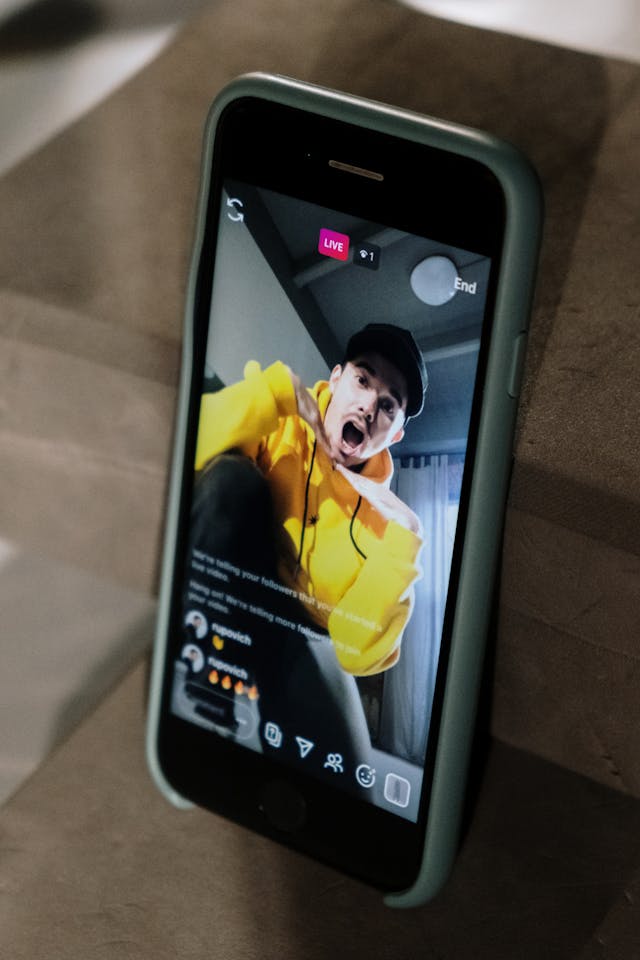
- Organisez des sessions Instagram . Les Stories et les Reels sont peut-être un tout petit peu plus populaires. Mais animer une session Live vous permet d’entrer en contact avec votre public cible en temps réel et de tisser des liens plus solides avec lui. C’est un excellent moyen de parler en toute franchise de votre activité, de vos projets à venir ou de votre vie de créateur.
Développez votre présence en ligne avec un compte professionnel dès aujourd'hui !
Passer à un compte professionnel est une véritable aubaine pour les propriétaires de marques et les influenceurs très occupés. Avec une page professionnelle, vous disposez de nombreuses fonctionnalités pour promouvoir votre marque et faciliter la gestion de vos réseaux sociaux. Vous pouvez notamment diffuser des publicités, stimuler vos ventes grâce à des publications permettant d'acheter directement, ajouter des boutons de contact à votre page, et bien plus encore !
Que vous soyez chef d'entreprise ou créateur, il est important d'apprendre à créer un Instagram professionnel. Cela vous permettra de transformer votre page, qui n'est plus qu'un simple espace personnel, en une page dynamique et influente.
Mais le travail ne s'arrête pas là. Vous devez améliorer votre visibilité sur la plateforme pour que votre contenu atteigne les bonnes personnes. Un créateur de compte Instagram peut vous y aider.
Vous en avez assez de diffuser toujours les mêmes publicités ? Laissez Path Social vous Path Social une nouvelle façon d'atteindre votre public cible. Notre algorithme basé sur l'IA identifie votre public de niche et lui propose votre contenu. Davantage de personnes découvrent ainsi votre contenu, ce qui vous permet de gagner un grand nombre de nouveaux abonnés en un clin d'œil. Développez votre Instagram dès aujourd'hui !





Vous voulez suivre la croissance de votre compte Instagram ?
Analysez vos progrès et obtenez des informations précieuses grâce à notre outil de suivi gratuit !
Vérifiez la croissance de votre compte Instagram dès maintenant




