


Instagram Comentarios: Atrae al público y mejora tu perfil

Instagram | 28 de noviembre de 2024
Instagram mucho más que una simple plataforma para compartir fotos e historias. Es un lugar estupendo para que los usuarios interactúen a través de comentarios, «me gusta» y comparticiones. En esencia, Instagram en torno a la interacción, y una de las herramientas más importantes para fomentar esta interacción son Instagram .
Aunque los «me gusta» y las veces que se comparte tienen su importancia, son los comentarios los que dan vida a tus publicaciones. Ofrecen una vía de comunicación directa entre los creadores de contenido y su público. Además, los comentarios acortan la distancia entre los avatares digitales y las personas reales.
Comprender la dinámica de los comentarios de los usuarios de IG es esencial para generar credibilidad y confianza en esta vibrante comunidad.
Pero no se trata solo de una interacción superficial, sino de autenticidad. Los comentarios auténticos conectan con tu público, lo que fomenta la confianza y el sentido de pertenencia. Analizaremos cómo las interacciones genuinas pueden potenciar tu perfil, reforzar tu credibilidad y contribuir al sentido de comunidad que caracteriza Instagram.

Los comentarios son una valiosa herramienta de participación
Muchos influencers consideran que los comentarios son una forma importante de interacción. Los profesionales del marketing, los influencers y las marcas los valoran mucho. Ofrecen una vía directa para interactuar con tu público y generar credibilidad en la plataforma.
La autenticidad lo vence todo. El compromiso genuino fomenta la confianza y el sentido de comunidad. He aquí por qué los comentarios auténticos son una gran baza para conectar con tu público objetivo.
- Conexión con el público: Los comentarios auténticos te permiten conectar con tu público de forma personal. Cuando los usuarios ven que respondes a sus comentarios con atención, se refuerza la sensación de que hay una persona real detrás del perfil, y no solo contenido automatizado. Es una idea estupenda responder a las opiniones de los clientes.
- Aumento de la credibilidad: Los comentarios de usuarios reales son una prueba de tu influencia y tu experiencia. Cuando otras personas interactúan con tu contenido a través de los comentarios, esto transmite a los nuevos visitantes que es valioso y que merece la pena dedicarle tiempo.
- Creación de una comunidad: Tu objetivo principal debe ser crear una comunidad con la ayuda de tu contenido. Los comentarios auténticos fomentan los debates y las interacciones entre tus seguidores, creando un sentido de pertenencia en las redes sociales.
- Optimizado para el algoritmo: El algoritmoInstagram premia la interacción, y los comentarios desempeñan un papel fundamental. Cuantos más comentarios auténticos reciban tus publicaciones, más probabilidades habrá de que aparezcan en los feeds de tus seguidores. También pueden aparecer en la página «Explorar», lo que amplía tu alcance.
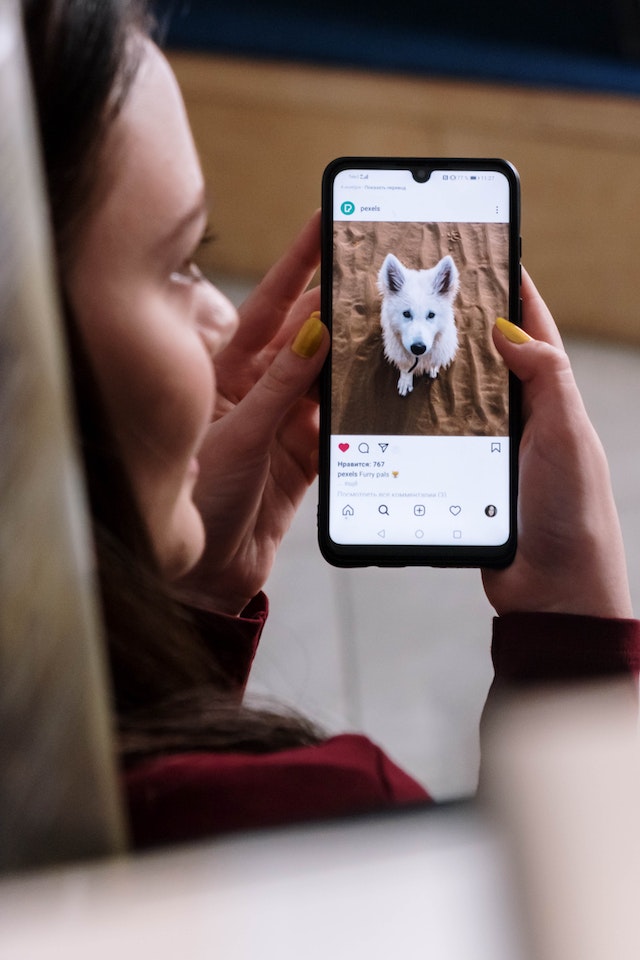
5 formas en que los comentarios de Instagram influyen en el crecimiento de la plataforma
Más allá de los beneficios inmediatos que suponen la participación de la audiencia y la credibilidad, los comentarios pueden influir de manera significativa en tu estrategiaInstagram . A continuación te presentamos cinco formas en las que un elevado número de comentarios en tus publicaciones puede influir en tu crecimiento en la Instagram :
- Mayor visibilidad: Las publicaciones con mayor número de comentarios tienen más probabilidades de aparecer en la sección "Top Posts" de Instagrampara hashtags específicos. Esta mayor visibilidad puede atraer a nuevos seguidores interesados en tu nicho.
- Prueba social: Una publicación con muchos comentarios es una prueba social de que merece la pena seguir tu contenido. Es más probable que los nuevos usuarios sigan y participen en perfiles con una comunidad activa.
- Ciclo de retroalimentación: Los comentarios ofrecen una vía de retroalimentación. Entender lo que le gusta o disgusta a tu audiencia te ayuda a adaptar futuras publicaciones a sus preferencias. Esto aumenta tu tasa de participación.
- Contenido generado por los usuarios: Los comentarios alentadores también pueden dar lugar a contenido generado por los usuarios. Cuando los seguidores dejan comentarios en los que comparten sus experiencias u opiniones, puedes aprovechar ese contenido en tus publicaciones. Hacerlo puede impulsar la interacción y la autenticidad.
- Comentarios reales de usuarios reales: . Los estudios realizados por Yahoo Labs y el Instituto Tecnológico de Georgia destacan la importancia de los comentarios reales. De media, las publicaciones en las que aparecen rostros de personas reciben un 32 % más de comentarios. Nuestros servicios te garantizan que recibirás comentarios 100 % auténticos de usuarios reales, lo que mejora tu credibilidad y tu tasa de interacción.

Cómo utilizar eficazmente los comentarios en Instagram
Ahora que ya entiendes la importancia de Instagram , veamos cómo sacarle el máximo partido. A continuación te presentamos varias formas de utilizar los comentarios para que tengan el mayor impacto posible en tu cuenta de Instagram.
- Participa de forma activa: La clave para sacar partido a Instagram es la participación activa. Responde con rapidez y sinceridad a los comentarios de tus publicaciones. Agradece los comentarios positivos, responde a las preguntas y aborda las inquietudes.
- Fomente conversaciones significativas: Tu sección de comentarios puede convertirse en un espacio seguro para conversaciones significativas relacionadas con tu contenido. Haz preguntas abiertas en los pies de foto para animar a tus seguidores a compartir sus pensamientos y experiencias.
- Anclar comentarios importantes: Instagram te permite anclar comentarios a la parte superior de la sección de comentarios de tu entrada. Utiliza esta función para destacar comentarios valiosos o interesantes que contribuyan al debate. Los comentarios anclados pueden servir como contexto adicional o para iniciar una conversación.
- Modera con responsabilidad: Aunque fomentar el diálogo abierto es esencial, también es fundamental moderar los comentarios para mantener un entorno respetuoso y seguro. Elimina u oculta rápidamente los comentarios ofensivos o que parezcan spam para garantizar que tus seguidores se sientan cómodos interactuando con tu contenido.
- Personalice las respuestas: No te limites a respuestas genéricas. Adapta tus comentarios al contexto específico de la publicación y al comentario en sí. Las respuestas personalizadas demuestran tu interés genuino por tu audiencia.
- Aprovecha los emojis: Los emojis pueden dar un toque de personalidad a tus comentarios y transmitir emociones con eficacia. Utilízalos con cuidado para realzar el tono y el significado de tus respuestas.
- Colabora a través de los comentarios: Plantéate utilizar la sección de comentarios como un espacio para la colaboración. Si trabajas con otros influencers para marcas, participa en conversaciones que pongan de relieve vuestra colaboración, aportando autenticidad a vuestras interacciones.

Comprar comentarios Insta para aumentar la participación
Impulsar la participación a través de la compra de comentarios en Instagram puede ser un movimiento estratégico para aumentar la interacción en tus publicaciones. A continuación te explicamos cómo funciona y qué debes tener en cuenta a la hora de comprar comentarios:
- Busca un servicio de confianza que ofrezca comentarios de usuarios reales y de alta calidad. Evita los servicios que ofrezcan interacciones falsas o que parezcan spam. Esto puede afectar a tu presencia en las redes sociales; no tienen por qué ser caros. También puedes optar por un servicio de comentarios barato y de calidad.
- Decide qué tipo de comentarios quieres en tus entradas. Deben ser relevantes para tu contenido y añadir valor a la discusión. Busque una amplia gama de servicios de calidad para su público objetivo.
- Siga las instrucciones del servicio para adquirir el número de comentarios deseado para sus entradas.
- Una vez publicados los comentarios, supervisa la interacción y responde a ellos de forma natural. La interacción auténtica es fundamental para mantener la credibilidad.
- Considera los comentarios comprados como un impulso para iniciar la conversación. Con el tiempo, céntrate en fomentar comentarios auténticos y espontáneos por parte de tus seguidores.
- Aunque los comentarios comprados pueden suponer un impulso inicial para la participación, es fundamental dar prioridad a la interacción auténtica con tu público a largo plazo.
Cómo eliminar un comentario en Instagram
Borrar comentarios en Instagram un proceso sencillo que puede ayudarte a mantener un ambiente positivo y respetuoso. A continuación te explicamos cómo borrar un comentario en Instagram en solo cinco pasos:
- Abra la entrada de Instagram que contiene el comentario que desea eliminar.
- Desliza el dedo horizontalmente por el comentario. Esta acción mostrará opciones para gestionar el comentario.
- Dependiendo de tu dispositivo, verás un icono de papelera u otras opciones. Toca el icono de la papelera para eliminar el comentario.
- Instagram te Instagram que confirmes la eliminación. Confírmala y el comentario se eliminará de forma definitiva de tu publicación.
- Recuerda que los comentarios eliminados no se pueden recuperar. Utiliza esta función con cuidado para mantener un espacio de interacción respetuoso y positivo para tus seguidores.

Cómo fijar un comentario en Instagram
Anclar comentarios en Instagram es una forma eficaz de mostrar comentarios valiosos o interesantes en la parte superior de la sección de comentarios de tu entrada. ¿Todavía te preguntas cómo anclar comentarios? Aquí tienes una guía paso a paso:
- Navegue hasta la entrada de Instagram en la que desea fijar un comentario.
- Busca el comentario que quieras fijar. Puede tratarse de un comentario especialmente interesante, una pregunta que quieras destacar o un comentario tuyo con información esencial.
- Desliza el dedo de derecha a izquierda sobre el comentario. Esta acción revelará las opciones.
- Verás un icono entre las opciones. Púlsalo para fijar el comentario seleccionado en la parte superior de la sección de comentarios.
- Instagram confirmará que el comentario ha sido anclado. El comentario anclado aparecerá ahora en la parte superior para todos los usuarios.
Fijar comentarios es una forma estupenda de fomentar la participación, responder a preguntas frecuentes o destacar los comentarios que te parezcan especialmente valiosos.

Cómo editar un comentario en Instagram
Editar comentarios en Instagram te permite corregir errores ortográficos, aclarar información o mejorar la calidad general de tus respuestas. Además, hay muchos usuarios que no saben cómo editar un comentario en Instagram. Si eres uno de ellos, prueba a seguir estos pasos para editar un comentario en Instagram:
- Vaya a la entrada con el comentario que desea editar.
- Desplácese por los comentarios hasta que encuentre el que desea editar. Sus comentarios tendrán un "..." (tres puntos) a la derecha.
- Pulsa en el «…» que hay junto a tu comentario y aparecerá un menú.
- Elija la opción "Editar" del menú.
- Ahora puede modificar sus comentarios. Edite el texto según sea necesario.
- Una vez realizados los cambios, pulsa «Hecho» para guardar el comentario editado.
- Instagram mostrará "Editado" junto al comentario para indicar las modificaciones.

Cómo desactivar los comentarios en Instagram
Desactivar los comentarios en Instagram puede resultar útil en determinadas situaciones. Por ejemplo, cuando quieras desactivar los comentarios en una publicación concreta. O cuando quieras limitar la interacción o mantener el control sobre tu contenido. Estos son los pasos para desactivar los comentarios en Instagram:
- Empieza por crear una nueva entrada o editar una ya existente.
- Una vez que hayas añadido el contenido y los pies de foto, llegarás a la sección «Configuración avanzada». Tócala.
- En la sección «Configuración avanzada», encontrarás una opción llamada «Desactivar comentarios». Activa esta opción para desactivar los comentarios en Instagram esa publicación en concreto.
- Publica tu contenido como de costumbre una vez que hayas ajustado la configuración de los comentarios a tu gusto.
Al desactivar los comentarios, mantienes el control total sobre la interactividad de tu publicación. Recuerda que esta configuración se aplica a cada publicación individual, por lo que puedes elegir en cuáles se permiten comentarios y en cuáles no.

¿Cómo publicar GIF en los comentarios de Instagram ?
Una pregunta habitual que se hace en Internet es: «¿Cómo puedo publicar GIF en Instagram ?». Publicar GIF en los comentarios puede aportar creatividad y diversión a tus interacciones. A continuación te explicamos cómo hacerlo:
- Empieza por escribir tu comentario en la sección de comentarios de una entrada.
- Junto al campo de introducción de comentarios, verás un icono de GIF. Tócalo para acceder a la biblioteca de GIF.
- Utiliza la barra de búsqueda para encontrar un GIF que se adapte a tu comentario. Puedes navegar por los GIFs de moda o buscar por temas específicos.
- Cuando hayas encontrado el GIF perfecto, pulsa sobre él para seleccionarlo. Pulsa el botón «Enviar» para añadirlo a tu comentario.
Los GIF pueden aportar humor, expresar emociones o hacer que tus comentarios resulten más interesantes y atractivos visualmente. Son una forma fantástica de destacar y conectar con tu público de una manera más desenfadada.
¿Cómo ocultar comentarios en Instagram?
Ocultar comentarios puede ayudar a mantener una apariencia limpia y organizada de tus entradas. Pero, ¿qué hacer si no sabes cómo ocultar comentarios en Instagram? Puedes ocultar los comentarios de tus entradas siguiendo estos cinco pasos:
- Vaya a la entrada que contiene el comentario que desea ocultar.
- Desplácese por la sección de comentarios hasta encontrar el que desea ocultar.
- Desliza el dedo horizontalmente por el comentario para ver las opciones.
- Verás un icono oculto (un ojo tachado) entre las opciones. Tócalo para ocultar el comentario.
- Instagram confirmará que el comentario ha sido ocultado. El comentario ya no será visible para otros usuarios.
Ocultar comentarios es una función útil para mantener una apariencia ordenada en tus entradas sin borrar permanentemente los comentarios. Puede ser especialmente útil si quieres minimizar el desorden y al mismo tiempo mantener los comentarios accesibles.

Personalice sus comentarios en Instagram
Personalizar tus comentarios en Instagram añade un toque personal y hace que tus interacciones sean más atractivas. Aquí tienes algunas formas de personalizar tus comentarios:
- Los emojis pueden expresar emociones y dar un toque especial a tus comentarios. Utilízalos con cuidado para realzar el tono de tu mensaje.
- Experimenta con opciones de formato como la negrita o la cursiva para resaltar palabras o frases concretas dentro de tus comentarios.
- Incorpora hashtags relevantes en tus comentarios para aumentar la capacidad de descubrimiento y unirte a conversaciones relevantes.
- Menciona a otros usuarios en tus comentarios para llamar su atención o dar crédito donde es debido.
- Considere la posibilidad de añadir elementos visuales, como saltos de línea o viñetas, para que sus comentarios resulten atractivos y más fáciles de leer.
Los comentarios personalizados le permiten transmitir su personalidad y relacionarse con su público de forma más eficaz. También pueden hacer que tus comentarios sean más memorables y distintivos.
¡Explore el potencial de Instagram Comentarios!
Instagram son una herramienta muy eficaz para fomentar la interacción. Si aprendes a utilizarlos bien, podrás mejorar tu Instagram y establecer vínculos más profundos con tu público. Ya sea gestionándolos, destacándolos o dando rienda suelta a tu creatividad con ellos, los comentarios pueden ayudarte a crear una presencia online dinámica.
En Path Social, llevamos una década desarrollando una plataforma propia de Instagram y un algoritmo de segmentación basado en inteligencia artificial de desarrollo propio. Esto nos permite conectar con usuarios orgánicos que muestran un interés y una participación genuinos. ¡Interactúa con tu público y empieza hoy mismo a crecer y a ganar Instagram !





¿Quieres aumentar tu Instagram de forma natural?
Descubre una plataforma diseñada para ayudar a los creadores a llegar a seguidores reales y comprometidos, sin atajos.
Explora la plataforma




