




Quick Answer
If Instagram won’t let you post, it’s usually due to a temporary action block, app glitch, weak internet connection, or content that triggers Instagram’s filters (like spammy hashtags or copyright issues). Most problems are temporary and fixable. Try checking your account status, updating or reinstalling the app, switching your internet connection, or editing your caption and hashtags.
Click here to
Grow Instagram Followers
Instagram occasionally experiences technical or algorithmic restrictions that prevent posts from publishing. Yesterday, you posted photos, videos, or stories without a problem. But today you hit the “Post” button… and nothing happens. No error, no explanation, not even a hint of what went wrong. This can happen to a casual user, a brand, or a creator with a big audience. And, yes, it’s super frustrating.
At that moment, most people start googling: Why isn’t Instagram letting me post? The good news is that in most cases, a simple fix solves the problem. Below, we break down the real causes and show easy ways to get your posts up and running again.
Common Reasons Why Won’t Instagram Let Me Post
So, when Instagram won’t let you post, the problem can come from the platform or from your side. Algorithms, technical glitches, weak internet, or even the content itself – any of these can mess with your post.
Let’s go through the most common scenarios.
Temporary Instagram Limits or Action Blocks
The most common reason is temporary limits due to activity. Instagram watches how fast and how often you do things and reacts automatically if something looks suspicious.
These limits usually show up after:
- Liking a lot of posts in a short time
- Leaving mass comments under different posts
- Following or unfollowing many accounts quickly
- A sudden burst of activity after a break
Instagram doesn’t check if you’re a real person, a social media manager, or a bot. It just looks at the numbers. So at some point, your activity can trigger a warning, and the platform basically “pauses” your account. These limits usually last a few hours up to 24–48 hours and go away on their own if you give your account a little break.
Instagram does not publish official limits, but many users report that posting more than 3–5 times per hour or performing excessive engagement actions can trigger temporary restrictions.
Technical Issues and App Bugs
Sometimes the problem isn’t your account. Instagram is just an app, and it can act up, freeze, or crash.
Common reasons:
- Old version of the app
- Bugs after an update
- Full cache
- Temporary server problems
You might see messages like “Upload failed,” “Action blocked,” or your post may stay stuck on “Posting.” Usually, you can fix it by updating, restarting, or reinstalling the app.
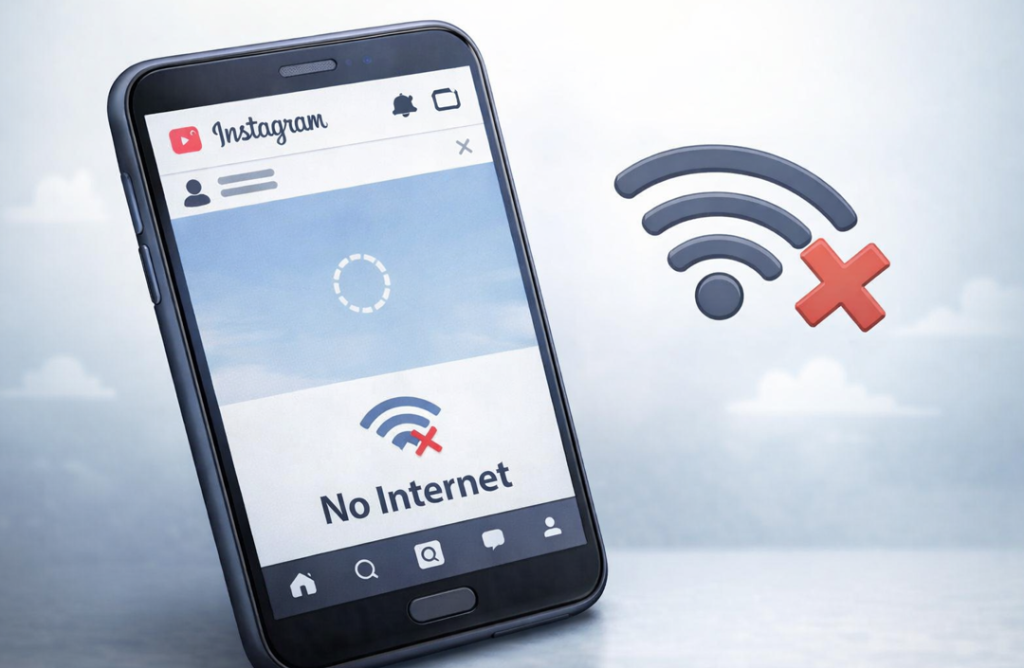
Internet Connection Problems
People often overlook this one. Even if your internet looks fine, it can be unstable when you try to post. Problems happen when:
- Wi-Fi is weak or keeps dropping
- Mobile data is shaky
- You’re posting a video, Reel, or carousel
Instagram can just freeze your post with no message. Try switching your connection: if you’re on Wi-Fi, use mobile data. If you’re on mobile, switch to Wi-Fi. Sometimes moving to a place with a better signal or restarting your phone or router helps your post go through right away.
Content Violates Instagram Guidelines
Sometimes, Instagram just won’t publish your post, even if your account is fine. The reason is automatic filters that check everything you upload. The algorithm doesn’t care if the post is good or not. It just looks for potential problems.
Why can’t I post on Instagram? A few reasons why this happens:
- Hashtags that Instagram sees as spammy or banned. For example, super popular tags that people use in shady ways.
- Repeated captions. If you copy the same text across multiple posts, the system can think it’s automated.
- Copyright issues. Using someone else’s photos, videos, or music without permission can block your post.
- Content that the algorithm finds risky or spammy. For example, too many links or clickable text.
Most of the time, you can fix this by changing the caption, removing the risky hashtags, or trying a different photo or video. The post usually publishes right away.
Issues with Your Instagram Account
New accounts or profiles that suddenly change activity often get extra checks. If you haven’t posted for a long time and then share several posts in one day, Instagram might limit some features. The same happens if you follow or unfollow many people at once, or start liking and commenting a lot after a pause.
Limits also happen if you log in from another country or use third-party services. It’s annoying, but usually, the restrictions disappear once your account gets back to normal.
How to Fix Posting Problems on Instagram
So, you still can’t get your post to go up. We already went over why this happens. The good news is that most problems are easy to fix on your own without contacting support. Let’s go through what actually helps.
Check for Instagram Restrictions
The first step is to see if Instagram put any temporary limits on your account. If you were super active, this might be the reason. So, go to Instagram settings → Security → Activity Limits. If you see any limits, give your account a break for 24–48 hours. After that, try posting again. It’s not permanent, so usually, everything works like normal after a few hours.
Update or Reinstall the Instagram App
If the problem isn’t your account, check the app. Old versions can glitch, and bugs after updates don’t always show up right away.
- Check the App Store or Google Play for updates.
- If a new version is available, install it – this often fixes the issue.
- If your post still won’t go up, delete the app and install it again.
Doing this usually solves most technical problems. Keep your apps updated regularly to avoid issues, not just with Instagram.
Check Your Internet Connection
Slow or unstable internet is a common but easy-to-miss reason your post won’t go up. The first thing to do is check if you actually have a connection. You can also switch from Wi-Fi to mobile data, or the other way around. If that doesn’t work, try posting at a different time of day when the network isn’t so busy.
This usually fixes the problem right away without any restrictions.
Review Your Content Before Posting
Now for the trickiest part – when Instagram blocks a post because of the content. It’s tricky because it’s hard to guess exactly what the system doesn’t like.
Pay attention to things like blocked or repeated hashtags, repeated captions across multiple posts, and photos or videos that break copyright rules or include banned content.
Try changing the caption or removing the problematic hashtags. If the post goes up after that, you know the problem was the content.
How Long Does an Instagram Posting Block Last?
If Instagram temporarily blocks you from posting, the restriction usually lasts between a few hours and 48 hours. The duration depends on the reason and your account history.
Here’s what’s typical:
Minor activity limit: A few hours to 24 hours.
Repeated suspicious behavior: 24–48 hours.
Multiple violations in a short period: Up to 7 days in rare cases.
Instagram does not always show an exact timer. If you see “Action Blocked” or your post stays stuck on uploading, stop trying to repost repeatedly. Continuing can extend the restriction.
Most users regain posting access within one to two days if they pause activity.
When to Contact Instagram Support
If your posts don’t go up for a few days in a row, or your account is acting “weird,” it’s time to reach out to support.
Explain the problem clearly and add a screenshot if you can. Be ready to wait a bit – replies usually come within 24–72 hours. Support mostly helps with technical issues or account blocks, but they won’t fix posts that break Instagram’s rules.
FAQ
Why Is My Instagram Post Not Posting? Does It Mean My Account Is Banned?
There are lots of possible reasons. Usually, it’s just temporary limits, whether it’s a technical glitch or an issue with your content.
How Long Do I Have to Wait If My Post Won’t Go Up?
Usually, it takes a few hours to two days.
Should I Contact Support Right Away?
Try simple steps first. Check your account status, internet connection, and update the app yourself.
Does This Affect My Future Reach?
A little in the short term – some people might not see your next posts right away. But over time, everything goes back to normal if your account works properly.
What should I do if posting problems happen often?
If the problem keeps happening or lasts for a few days, contact support with a clear description and a screenshot.
Conclusion
Instagram won’t let you post. It happens. Don’t panic. Most of the time, the reason is a temporary limit, a small app issue, weak internet, or something in your content. You can usually fix it on your own or with help from support.
After posting works again, you can focus on growing your account. Services like PathSocial help you get real followers and better engagement without risking blocks. Less stress, more posts that actually show up.





Looking for Real, Organic Instagram Followers?
Let our AI-targeted organic growth work for you.
Get Instagram Followers Now